[](https://railway.com/deploy/spSvic?referralCode=1Pn7vs&utm_medium=integration&utm_source=template&utm_campaign=generic)
[](https://zeabur.com/templates/1YRTMI?referralCode=rajnandan1)
[](https://render.com/deploy?repo=https%3A%2F%2Fgithub.com%2Frajnandan1%2Fkener)
## What is Kener?
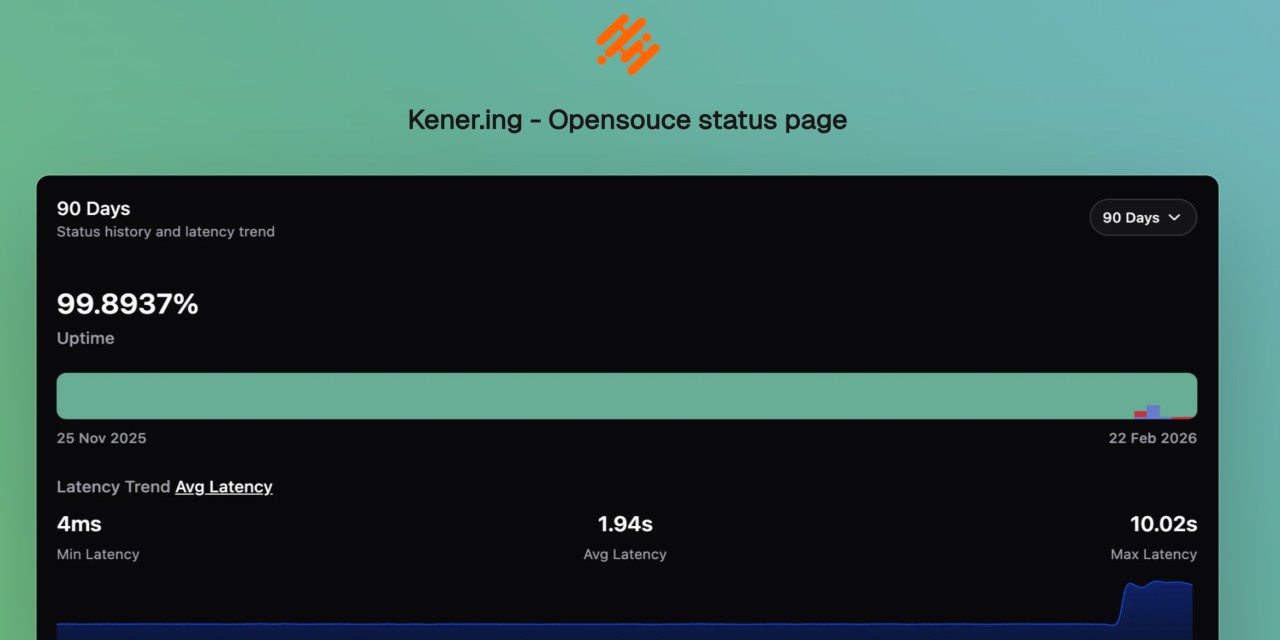
**Kener** is a sleek and lightweight status page system built with **SvelteKit** and **NodeJS**. It’s not here to replace heavyweights like Datadog or Atlassian but rather to offer a simple, modern, and hassle-free way to set up a great-looking status page with minimal effort.
Designed with **ease of use** and **customization in mind**, Kener provides all the essential features you’d expect from a status page—without unnecessary complexity.
### Why Kener?
✅ Minimal overhead – Set up quickly with a clean, modern UI
✅ Customizable – Easily tailor it to match your brand
✅ Open-source & free – Because great tools should be accessible to everyone
### What's in a Name?
“Kener” is inspired by the Assamese word _“Kene”_, meaning _“how’s it going?”_. The _‘.ing’_ was added because, well… that domain was available. 😄
## Quick Start
Get Kener running in minutes.
### Docker (recommended)
```bash
git clone https://github.com/rajnandan1/kener.git
cd kener
# Uses docker-compose.yml (includes Redis + Kener)
# Set a strong KENER_SECRET_KEY and ORIGIN in docker-compose.yml before first run
docker compose up -d
```
Open `http://localhost:3000`.
> [!IMPORTANT]
> Set a strong `KENER_SECRET_KEY` and set `ORIGIN` to your public URL before starting for the first time.
Use `docker-compose.dev.yml` when you want to build from local source instead of pulling the published image:
```bash
docker compose -f docker-compose.dev.yml up -d --build
```
Or combine both files to keep base production config while overriding Kener with a local build:
```bash
docker compose -f docker-compose.yml -f docker-compose.dev.yml up -d --build
```
### Run pre-built image
You can use either image:
- `docker.io/rajnandan1/kener:latest`
- `ghcr.io/rajnandan1/kener:latest`
For subpath deployments (`/status`), use:
- `docker.io/rajnandan1/kener:latest-status`
- `docker.io/rajnandan1/kener:latest-status-alpine`
- `ghcr.io/rajnandan1/kener:latest-status`
- `ghcr.io/rajnandan1/kener:latest-status-alpine`
```bash
mkdir -p database
docker run -d \
--name kener \
-p 3000:3000 \
-v "$(pwd)/database:/app/database" \
-e "KENER_SECRET_KEY=replace_with_a_random_string" \
-e "ORIGIN=http://localhost:3000" \
-e "REDIS_URL=redis://host.docker.internal:6379" \
docker.io/rajnandan1/kener:latest
```
### Run pre-built subpath image (`/status`)
```bash
mkdir -p database
docker run -d \
--name kener-status \
-p 3000:3000 \
-v "$(pwd)/database:/app/database" \
-e "KENER_SECRET_KEY=replace_with_a_random_string" \
-e "ORIGIN=http://localhost:3000" \
-e "KENER_BASE_PATH=/status" \
-e "REDIS_URL=redis://host.docker.internal:6379" \
docker.io/rajnandan1/kener:latest-status
```
> [!NOTE]
> For subpath mode, keep `ORIGIN` as the site origin (`http://localhost:3000`), not `http://localhost:3000/status`.
### Run without Docker
Requirements:
- Node.js `>= 20`
- Redis
```bash
git clone https://github.com/rajnandan1/kener.git
cd kener
npm install
# Start Redis (example)
docker run -d --name kener-redis -p 6379:6379 redis:7-alpine
npm run build
npm run start
```
Create a `.env` with at least:
```dotenv
KENER_SECRET_KEY=replace_with_a_random_string
ORIGIN=http://localhost:3000
REDIS_URL=redis://localhost:6379
PORT=3000
```
For the full quick start (including local Docker builds and dev mode), see the docs:
- https://kener.ing/docs/v4/getting-started/quick-start
## Features
Kener combines public status page essentials with advanced admin workflows.
### 📊 Monitoring, Reliability, and Communication
- Monitor **API, Ping, TCP, DNS, SSL, SQL, Heartbeat, and GameDig** checks
- Manage incidents with clear timelines, updates, and acknowledgements
- Schedule maintenance windows and keep users informed throughout
- Send notifications via **Email, Webhook, Slack, and Discord**
- Explore historical monitoring data and uptime trends
### 🎨 Status Page Experience and Branding
- Build branded, customizable status pages (logo, colors, CSS, themes)
- Support **light/dark mode**, localization, and timezone-aware display
- Embed status widgets and badges into external sites and portals
- Provide SEO-friendly public pages for global audiences
### 🛠️ Operations, Collaboration, and Automation
- Invite teams with role-based collaboration across workflows
- Manage multiple status pages from one Kener instance
- Use trigger-based workflows and template-driven messaging
- Manage API keys for secure integrations and automations
- Integrate analytics providers like GA, Plausible, Mixpanel, Umami, and Clarity
- Access the full REST API for incidents, monitors, and reporting
## Technologies Used
- [SvelteKit](https://kit.svelte.dev/)
- [shadcn-svelte](https://www.shadcn-svelte.com/)
## Support Me
If you’re enjoying Kener and want to support its development, consider sponsoring me on GitHub or treating me to a coffee. Your support helps keep the project growing! 🚀
- [Sponsor Me Using GitHub](https://github.com/sponsors/rajnandan1)
- [Buy Me a Coffee](https://www.buymeacoffee.com/rajnandan1)
## Contributing
If you want to contribute to Kener, please read the [Contribution Guide](https://github.com/rajnandan1/kener/blob/main/.github/CONTRIBUTING.md).
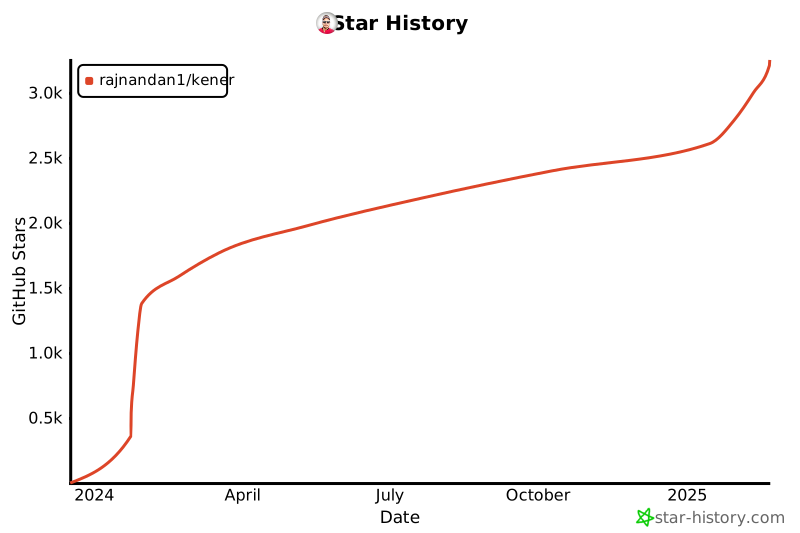
## Star History
[](https://star-history.com/#rajnandan1/kener&Date)