mirror of
https://github.com/rajnandan1/kener.git
synced 2026-08-07 07:14:56 +00:00
Compare commits
100 Commits
| Author | SHA1 | Date | |
|---|---|---|---|
 Raj Nandan Sharma Raj Nandan Sharma
|
5f33c02064 | ||
 Raj Nandan Sharma Raj Nandan Sharma
|
46c1a392b8 | ||
|
Raj Nandan Sharma
|
c6880c5df6 | ||
|
Raj Nandan Sharma
|
646da94ef9 | ||
|
Raj Nandan Sharma
|
36ede93dce | ||
|
Raj Nandan Sharma
|
9ed35589f7 | ||
|
Raj Nandan Sharma
|
e946dd18e0 | ||
|
Raj Nandan Sharma
|
51cad598c1 | ||
|
Raj Nandan Sharma
|
0595f23c18 | ||
|
Raj Nandan Sharma
|
b88816706b | ||
 Cake Cake
|
80edaae023 | ||
|
Raj Nandan Sharma
|
883c46b064 | ||
|
Raj Nandan Sharma
|
4248cc31f2 | ||
|
Raj Nandan Sharma
|
5f81c6d61a | ||
|
Raj Nandan Sharma
|
00d82cc817 | ||
|
Raj Nandan Sharma
|
a9edfde162 | ||
|
Cake
|
468d7f445d | ||
|
Cake
|
4cc74deece | ||
|
Raj Nandan Sharma
|
f9831490af | ||
|
Raj Nandan Sharma
|
a055a616eb | ||
|
Raj Nandan Sharma
|
8009a2cbc4 | ||
|
Raj Nandan Sharma
|
693cc149cf | ||
|
Raj Nandan Sharma
|
d126fe0bce | ||
|
Raj Nandan Sharma
|
4cc49cce9e | ||
|
Raj Nandan Sharma
|
f7cb4cd805 | ||
|
Raj Nandan Sharma
|
a2bd9883d1 | ||
|
Raj Nandan Sharma
|
10a079c304 | ||
|
Raj Nandan Sharma
|
65f12f1082 | ||
|
Raj Nandan Sharma
|
c15f855c72 | ||
|
Raj Nandan Sharma
|
3d38483022 | ||
 Mateus Ribeiro Mateus Ribeiro
|
57dc1e7175 | ||
|
Raj Nandan Sharma
|
ead68c929f | ||
|
Raj Nandan Sharma
|
d54b346259 | ||
|
Raj Nandan Sharma
|
a05de8269c | ||
|
Raj Nandan Sharma
|
130b70c6af | ||
|
Raj Nandan Sharma
|
7247a54c08 | ||
|
Raj Nandan Sharma
|
28de7ebff8 | ||
|
Raj Nandan Sharma
|
e2c9d4dc2d | ||
|
Raj Nandan Sharma
|
4866382180 | ||
|
Raj Nandan Sharma
|
1b1507db1a | ||
|
Raj Nandan Sharma
|
0ea7d687a7 | ||
|
Raj Nandan Sharma
|
502e1539ca | ||
 김세영 김세영
|
f3910fea1b | ||
|
김세영
|
ee9b48fb79 | ||
|
김세영
|
142686ef92 | ||
|
Raj Nandan Sharma
|
2aa187984e | ||
|
Raj Nandan Sharma
|
c20d4d71c3 | ||
|
Raj Nandan Sharma
|
4f4d1e1b39 | ||
|
Raj Nandan Sharma
|
f38b590f70 | ||
|
Raj Nandan Sharma
|
c2caf42fd3 | ||
|
Raj Nandan Sharma
|
8c279c8c10 | ||
|
Raj Nandan Sharma
|
3480c78360 | ||
|
Raj Nandan Sharma
|
79ce708f60 | ||
|
Raj Nandan Sharma
|
a4526eb4b5 | ||
|
Raj Nandan Sharma
|
866a133917 | ||
 Jelger Haanstra Jelger Haanstra
|
adce978244 | ||
|
Raj Nandan Sharma
|
dd3c26b29a | ||
|
Raj Nandan Sharma
|
25ad42ba9b | ||
 Benjamin Thiele Benjamin Thiele
|
3285b7e472 | ||
|
Raj Nandan Sharma
|
c7da55480a | ||
|
Raj Nandan Sharma
|
35e81b5782 | ||
|
Raj Nandan Sharma
|
769a9526e7 | ||
|
Benjamin Thiele
|
5470153f4f | ||
|
Benjamin Thiele
|
9d6ad87275 | ||
|
Benjamin Thiele
|
ac6261d9ac | ||
 Sergey Kutovoy Sergey Kutovoy
|
48effe077e | ||
|
Raj Nandan Sharma
|
c656bf8612 | ||
|
Benjamin Thiele
|
9daf7c7156 | ||
|
Benjamin Thiele
|
4bd3bfae9d | ||
|
Raj Nandan Sharma
|
727964949c | ||
|
Raj Nandan Sharma
|
21e1fc1aca | ||
|
Raj Nandan Sharma
|
eeba2ef2d4 | ||
|
Raj Nandan Sharma
|
b3e738ce03 | ||
|
Raj Nandan Sharma
|
46848c7b19 | ||
|
Raj Nandan Sharma
|
5f3d48597f | ||
|
Raj Nandan Sharma
|
0efc3e5999 | ||
|
Raj Nandan Sharma
|
0c0ce89317 | ||
|
Raj Nandan Sharma
|
4a47061f76 | ||
|
Raj Nandan Sharma
|
9b3ff9b362 | ||
|
Raj Nandan Sharma
|
8315fede7d | ||
|
Raj Nandan Sharma
|
d6d0568f67 | ||
|
Raj Nandan Sharma
|
ff0119db9b | ||
|
Raj Nandan Sharma
|
37d776c315 | ||
|
Raj Nandan Sharma
|
f53d4abd8b | ||
|
Raj Nandan Sharma
|
f827bd4aeb | ||
|
Raj Nandan Sharma
|
f28c4e96c5 | ||
|
Raj Nandan Sharma
|
cf81b11c0b | ||
|
Raj Nandan Sharma
|
17dc752902 | ||
|
Raj Nandan Sharma
|
bc9faf9456 | ||
|
Raj Nandan Sharma
|
e5b615267c | ||
|
Raj Nandan Sharma
|
70e9086646 | ||
|
Raj Nandan Sharma
|
0cc30bc67e | ||
|
Raj Nandan Sharma
|
73792e7ce6 | ||
|
Raj Nandan Sharma
|
32f873d9c2 | ||
|
Raj Nandan Sharma
|
6566bc5f8f | ||
|
Raj Nandan Sharma
|
cc93114eab | ||
|
Raj Nandan Sharma
|
6d5d949f5c | ||
|
Raj Nandan Sharma
|
f1be4a4db0 | ||
|
Raj Nandan Sharma
|
8b9f576b30 | ||
|
Raj Nandan Sharma
|
0735f959ef |
@@ -0,0 +1,6 @@
|
||||
node_modules
|
||||
dist
|
||||
build
|
||||
.env
|
||||
.DS_Store
|
||||
*.log
|
||||
+10
-5
@@ -1,7 +1,12 @@
|
||||
KENER_SECRET_KEY=please_change_me
|
||||
NODE_ENV=production
|
||||
PORT=3000
|
||||
GH_TOKEN=your_github_token
|
||||
API_TOKEN=your_api_token
|
||||
API_IP=""
|
||||
API_IP_REGEX=""
|
||||
KENER_BASE_PATH=""
|
||||
KENER_BASE_PATH=""
|
||||
RESEND_API_KEY=
|
||||
ORIGIN=http://localhost:3000
|
||||
DATABASE_URL=sqlite://./database/kener.sqlite.db
|
||||
TZ=UTC
|
||||
RESEND_SENDER_EMAIL=Accounts <accounts@resend.dev>
|
||||
|
||||
# DATABASE_URL=postgresql://myuser:mypassword@localhost:5432/mydatabase
|
||||
# DATABASE_URL=mysql://root:password@127.0.0.1:3306/kener
|
||||
@@ -0,0 +1,48 @@
|
||||
# Contributing to Kener
|
||||
|
||||
Thank you for considering contributing to our project! Here are some guidelines to help you get started.
|
||||
|
||||
---
|
||||
|
||||
## How to Contribute
|
||||
|
||||
1. Fork the repository and clone it locally.
|
||||
2. Create a new branch for your feature or bug fix:
|
||||
```bash
|
||||
git checkout -b feature/your-feature-name
|
||||
```
|
||||
3. Make your changes and commit them:
|
||||
```bash
|
||||
git commit -m 'Describe your changes'
|
||||
```
|
||||
4. Push your changes to your fork:
|
||||
```bash
|
||||
git push origin feature/your-feature-name
|
||||
```
|
||||
5. Create a pull request to the `main` branch.
|
||||
|
||||
|
||||
## Development
|
||||
|
||||
1. Install dependencies:
|
||||
```bash
|
||||
npm install
|
||||
```
|
||||
2. Create a `.env` file in the root of the project and add the following:
|
||||
```bash
|
||||
cp .env.example .env
|
||||
```
|
||||
2. Start the development server:
|
||||
```bash
|
||||
npm run dev
|
||||
```
|
||||
3. Open [http://localhost:3000](http://localhost:3000) in your browser.
|
||||
|
||||
## Documentation
|
||||
|
||||
The documentation is available in the `docs` folder. You can view it by going to [http://localhost:3000/docs/home](http://localhost:3000/docs/home) in your browser.
|
||||
|
||||
## Where to Start
|
||||
|
||||
1. Check out the [roadmap items](https://kener.ing/docs/roadmap/)
|
||||
2. Add language support by following the [i18n guide](https://kener.ing/docs/i18n/)
|
||||
+7
-1
@@ -20,4 +20,10 @@ config/static/*
|
||||
db/*
|
||||
!db/.kener
|
||||
database/*
|
||||
!database/.kener
|
||||
!database/.kener
|
||||
uploads/*
|
||||
!uploads/upload.dir
|
||||
|
||||
static/uploads/*
|
||||
!static/uploads/upload.dir
|
||||
temp.txt
|
||||
+35
-61
@@ -1,78 +1,52 @@
|
||||
FROM lsiobase/alpine:3.18 as base
|
||||
FROM node:23
|
||||
|
||||
ENV TZ=Etc/UTC
|
||||
|
||||
RUN \
|
||||
echo "**** install build packages ****" && \
|
||||
apk add --no-cache \
|
||||
# Install necessary packages including tzdata for timezone setting
|
||||
RUN apt-get update && apt-get install -y \
|
||||
build-essential \
|
||||
libnode108 \
|
||||
nodejs \
|
||||
npm \
|
||||
python3 \
|
||||
sqlite3 \
|
||||
libsqlite3-dev \
|
||||
make \
|
||||
gcc \
|
||||
node-gyp \
|
||||
g++ \
|
||||
sqlite \
|
||||
sqlite-dev \
|
||||
libc6-compat && \
|
||||
echo "**** cleanup ****" && \
|
||||
rm -rf \
|
||||
/root/.cache \
|
||||
/tmp/*
|
||||
tzdata \
|
||||
iputils-ping && \
|
||||
rm -rf /var/lib/apt/lists/*
|
||||
|
||||
# set OS timezone specified by docker ENV
|
||||
RUN ln -snf /usr/share/zoneinfo/$TZ /etc/localtime && echo $TZ > /etc/timezone
|
||||
|
||||
# ARG data_dir=/config
|
||||
# VOLUME $data_dir
|
||||
# ENV CONFIG_DIR=$data_dir
|
||||
|
||||
COPY docker/root/ /
|
||||
|
||||
# build requires devDependencies which are not used by production deploy
|
||||
# so build in a stage so we can copy results to clean "deploy" stage later
|
||||
FROM base as build
|
||||
# Set the timezone environment variable and the application environment
|
||||
ARG KENER_BASE_PATH=
|
||||
ENV TZ=Etc/UTC
|
||||
ENV KENER_BASE_PATH=${KENER_BASE_PATH}
|
||||
|
||||
# Set the working directory
|
||||
WORKDIR /app
|
||||
|
||||
COPY --chown=abc:abc . /app
|
||||
# Copy package files and install dependencies
|
||||
COPY package*.json ./
|
||||
RUN npm install && npm cache clean --force
|
||||
|
||||
RUN \
|
||||
npm install node-gyp -g && \
|
||||
npm_config_build_from_source=true npm install better-sqlite3 && \
|
||||
npm install \
|
||||
&& chown -R root:root node_modules \
|
||||
&& npm run build
|
||||
# Copy the rest of the application code
|
||||
COPY . .
|
||||
|
||||
FROM base as app
|
||||
# remove dir src/routes/(docs)
|
||||
RUN rm -rf src/routes/\(docs\)
|
||||
|
||||
# copy package, required libs (npm,nodejs) results of build, prod entrypoint, and examples to be used to populate config dir
|
||||
# to clean, new stage
|
||||
COPY --chown=abc:abc package*.json ./
|
||||
COPY --from=base /usr/local/bin /usr/local/bin
|
||||
COPY --from=base /usr/local/lib /usr/local/lib
|
||||
# Ensure /app/uploads and /app/database have rw permissions
|
||||
RUN mkdir -p /app/uploads /app/database && \
|
||||
chmod -R 777 /app/uploads /app/database
|
||||
|
||||
COPY --chown=abc:abc static /app/static
|
||||
COPY --chown=abc:abc database /app/database
|
||||
COPY --chown=abc:abc build.js /app/build.js
|
||||
COPY --chown=abc:abc sitemap.js /app/sitemap.js
|
||||
COPY --chown=abc:abc openapi.json /app/openapi.json
|
||||
COPY --chown=abc:abc src/lib/server /app/src/lib/server
|
||||
# Build the application
|
||||
RUN npm run build
|
||||
|
||||
COPY --from=build --chown=abc:abc /app/build /app/build
|
||||
COPY --from=build --chown=abc:abc /app/main.js /app/main.js
|
||||
# Argument for the port
|
||||
ARG PORT=3000
|
||||
# Set the environment variable for the port
|
||||
ENV PORT=$PORT
|
||||
|
||||
ENV NODE_ENV=production
|
||||
|
||||
# install prod dependencies and clean cache
|
||||
RUN npm install --omit=dev \
|
||||
&& npm cache clean --force \
|
||||
&& chown -R abc:abc node_modules
|
||||
|
||||
ARG webPort=3000
|
||||
ENV PORT=$webPort
|
||||
# Expose the application port
|
||||
EXPOSE $PORT
|
||||
|
||||
# leave entrypoint blank!
|
||||
# uses LSIO s6-init entrypoint with scripts
|
||||
# that populate CONFIG_DIR with static dir, monitor/site.yaml when dir is empty
|
||||
# and chown's all files so they are owned by proper user based on PUID/GUID env
|
||||
# Set the command to run the application
|
||||
CMD ["node", "main"]
|
||||
@@ -1,14 +1,13 @@
|
||||
# Kener - A Sveltekit NodeJS Status Page System
|
||||
# Kener - A Beautiful Status Page System
|
||||
|
||||
<p align="center">
|
||||
<img src="https://kener.ing/newbg.png" width="100%" height="auto" class="rounded-lg shadow-lg" alt="kener example illustration">
|
||||
<img src="https://kener.ing/newbg.png?v=1" width="100%" height="auto" class="rounded-lg shadow-lg" alt="kener example illustration">
|
||||
</p>
|
||||
|
||||
<p align="center">
|
||||
<img alt="GitHub Repo stars" src="https://img.shields.io/github/stars/rajnandan1/kener?label=Star%20Repo&style=social">
|
||||
<a href="https://github.com/ivbeg/awesome-status-pages"><img src="https://cdn.rawgit.com/sindresorhus/awesome/d7305f38d29fed78fa85652e3a63e154dd8e8829/media/badge.svg" alt="Awesome status page" /></a>
|
||||
<a href="https://hub.docker.com/r/rajnandan1/kener"><img src="https://img.shields.io/docker/pulls/rajnandan1/kener" alt="Docker Kener" /></a>
|
||||
<img alt="GitHub Repo Updated" src="https://badges.pufler.dev/updated/rajnandan1/kener">
|
||||
</p>
|
||||
|
||||
<p align="center">
|
||||
@@ -34,11 +33,14 @@
|
||||
|
||||
## What is Kener?
|
||||
|
||||
Kener: Open-source sveltekit status page system, crafted with lot of thought so that it looks modern.
|
||||
Kener is status page system built with Sveltekit and NodeJS. It does not try to replace the Datadogs and Atlassian of the world. It tries to help some who wants to come up with a status page that looks nice and minimum overhead, in a modern way.
|
||||
|
||||
It does not aim to replace the Datadogs of the world. It simply tries to help someone come with a status page for the world.
|
||||
It is carefully crafted to be easy to use and customize.
|
||||
|
||||
It comes with all the basic asks for a status page. It is open-source and free to use.
|
||||
|
||||
Kener name is derived from the word "Kene" which means "how is it going" in Assamese, then .ing because it was a cheaply available domain.
|
||||
|
||||
Kener name is derived from the word "Kene" which means "how is it going" in Assamese, then .ing is added to make cooler.
|
||||
<div align="left">
|
||||
<img alt="Visitor Stats" src="https://widgetbite.com/stats/rajnandan"/>
|
||||
</div>
|
||||
@@ -49,61 +51,48 @@ Here are some of the features that you get out of the box. Please read the docum
|
||||
|
||||
### Monitoring and Tracking
|
||||
|
||||
- Real-time monitoring
|
||||
- Advanced application performance monitoring tools
|
||||
- Real-time network monitor software capabilities
|
||||
- Polls HTTP endpoint or Push data to monitor using Rest APIs
|
||||
- Handles Timezones for visitors
|
||||
- Adjusts Timezones for visitors
|
||||
- Categorize Monitors into different Sections
|
||||
- Cron-based scheduling for monitors. Minimum per minute
|
||||
- Flexible monitor configuration using YAML. Define your own parsing for monitor being UP/DOWN/DEGRADED
|
||||
- Construct complex API Polls - Chain, Secrets etc
|
||||
- Supports a Default Status for Monitors. Example defaultStatus=DOWN if you don't hit API per minute with Status UP
|
||||
- Supports a Default Status for Monitors
|
||||
- Supports base path for hosting in k8s
|
||||
- Pre-built docker image for easy deployment
|
||||
- Supports webhooks/discord/slack for notifications
|
||||
- Automatically adjusts timezones for visitors
|
||||
|
||||
### Customization and Branding
|
||||
|
||||
- Customizable status page using yaml or code
|
||||
- Customizable status page
|
||||
- Badge generation for status and uptime of Monitors
|
||||
- Support for custom domains
|
||||
- Embed Monitor as an iframe or widget
|
||||
- Light + Dark Theme
|
||||
- Internationalization support
|
||||
- Beautifully Crafted Status Page
|
||||
|
||||
### Incident Management
|
||||
|
||||
- Create Incidents using Github Issues - Rich Text
|
||||
- Or use APIs to create Incidents
|
||||
- Incident Management
|
||||
- Incident Communication
|
||||
- Comprehensive APIs for Incident Management
|
||||
|
||||
### User Experience and Design
|
||||
|
||||
- 100% Accessibility Score
|
||||
- Good Accessibility Score
|
||||
- Easy installation and setup
|
||||
- User-friendly interface
|
||||
- Responsive design for various devices
|
||||
- Auto SEO and Social Media ready
|
||||
- Server Side Rendering
|
||||
|
||||
## Technologies used
|
||||
|
||||
- [SvelteKit](https://kit.svelte.dev/)
|
||||
- [shadcn-svelte](https://www.shadcn-svelte.com/)
|
||||
|
||||
## Inspired from
|
||||
|
||||
- [Upptime](https://upptime.js.org/)
|
||||
|
||||
## Screenshots
|
||||
|
||||

|
||||

|
||||

|
||||

|
||||

|
||||

|
||||

|
||||

|
||||

|
||||
|
||||
## Support Me
|
||||
|
||||
If you are using Kener and want to support me, you can do so by sponsoring me on GitHub or buying me a coffee.
|
||||
@@ -113,3 +102,11 @@ If you are using Kener and want to support me, you can do so by sponsoring me on
|
||||
[Buy Me a Coffee](https://www.buymeacoffee.com/rajnandan1)
|
||||
|
||||

|
||||
|
||||
## Contributing
|
||||
|
||||
If you want to contribute to Kener, please read the [Contributing Guide](https://github.com/rajnandan1/kener/blob/main/.github/CONTRIBUTING.md).
|
||||
|
||||
## Star History
|
||||
|
||||
[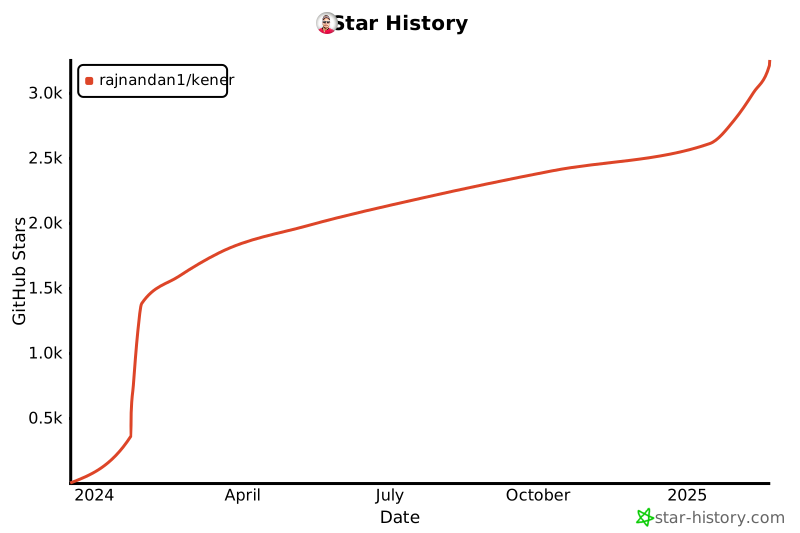](https://star-history.com/#rajnandan1/kener&Date)
|
||||
|
||||
@@ -1,460 +0,0 @@
|
||||
import yaml from "js-yaml";
|
||||
import fs from "fs-extra";
|
||||
import axios from "axios";
|
||||
import {
|
||||
IsValidURL,
|
||||
checkIfDuplicateExists,
|
||||
IsValidHTTPMethod,
|
||||
ValidateIpAddress,
|
||||
IsValidHost,
|
||||
IsValidRecordType,
|
||||
IsValidNameServer
|
||||
} from "./src/lib/server/tool.js";
|
||||
import { API_TIMEOUT, AnalyticsProviders } from "./src/lib/server/constants.js";
|
||||
import { GetAllGHLabels, CreateGHLabel } from "./src/lib/server/github.js";
|
||||
|
||||
const configPathFolder = "./config";
|
||||
const databaseFolder = process.argv[2] || "./database";
|
||||
const defaultEval = `(function (statusCode, responseTime, responseData) {
|
||||
let statusCodeShort = Math.floor(statusCode/100);
|
||||
if(statusCode == 429 || (statusCodeShort >=2 && statusCodeShort <= 3)) {
|
||||
return {
|
||||
status: 'UP',
|
||||
latency: responseTime,
|
||||
}
|
||||
}
|
||||
return {
|
||||
status: 'DOWN',
|
||||
latency: responseTime,
|
||||
}
|
||||
})`;
|
||||
|
||||
function validateServerFile(server) {
|
||||
//if empty return true
|
||||
if (Object.keys(server).length === 0) {
|
||||
return true;
|
||||
}
|
||||
//server.triggers is present then it should be an array
|
||||
if (server.triggers !== undefined && !Array.isArray(server.triggers)) {
|
||||
console.log("triggers should be an array");
|
||||
return false;
|
||||
}
|
||||
///each trigger should have a name, type, and url
|
||||
if (server.triggers !== undefined) {
|
||||
for (let i = 0; i < server.triggers.length; i++) {
|
||||
const trigger = server.triggers[i];
|
||||
if (
|
||||
trigger.name === undefined ||
|
||||
trigger.type === undefined ||
|
||||
trigger.url === undefined
|
||||
) {
|
||||
console.log("trigger should have name, type, and url");
|
||||
return false;
|
||||
}
|
||||
}
|
||||
}
|
||||
//if database is present then it should be an object, and they key can be either postgres or sqlite
|
||||
if (server.database !== undefined && typeof server.database !== "object") {
|
||||
console.log("database should be an object");
|
||||
return false;
|
||||
}
|
||||
if (server.database !== undefined) {
|
||||
let dbtype = Object.keys(server.database);
|
||||
if (dbtype.length !== 1) {
|
||||
console.log("database should have only one key");
|
||||
return false;
|
||||
}
|
||||
if (dbtype[0] !== "postgres" && dbtype[0] !== "sqlite") {
|
||||
console.log("database should be either postgres or sqlite");
|
||||
return false;
|
||||
}
|
||||
}
|
||||
|
||||
return true;
|
||||
}
|
||||
|
||||
async function Build() {
|
||||
console.log("ℹ️ Building Kener...");
|
||||
let site = {};
|
||||
let server = {};
|
||||
let monitors = [];
|
||||
try {
|
||||
site = yaml.load(fs.readFileSync(configPathFolder + "/site.yaml", "utf8"));
|
||||
monitors = yaml.load(fs.readFileSync(configPathFolder + "/monitors.yaml", "utf8"));
|
||||
} catch (error) {
|
||||
console.log(error);
|
||||
process.exit(1);
|
||||
}
|
||||
try {
|
||||
server = yaml.load(fs.readFileSync(configPathFolder + "/server.yaml", "utf8"));
|
||||
if (!validateServerFile(server)) {
|
||||
process.exit(1);
|
||||
}
|
||||
} catch (error) {
|
||||
console.warn("server.yaml not found");
|
||||
server = {};
|
||||
}
|
||||
|
||||
if (
|
||||
site.github === undefined ||
|
||||
site.github.owner === undefined ||
|
||||
site.github.repo === undefined
|
||||
) {
|
||||
console.log("github owner and repo are required");
|
||||
site.hasGithub = false;
|
||||
// process.exit(1);
|
||||
} else {
|
||||
site.hasGithub = true;
|
||||
}
|
||||
|
||||
if (site.hasGithub && !!!site.github.incidentSince) {
|
||||
site.github.incidentSince = 720;
|
||||
}
|
||||
if (site.hasGithub && !!!site.github.apiURL) {
|
||||
site.github.apiURL = "https://api.github.com";
|
||||
}
|
||||
|
||||
const FOLDER_DB = databaseFolder;
|
||||
const FOLDER_SITE = FOLDER_DB + "/site.json";
|
||||
const FOLDER_MONITOR = FOLDER_DB + "/monitors.json";
|
||||
const FOLDER_SERVER = FOLDER_DB + "/server.json";
|
||||
|
||||
for (let i = 0; i < monitors.length; i++) {
|
||||
const monitor = monitors[i];
|
||||
|
||||
let name = monitor.name;
|
||||
let tag = monitor.tag;
|
||||
let hasAPI = monitor.api !== undefined && monitor.api !== null;
|
||||
let hasPing = monitor.ping !== undefined && monitor.ping !== null;
|
||||
let hasDNS = monitor.dns !== undefined && monitor.dns !== null;
|
||||
let folderName = name.replace(/[^a-z0-9]/gi, "-").toLowerCase();
|
||||
monitors[i].folderName = folderName;
|
||||
|
||||
if (!name || !tag) {
|
||||
console.log("name, tag are required");
|
||||
process.exit(1);
|
||||
}
|
||||
|
||||
if (
|
||||
monitor.dayDegradedMinimumCount &&
|
||||
(isNaN(monitor.dayDegradedMinimumCount) || monitor.dayDegradedMinimumCount < 1)
|
||||
) {
|
||||
console.log("dayDegradedMinimumCount is not a number or it is less than 1");
|
||||
process.exit(1);
|
||||
} else if (monitor.dayDegradedMinimumCount === undefined) {
|
||||
monitors[i].dayDegradedMinimumCount = 1;
|
||||
}
|
||||
|
||||
if (
|
||||
monitor.dayDownMinimumCount &&
|
||||
(isNaN(monitor.dayDownMinimumCount) || monitor.dayDownMinimumCount < 1)
|
||||
) {
|
||||
console.log("dayDownMinimumCount is not a number or it is less than 1");
|
||||
process.exit(1);
|
||||
} else if (monitor.dayDownMinimumCount === undefined) {
|
||||
monitors[i].dayDownMinimumCount = 1;
|
||||
}
|
||||
|
||||
if (
|
||||
monitor.includeDegradedInDowntime === undefined ||
|
||||
monitor.includeDegradedInDowntime !== true
|
||||
) {
|
||||
monitors[i].includeDegradedInDowntime = false;
|
||||
}
|
||||
if (hasPing) {
|
||||
let hostsV4 = monitor.ping.hostsV4;
|
||||
let hostsV6 = monitor.ping.hostsV6;
|
||||
let hasV4 = false;
|
||||
let hasV6 = false;
|
||||
if (hostsV4 && Array.isArray(hostsV4) && hostsV4.length > 0) {
|
||||
hostsV4.forEach((host) => {
|
||||
if (ValidateIpAddress(host) == "Invalid") {
|
||||
console.log(`hostsV4 ${host} is not valid`);
|
||||
process.exit(1);
|
||||
}
|
||||
});
|
||||
hasV4 = true;
|
||||
}
|
||||
if (hostsV6 && Array.isArray(hostsV6) && hostsV6.length > 0) {
|
||||
hostsV6.forEach((host) => {
|
||||
if (ValidateIpAddress(host) == "Invalid") {
|
||||
console.log(`hostsV6 ${host} is not valid`);
|
||||
process.exit(1);
|
||||
}
|
||||
});
|
||||
hasV6 = true;
|
||||
}
|
||||
|
||||
if (!hasV4 && !hasV6) {
|
||||
console.log("hostsV4 or hostsV6 is required");
|
||||
process.exit(1);
|
||||
}
|
||||
monitors[i].hasPing = true;
|
||||
}
|
||||
if (hasDNS) {
|
||||
let dnsData = monitor.dns;
|
||||
let domain = dnsData.host;
|
||||
//check if domain is valid
|
||||
if (!!!domain || !IsValidHost(domain)) {
|
||||
console.log("domain is not valid");
|
||||
process.exit(1);
|
||||
}
|
||||
|
||||
let recordType = dnsData.lookupRecord;
|
||||
//check if recordType is valid
|
||||
if (!!!recordType || !IsValidRecordType(recordType)) {
|
||||
console.log("recordType is not valid");
|
||||
process.exit(1);
|
||||
}
|
||||
|
||||
let nameServer = dnsData.nameServer;
|
||||
//check if nameserver is valid
|
||||
if (!!nameServer && !IsValidNameServer(nameServer)) {
|
||||
console.log("nameServer is not valid");
|
||||
process.exit(1);
|
||||
}
|
||||
|
||||
// matchType: "ANY" # ANY, ALL
|
||||
let matchType = dnsData.matchType;
|
||||
if (!!!matchType || (matchType !== "ANY" && matchType !== "ALL")) {
|
||||
console.log("matchType is not valid");
|
||||
process.exit(1);
|
||||
}
|
||||
|
||||
//values array of string at least one
|
||||
let values = dnsData.values;
|
||||
if (!!!values || !Array.isArray(values) || values.length === 0) {
|
||||
console.log("values is not valid");
|
||||
process.exit(1);
|
||||
}
|
||||
monitors[i].hasDNS = true;
|
||||
}
|
||||
if (hasAPI) {
|
||||
let url = monitor.api.url;
|
||||
let method = monitor.api.method;
|
||||
let headers = monitor.api.headers;
|
||||
let evaluator = monitor.api.eval;
|
||||
let body = monitor.api.body;
|
||||
let timeout = monitor.api.timeout;
|
||||
let hideURLForGet = !!monitor.api.hideURLForGet;
|
||||
//url
|
||||
if (!!url) {
|
||||
if (!IsValidURL(url)) {
|
||||
console.log("url is not valid");
|
||||
process.exit(1);
|
||||
}
|
||||
}
|
||||
if (!!method) {
|
||||
if (!IsValidHTTPMethod(method)) {
|
||||
console.log("method is not valid");
|
||||
process.exit(1);
|
||||
}
|
||||
method = method.toUpperCase();
|
||||
} else {
|
||||
method = "GET";
|
||||
}
|
||||
monitors[i].api.method = method;
|
||||
//headers
|
||||
if (headers === undefined || headers === null) {
|
||||
monitors[i].api.headers = undefined;
|
||||
} else {
|
||||
//check if headers is a valid json
|
||||
try {
|
||||
JSON.parse(JSON.stringify(headers));
|
||||
} catch (error) {
|
||||
console.log("headers are not valid. Quitting");
|
||||
process.exit(1);
|
||||
}
|
||||
}
|
||||
//eval
|
||||
if (evaluator === undefined || evaluator === null) {
|
||||
monitors[i].api.eval = defaultEval;
|
||||
} else {
|
||||
let evalResp = eval(evaluator + `(200, 1000, "e30=")`);
|
||||
|
||||
if (
|
||||
evalResp === undefined ||
|
||||
evalResp === null ||
|
||||
evalResp.status === undefined ||
|
||||
evalResp.status === null ||
|
||||
evalResp.latency === undefined ||
|
||||
evalResp.latency === null
|
||||
) {
|
||||
console.log("eval is not valid ");
|
||||
process.exit(1);
|
||||
}
|
||||
monitors[i].api.eval = evaluator;
|
||||
}
|
||||
//body
|
||||
if (body === undefined || body === null) {
|
||||
monitors[i].api.body = undefined;
|
||||
} else {
|
||||
//check if body is a valid string
|
||||
if (typeof body !== "string") {
|
||||
console.log("body is not valid should be a string");
|
||||
process.exit(1);
|
||||
}
|
||||
}
|
||||
//timeout
|
||||
if (timeout === undefined || timeout === null) {
|
||||
monitors[i].api.timeout = API_TIMEOUT;
|
||||
} else {
|
||||
//check if timeout is a valid number
|
||||
if (isNaN(timeout) || timeout < 0) {
|
||||
console.log("timeout is not valid ");
|
||||
process.exit(1);
|
||||
}
|
||||
}
|
||||
|
||||
//add a description to the monitor if it is website using api.url and method = GET and headers == undefined
|
||||
//call the it to see if received content-type is text/html
|
||||
//if yes, append to description
|
||||
if (
|
||||
!hideURLForGet &&
|
||||
(headers === undefined || headers === null) &&
|
||||
url !== undefined &&
|
||||
method === "GET"
|
||||
) {
|
||||
try {
|
||||
const response = await axios({
|
||||
method: "GET",
|
||||
url: url,
|
||||
timeout: API_TIMEOUT
|
||||
});
|
||||
if (response.headers["content-type"].includes("text/html")) {
|
||||
let link = `<a href="${url}" class="font-medium underline underline-offset-4" target="_blank">${url}</a>`;
|
||||
if (monitors[i].description === undefined) {
|
||||
monitors[i].description = link;
|
||||
} else {
|
||||
monitors[i].description = monitors[i].description?.trim() + " " + link;
|
||||
}
|
||||
}
|
||||
} catch (error) {
|
||||
console.log(`error while fetching ${url}`);
|
||||
}
|
||||
}
|
||||
}
|
||||
|
||||
monitors[i].hasAPI = hasAPI;
|
||||
}
|
||||
|
||||
if (site.siteName === undefined) {
|
||||
site.siteName = site.title;
|
||||
}
|
||||
if (site.theme === undefined) {
|
||||
site.theme = "system";
|
||||
}
|
||||
if (site.themeToggle === undefined) {
|
||||
site.themeToggle = true;
|
||||
}
|
||||
if (site.barStyle === undefined) {
|
||||
site.barStyle = "FULL";
|
||||
}
|
||||
if (site.barRoundness === undefined) {
|
||||
site.barRoundness = "ROUNDED";
|
||||
} else {
|
||||
site.barRoundness = site.barRoundness.toLowerCase();
|
||||
}
|
||||
if (site.summaryStyle === undefined) {
|
||||
site.summaryStyle = "DAY";
|
||||
}
|
||||
site.colors = {
|
||||
UP: site.colors?.UP || "#4ead94",
|
||||
DOWN: site.colors?.DOWN || "#ca3038",
|
||||
DEGRADED: site.colors?.DEGRADED || "#e6ca61"
|
||||
};
|
||||
if (!!site.analytics) {
|
||||
const providers = {};
|
||||
|
||||
for (let i = 0; i < site.analytics.length; i++) {
|
||||
const element = site.analytics[i];
|
||||
if (!!AnalyticsProviders[element.type]) {
|
||||
if (providers[element.type] === undefined) {
|
||||
providers[element.type] = {};
|
||||
providers[element.type].measurementIds = [];
|
||||
providers[element.type].script = AnalyticsProviders[element.type];
|
||||
}
|
||||
providers[element.type].measurementIds.push(element.id);
|
||||
}
|
||||
}
|
||||
site.analytics = providers;
|
||||
}
|
||||
if (!!!site.font || !!!site.font.cssSrc || !!!site.font.family) {
|
||||
site.font = {
|
||||
cssSrc: "https://fonts.googleapis.com/css2?family=Albert+Sans:ital,wght@0,100..900;1,100..900&display=swap",
|
||||
family: "Albert Sans"
|
||||
};
|
||||
}
|
||||
if (checkIfDuplicateExists(monitors.map((monitor) => monitor.folderName)) === true) {
|
||||
console.log("duplicate monitor detected");
|
||||
process.exit(1);
|
||||
}
|
||||
if (checkIfDuplicateExists(monitors.map((monitor) => monitor.tag)) === true) {
|
||||
console.log("duplicate tag detected");
|
||||
process.exit(1);
|
||||
}
|
||||
|
||||
fs.ensureFileSync(FOLDER_MONITOR);
|
||||
fs.ensureFileSync(FOLDER_SITE);
|
||||
fs.ensureFileSync(FOLDER_SERVER);
|
||||
try {
|
||||
fs.writeFileSync(FOLDER_MONITOR, JSON.stringify(monitors, null, 4));
|
||||
fs.writeFileSync(FOLDER_SITE, JSON.stringify(site, null, 4));
|
||||
fs.writeFileSync(FOLDER_SERVER, JSON.stringify(server, null, 4));
|
||||
} catch (error) {
|
||||
console.log(error);
|
||||
process.exit(1);
|
||||
}
|
||||
|
||||
console.log("✅ Kener built successfully");
|
||||
|
||||
if (site.hasGithub) {
|
||||
const ghLabels = await GetAllGHLabels(site);
|
||||
const tagsAndDescription = monitors.map((monitor) => {
|
||||
return { tag: monitor.tag, description: monitor.name };
|
||||
});
|
||||
//add incident label if does not exist
|
||||
|
||||
if (ghLabels.indexOf("incident") === -1) {
|
||||
await CreateGHLabel(site, "incident", "Status of the site");
|
||||
}
|
||||
if (ghLabels.indexOf("resolved") === -1) {
|
||||
await CreateGHLabel(site, "resolved", "Incident is resolved", "65dba6");
|
||||
}
|
||||
if (ghLabels.indexOf("identified") === -1) {
|
||||
await CreateGHLabel(site, "identified", "Incident is Identified", "EBE3D5");
|
||||
}
|
||||
if (ghLabels.indexOf("manual") === -1) {
|
||||
await CreateGHLabel(site, "manual", "Manually Created Incident", "6499E9");
|
||||
}
|
||||
if (ghLabels.indexOf("auto") === -1) {
|
||||
await CreateGHLabel(site, "auto", "Automatically Created Incident", "D6C0B3");
|
||||
}
|
||||
if (ghLabels.indexOf("investigating") === -1) {
|
||||
await CreateGHLabel(site, "investigating", "Incident is investigated", "D4E2D4");
|
||||
}
|
||||
if (ghLabels.indexOf("incident-degraded") === -1) {
|
||||
await CreateGHLabel(
|
||||
site,
|
||||
"incident-degraded",
|
||||
"Status is degraded of the site",
|
||||
"f5ba60"
|
||||
);
|
||||
}
|
||||
if (ghLabels.indexOf("incident-down") === -1) {
|
||||
await CreateGHLabel(site, "incident-down", "Status is down of the site", "ea3462");
|
||||
}
|
||||
//add tags if does not exist
|
||||
for (let i = 0; i < tagsAndDescription.length; i++) {
|
||||
const tag = tagsAndDescription[i].tag;
|
||||
const description = tagsAndDescription[i].description;
|
||||
if (ghLabels.indexOf(tag) === -1) {
|
||||
await CreateGHLabel(site, tag, description);
|
||||
}
|
||||
}
|
||||
|
||||
console.log("✅ Github labels created successfully");
|
||||
}
|
||||
}
|
||||
|
||||
Build();
|
||||
@@ -1,48 +0,0 @@
|
||||
- name: OkBookmarks
|
||||
description: A free bookmark manager that lets you save and search your bookmarks in the cloud.
|
||||
tag: "okbookmarks"
|
||||
image: "https://okbookmarks.com/assets/img/extension_icon128.png"
|
||||
api:
|
||||
method: GET
|
||||
url: https://okbookmarks.com
|
||||
- name: Earth
|
||||
description: Our blue planet
|
||||
tag: "earth"
|
||||
defaultStatus: "UP"
|
||||
image: "/earth.png"
|
||||
- name: Frogment
|
||||
description: A free openAPI spec editor and linter that breaks down your spec into fragments to make editing easier and more intuitive. Visit https://www.frogment.com
|
||||
tag: "frogment"
|
||||
image: "/frogment.png"
|
||||
api:
|
||||
method: GET
|
||||
url: https://www.frogment.com
|
||||
alerts:
|
||||
DOWN:
|
||||
failureThreshold: 5
|
||||
successThreshold: 2
|
||||
createIncident: false
|
||||
description: "Write a description here please"
|
||||
triggers:
|
||||
- MyWebhook
|
||||
- Discord Test
|
||||
- name: CNAME Lookup
|
||||
description: Monitor example showing how to lookup CNAME record for a domain. The site www.rajnandan.com is hosted on GitHub Pages.
|
||||
tag: "cname-rajnandan"
|
||||
image: "https://www.rajnandan.com/assets/images/me.jpg"
|
||||
defaultStatus: "UP"
|
||||
dns:
|
||||
host: "www.rajnandan.com"
|
||||
lookupRecord: "CNAME"
|
||||
nameServer: "8.8.8.8"
|
||||
matchType: "ANY" # ANY, ALL
|
||||
values:
|
||||
- "rajnandan1.github.io"
|
||||
- name: "Frogment APP Ping"
|
||||
description: "Ping www.frogment.app"
|
||||
image: https://www.frogment.app/icons/Square107x107Logo.png
|
||||
tag: "pingFrogmentApp"
|
||||
defaultStatus: "UP"
|
||||
ping:
|
||||
hostsV4:
|
||||
- "www.frogment.app"
|
||||
@@ -1,13 +0,0 @@
|
||||
triggers:
|
||||
- name: MyWebhook
|
||||
type: webhook
|
||||
url: https://kener.requestcatcher.com/test
|
||||
method: POST
|
||||
headers:
|
||||
Authorization: Bearer SomeToken
|
||||
- name: Discord Test
|
||||
type: discord
|
||||
url: https://discord.com/api/webhooks/1310641119767302164/XJvq4MO2lz5yp9XRCJgfc4dbUfcQdHsttFUKTFJx4y_Oo1jNkUXf-CS3RSnamnNNv4Lx
|
||||
database:
|
||||
sqlite:
|
||||
dbName: kener.db
|
||||
@@ -1,58 +0,0 @@
|
||||
title: "Kener - Open-Source and Modern looking Node.js Status Page for Effortless Incident Management"
|
||||
siteName: "Kener.ing"
|
||||
home: "/"
|
||||
logo: "/logo.png"
|
||||
siteURL: "https://kener.ing"
|
||||
favicon: "/logo96.png"
|
||||
github:
|
||||
owner: "rajnandan1"
|
||||
repo: "kener"
|
||||
incidentSince: 720
|
||||
metaTags:
|
||||
description: "Kener: Open-source modern looking Node.js status page tool, designed to make service monitoring and incident handling a breeze. It offers a sleek and user-friendly interface that simplifies tracking service outages and improves how we communicate during incidents. And the best part? Kener integrates seamlessly with GitHub, making incident management a team effort—making it easier for us to track and fix issues together in a collaborative and friendly environment."
|
||||
keywords: "Node.js status page, Incident management tool, Service monitoring, Service outage tracking, Real-time status updates, GitHub integration for incidents, Open-source status page, Node.js monitoring application, Service reliability, User-friendly incident management, Collaborative incident resolution, Seamless outage communication, Service disruption tracker, Real-time incident alerts, Node.js status reporting"
|
||||
og:description: "Kener: Open-source Node.js status page tool, designed to make service monitoring and incident handling a breeze. It offers a sleek and user-friendly interface that simplifies tracking service outages and improves how we communicate during incidents. And the best part? Kener integrates seamlessly with GitHub, making incident management a team effort—making it easier for us to track and fix issues together in a collaborative and friendly environment."
|
||||
og:image: "https://kener.ing/ss.png"
|
||||
og:title: "Kener - Open-Source and Modern looking Node.js Status Page for Effortless Incident Management"
|
||||
og:type: "website"
|
||||
og:site_name: "Kener"
|
||||
twitter:card: "summary_large_image"
|
||||
twitter:site: "@_rajnandan_"
|
||||
twitter:creator: "@_rajnandan_"
|
||||
twitter:image: "https://kener.ing/ss.png"
|
||||
twitter:title: "Kener: Open-Source and Modern looking Node.js Status Page for Effortless Incident Management"
|
||||
twitter:description: "Kener: Open-source Node.js status page tool, designed to make service monitoring and incident handling a breeze. It offers a sleek and user-friendly interface that simplifies tracking service outages and improves how we communicate during incidents. And the best part? Kener integrates seamlessly with GitHub, making incident management a team effort—making it easier for us to track and fix issues together in a collaborative and friendly environment."
|
||||
nav:
|
||||
- name: "Documentation"
|
||||
url: "/docs/home"
|
||||
- name: "Github"
|
||||
iconURL: "/github.svg"
|
||||
url: "https://github.com/rajnandan1/kener"
|
||||
- name: "Buy me a coffee"
|
||||
iconURL: "/buymeacoffee.svg"
|
||||
url: "https://buymeacoffee.com/rajnandan1"
|
||||
hero:
|
||||
title: Kener is an Modern Open-Source Status Page System
|
||||
subtitle: Let your users know what's going on.
|
||||
footerHTML: |
|
||||
Made using
|
||||
<a href="https://github.com/rajnandan1/kener" target="_blank" rel="noreferrer" class="font-medium underline underline-offset-4">
|
||||
Kener
|
||||
</a>
|
||||
an open source status page system built with Svelte and TailwindCSS.
|
||||
i18n:
|
||||
defaultLocale: "en"
|
||||
locales:
|
||||
en: "English"
|
||||
hi: "हिन्दी"
|
||||
zh-CN: "中文"
|
||||
ja: "日本語"
|
||||
vi: "Tiếng Việt"
|
||||
pattern: "squares"
|
||||
analytics:
|
||||
- id: "G-Q3MLRXCBFT"
|
||||
type: "GA"
|
||||
barRoundness: SHARP
|
||||
summaryStyle: CURRENT
|
||||
barStyle: PARTIAL
|
||||
|
||||
@@ -1,40 +0,0 @@
|
||||
import fs from "fs-extra";
|
||||
import path from "path";
|
||||
|
||||
let maxWait = 5000;
|
||||
let interval = 1000;
|
||||
let waitTime = 0;
|
||||
let serverDataPath = path.join(process.cwd(), "database", "server.json");
|
||||
let siteDataPath = path.join(process.cwd(), "database", "site.json");
|
||||
let monitorsDataPath = path.join(process.cwd(), "database", "monitors.json");
|
||||
|
||||
function allFilesExist() {
|
||||
return (
|
||||
fs.existsSync(serverDataPath) &&
|
||||
fs.existsSync(siteDataPath) &&
|
||||
fs.existsSync(monitorsDataPath)
|
||||
);
|
||||
}
|
||||
|
||||
//use setTimeout to create a delay promise
|
||||
function delay(ms) {
|
||||
return new Promise((resolve) => setTimeout(resolve, ms));
|
||||
}
|
||||
|
||||
let requiredFilesExist = allFilesExist();
|
||||
|
||||
//create anonymous function to call the init function
|
||||
(async function init() {
|
||||
while (!requiredFilesExist && waitTime < maxWait) {
|
||||
await delay(1000);
|
||||
requiredFilesExist = allFilesExist();
|
||||
|
||||
waitTime += interval;
|
||||
}
|
||||
if (!requiredFilesExist) {
|
||||
console.error("Error loading site data");
|
||||
process.exit(1);
|
||||
} else {
|
||||
console.log("✅ All files exist. Starting Frontend server...");
|
||||
}
|
||||
})();
|
||||
+10
-11
@@ -1,4 +1,4 @@
|
||||
version: '3.7'
|
||||
version: '3.8'
|
||||
services:
|
||||
kener:
|
||||
image: rajnandan1/kener:latest
|
||||
@@ -6,16 +6,15 @@ services:
|
||||
#env_file: .env #uncomment this, if you are using .env file
|
||||
environment:
|
||||
- TZ=Etc/UTC
|
||||
#- GH_TOKEN=
|
||||
#- API_TOKEN=
|
||||
#- API_IP=
|
||||
#- API_IP_REGEX=
|
||||
- NODE_ENV=production
|
||||
#- PORT=3000
|
||||
#- KENER_BASE_PATH=
|
||||
#- RESEND_API_KEY=
|
||||
#- ORIGIN=
|
||||
#- KENER_SECRET_KEY=
|
||||
#- RESEND_SENDER_EMAIL=
|
||||
#- DATABASE_URL=
|
||||
|
||||
# If running on a LINUX HOST and not podman rootless these MUST BE SET
|
||||
# run "id $user" from command line and replace numbers below with output from command
|
||||
#- PUID=1000 # gid
|
||||
#- PGID=1000 # uid
|
||||
|
||||
### Most likely DO NOT need to change anything below this ###
|
||||
|
||||
@@ -23,5 +22,5 @@ services:
|
||||
ports:
|
||||
- '3000:3000/tcp'
|
||||
volumes:
|
||||
- './database:/app/database:rw'
|
||||
- './config:/app/config'
|
||||
- '.:/app/database:rw'
|
||||
- '.:/app/uploads:rw'
|
||||
|
||||
@@ -5,10 +5,5 @@ export NODE_ENV=production
|
||||
cd /app || exit
|
||||
|
||||
# Run build first
|
||||
s6-setuidgid abc /usr/bin/node $NODE_ARGS /app/build.js && (
|
||||
# Run startup and main in parallel
|
||||
s6-setuidgid abc /usr/bin/node $NODE_ARGS /app/src/lib/server/startup.js &
|
||||
s6-setuidgid abc /usr/bin/node $NODE_ARGS /app/main.js &
|
||||
# Wait for both processes
|
||||
wait
|
||||
)
|
||||
exec \
|
||||
s6-setuidgid abc /usr/bin/node $NODE_ARGS /app/main.js
|
||||
@@ -0,0 +1,36 @@
|
||||
---
|
||||
title: View Alerts | Kener
|
||||
description: Learn how to view alerts in kener.
|
||||
---
|
||||
|
||||
# View Alerts
|
||||
|
||||
Alerts are used to notify you when a monitor goes down or up. You can view alerts in the Kener dashboard.
|
||||
|
||||
## ID
|
||||
|
||||
The unique ID of the alert.
|
||||
|
||||
## Type
|
||||
|
||||
The type of status that the alert is for. Example DOWN, DEGRADED
|
||||
|
||||
## Monitor
|
||||
|
||||
The monitor for which the alert is triggered.
|
||||
|
||||
## Status
|
||||
|
||||
The status of the alert. TRIGGERED, RESOLVED
|
||||
|
||||
## Checks
|
||||
|
||||
The number of checks that have been done.
|
||||
|
||||
## Incident
|
||||
|
||||
The incident that the alert is part of.
|
||||
|
||||
## Created At
|
||||
|
||||
The time when the alert was created.
|
||||
@@ -0,0 +1,16 @@
|
||||
---
|
||||
title: API Keys | Kener
|
||||
description: Learn how to set up and work with API keys in kener.
|
||||
---
|
||||
|
||||
# API Keys
|
||||
|
||||
API keys can be used to call the [APIs of kener](/docs/kener-apis). You can create multiple API keys and use them to call the APIs.
|
||||
|
||||
API keys once generated cannot be viewed again so please keep them safe and secure.
|
||||
|
||||
## Create API Key
|
||||
|
||||
1. To create an API key click on the `Create API Key` button in the API Keys page.
|
||||
2. Add a name for the key so that it is easy for you to remember
|
||||
3. Click on Create.
|
||||
@@ -20,7 +20,7 @@ Let us add a category to our monitors.
|
||||
- name: Earth
|
||||
description: Our blue planet
|
||||
tag: "earth"
|
||||
defaultStatus: "UP"
|
||||
default_status: "UP"
|
||||
image: "/earth.png"
|
||||
category: "Hello"
|
||||
- name: Frogment
|
||||
|
||||
@@ -5,6 +5,44 @@ description: Changelogs for Kener
|
||||
|
||||
# Changelogs
|
||||
|
||||
## v3.0.1
|
||||
|
||||
<picture>
|
||||
<source srcset="https://fonts.gstatic.com/s/e/notoemoji/latest/1f680/512.webp" type="image/webp">
|
||||
<img src="https://fonts.gstatic.com/s/e/notoemoji/latest/1f680/512.gif" alt="🚀" width="32" height="32">
|
||||
</picture>
|
||||
|
||||
Here are the changes in this release
|
||||
|
||||
### Features
|
||||
|
||||
- Support for i18n in dates.
|
||||
- Support of i18n in monitor embeds. Read more [here](/docs/embed#javascript-parameters)
|
||||
|
||||
## v3.0.0
|
||||
|
||||
<picture>
|
||||
<source srcset="https://fonts.gstatic.com/s/e/notoemoji/latest/1f680/512.webp" type="image/webp">
|
||||
<img src="https://fonts.gstatic.com/s/e/notoemoji/latest/1f680/512.gif" alt="🚀" width="32" height="32">
|
||||
</picture>
|
||||
|
||||
Here are the changes in this release
|
||||
|
||||
### Features
|
||||
|
||||
- New APIs for creating incidents and pushing updates. Read more [here](/docs/kener-apis)
|
||||
- Incident management is now part of the admin UI and removed from the config file.
|
||||
- The UI colors have been updated to be more muted.
|
||||
- Email Notifications for incidents using [resend](https://resend.com).
|
||||
- New Kener management portal. No monitors.yaml or site.yaml needed anymore
|
||||
- Login Page and Setup Page
|
||||
- Remove Github dependency
|
||||
- Options to disable square or dot pattern
|
||||
- Support for new languages
|
||||
- Multiple DB support (mysql, postgres, sqlite3)
|
||||
- New API reference
|
||||
- New documentation site
|
||||
|
||||
## v2.0.0
|
||||
|
||||
<picture>
|
||||
|
||||
@@ -0,0 +1,116 @@
|
||||
---
|
||||
title: Concepts | Kener
|
||||
description: Concepts for Kener
|
||||
---
|
||||
|
||||
# Concepts
|
||||
|
||||
Here are the different concepts that Kener uses to make your life easier.
|
||||
|
||||
## Monitors
|
||||
|
||||
Monitors are the heart of Kener. They are the ones that keep an eye on your services and let you know when something goes wrong. Monitors can be of different types like HTTP, DNS, Ping etc. They can be configured to check your services at different intervals and alert you when something goes wrong.
|
||||
|
||||
### HTTP Monitor
|
||||
|
||||
HTTP Monitor is used to check the status of a website or any http api. It can be configured to check the status of the website at different intervals.
|
||||
|
||||
It can also be configured to check for a specific status code or a specific response.
|
||||
|
||||
You can also add secrets to the HTTP request using environment variables.
|
||||
|
||||
### DNS Monitor
|
||||
|
||||
DNS Monitor is used to check the status of a DNS server. It can be configured to check the status of the DNS server at different intervals.
|
||||
|
||||
### Ping Monitor
|
||||
|
||||
Ping Monitor is used to check the status of a server. It can be configured to check the status of the server at different intervals.
|
||||
|
||||
### Data Interpolation
|
||||
|
||||
Kener interpolates the data for missing intervals. For example, suppose if you have a cron monitor of 5 minutes and it has run twice at 10AM and 10:05AM and the monitor is `DOWN` at 10AM. Kener will interpolate the data for 10:01AM, 10:02AM, 10:03AM and 10:04AM as `DOWN`. Similarly, if the monitor is UP at 10:05AM, Kener will interpolate the data for 10:06AM, 10:07AM, 10:08AM and 10:09AM as UP. Similarly for missing data points it will consider the previous data point. If there is no previous data point, it will consider it as `UP`.
|
||||
|
||||
---
|
||||
|
||||
## Triggers
|
||||
|
||||
Triggers are the ones that are responsible for sending alerts when something goes wrong. They can be configured to send alerts to different channels like Email, Slack, Discord, Webhook etc.
|
||||
|
||||
You can set multiple triggers of the same type.
|
||||
|
||||
### Email
|
||||
|
||||
Email Trigger is used to send an email when something goes wrong. It can be configured to send an email to different email addresses.
|
||||
|
||||
Kener uses [resend.com](https://resend.com) to send emails. Please make sure to sign up in [resend.com](https://resend.com) and get the API key. You will need to set the API key in the environment variable `RESEND_API_KEY`. Learn more about environment variables [here](/docs/environment-vars).
|
||||
|
||||
### Slack
|
||||
|
||||
Slack Trigger is used to send a message to a slack channel when something goes wrong. It can be configured to send a message to different slack channels. Needs slack URL
|
||||
|
||||
### Discord
|
||||
|
||||
Discord Trigger is used to send a message to a discord channel when something goes wrong. It can be configured to send a message to different discord channels. Needs discord URL
|
||||
|
||||
### Webhook
|
||||
|
||||
Webhook Trigger is used to send a message to a webhook when something goes wrong. It can be configured to send a message to different webhooks. Needs webhook URL. Method will be POST.
|
||||
|
||||
Body of the webhook will be sent as below:
|
||||
|
||||
```json
|
||||
{
|
||||
"id": "mockoon-9",
|
||||
"alert_name": "Mockoon DOWN",
|
||||
"severity": "critical",
|
||||
"status": "TRIGGERED",
|
||||
"source": "Kener",
|
||||
"timestamp": "2024-11-27T04:55:00.369Z",
|
||||
"description": "🚨 **Service Alert**: Check the details below",
|
||||
"details": {
|
||||
"metric": "Mockoon",
|
||||
"current_value": 1,
|
||||
"threshold": 1
|
||||
},
|
||||
"actions": [
|
||||
{
|
||||
"text": "View Monitor",
|
||||
"url": "https://kener.ing/monitor-mockoon"
|
||||
}
|
||||
]
|
||||
}
|
||||
```
|
||||
|
||||
| Key | Description |
|
||||
| --------------------- | ----------------------------------------------------------- |
|
||||
| id | Unique ID of the alert |
|
||||
| alert_name | Name of the alert |
|
||||
| severity | Severity of the alert. Can be `critical`, `warn` |
|
||||
| status | Status of the alert. Can be `TRIGGERED`, `RESOLVED` |
|
||||
| source | Source of the alert. Can be `Kener` |
|
||||
| timestamp | Timestamp of the alert |
|
||||
| description | Description of the alert. This you can customize. See below |
|
||||
| details | Details of the alert. |
|
||||
| details.metric | Name of the monitor |
|
||||
| details.current_value | Current value of the monitor |
|
||||
| details.threshold | Alert trigger hreshold of the monitor |
|
||||
| actions | Actions to be taken. Link to view the monitor. |
|
||||
|
||||
---
|
||||
|
||||
## Incidents
|
||||
|
||||
Incidents are the ones that are created when something goes wrong. They can be created using Manage portal or using APIs.
|
||||
|
||||
There can be two types of incidents - `DOWN` and `DEGRADED`. Incident can have a title, description, severity and status. Status can be `INVESTIGATING`, `IDENTIFIED`, `MONITORING` and `RESOLVED`.
|
||||
|
||||
To learn more about incidents, click [here](/docs/incident-management).
|
||||
|
||||
### Incident Updates
|
||||
|
||||
Incident updates are done using comment. Each comment has a status and a timestamp. The status of the latest added comment becomes the current status of the incident.
|
||||
|
||||
### Incident Monitors
|
||||
|
||||
Monitors can be added as affected components for an incident. Depending on the severity of the incident the status of the monitor also changes.
|
||||
@@ -15,6 +15,10 @@ Add your custom JS to `static/` file. And in the `src/app.html` file, add the fo
|
||||
|
||||
## Adding Custom CSS
|
||||
|
||||
Three are two ways you can add custom CSS to your Kener instance.
|
||||
|
||||
### CSS file
|
||||
|
||||
Add your custom CSS to `static/` file. And in the `src/app.html` file, add the following line:
|
||||
|
||||
```html
|
||||
@@ -22,3 +26,17 @@ Add your custom CSS to `static/` file. And in the `src/app.html` file, add the f
|
||||
```
|
||||
|
||||
Do not forget to add the base path if you are using a subpath. For example, if you are using a subpath `/kener`, then the path should be `/kener/your-custom-js-file.js`.
|
||||
|
||||
### Inline CSS
|
||||
|
||||
To add inline css go to Manage kener -> Theme -> Custom CSS and add your CSS there.
|
||||
|
||||
```css
|
||||
.my-class {
|
||||
color: red;
|
||||
}
|
||||
```
|
||||
|
||||
<div class="note danger">
|
||||
Do not include <style> tags.
|
||||
</div>
|
||||
|
||||
+27
-28
@@ -3,29 +3,28 @@ title: Database Config - Server.yaml - Kener
|
||||
description: Add database configuration to your kener server.yaml
|
||||
---
|
||||
|
||||
# Database Config
|
||||
# Databases
|
||||
|
||||
Use the `config/server.yaml` file to configure the database settings.
|
||||
Kener uses relational database to store its data.
|
||||
|
||||
## Supported Database
|
||||
|
||||
- Sqlite (default)
|
||||
- Postgres
|
||||
- Mysql
|
||||
|
||||
We are adding more database support in the future.
|
||||
We will be adding more database support in the future.
|
||||
|
||||
## Sqlite
|
||||
|
||||
Sqlite is the default database for Kener. You don't need to do anything to use it. The database file will be created in the `database` folder.
|
||||
Sqlite is the default database for Kener. You don't need to do anything to use it. The database file will be created in the `database` folder which is present in the root of the project.
|
||||
|
||||
The name of the default database file is `kener.db`. The path will be `database/kener.db`.
|
||||
The name of the default database file is `kener.db`. The path will be `database/kener.sqlite.db`.
|
||||
|
||||
You can change the database file name by changing the `database` key in the `server.yaml` file.
|
||||
You can change the database file name by changing the environment variable `DATABASE_URL`. Prefix the connection string with `sqlite://` and add the path to the database file.
|
||||
|
||||
```yaml
|
||||
database:
|
||||
sqlite:
|
||||
dbName: awesomeKener.db
|
||||
```bash
|
||||
export DATABASE_URL=sqlite://./database/awesomeKener.db
|
||||
```
|
||||
|
||||
In this case, the database file will be created in the `database` folder with the name `awesomeKener.db`.
|
||||
@@ -34,26 +33,26 @@ Make sure the `database` folder is writable by the Kener process.
|
||||
|
||||
## Postgres
|
||||
|
||||
To use Postgres, you need to provide the connection details in the `server.yaml` file.
|
||||
To use Postgres, you need to update the connection string details in the `DATABASE_URL` environment variable. The connection string has to with `postgresql`
|
||||
|
||||
```yaml
|
||||
database:
|
||||
postgres:
|
||||
host: localhost
|
||||
port: 5432
|
||||
user: kener
|
||||
password: kener
|
||||
database: kener
|
||||
```bash
|
||||
export DATABASE_URL=postgresql://myuser:mypassword@your.host:5432/kenerdb
|
||||
```
|
||||
|
||||
Or if you want to use environment variables, you can do that as well. Make sure the environment variables are set before starting the Kener process. The environment variables should be `PG_HOST`, `PG_PORT`, `PG_USER`, `PG_PASSWORD`, and `PG_DB`.
|
||||
## Mysql
|
||||
|
||||
```yaml
|
||||
database:
|
||||
postgres:
|
||||
host: $PG_HOST
|
||||
port: $PG_PORT
|
||||
user: $PG_USER
|
||||
password: $PG_PASSWORD
|
||||
database: $PG_DB
|
||||
To use Mysql, you need to update the connection string details in the `DATABASE_URL` environment variable. The connection string has to with `mysql`
|
||||
|
||||
```bash
|
||||
export DATABASE_URL=mysql://root:password@your.host:3306/kenerdb
|
||||
```
|
||||
|
||||
## Migrations
|
||||
|
||||
To run migrations to latest, run
|
||||
|
||||
```bash
|
||||
npm run migrate
|
||||
```
|
||||
|
||||
When kener runs it will always migrate up to the latest version
|
||||
|
||||
+71
-44
@@ -11,29 +11,25 @@ Kener can be deployed in multiple ways. You can use the pre-built docker image o
|
||||
|
||||
Make sure you have the following installed:
|
||||
|
||||
- [Node.js](https://nodejs.org/en/download/)
|
||||
- [Node.js 20 or above](https://nodejs.org/en/download/)
|
||||
- [npm](https://www.npmjs.com/get-npm)
|
||||
- Make sure `./database` and `./config` directories are present in the root directory
|
||||
- [config/site.yaml](/docs/customize-site) Contains information about the site
|
||||
- [config/monitors.yaml](/docs/monitors) Contains your monitors and their related specifications
|
||||
- [Sqlite3](https://www.sqlite.org/download.html)
|
||||
- Make sure `./database` directory is present in the root directory
|
||||
- [Set up Environment Variables](/docs/environment-vars). You can use a `.env` file or pass them as arguments. Be sure to add `NODE_ENV=production` for production deployment
|
||||
|
||||
## NPM
|
||||
|
||||
```shell
|
||||
```bash
|
||||
npm i
|
||||
npm run build
|
||||
npm run configure
|
||||
npm run prod
|
||||
npm run build #build the frontend
|
||||
npm run start
|
||||
```
|
||||
|
||||
## PM2
|
||||
|
||||
```shell
|
||||
```bash
|
||||
npm i
|
||||
npm run build #build the frontend
|
||||
npm run configure #build the backend
|
||||
pm2 start src/lib/server/startup.js
|
||||
pm2 start main.js
|
||||
```
|
||||
|
||||
@@ -41,40 +37,52 @@ pm2 start main.js
|
||||
|
||||
[Dockerhub](https://hub.docker.com/r/rajnandan1/kener)
|
||||
|
||||
```shell
|
||||
```bash
|
||||
docker.io/rajnandan1/kener:latest
|
||||
```
|
||||
|
||||
[Github Packages](https://github.com/rajnandan1/kener/pkgs/container/kener)
|
||||
|
||||
```shell
|
||||
```bash
|
||||
ghcr.io/rajnandan1/kener:latest
|
||||
```
|
||||
|
||||
You should mount two host directories to persist your configuration and database. [Environmental variables](/docs/environment-vars) can be passed with `-e` An example `docker run` command:
|
||||
### Volumes
|
||||
|
||||
Make sure `./database` and `./config` directories are present in the root directory
|
||||
- `$(pwd)/uploads` You should mount one host directories to persist your image uploads.
|
||||
- `$(pwd)/database` If you are using sqlite, you should mount one host directory to persist your database.
|
||||
|
||||
```shell
|
||||
### Environment Variables
|
||||
|
||||
[Environment variables](/docs/environment-vars) can be passed with `-e` An example `docker run` command:
|
||||
|
||||
Make sure `./database` directory is present in the root directory.
|
||||
|
||||
### Examples
|
||||
|
||||
This example is for sqlite. You can also use postgres. Read more about it [here](/docs/environment-vars#database-url)
|
||||
|
||||
#### sqlite
|
||||
|
||||
```bash
|
||||
mkdir database
|
||||
mkdir config
|
||||
curl -o config/site.yaml https://raw.githubusercontent.com/rajnandan1/kener/refs/heads/main/config/site.example.yaml
|
||||
curl -o config/monitors.yaml https://raw.githubusercontent.com/rajnandan1/kener/refs/heads/main/config/monitors.example.yaml
|
||||
curl -o config/server.yaml https://raw.githubusercontent.com/rajnandan1/kener/refs/heads/main/config/server.example.yaml
|
||||
docker run \
|
||||
-v $(pwd)/database:/app/database \
|
||||
-v $(pwd)/config:/app/config \
|
||||
-v $(pwd)/uploads:/app/uploads \
|
||||
-p 3000:3000 \
|
||||
-e "GH_TOKEN=1234" \
|
||||
-e "KENER_SECRET_KEY=somesecretkey" \
|
||||
-e "ORIGIN=http://localhost:3000" \
|
||||
rajnandan1/kener
|
||||
```
|
||||
|
||||
#### .env
|
||||
|
||||
You can also use a .env file
|
||||
|
||||
```shell
|
||||
```bash
|
||||
docker run \
|
||||
-v $(pwd)/database:/app/database \
|
||||
-v $(pwd)/config:/app/config \
|
||||
-v $(pwd)/uploads:/app/uploads \
|
||||
--env-file .env \
|
||||
-p 3000:3000 \
|
||||
rajnandan1/kener
|
||||
@@ -82,28 +90,47 @@ docker run \
|
||||
|
||||
Or use **Docker Compose** with the example [docker-compose.yaml](https://raw.githubusercontent.com/rajnandan1/kener/main/docker-compose.yml)
|
||||
|
||||
## Using PUID and PGID
|
||||
#### Postgres
|
||||
|
||||
If you are
|
||||
|
||||
- running on a **linux host** (ie unraid) and
|
||||
- **not** using [rootless containers with Podman](https://developers.redhat.com/blog/2020/09/25/rootless-containers-with-podman-the-basics#why_podman_)
|
||||
|
||||
then you must set the [environmental variables **PUID** and **PGID**.](https://docs.linuxserver.io/general/understanding-puid-and-pgid) in the container in order for it to generate files/folders your normal user can interact it.
|
||||
|
||||
Run these commands from your terminal
|
||||
|
||||
- `id -u` -- prints UID for **PUID**
|
||||
- `id -g` -- prints GID for **PGID**
|
||||
|
||||
Then add to your docker command like so:
|
||||
|
||||
```shell
|
||||
docker run -d ... -e "PUID=1000" -e "PGID=1000" ... rajnandan1/kener
|
||||
```bash
|
||||
docker run \
|
||||
-p 3000:3000 \
|
||||
-v $(pwd)/uploads:/app/uploads \
|
||||
-e "KENER_SECRET_KEY=somesecretkey" \
|
||||
-e "DATABASE_URL=postgresql://myuser:mypassword@localhost:5432/mydatabase" \
|
||||
-e "ORIGIN=http://localhost:3000" \
|
||||
rajnandan1/kener
|
||||
```
|
||||
|
||||
or substitute them in [docker-compose.yml](https://raw.githubusercontent.com/rajnandan1/kener/main/docker-compose.yml)
|
||||
#### MySQL
|
||||
|
||||
## Base path
|
||||
```bash
|
||||
docker run \
|
||||
-p 3000:3000 \
|
||||
-v $(pwd)/uploads:/app/uploads \
|
||||
-e "KENER_SECRET_KEY=somesecretkey" \
|
||||
-e "DATABASE_URL=mysql://root:password@mysql-container-2.orb.local:3306/kener-2" \
|
||||
-e "ORIGIN=http://localhost:3000" \
|
||||
rajnandan1/kener
|
||||
```
|
||||
|
||||
By default kener runs on `/` but you can change it to `/status` or any other path. Read more about it [here](/docs/environment-vars/#kener-base-path)
|
||||
#### Base path
|
||||
|
||||
By default kener runs on `/` but you can change it to `/status` or any other path. Read more about it [here](/docs/environment-vars/#kener-base-path).
|
||||
|
||||
<div class="note info">
|
||||
|
||||
- Important: The base path should _**NOT**_ have a trailing slash and should start with `/`
|
||||
- Important: This env variable should be present during both build and run time
|
||||
|
||||
</div>
|
||||
|
||||
Let us say you are running kener on a subpath `/status`. You can set the base path like this:
|
||||
|
||||
```bash
|
||||
docker build --build-arg KENER_BASE_PATH=/status -t kener .
|
||||
```
|
||||
|
||||
```bash
|
||||
docker run -p 3000:3000 --env-file .env -v $(pwd)/database:/app/uploads -v $(pwd)/database:/app/database kener
|
||||
```
|
||||
|
||||
+11
-9
@@ -14,7 +14,7 @@ You can embed your monitor in your website using javascript. We recommend using
|
||||
```html
|
||||
<script
|
||||
async
|
||||
src="http://[hostname]/embed-[tag]/js?theme=light&monitor=http://[hostname]/embed-[tag]"
|
||||
src="http://[hostname]/embed/monitor-[tag]/js?theme=light&monitor=http://[hostname]/embed/monitor-[tag]"
|
||||
></script>
|
||||
```
|
||||
|
||||
@@ -23,7 +23,7 @@ Here is an example
|
||||
```html
|
||||
<script
|
||||
async
|
||||
src="https://kener.ing/embed-okbookmarks/js?theme=light&monitor=https://kener.ing/embed-okbookmarks"
|
||||
src="https://kener.ing/embed/monitor-earth/js?theme=light&monitor=https://kener.ing/embed/monitor-earth"
|
||||
></script>
|
||||
```
|
||||
|
||||
@@ -33,14 +33,15 @@ You can pass the following parameters to the embed code
|
||||
|
||||
- `theme`: You can pass `light` or `dark` theme
|
||||
- `monitor`: The monitor url
|
||||
- `bgc`: Background color of the monitor. Only supports hex color codes. DO NOT include the `#` symbol
|
||||
- `bgc`: Background color of the monitor. Only supports hex color codes. DO NOT include the `#` symbol. Example: `ff0000`
|
||||
- `locale`: The locale of the monitor. You can pass the code of the locale you have enabled in your kener settings. Example: `en`, `fr` etc
|
||||
|
||||
Replace `[hostname]` with your kener hostname and `[tag]` with your monitor tag.
|
||||
|
||||
### Demo
|
||||
|
||||
<div class="border mx-auto rounded-sm w-585px">
|
||||
<script async src="/embed-okbookmarks/js?theme=dark&monitor=/embed-okbookmarks"></script>
|
||||
<script async src="/embed/monitor-earth/js?theme=dark&monitor=/embed/monitor-earth"></script>
|
||||
</div>
|
||||
|
||||
## Iframe
|
||||
@@ -49,7 +50,7 @@ This is the simplest way to embed your monitor in your website. You can use the
|
||||
|
||||
```html
|
||||
<iframe
|
||||
src="http://[hostname]/embed-[tag]?theme=light"
|
||||
src="http://[hostname]/embed/monitor-[tag]?theme=light"
|
||||
width="100%"
|
||||
height="200"
|
||||
allowfullscreen="allowfullscreen"
|
||||
@@ -62,9 +63,9 @@ Here is an example
|
||||
|
||||
```html
|
||||
<iframe
|
||||
src="https://kener.ing/embed-okbookmarks?theme=light"
|
||||
src="https://kener.ing/embed/monitor-earth?theme=light"
|
||||
width="100%"
|
||||
height="200"
|
||||
height="100"
|
||||
allowfullscreen="allowfullscreen"
|
||||
allowpaymentrequest
|
||||
frameborder="0"
|
||||
@@ -78,10 +79,11 @@ Replace `[hostname]` with your kener hostname and `[tag]` with your monitor tag.
|
||||
You can pass the following parameters to the embed code
|
||||
|
||||
- `theme`: You can pass `light` or `dark` theme
|
||||
- `bgc`: Background color of the monitor. Only supports hex color codes. DO NOT include the `#` symbol
|
||||
- `bgc`: Background color of the monitor. Only supports hex color codes. DO NOT include the `#` symbol. Example: `ff0000`
|
||||
- `locale`: The locale of the monitor. You can pass the code of the locale you have enabled in your kener settings. Example: `en`, `fr` etc
|
||||
|
||||
### Demo
|
||||
|
||||
<div class="border mx-auto rounded-sm w-585px">
|
||||
<iframe src="/embed-okbookmarks?theme=dark" width="100%" height="200" allowfullscreen="allowfullscreen" allowpaymentrequest frameborder="0"></iframe>
|
||||
<iframe src="/embed/monitor-earth?theme=dark" width="100%" height="100" allowfullscreen="allowfullscreen" allowpaymentrequest frameborder="0"></iframe>
|
||||
</div>
|
||||
|
||||
+63
-47
@@ -9,11 +9,27 @@ Kener needs some environment variables to be set to run properly. Here are the l
|
||||
|
||||
All of these are optional but are required for specific features.
|
||||
|
||||
## KENER_SECRET_KEY [Required]
|
||||
|
||||
Please set a strong secret key for Kener to use for encrypting the data. This is required to run Kener.
|
||||
|
||||
```bash
|
||||
export KENER_SECRET_KEY=a-strong-secret-key
|
||||
```
|
||||
|
||||
## ORIGIN [Required]
|
||||
|
||||
Set this to the origin of your website(protocl + hostname + port if there). This is required for CORS.
|
||||
|
||||
```bash
|
||||
export ORIGIN=http://localhost:3000
|
||||
```
|
||||
|
||||
## PORT
|
||||
|
||||
Defaults to 3000 if not specified
|
||||
|
||||
```shell
|
||||
```bash
|
||||
export PORT=4242
|
||||
```
|
||||
|
||||
@@ -21,79 +37,79 @@ export PORT=4242
|
||||
|
||||
A github token to read issues and create labels. This is required for **incident management**
|
||||
|
||||
```shell
|
||||
```bash
|
||||
export GH_TOKEN=your-github-token
|
||||
```
|
||||
|
||||
## API_TOKEN
|
||||
|
||||
To talk to **kener apis** you will need to set up a token. It uses Bearer Authorization
|
||||
|
||||
```shell
|
||||
export API_TOKEN=sometoken
|
||||
```
|
||||
|
||||
## API_IP
|
||||
|
||||
While using API you can set this variable to accept request from a **specific IP**
|
||||
|
||||
```shell
|
||||
export API_IP=127.0.0.1
|
||||
```
|
||||
|
||||
## API_IP_REGEX
|
||||
|
||||
While using API you can set this variable to accept request from a specific IP that matches the regex. Below example shows an **IPv6 regex**
|
||||
|
||||
```shell
|
||||
export API_IP_REGEX=^([0-9a-fA-F]{1,4}:){7}[0-9a-fA-F]{1,4}$
|
||||
```
|
||||
|
||||
If you set both API_IP and API_IP_REGEX, API_IP will be given preference
|
||||
|
||||
## KENER_BASE_PATH
|
||||
|
||||
By default kener runs on `/` but you can change it to `/status` or any other path.
|
||||
|
||||
- Important: The base path should _**NOT**_ have a trailing slash and should start with `/`
|
||||
- Important: This env variable should be present during both build and run time
|
||||
- If you are using docker you will have to do your own build and set this env variable during `docker build`
|
||||
|
||||
```shell
|
||||
```bash
|
||||
export KENER_BASE_PATH=/status
|
||||
```
|
||||
|
||||
## RESEND_API_KEY
|
||||
|
||||
Kener uses [resend.com](https://resend.com) to send emails. Please make sure to sign up in [resend.com](https://resend.com) and get the API key. You will need to set the API key in the environment variable `RESEND_API_KEY`.
|
||||
|
||||
```bash
|
||||
export RESEND_API_KEY=re_sometoken
|
||||
```
|
||||
|
||||
## RESEND_SENDER_EMAIL
|
||||
|
||||
Set the sender email for the emails that are sent by Kener. This is required for sending emails. If you have not added a domain in resend, you can se something like `Some Name <onboarding@resend.dev>`. We recommend adding a domain in resend and using that email domain.
|
||||
|
||||
```bash
|
||||
export RESEND_SENDER_EMAIL=Some Name <email@domain.com>
|
||||
```
|
||||
|
||||
<div class=" note danger ">
|
||||
Please note that the RESEND_API_KEY is required for sending emails. If you do not set this, Kener will not be able to send emails. RESEND_SENDER_EMAIL is a must if you forget your password.
|
||||
</div>
|
||||
|
||||
## DATABASE_URL
|
||||
|
||||
Kener uses a database to store its data. By default, Kener uses sqlite. You can change the database by setting the `DATABASE_URL` environment variable. The connection string has to start with `sqlite`, `postgresql`, or `mysql`. Read more about [database configuration](/docs/database).
|
||||
|
||||
```bash
|
||||
export DATABASE_URL=sqlite://./database/awesomeKener.db
|
||||
```
|
||||
|
||||
## TZ
|
||||
|
||||
Set the timezone for the server. Set it to UTC.
|
||||
|
||||
```bash
|
||||
export TZ=UTC
|
||||
```
|
||||
|
||||
## Using .env
|
||||
|
||||
You can also use a `.env` file to set these variables. Create a `.env` file in the root of the project and add the variables like below
|
||||
|
||||
```shell
|
||||
```bash
|
||||
KENER_SECRET_KEY=please_change_me
|
||||
PORT=4242
|
||||
GH_TOKEN=your-github-token
|
||||
API_TOKEN=sometoken
|
||||
API_IP=
|
||||
API_IP_REGEX=
|
||||
RESEND_API_KEY=re_sometoken
|
||||
KENER_BASE_PATH=/status
|
||||
ORIGIN=http://localhost:3000
|
||||
```
|
||||
|
||||
## Secrets
|
||||
|
||||
Kener supports secrets in monitors. Let us say you have a monitor that is API based and you want to keep the API key secret. You can use the `secrets` key in the monitor to keep the API key secret.
|
||||
Kener supports secrets in monitors. Let us say you have a monitor that is API based and you want to keep the API key secret.
|
||||
|
||||
```yaml
|
||||
- name: Example Secret Monitor
|
||||
description: Monitor to show how to use secrets
|
||||
tag: "secret"
|
||||
api:
|
||||
method: GET
|
||||
url: https://api.example.com/users
|
||||
headers:
|
||||
Authorization: Bearer $CLIENT_SECRET
|
||||
```
|
||||
Example: `https://api.example.com/users` with a header `Authorization: Bearer $CLIENT_SECRET`
|
||||
|
||||
In the above example, the `CLIENT_SECRET` is a secret that you can set in the monitor. To properly make this work you will have to set up environment variables like below
|
||||
You should set the `CLIENT_SECRET` in the your environment variables.
|
||||
|
||||
```shell
|
||||
```bash
|
||||
export CLIENT_SECRET=your-api-key
|
||||
```
|
||||
|
||||
|
||||
+24
-8
@@ -9,13 +9,7 @@ Kener uses github for incident management. Issues created in github using certai
|
||||
|
||||
## Step 1: Create Github Repository
|
||||
|
||||
Create a Github Repository. It can be either public or private. After you have created a repository open `site.yaml` and add them like this
|
||||
|
||||
```yaml
|
||||
github:
|
||||
owner: "username"
|
||||
repo: "repository"
|
||||
```
|
||||
Create a [Github Repository](https://github.com/new). It can be either public or private.
|
||||
|
||||
## Step 2: Create Github Token
|
||||
|
||||
@@ -41,6 +35,28 @@ You can create either a classic token or personal access token
|
||||
|
||||
## Step 3: Set environment
|
||||
|
||||
```shell
|
||||
```bash
|
||||
export GH_TOKEN=github_pat_11AD3ZA3Y0
|
||||
```
|
||||
|
||||
## Step 4: Add to Kener
|
||||
|
||||
Add your repository details to kener.
|
||||
|
||||

|
||||
|
||||
### Github API URL
|
||||
|
||||
If you are on github enterprise you can set the github api url. For most users, it will be `https://api.github.com`
|
||||
|
||||
### Github Repo
|
||||
|
||||
The repository name you created in step 1
|
||||
|
||||
### Github Username
|
||||
|
||||
Your github username
|
||||
|
||||
### Incident History
|
||||
|
||||
It is in hours. It means if an issue is created before X hours then kener would not honor it. What it means, is that kener would not show it under active incidents nor it will update the uptime. Default is 30\*24 hours = 720 hours.
|
||||
|
||||
@@ -0,0 +1,74 @@
|
||||
---
|
||||
title: Home Page Setup | Kener
|
||||
description: Learn how to set up and work with the home page in kener.
|
||||
---
|
||||
|
||||
# Home Page
|
||||
|
||||
Home page is the first page that the user sees when they visit your status page. You can customize the home page to show the information that you want to show.
|
||||
|
||||
---
|
||||
|
||||
## Hero Section
|
||||
|
||||
### Title
|
||||
|
||||
A big text that will be shown on the hero section.
|
||||
|
||||
### Subtitle
|
||||
|
||||
A small text that will be shown below the title.
|
||||
|
||||
<div class="border rounded-md">
|
||||
|
||||

|
||||
|
||||
</div>
|
||||
|
||||
---
|
||||
|
||||
## Navigation
|
||||
|
||||
You can navigation links to other urls. You can add as many as you want.
|
||||
|
||||

|
||||
|
||||
### Icon
|
||||
|
||||
A small image to be shown along with the link. Icon is optional
|
||||
|
||||
### Title
|
||||
|
||||
The title of the link.
|
||||
|
||||
### URL
|
||||
|
||||
The URL to redirect to when the link is clicked.
|
||||
|
||||

|
||||
|
||||
---
|
||||
|
||||
## Internationalization
|
||||
|
||||
Add multiple languages to your status page. You can add a new language and add translations for all the text that is shown on the status page by following the steps [here](/docs/i18n).
|
||||
|
||||
- Adding more than one locales will enable a dropdown in the navbar to select the language.
|
||||
- Selected languages are stored in cookies and will be used when the user visits the site again.
|
||||
- There is no auto detection of the language. The user has to manually select the language.
|
||||
|
||||
### Default Language
|
||||
|
||||
The default language of the status page.
|
||||
|
||||
---
|
||||
|
||||
## Site Categories
|
||||
|
||||
Use this to group monitors. Byh default a readonly home category is created. You can add more categories and move monitors to those categories.
|
||||
|
||||
---
|
||||
|
||||
## Site Footer
|
||||
|
||||
Add footer text or html to the status page. You can add any text that you want to show in the footer. Make sure if you are adding html it is safe and valid.
|
||||
+10
-44
@@ -1,9 +1,9 @@
|
||||
---
|
||||
title: Kener - A Sveltekit NodeJS Status Page System
|
||||
description: Kener is an open-source Node.js status page tool, designed to make service monitoring and incident handling a breeze. It offers a sleek and user-friendly interface that simplifies tracking service outages and improves how we communicate during incidents.
|
||||
title: Kener Documentation
|
||||
description: Kener is a feature-rich and modern status page system built with SvelteKit and NodeJS. It is open-source and free to use.
|
||||
---
|
||||
|
||||
# Kener - A Sveltekit NodeJS Status Page System
|
||||
# Kener - A Feature Rich & Modern Status Page
|
||||
|
||||
<p align="center">
|
||||
<img src="/newbg.png" width="100%" height="auto" class="rounded-lg shadow-lg" alt="kener example illustration">
|
||||
@@ -43,7 +43,7 @@ description: Kener is an open-source Node.js status page tool, designed to make
|
||||
<a href="https://kener.ing/docs/quick-start">Quick Start</a>
|
||||
</div>
|
||||
<div class="flex-1 border rounded-md py-4 px-2 text-center">
|
||||
<a href="https://kener.ing/docs/quick-start">Clone</a>
|
||||
<a href="https://github.com/rajnandan1/kener">Clone</a>
|
||||
</div>
|
||||
<div class="flex-1 border rounded-md py-4 px-2 text-center">
|
||||
<a href="https://kener.ing/docs/deployment">Deploy</a>
|
||||
@@ -71,7 +71,6 @@ Kener name is derived from the word "Kene" which means "how is it going" in Assa
|
||||
- Handles Timezones for visitors
|
||||
- Categorize Monitors into different Sections
|
||||
- Cron-based scheduling for monitors. Minimum per minute
|
||||
- Flexible monitor configuration using YAML
|
||||
- Construct complex API Polls - Chain, Secrets etc
|
||||
- Supports a Default Status for Monitors
|
||||
- Supports base path for hosting in k8s
|
||||
@@ -79,17 +78,19 @@ Kener name is derived from the word "Kene" which means "how is it going" in Assa
|
||||
|
||||
### Customization and Branding
|
||||
|
||||
- Customizable status page using yaml or code
|
||||
- Customizable status page
|
||||
- Badge generation for status and uptime of Monitors
|
||||
- Support for custom domains
|
||||
- Embed Monitor as an iframe or widget
|
||||
- Light + Dark Theme
|
||||
- Internationalization support
|
||||
- Beautifully Crafted Status Page
|
||||
|
||||
### Incident Management
|
||||
|
||||
- Create Incidents using Github Issues - Rich Text
|
||||
- Or use APIs to create Incidents
|
||||
- Incident Management
|
||||
- Incident Communication
|
||||
- Comprehensive APIs for Incident Management
|
||||
|
||||
### User Experience and Design
|
||||
|
||||
@@ -98,48 +99,13 @@ Kener name is derived from the word "Kene" which means "how is it going" in Assa
|
||||
- User-friendly interface
|
||||
- Responsive design for various devices
|
||||
- Auto SEO and Social Media ready
|
||||
- Server Side Rendering
|
||||
|
||||
## Technologies used
|
||||
|
||||
- [SvelteKit](https://kit.svelte.dev/)
|
||||
- [shadcn-svelte](https://www.shadcn-svelte.com/)
|
||||
|
||||
## Inspired from
|
||||
|
||||
Kener draws inspiration from a comprehensive ecosystem of monitoring and status page solutions, reflecting the diverse landscape of network and application performance tools:
|
||||
Uptime and Status Page Platforms
|
||||
|
||||
- Upptime - GitHub-powered uptime monitoring
|
||||
- Statuspage - Incident communication platform
|
||||
- Cachet - Open-source status page system
|
||||
- Upptrends - Global website monitoring
|
||||
- Hexometer - Website monitoring and performance tracking
|
||||
|
||||
Enterprise Monitoring Solutions
|
||||
|
||||
- Pingdom - Website monitoring service
|
||||
- New Relic - Application performance monitoring
|
||||
- Datadog - Observability and monitoring platform
|
||||
- AppDynamics - Application performance management
|
||||
- Dynatrace - AI-powered full stack monitoring
|
||||
|
||||
Network and Infrastructure Monitoring
|
||||
|
||||
- StatusCake - Uptime and performance monitoring
|
||||
- UptimeRobot - Free website monitoring
|
||||
- Better Uptime - Monitoring and incident management
|
||||
- Site24x7 - Comprehensive monitoring solution
|
||||
- Nagios - Infrastructure and network monitoring
|
||||
- Zabbix - Enterprise-class monitoring solution
|
||||
- Prometheus - Monitoring and alerting toolkit
|
||||
- Sentry - Error tracking and performance monitoring
|
||||
|
||||
Cloud and Hybrid Monitoring Platforms
|
||||
|
||||
- CloudWatch - AWS monitoring service
|
||||
- Azure Monitor - Microsoft's monitoring solution
|
||||
- Google Cloud Monitoring - Cloud-native monitoring
|
||||
|
||||
## Support Me
|
||||
|
||||
If you are using Kener and want to support me, you can do so by sponsoring me on GitHub or buying me a coffee.
|
||||
|
||||
@@ -12,7 +12,7 @@ Kener has two parts.
|
||||
|
||||
## Folder structure
|
||||
|
||||
```shell
|
||||
```bash
|
||||
├── src (svelte frontend files)
|
||||
├── static (things put here can be referenced directly example static/logo.png -> /logo.png)
|
||||
├── src
|
||||
|
||||
+138
-19
@@ -5,37 +5,156 @@ description: Kener supports multiple languages. You can add translations to your
|
||||
|
||||
# i18n
|
||||
|
||||
You can add translations to your site. By default it is set to `en`. Available translations are present in `/src/lib/locales/` folders in the root directory. You can add more translations by adding a new file in the `/src/lib/locales` folder.
|
||||
You can add translations to your site. By default it is set to `en`. Available translations are present in `src/lib/locales/` folders in the root directory. You can add more translations by adding a new file in the `src/lib/locales` folder.
|
||||
|
||||
## How to enable a translation
|
||||
|
||||
Once you have added a new translation file in the `locales` folder, you can enable it by adding the locale code in the `site.yaml` file.
|
||||
Kener has made it simple to add new translations.
|
||||
|
||||
Let us say you have added a `hi.json` file in the `locales` folder. You can enable it by adding the following to the `site.yaml` file.
|
||||
### Step 1
|
||||
|
||||
```yaml
|
||||
i18n:
|
||||
defaultLocale: en
|
||||
locales:
|
||||
en: English
|
||||
hi: हिन्दी
|
||||
Copy and update the translation file in the `locales` folder. The translation file should be a json file with the locale code as the name of the file. For example, `en.json`, `fr.json`, `de.json`.
|
||||
|
||||
<label for="exp2" class="accm">
|
||||
|
||||
<input type="checkbox" class="absolute opacity-0" id="exp2" />
|
||||
|
||||
<p class=" font-medium p-1 accmt rounded-md showaccm">
|
||||
<span>↓ Show File</span>
|
||||
<span>↑ Hide File</span>
|
||||
</p>
|
||||
|
||||
<div class="border rounded-md p-1">
|
||||
|
||||
```json
|
||||
{
|
||||
"14 Days": "14 Days",
|
||||
"30 Days": "30 Days",
|
||||
"60 Days": "60 Days",
|
||||
"7 Days": "7 Days",
|
||||
"90 Days": "90 Days",
|
||||
"Availability per Component": "Availability per Component",
|
||||
"Back": "Back",
|
||||
"Badge": "Badge",
|
||||
"Badge Copied": "Badge Copied",
|
||||
"Code Copied": "Code Copied",
|
||||
"Copy Code": "Copy Code",
|
||||
"Copy Link": "Copy Link",
|
||||
"Dark": "Dark",
|
||||
"Days": "Days",
|
||||
"DEGRADED": "DEGRADED",
|
||||
"DOWN": "DOWN",
|
||||
"Embed": "Embed",
|
||||
"Embed this monitor using <script> or <iframe> in your app.": "Embed this monitor using <script> or <iframe> in your app.",
|
||||
"Get SVG badge for this monitor": "Get SVG badge for this monitor",
|
||||
"Get a LIVE Status for this monitor": "Get a LIVE Status for this monitor",
|
||||
"IDENTIFIED": "IDENTIFIED",
|
||||
"Incident Updates": "Incident Updates",
|
||||
"INVESTIGATING": "INVESTIGATING",
|
||||
"Lasted for about %lastedFor": "Lasted for about %lastedFor",
|
||||
"Light": "Light",
|
||||
"Link Copied": "Link Copied",
|
||||
"LIVE Status": "LIVE Status",
|
||||
"Mode": "Mode",
|
||||
"MONITORING": "MONITORING",
|
||||
"No Data": "No Data",
|
||||
"No Incidents": "No Incidents",
|
||||
"No Incident in %date": "No Incident in %date",
|
||||
"No Monitor Found": "No Monitor Found",
|
||||
"No Updates Yet": "No Updates Yet",
|
||||
"Ongoing Incidents": "Ongoing Incidents",
|
||||
"Pinging": "Pinging",
|
||||
"Recent Incidents": "Recent Incidents",
|
||||
"RESOLVED": "RESOLVED",
|
||||
"Share": "Share",
|
||||
"Share this monitor using a link with others": "Share this monitor using a link with others",
|
||||
"Standard": "Standard",
|
||||
"Started about %startedAt, lasted for about %lastedFor": "Started about %startedAt, lasted for about %lastedFor",
|
||||
"Started about %startedAt, still ongoing": "Started about %startedAt, still ongoing",
|
||||
"Starts in %startedAt": "Starts in %startedAt",
|
||||
"Starts in %startedAt, will last for about %lastedFor": "Starts in %startedAt, will last for about %lastedFor",
|
||||
"Status": "Status",
|
||||
"Status OK": "Status OK",
|
||||
"Theme": "Theme",
|
||||
"Today": "Today",
|
||||
"UP": "UP",
|
||||
"Updates": "Updates",
|
||||
"Uptime": "Uptime",
|
||||
"%status for %duration": "%status for %duration"
|
||||
}
|
||||
```
|
||||
|
||||
> **_defaultLocale:_** The default locale to be used. This will be the language used when a user visits the site for the first time. It is important to note that the default locale json file should be present in the locales folder.
|
||||
</div>
|
||||
|
||||
</label>
|
||||
|
||||
### Step 2
|
||||
|
||||
Open `src/lib/locales/locales.json` and add the locale code and the name of the language.
|
||||
|
||||
```json
|
||||
[
|
||||
{
|
||||
"code": "en",
|
||||
"name": "English"
|
||||
},
|
||||
{
|
||||
"code": "hi",
|
||||
"name": "हिन्दी"
|
||||
},
|
||||
{
|
||||
"code": "zh-CN",
|
||||
"name": "中文"
|
||||
},
|
||||
{
|
||||
"code": "ja",
|
||||
"name": "日本語"
|
||||
},
|
||||
{
|
||||
"code": "vi",
|
||||
"name": "Tiếng Việt"
|
||||
},
|
||||
{
|
||||
"code": "fr",
|
||||
"name": "Français"
|
||||
}
|
||||
]
|
||||
```
|
||||
|
||||
### Step 3
|
||||
|
||||
Open `src/lib/i18n/client.js` and add the locale code to the `locales` array.
|
||||
|
||||
```js
|
||||
import { ru, enUS, hi, de, zhCN, vi, ja, nl, da, fr, ko } from "date-fns/locale";
|
||||
```
|
||||
|
||||
This should be valid for the date-fns library. You can find the list of locales [here](https://github.com/date-fns/date-fns/blob/9bb51691f201c3ec05ab832acbc5d478f2e5c47a/docs/i18nLocales.md).
|
||||
|
||||
Next add a mapping in the `locales` object.
|
||||
|
||||
```js
|
||||
const locales = { ru, en: enUS, hi, dk: de, "zh-CN": zhCN, vi, ja, nl, dk: da, fr, ko };
|
||||
```
|
||||
|
||||
### Step 4
|
||||
|
||||
Restart the server and you will see a dropdown in the navbar to select the language.
|
||||
|
||||
<div class="note info">
|
||||
DO NOT forget to raise a PR with the new translation file so that others can use it too.
|
||||
</div>
|
||||
|
||||
## Variables
|
||||
|
||||
There are few variables that you you should not change,
|
||||
|
||||
- %hours : This will be replaced by the hours
|
||||
- %minutes : This will be replaced by the minutes
|
||||
- %minute : This will be replaced by the minute
|
||||
- %status : This will be replaced by the status
|
||||
- %lastedFor : This will be replaced by the duration the incident lasted
|
||||
- %startedAt : This will be replaced by the time the incident started
|
||||
- %date : This will be replaced by the date
|
||||
- %duration : This will be replaced by the duration
|
||||
|
||||
> **locales:\_** A list of locales that you want to enable. The key is the locale code and the value is the name of the language. The locale code should be the same as the json file name in the locales folder. `en` means `en.json` should be present in the locales folder.
|
||||
## Dates
|
||||
|
||||
Adding more than one locales will enable a dropdown in the navbar to select the language.
|
||||
|
||||
Selected languages are stored in cookies and will be used when the user visits the site again.
|
||||
|
||||
There is no auto detection of the language. The user has to manually select the language.
|
||||
The localization for dates are still not there. We are working on it and will be available soon.
|
||||
|
||||
+58
-20
@@ -5,34 +5,72 @@ description: Kener uses Github to power incident management using labels
|
||||
|
||||
# Incident Management
|
||||
|
||||
Kener uses Github to power incident management using labels
|
||||
Kener lets you manage incidents using its dashboard or APIs.
|
||||
|
||||
## Labels
|
||||
## Create Incident
|
||||
|
||||
Kener auto creates labels for your monitors using the `tag` parameter
|
||||
### Incident Title
|
||||
|
||||
- `incident`: If an issue is marked as incident it will show up in kener home page
|
||||
- `incident-down`: If an issue is marked as incident-down and incident kener would make that monitor down
|
||||
- `incident-degraded`: If an issue is marked as incident-degraded and incident then kener would make the monitor degraded
|
||||
- `resolved`: Use this tag to mark the incident has RESOLVED
|
||||
- `identified`: Use this tag to show that the root cause of the incident has been identified
|
||||
<span class="text-red-500 text-xs font-semibold">
|
||||
REQUIRED
|
||||
</span>
|
||||
|
||||
## Creating Incident
|
||||
The title of the incident. This is used to identify the incident in the dashboard.
|
||||
|
||||
Kener uses Github issues to create incidents. Here is how you can create an incident
|
||||
### Incident Summary
|
||||
|
||||
### Using Github
|
||||
<span class="text-red-500 text-xs font-semibold">
|
||||
REQUIRED
|
||||
</span>
|
||||
|
||||
- Go to your github repo of kener
|
||||
- Go to issues
|
||||
- Create an issue. Give it a title
|
||||
- In the body add [start_datetime:1702651340] and [end_datetime:1702651140] and add some description. Time is UTC
|
||||
- Add `incident`, `incident-down` and the monitor tag. This will make the monitor down for 4 minutes
|
||||
A brief summary of the incident. This is used to give a brief overview of the incident.
|
||||
|
||||
If you clone the repo it gives you an issue template to create incidents
|
||||
### Incident Start Date Time
|
||||
|
||||
Here is a [sample incident](https://github.com/rajnandan1/kener/issues/15) for your reference.
|
||||
<span class="text-red-500 text-xs font-semibold">
|
||||
REQUIRED
|
||||
</span>
|
||||
|
||||
### Using API
|
||||
The start date and time of the incident.
|
||||
|
||||
You can also create incidents using the API. See the API [here](/docs/kener-apis#create-an-incident---api)
|
||||
<div class="note info">
|
||||
Each incident once created will be in INVESTIGATING status. You can update the status of the incident by adding updates as discussed below
|
||||
</div>
|
||||
|
||||
---
|
||||
|
||||
## Update Incident
|
||||
|
||||
Add comments to the incident to update the status of the incident.
|
||||
|
||||
### Time Stamp
|
||||
|
||||
<span class="text-red-500 text-xs font-semibold">
|
||||
REQUIRED
|
||||
</span>
|
||||
|
||||
### Message
|
||||
|
||||
<span class="text-red-500 text-xs font-semibold">
|
||||
REQUIRED
|
||||
</span>
|
||||
|
||||
The message to be added to the incident.
|
||||
|
||||
### Status
|
||||
|
||||
<span class="text-red-500 text-xs font-semibold">
|
||||
REQUIRED
|
||||
</span>
|
||||
|
||||
The status of the incident. This can be `INVESTIGATING`, `IDENTIFIED`, `MONITORING`, `RESOLVED`.
|
||||
|
||||
### Close Incident
|
||||
|
||||
To close an incident, you need to add a message and set the status to `RESOLVED`.
|
||||
|
||||
---
|
||||
|
||||
## Add Monitors
|
||||
|
||||
To add monitors to the incident, you need to add the monitor tag to the incident. This will automatically add the monitor to the incident. You will also get the status of the monitor in the incident. This can be `DEGRADED` or `DOWN`.
|
||||
|
||||
+10
-408
@@ -5,26 +5,21 @@ description: Kener gives APIs to push data and create incident.
|
||||
|
||||
# Kener APIs
|
||||
|
||||
Kener also gives APIs to push data and create incident. Before you use kener apis you will have to set an authorization token called `API_TOKEN`. This also has to be set as an environment variable.
|
||||
Kener also gives APIs to push data and create incident. Before you use kener apis you will have to generate the API keys using the dashboard.
|
||||
|
||||
```shell
|
||||
export API_TOKEN=some-token-set-by-you
|
||||
```
|
||||
1. Go to manage kener dashboard
|
||||
2. Go to api keys
|
||||
3. Click on Create New API Key
|
||||
4. Enter a name for the API key
|
||||
5. Click on Create
|
||||
|
||||
Additonally you can set IP whitelisting by setting another environment token called `API_IP` or `API_IP_REGEX`. If you set both `API_IP` and `API_IP_REGEX`, `API_IP` will be given preference. Read more [here](/docs/environment-vars#api_ip)
|
||||
You can use the generated API key to authenticate the APIs. It will be not be shown again, so make sure to save it.
|
||||
|
||||
## Interactive API Reference
|
||||
## API Reference
|
||||
|
||||
<p class="border p-4 rounded-md">
|
||||
<picture class="inline">
|
||||
<source srcset="https://fonts.gstatic.com/s/e/notoemoji/latest/1f916/512.webp" type="image/webp">
|
||||
<img src="https://fonts.gstatic.com/s/e/notoemoji/latest/1f916/512.gif" alt="🤖" width="32" height="32">
|
||||
</picture>
|
||||
<a href="/api-reference">
|
||||
Click here to view the interactive API reference
|
||||
</a>
|
||||
The current version is 3.0.0. We maintain just one version
|
||||
|
||||
</p>
|
||||
[API Reference](/api-reference)
|
||||
|
||||
You can download the openapi spec
|
||||
|
||||
@@ -32,396 +27,3 @@ You can download the openapi spec
|
||||
- [YAML](https://raw.githubusercontent.com/rajnandan1/kener/main/openapi.yaml)
|
||||
|
||||
---
|
||||
|
||||
## Update Status - API
|
||||
|
||||

|
||||
|
||||
The update status API can be used to manually update the state of a monitor from a remote server.
|
||||
|
||||
### Request Body
|
||||
|
||||
| Parameter | Description |
|
||||
| ------------------ | ------------------------------------------------------------------------------------ |
|
||||
| status | `Required` Can be only UP/DOWN/DEGRADED |
|
||||
| latency | `Required` In Seconds. Leave 0 if not required |
|
||||
| timestampInSeconds | `Optional` Timestamp in UTC seconds. Defaults to now. Should between 90 Days and now |
|
||||
| tag | `Required` Monitor Tag set in monitors.yaml |
|
||||
|
||||
```shell
|
||||
curl --request POST \
|
||||
--url http://your-kener.host/api/status \
|
||||
--header 'Authorization: Bearer some-token-set-by-you' \
|
||||
--header 'Content-Type: application/json' \
|
||||
--data '{
|
||||
"status": "DOWN",
|
||||
"latency": 1213,
|
||||
"timestampInSeconds": 1702405860,
|
||||
"tag": "google-search"
|
||||
}'
|
||||
```
|
||||
|
||||
### Response
|
||||
|
||||
```json
|
||||
{
|
||||
"status": 200,
|
||||
"message": "success at 1702405860"
|
||||
}
|
||||
```
|
||||
|
||||
This will update the status of the monitor with tag `google-search` to DOWN at UTC 1702405860
|
||||
|
||||
---
|
||||
|
||||
## Get Status - API
|
||||
|
||||

|
||||
|
||||
Use this API to get the status of a monitor.
|
||||
|
||||
### Request
|
||||
|
||||
Replace `google-search` with your monitor tag in query param
|
||||
|
||||
```shell
|
||||
curl --request GET \
|
||||
--url 'http://your-kener.host/api/status?tag=google-search' \
|
||||
--header 'Authorization: Bearer some-token-set-by-you'
|
||||
```
|
||||
|
||||
### Response
|
||||
|
||||
```json
|
||||
{
|
||||
"status": "UP",
|
||||
"uptime": "9.0026",
|
||||
"lastUpdatedAt": 1706447160
|
||||
}
|
||||
```
|
||||
|
||||
---
|
||||
|
||||
## Create an Incident - API
|
||||
|
||||

|
||||
|
||||
Can be use to create an incident from a remote server
|
||||
|
||||
### Request Body
|
||||
|
||||
| Parameter | Description |
|
||||
| ------------- | -------------------------------------------------------- |
|
||||
| startDatetime | `Optional` When did the incident start in UTC second |
|
||||
| endDatetime | `Optional` When did the incident end in UTC seconds |
|
||||
| title | `Required` Title of the incident |
|
||||
| body | `Optional` Body of the incident |
|
||||
| tags | `Required` Array of String, Monitor Tags of the incident |
|
||||
| impact | `Optional` Can be only DOWN/DEGRADED |
|
||||
| isMaintenance | `Optional` Boolean if incident is a maintenance |
|
||||
| isIdentified | `Optional` Incident identified |
|
||||
| isResolved | `Optional` Incident resolved |
|
||||
|
||||
```shell
|
||||
curl --request POST \
|
||||
--url http://your-kener.host/api/incident \
|
||||
--header 'Authorization: Bearer some-token-set-by-you' \
|
||||
--header 'Content-Type: application/json' \
|
||||
--data '{
|
||||
"startDatetime": 1702405740,
|
||||
"endDatetime": 1702405920,
|
||||
"title": "Outage in Mumbai",
|
||||
"body": "Login cluster is down in mumbai region",
|
||||
"tags": ["google-search"],
|
||||
"impact": "DOWN",
|
||||
"isMaintenance": false,
|
||||
"isIdentified": true,
|
||||
"isResolved": false
|
||||
}'
|
||||
```
|
||||
|
||||
### Response
|
||||
|
||||
```json
|
||||
{
|
||||
"createdAt": 1703940450,
|
||||
"closedAt": null,
|
||||
"title": "Outage in Mumbai",
|
||||
"tags": ["google-search"],
|
||||
"incidentNumber": 12,
|
||||
"startDatetime": 1702405740,
|
||||
"endDatetime": 1702405920,
|
||||
"body": "Login cluster is down in mumbai region",
|
||||
"impact": "DOWN",
|
||||
"isMaintenance": false,
|
||||
"isIdentified": true,
|
||||
"isResolved": false
|
||||
}
|
||||
```
|
||||
|
||||
---
|
||||
|
||||
## Update an Incident - API
|
||||
|
||||

|
||||
|
||||
Can be use to update an incident from a remote server. It will clear values if not passed
|
||||
|
||||
### Request Param
|
||||
|
||||
- `incidentNumber`: Number of the incident
|
||||
|
||||
### Request Body
|
||||
|
||||
| Parameter | Description |
|
||||
| ------------- | -------------------------------------------------------- |
|
||||
| startDatetime | `Optional` When did the incident start in UTC second |
|
||||
| endDatetime | `Optional` When did the incident end in UTC seconds |
|
||||
| title | `Required` Title of the incident |
|
||||
| body | `Optional` Body of the incident |
|
||||
| tags | `Required` Array of String, Monitor Tags of the incident |
|
||||
| impact | `Optional` Can be only DOWN/DEGRADED |
|
||||
| isMaintenance | `Optional` Boolean if incident is a maintenance |
|
||||
| isIdentified | `Optional` Incident identified |
|
||||
| isResolved | `Optional` Incident resolved |
|
||||
|
||||
```shell
|
||||
curl --request PATCH \
|
||||
--url http://your-kener.host/api/incident/{incidentNumber} \
|
||||
--header 'Authorization: Bearer some-token-set-by-you' \
|
||||
--header 'Content-Type: application/json' \
|
||||
--data '{
|
||||
"startDatetime": 1702405740,
|
||||
"endDatetime": 1702405920,
|
||||
"title": "Outage in Mumbai",
|
||||
"body": "Login cluster is down in mumbai region",
|
||||
"tags": ["google-search"],
|
||||
"impact": "DOWN",
|
||||
"isMaintenance": false,
|
||||
"isIdentified": true,
|
||||
"isResolved": false
|
||||
}'
|
||||
```
|
||||
|
||||
### Response
|
||||
|
||||
```json
|
||||
{
|
||||
"createdAt": 1703940450,
|
||||
"closedAt": null,
|
||||
"title": "Outage in Mumbai",
|
||||
"tags": ["google-search"],
|
||||
"incidentNumber": 12,
|
||||
"startDatetime": 1702405740,
|
||||
"endDatetime": 1702405920,
|
||||
"body": "Login cluster is down in mumbai region",
|
||||
"impact": "DOWN",
|
||||
"isMaintenance": false,
|
||||
"isIdentified": true,
|
||||
"isResolved": false
|
||||
}
|
||||
```
|
||||
|
||||
---
|
||||
|
||||
## Get an Incident - API
|
||||
|
||||

|
||||
|
||||
Use `incidentNumber` to fetch an incident
|
||||
|
||||
### Request Body
|
||||
|
||||
```shell
|
||||
curl --request GET \
|
||||
--url http://your-kener.host/api/incident/{incidentNumber} \
|
||||
--header 'Authorization: Bearer some-token-set-by-you' \
|
||||
```
|
||||
|
||||
### Response
|
||||
|
||||
```json
|
||||
{
|
||||
"createdAt": 1703940450,
|
||||
"closedAt": null,
|
||||
"title": "Outage in Mumbai",
|
||||
"tags": ["google-search"],
|
||||
"incidentNumber": 12,
|
||||
"startDatetime": 1702405740,
|
||||
"endDatetime": 1702405920,
|
||||
"body": "Login cluster is down in mumbai region",
|
||||
"impact": "DOWN",
|
||||
"isMaintenance": false,
|
||||
"isIdentified": true,
|
||||
"isResolved": false
|
||||
}
|
||||
```
|
||||
|
||||
---
|
||||
|
||||
## Add Comment - API
|
||||
|
||||

|
||||
|
||||
Add comments for incident using `incidentNumber`
|
||||
|
||||
### Request
|
||||
|
||||
```shell
|
||||
curl --request POST \
|
||||
--url http://your-kener.host/api/incident/{incidentNumber}/comment \
|
||||
--header 'Authorization: Bearer some-token-set-by-you' \
|
||||
--header 'Content-Type: application/json' \
|
||||
--data '{
|
||||
"body": "comment 1"
|
||||
}'
|
||||
```
|
||||
|
||||
### Response
|
||||
|
||||
```json
|
||||
{
|
||||
"commentID": 1873376745,
|
||||
"body": "comment 1",
|
||||
"createdAt": 1704123938
|
||||
}
|
||||
```
|
||||
|
||||
---
|
||||
|
||||
## Get Comments - API
|
||||
|
||||

|
||||
|
||||
Use this API to fetch all the comments for an incident
|
||||
|
||||
### Request
|
||||
|
||||
```shell
|
||||
curl --request GET \
|
||||
--url http://your-kener.host/api/incident/{incidentNumber}/comment \
|
||||
--header 'Authorization: Bearer some-token-set-by-you' \
|
||||
```
|
||||
|
||||
### Response
|
||||
|
||||
```json
|
||||
[
|
||||
{
|
||||
"commentID": 1873372042,
|
||||
"body": "comment 1",
|
||||
"createdAt": 1704123116
|
||||
},
|
||||
{
|
||||
"commentID": 1873372169,
|
||||
"body": "comment 2",
|
||||
"createdAt": 1704123139
|
||||
}
|
||||
]
|
||||
```
|
||||
|
||||
---
|
||||
|
||||
## Update Incident Status - API
|
||||
|
||||

|
||||
|
||||
Use this to API to update the status of an ongoing incident.
|
||||
|
||||
### Request Body
|
||||
|
||||
| Parameter | Description |
|
||||
| ------------ | ------------------------------------------------------------ |
|
||||
| isIdentified | `Optional` Boolean, set it when incident has been identified |
|
||||
| isResolved | `Optional` Boolean, set it when incident has been resolved |
|
||||
| endDatetime | `Optional` When did the incident end in UTC seconds |
|
||||
|
||||
### Request
|
||||
|
||||
```shell
|
||||
curl --request POST \
|
||||
--url http://your-kener.host/api/incident/{incidentNumber}/status \
|
||||
--header 'Authorization: Bearer some-token-set-by-you' \
|
||||
--header 'Content-Type: application/json' \
|
||||
--data '{
|
||||
"isIdentified": true,
|
||||
"isResolved": false
|
||||
"endDatetime": 1702405920
|
||||
}'
|
||||
```
|
||||
|
||||
### Response
|
||||
|
||||
```json
|
||||
{
|
||||
"createdAt": 1703940450,
|
||||
"closedAt": null,
|
||||
"title": "Outage in Mumbai",
|
||||
"tags": ["google-search"],
|
||||
"incidentNumber": 12,
|
||||
"startDatetime": 1702405740,
|
||||
"endDatetime": 1702405920,
|
||||
"body": "Login cluster is down in mumbai region",
|
||||
"impact": "DOWN",
|
||||
"isMaintenance": false,
|
||||
"isIdentified": true,
|
||||
"isResolved": false
|
||||
}
|
||||
```
|
||||
|
||||
---
|
||||
|
||||
## Search Incidents - API
|
||||
|
||||

|
||||
|
||||
Use this to API to search incidents.
|
||||
|
||||
### Request Body
|
||||
|
||||
| Parameter | Description |
|
||||
| ------------------ | ---------------------------------------------------------------------------------------------- |
|
||||
| state | `Optional` open or closed. Default is open |
|
||||
| tags | `Optional` Comma separated monitor tags, example: earth,google-seach |
|
||||
| page | `Optional` Page number, starts with 1, defaults to 1 |
|
||||
| per_page | `Optional` Page size, defaults to 10, max is 100 |
|
||||
| created_after_utc | `Optional` timestamp in UTC seconds when the incident was created after. Example: 1702405920 |
|
||||
| created_before_utc | `Optional` timestamp in UTC seconds when the incident was created before . Example: 1702405920 |
|
||||
| title_like | `Optional` search incidents with title |
|
||||
|
||||
### Request
|
||||
|
||||
Search incidents that are closed and title contains `hello incident`
|
||||
|
||||
```shell
|
||||
curl --request POST \
|
||||
--url http://your-kener.host/api/incident?state=closed&title_like=Hello%20Incident \
|
||||
--header 'Authorization: Bearer some-token-set-by-you' \
|
||||
--header 'Content-Type: application/json' \
|
||||
--data '{
|
||||
"isIdentified": true,
|
||||
"isResolved": false
|
||||
"endDatetime": 1702405920
|
||||
}'
|
||||
```
|
||||
|
||||
### Response
|
||||
|
||||
```json
|
||||
[
|
||||
{
|
||||
"createdAt": 1703940450,
|
||||
"closedAt": null,
|
||||
"title": "Outage in Mumbai - Hello Incident",
|
||||
"tags": ["google-search"],
|
||||
"incidentNumber": 12,
|
||||
"startDatetime": 1702405740,
|
||||
"endDatetime": 1702405920,
|
||||
"body": "Login cluster is down in mumbai region",
|
||||
"impact": "DOWN",
|
||||
"isMaintenance": false,
|
||||
"isIdentified": true,
|
||||
"isResolved": false
|
||||
}
|
||||
]
|
||||
```
|
||||
|
||||
@@ -152,7 +152,7 @@ Below example will call https://api.github.com/repos/rajnandan1/kener/issues. If
|
||||
})
|
||||
```
|
||||
|
||||
## With defaultStatus UP
|
||||
## With default_status UP
|
||||
|
||||
Each minute it will set the status as UP
|
||||
|
||||
@@ -160,7 +160,7 @@ Each minute it will set the status as UP
|
||||
- name: Earth
|
||||
description: Our Planet
|
||||
tag: "earth"
|
||||
defaultStatus: UP
|
||||
default_status: UP
|
||||
```
|
||||
|
||||
## With Category
|
||||
@@ -200,10 +200,10 @@ The below monitor will show DEGRADED if 3 or more degraded status in a day and D
|
||||
- name: Earth
|
||||
description: Our blue planet
|
||||
tag: "earth"
|
||||
defaultStatus: "UP"
|
||||
dayDegradedMinimumCount: 3
|
||||
dayDownMinimumCount: 2
|
||||
includeDegradedInDowntime: true
|
||||
default_status: "UP"
|
||||
day_degraded_minimum_count: 3
|
||||
day_down_minimum_count: 2
|
||||
include_degraded_in_downtime: true
|
||||
```
|
||||
|
||||
## Monitor with Alerts
|
||||
@@ -216,8 +216,8 @@ The below example will trigger an alert if the monitor is DOWN for 10 consecutiv
|
||||
- name: Earth
|
||||
description: Our blue planet
|
||||
tag: "earth"
|
||||
defaultStatus: "UP"
|
||||
includeDegradedInDowntime: true
|
||||
default_status: "UP"
|
||||
include_degraded_in_downtime: true
|
||||
alerts:
|
||||
DOWN:
|
||||
failureThreshold: 10
|
||||
|
||||
@@ -0,0 +1,209 @@
|
||||
---
|
||||
title: API Monitors | Kener
|
||||
description: Learn how to set up and work with API monitors in kener.
|
||||
---
|
||||
|
||||
# API Monitors
|
||||
|
||||
API monitors are used to monitor APIs. You can use API monitors to monitor the uptime of your Website or APIs and get notified when they are down.
|
||||
|
||||
<div class="border rounded-md">
|
||||
|
||||

|
||||
|
||||
</div>
|
||||
|
||||
## Timeout
|
||||
|
||||
<span class="text-red-500 text-xs font-semibold">
|
||||
REQUIRED
|
||||
</span>
|
||||
|
||||
The timeout is used to define the time in milliseconds after which the monitor should timeout. If the monitor does not respond within the timeout period, the monitor will be marked as down. For example, `5000` will set the timeout to 5 seconds. It is required and has to be a number greater than 0.
|
||||
|
||||
## URL
|
||||
|
||||
<span class="text-red-500 text-xs font-semibold">
|
||||
REQUIRED
|
||||
</span>
|
||||
|
||||
The URL is used to define the URL of the API that you want to monitor. It is required and has to be a valid URL.
|
||||
|
||||
## Method
|
||||
|
||||
<span class="text-red-500 text-xs font-semibold">
|
||||
REQUIRED
|
||||
</span>
|
||||
|
||||
The method is used to define the HTTP method that should be used to make the request. It is required and has to be one of the following: `GET`, `POST`, `PUT`, `PATCH`, `DELETE`.
|
||||
|
||||
## Headers
|
||||
|
||||
The headers are used to define the headers that should be sent with the request. It is optional and has to be a valid JSON object.
|
||||
|
||||
## Eval
|
||||
|
||||
The eval is used to define the JavaScript code that should be used to evaluate the response. It is optional and has be a valid JavaScript code.
|
||||
|
||||
This is a anonymous JS function, by default it looks like this.
|
||||
|
||||
> **_NOTE:_** The eval function should always return a json object. The json object can have only status(UP/DOWN/DEGRADED) and latency(number)
|
||||
> `{status:"DEGRADED", latency: 200}`.
|
||||
|
||||
```javascript
|
||||
(function (statusCode, responseTime, responseDataBase64) {
|
||||
let statusCodeShort = Math.floor(statusCode/100);
|
||||
let status = 'DOWN'
|
||||
if(statusCodeShort >=2 && statusCodeShort <= 3) {
|
||||
status = 'UP',
|
||||
}
|
||||
return {
|
||||
status: 'DOWN',
|
||||
latency: responseTime,
|
||||
}
|
||||
})
|
||||
```
|
||||
|
||||
- `statusCode` **REQUIRED** is a number. It is the HTTP status code
|
||||
- `responseTime` **REQUIRED**is a number. It is the latency in milliseconds
|
||||
- `responseDataBase64` **REQUIRED** is a string. It is the base64 encoded response data. To use it you will have to decode it
|
||||
|
||||
```js
|
||||
let decodedResp = atob(responseDataBase64);
|
||||
//if the response is a json object
|
||||
//let jsonResp = JSON.parse(decodedResp)
|
||||
```
|
||||
|
||||
<div class="note danger">
|
||||
The eval is validated against (200, 1000, "e30=") which translates to (200, 1000, '{}') within the function. So whatever function you write should be able to handle these values otherwise you won't be able to save the monitor.
|
||||
</div>
|
||||
|
||||
#### Example
|
||||
|
||||
The following example shows how to use the eval function to evaluate the response. The function checks if the status code is 2XX then the status is UP, if the status code is 5XX then the status is DOWN. If the response contains the word `Unknown Error` then the status is DOWN. If the response time is greater than 2000 then the status is DEGRADED.
|
||||
|
||||
```javascript
|
||||
(function (statusCode, responseTime, responseDataBase64) {
|
||||
const resp = atob(responseDataBase64); //convert base64 to string
|
||||
|
||||
let status = "DOWN";
|
||||
|
||||
//if the status code is 2XX then the status is UP
|
||||
if (/^[2]\d{2}$/.test(statusCode)) {
|
||||
status = "UP";
|
||||
if (responseTime > 2000) {
|
||||
status = "DEGRADED";
|
||||
}
|
||||
}
|
||||
|
||||
//if the status code is 5XX then the status is DOWN
|
||||
if (/^[5]\d{2}$/.test(statusCode)) status = "DOWN";
|
||||
|
||||
if (resp.includes("Unknown Error")) {
|
||||
status = "DOWN";
|
||||
}
|
||||
|
||||
return {
|
||||
status: status,
|
||||
latency: responseTime
|
||||
};
|
||||
});
|
||||
```
|
||||
|
||||
## Examples
|
||||
|
||||
### Website Monitor
|
||||
|
||||
This is an example to monitor google every 5 minute.
|
||||
|
||||
<label for="websiteMonitor" class="accm">
|
||||
|
||||
<input type="checkbox" class="absolute opacity-0" id="websiteMonitor" />
|
||||
|
||||
<p class="font-medium p-1 accmt rounded-md showaccm">
|
||||
<span>↓ Show Example</span>
|
||||
<span>↑ Hide Example</span>
|
||||
</p>
|
||||
|
||||
<div class="border rounded-md">
|
||||
|
||||

|
||||
|
||||
</div>
|
||||
|
||||
</label>
|
||||
|
||||
### Get Request
|
||||
|
||||
Example to monitor a GET Request with an Authorization header set to `$SOME_TOKEN`.
|
||||
|
||||
`$SOME_TOKEN` is set in environment variables as `SOME_TOKEN`
|
||||
|
||||
```bash
|
||||
export SOME_TOKEN=some-token-example
|
||||
```
|
||||
|
||||
<label for="exp2" class="accm">
|
||||
|
||||
<input type="checkbox" class="absolute opacity-0" id="exp2" />
|
||||
|
||||
<p class=" font-medium p-1 accmt rounded-md showaccm">
|
||||
<span>↓ Show Example</span>
|
||||
<span>↑ Hide Example</span>
|
||||
</p>
|
||||
|
||||
<div class="border rounded-md p-1">
|
||||
|
||||

|
||||
|
||||
</div>
|
||||
|
||||
</label>
|
||||
|
||||
### POST Request
|
||||
|
||||
Example showing setting up a POST request every minute with a timeout of 2 seconds.
|
||||
|
||||
<label for="exp3" class="accm">
|
||||
|
||||
<input type="checkbox" class="absolute opacity-0" id="exp3" />
|
||||
|
||||
<p class=" font-medium p-1 accmt rounded-md showaccm">
|
||||
<span>↓ Show Example</span>
|
||||
<span>↑ Hide Example</span>
|
||||
</p>
|
||||
|
||||
<div class="border rounded-md p-1">
|
||||
|
||||

|
||||
|
||||
</div>
|
||||
|
||||
</label>
|
||||
|
||||
### Custom Response Eval
|
||||
|
||||
Example showing how to use a custom response eval function. It also shows how to set secrets in body for POST Request.
|
||||
The secrets have to be present in environment variables.
|
||||
|
||||
```bash
|
||||
export SERVICE_TOKEN=secret1_tone
|
||||
export SERVICE_SECRET=secret2_secret
|
||||
```
|
||||
|
||||
<label for="exp4" class="accm">
|
||||
|
||||
<input type="checkbox" class="absolute opacity-0" id="exp4" />
|
||||
|
||||
<p class=" font-medium p-1 accmt rounded-md showaccm">
|
||||
<span>↓ Show Example</span>
|
||||
<span>↑ Hide Example</span>
|
||||
</p>
|
||||
|
||||
<div class="border rounded-md p-1">
|
||||
|
||||

|
||||
|
||||
</div>
|
||||
|
||||
</label>
|
||||
@@ -0,0 +1,59 @@
|
||||
---
|
||||
title: DNS Monitors | Kener
|
||||
description: Learn how to set up and work with DNS monitors in kener.
|
||||
---
|
||||
|
||||
# DNS Monitors
|
||||
|
||||
DNS monitors are used to monitor DNS servers. Verify DNS queries for your server and match values with the expected values to get notified when they are different.
|
||||
|
||||
<div class="border rounded-md">
|
||||
|
||||

|
||||
|
||||
</div>
|
||||
|
||||
## Host
|
||||
|
||||
<span class="text-red-500 text-xs font-semibold">
|
||||
REQUIRED
|
||||
</span>
|
||||
|
||||
The host is used to define the host of the DNS server that you want to monitor. It is required and has to be a valid host.
|
||||
|
||||
## Lookup Record
|
||||
|
||||
<span class="text-red-500 text-xs font-semibold">
|
||||
REQUIRED
|
||||
</span>
|
||||
|
||||
The query is used to define the query that you want to monitor. It is required and has to be a valid query. Example: `A`, `MX`, `TXT`, `CNAME`.
|
||||
|
||||
## Name Server
|
||||
|
||||
<span class="text-red-500 text-xs font-semibold">
|
||||
REQUIRED
|
||||
</span>
|
||||
|
||||
The name server is the DNS server that you want to query. It is required and has to be a valid DNS server.
|
||||
|
||||
Few examples:
|
||||
|
||||
- 8.8.8.8 (Google)
|
||||
- 1.1.1.1 (Cloudflare)
|
||||
|
||||
## Match Type
|
||||
|
||||
<span class="text-red-500 text-xs font-semibold">
|
||||
REQUIRED
|
||||
</span>
|
||||
|
||||
Match type for DNS response. Can be ANY or ALL. If ANY is selected, the monitor will be marked as UP if any of the expected values match the response. If ALL is selected, all the expected values should match the response.
|
||||
|
||||
## Expected Values
|
||||
|
||||
<span class="text-red-500 text-xs font-semibold">
|
||||
REQUIRED
|
||||
</span>
|
||||
|
||||
The expected values are the values that you expect the DNS server to return. You can add multiple values. Atleast one is required.
|
||||
@@ -0,0 +1,26 @@
|
||||
---
|
||||
title: Ping Monitors | Kener
|
||||
description: Learn how to set up and work with Ping monitors in kener.
|
||||
---
|
||||
|
||||
# Ping Monitors
|
||||
|
||||
Ping monitors are used to monitor livenees of your servers. You can use Ping monitors to monitor the uptime of your servers and get notified when they are down.
|
||||
|
||||
<div class="border rounded-md">
|
||||
|
||||

|
||||
|
||||
</div>
|
||||
|
||||
## Host V4
|
||||
|
||||
You can add as many IP addresses as you want to monitor. The IP address should be a valid IPv4 address. Example of IP4 address is `106.12.43.232`.
|
||||
|
||||
## Host V6
|
||||
|
||||
You can add as many IP addresses as you want to monitor. The IP address should be a valid IPv6 address. Example of IP6 address is `2001:0db8:85a3:0000:0000:8a2e:0370:7334`.
|
||||
|
||||
<p class="note danger">
|
||||
Please note that atleast one of the Host V4 or Host V6 is required.
|
||||
<p>
|
||||
+101
-142
@@ -1,181 +1,140 @@
|
||||
---
|
||||
title: Monitors | monitors.yaml | Kener
|
||||
title: Monitors | Kener
|
||||
description: Monitors are the heart of Kener. This is where you define the monitors you want to show on your site.
|
||||
---
|
||||
|
||||
# Monitors
|
||||
|
||||
Inside `config/` folder there is a file called `monitors.yaml`. We will be adding our monitors here. Please note that your yaml must be valid. It is an array.
|
||||
Monitors are the heart of Kener. This is where you define the monitors you want to show on your site.
|
||||
|
||||
## Understanding monitors
|
||||
## Add Monitors
|
||||
|
||||
Each monitor runs at 1 minute interval by default. Monitor runs in below priority order.
|
||||
Click on the ➕ to add a monitor.
|
||||
|
||||
- `defaultStatus` Data. Used to set the default status of the monitor
|
||||
- PING/API/DNS call Data overrides above data(if present)
|
||||
- Pushed Status Data overrides status Data using [Kener Update Statue API](/docs/kener-apis#update-status---api)
|
||||
- [Manual Incident](/docs/incident-management) Data overrides Pushed Status Data
|
||||
<div class="border rounded-md">
|
||||
|
||||
## General Attributes
|
||||

|
||||
|
||||
A list of attributes that can be used in all types of monitors.
|
||||
</div>
|
||||
|
||||
| Key | Required? | Explanation |
|
||||
| ------------------------- | ----------------- | ------------------------------------------------------------------------------------------------------------------------------------------------------------------------ |
|
||||
| name | Required + Unique | This will be shown in the UI to your users. Keep it short and unique |
|
||||
| description | Optional | This is a breif description for the monitor |
|
||||
| tag | Required + Unique | This is used to tag incidents created in Github using comments |
|
||||
| image | Optional | To show a logo before the name |
|
||||
| cron | Optional | Use a valid cron expression to specify the interval to run the monitors. Defaults to `* * * * *` i.e every minute |
|
||||
| defaultStatus | Optional | This will be the default status if no other way is specified to check the monitor. can be `UP`/`DOWN`/`DEGRADED` |
|
||||
| hidden | Optional | If set to `true` will not show the monitor in the UI |
|
||||
| category | Optional | Use this to group your monitors. Make sure you have defined category in `site.yaml` and use the `name` attribute. More about it [here](/docs/customize-site#categories). |
|
||||
| dayDegradedMinimumCount | Optional | Default is 1. It means, minimum this number of count for the day to be classified as DEGRADED(Yellow Bar) in 90 day view. Has to be `number` greater than 0 |
|
||||
| dayDownMinimumCount | Optional | Default is 1. It means, minimum this number of count for the day to be classified as DOWN(Red Bar) in 90 day view. Has to be `number` greater than 0 |
|
||||
| includeDegradedInDowntime | Optional | By deafault uptime percentage is calculated as (UP+DEGRADED/UP+DEGRADED+DOWN). Setting it as `true` will change the calculation to (UP/UP+DEGRADED+DOWN) |
|
||||
## Tag
|
||||
|
||||
### Example
|
||||
<span class="text-red-500 text-xs font-semibold">
|
||||
UNIQUE
|
||||
</span>
|
||||
&
|
||||
<span class="text-red-500 text-xs font-semibold">
|
||||
REQUIRED
|
||||
</span>
|
||||
|
||||
```yaml
|
||||
- name: "Google"
|
||||
description: "Google Search Engine"
|
||||
tag: "google"
|
||||
image: "https://www.google.com/images/branding/googlelogo/1x/googlelogo_color_272x92dp.png"
|
||||
defaultStatus: "UP"
|
||||
hidden: false
|
||||
dayDegradedMinimumCount: 2
|
||||
dayDownMinimumCount: 3
|
||||
includeDegradedInDowntime: false
|
||||
```
|
||||
The tag is unique to each monitor and is used to identify the monitor in the code. It is also used to generate the URL for the monitor.
|
||||
|
||||
`dayDegradedMinimumCount` and `dayDownMinimumCount` only works when `summaryStyle` is set as `DAY` in `site.yaml`. More about it [here](/docs/customize-site#summarystyle)
|
||||
## Name
|
||||
|
||||
## API Monitor Attributes
|
||||
<span class="text-red-500 text-xs font-semibold">
|
||||
UNIQUE
|
||||
</span>
|
||||
&
|
||||
<span class="text-red-500 text-xs font-semibold">
|
||||
REQUIRED
|
||||
</span>
|
||||
|
||||
A list of attributes that can be used in API monitors.
|
||||
Name is also unique to each monitor and is used to identify the monitor in the admin panel or in the status page.
|
||||
|
||||
| Key | Required? | Explanation |
|
||||
| ----------------- | --------- | --------------------------------------------------------------------------------------------------------------------------------------------------------------------------------------------------------------------- |
|
||||
| api.url | Required | HTTP URL |
|
||||
| api.method | Optional | HTTP Method. Default is `GET` |
|
||||
| api.headers | Optional | HTTP headers |
|
||||
| api.body | Optional | HTTP Body as string |
|
||||
| api.timeout | Optional | timeout for the api in milliseconds. Default is 10000(10 secs) |
|
||||
| api.eval | Optional | Evaluator written in JS, to parse HTTP response and calculate uptime and latency |
|
||||
| api.hideURLForGet | Optional | if the monitor is a GET URL and no headers are specified and the response body content-type is a text/html then kener shows a GET hyperlink in monitor description. To hide that set this as false. Default is `true` |
|
||||
## Image
|
||||
|
||||
### Eval
|
||||
The image is used to display a logo or an image for the monitor. It is displayed on the status page and in the admin panel. It is optional.
|
||||
|
||||
This is a anonymous JS function, by default it looks like this.
|
||||
## Description
|
||||
|
||||
> **_NOTE:_** The eval function should always return a json object. The json object can have only status(UP/DOWN/DEGRADED) and lantecy(number)
|
||||
> `{status:"DEGRADED", latency: 200}`.
|
||||
The description is used to describe the monitor. It is displayed on the status page and in the admin panel. It is optional. You can also write html in the description and can use tailwind classes.
|
||||
|
||||
```javascript
|
||||
(function (statusCode, responseTime, responseDataBase64) {
|
||||
let statusCodeShort = Math.floor(statusCode/100);
|
||||
let status = 'DOWN'
|
||||
if(statusCodeShort >=2 && statusCodeShort <= 3) {
|
||||
status = 'UP',
|
||||
}
|
||||
return {
|
||||
status: 'DOWN',
|
||||
latency: responseTime,
|
||||
}
|
||||
})
|
||||
```
|
||||
## Cron
|
||||
|
||||
- `statusCode` **REQUIRED** is a number. It is the HTTP status code
|
||||
- `responseTime` **REQUIRED**is a number. It is the latency in milliseconds
|
||||
- `responseDataBase64` **REQUIRED** is a string. It is the base64 encoded response data. To use it you will have to decode it
|
||||
<span class="text-red-500 text-xs font-semibold">
|
||||
REQUIRED
|
||||
</span>
|
||||
|
||||
```js
|
||||
let decodedResp = atob(responseDataBase64);
|
||||
//let jsonResp = JSON.parse(decodedResp)
|
||||
```
|
||||
The cron is used to define the interval at which the monitor should run. It is a cron expression. For example, `* * * * *` will run the monitor every minute.
|
||||
|
||||
### Example
|
||||
## Default Status
|
||||
|
||||
```yaml
|
||||
- name: "Google"
|
||||
description: "Google Search Engine"
|
||||
tag: "google"
|
||||
image: "https://www.google.com/images/branding/googlelogo/1x/googlelogo_color_272x92dp.png"
|
||||
defaultStatus: "UP"
|
||||
hidden: false
|
||||
api:
|
||||
url: "https://www.google.com"
|
||||
method: "GET"
|
||||
headers:
|
||||
"Content-Type": "application/json"
|
||||
body: ""
|
||||
timeout: 10000
|
||||
eval: |
|
||||
(function (statusCode, responseTime, responseDataBase64) {
|
||||
let statusCodeShort = Math.floor(statusCode/100);
|
||||
let status = 'DOWN'
|
||||
if(statusCodeShort >=2 && statusCodeShort <= 3) {
|
||||
status = 'UP',
|
||||
}
|
||||
return {
|
||||
status: 'DOWN',
|
||||
latency: responseTime,
|
||||
}
|
||||
})
|
||||
```
|
||||
Using default status you can set a predefined status for the monitor. The predefined status can be `UP`, `DOWN`, or `DEGRADED`. If the monitor does not have api/dns/ping or if the monitor status is not updated using webbhook, manual incident this will the status of the monitor.
|
||||
|
||||
To view more examples of API monitors, please visit [here](/docs/monitors-examples)
|
||||
## Category Name
|
||||
|
||||
## PING Monitor Attributes
|
||||
The category name is used to group monitors. It is displayed on the status page and in the admin panel. It is optional. By a home category is already present. Adding monitor to the home category will show the monitor on the home page.
|
||||
|
||||
A list of attributes that can be used in PING monitors.
|
||||
## Day Degraded Min Count
|
||||
|
||||
| Key | Required? | Explanation |
|
||||
| ------------ | --------- | ----------------------------------------------------------------------- |
|
||||
| ping.hostsV4 | Required | Array of hosts / IP to monitor ping response. Either domain name or IP4 |
|
||||
| ping.hostsV6 | Required | Array of hosts / IP to monitor ping response. Either domain name or IP6 |
|
||||
<span class="text-red-500 text-xs font-semibold">
|
||||
REQUIRED
|
||||
</span>
|
||||
|
||||
Either one of `hostsV4` or `hostsV6` is required
|
||||
The day degraded minimum count is used to define the minimum number of degraded incidents in a day to mark the monitor as degraded for the day. A degraded day means if you are using Monitor Style as FULL under Theme, the whole bar will be shown as Degraded (yellow color) . It is optional. It has to be more than equal to 1
|
||||
|
||||
### Example
|
||||
## Day Down Min Count
|
||||
|
||||
```yaml
|
||||
- name: "Ping All"
|
||||
description: "Ping All is where I ping all the hosts"
|
||||
tag: "pingall"
|
||||
defaultStatus: "UP"
|
||||
ping:
|
||||
hostsV4:
|
||||
- "www.rajnandan.com"
|
||||
- "103.125.217.243"
|
||||
```
|
||||
<span class="text-red-500 text-xs font-semibold">
|
||||
REQUIRED
|
||||
</span>
|
||||
|
||||
You can find more examples of PING monitors [here](/docs/monitor-examples#ping-monitor)
|
||||
The day down minimum count is used to define the minimum number of down incidents in a day to mark the monitor as down for the day. A down day means if you are using Monitor Style as FULL under Theme, the whole bar will be shown as Down (red color) . It is optional. It has to be more than equal to 1
|
||||
|
||||
## DNS Monitor Attributes
|
||||
## Include Degraded
|
||||
|
||||
A list of attributes that can be used in DNS monitors.
|
||||
The include degraded is used to include the degraded checks in the total bad checks count. It is optional. By default uptime percentage is calculated as (UP+DEGRADED/UP+DEGRADED+DOWN). Setting it as `YES` will change the calculation to (UP/UP+DEGRADED+DOWN)
|
||||
|
||||
| Key | Required? | Explanation |
|
||||
| ---------------- | --------- | ------------------------------------------------------------------------ |
|
||||
| dns.hosts | Required | Array of hosts to monitor DNS response. Either domain name or IP4 or IP6 |
|
||||
| dns.lookupRecord | Required | DNS record type. |
|
||||
| dns.nameServer | Required | DNS server to use. |
|
||||
| dns.matchType | Required | Match type for DNS response. Can be `ANY` or `ALL`. Default is `ALL` |
|
||||
| dns.values | Required | Expected values for the DNS response. Array of string |
|
||||
## Monitor Type
|
||||
|
||||
### Example
|
||||
<span class="text-red-500 text-xs font-semibold">
|
||||
REQUIRED
|
||||
</span>
|
||||
|
||||
```yaml
|
||||
- name: "DNS All"
|
||||
description: "DNS All is where I check all the DNS"
|
||||
tag: "dnsall"
|
||||
defaultStatus: "UP"
|
||||
dns:
|
||||
host: "www.rajnandan.com"
|
||||
lookupRecord: "CNAME"
|
||||
nameServer: "8.8.8.8"
|
||||
matchType: "ANY"
|
||||
values:
|
||||
- "rajnandan1.github.io"
|
||||
```
|
||||
### API
|
||||
|
||||
To monitor an API, you need to provide the URL of the API and the expected status code. If the status code is not received, the monitor will be marked as down. You can read more about API monitoring [here](/docs/monitors-api).
|
||||
|
||||
### DNS
|
||||
|
||||
To monitor the DNS records, you need to provide the domain name and the record type. If the record is not found, the monitor will be marked as down. You can read more about DNS monitoring [here](/docs/monitors-dns).
|
||||
|
||||
### PING
|
||||
|
||||
To monitor the ping, you need to provide the IP address or the domain name. If the ping is not successful, the monitor will be marked as down. You can read more about PING monitoring [here](/docs/monitors-ping).
|
||||
|
||||
---
|
||||
|
||||
## Triggers
|
||||
|
||||
To add a trigger to a monitor make sure you have created a trigger. You can read more about triggers [here](/docs/triggers).
|
||||
|
||||
- Click on the 🔔 icon on the top right corner of the monitor.
|
||||
- Add details for either DOWN or DEGRADED.
|
||||
- Failure Threshold(Required): The number of consecutive failures before the trigger is activated.
|
||||
- Success Threshold(Required): The number of consecutive successes before the trigger is deactivated.
|
||||
- Create Incident: Chose whether to create an incident or not when the trigger is activated. The incident will be created in Github. So make sure you have set up the Github token in the environment variables. The incident will be closed when the monitor is back to UP.
|
||||
- Severity (Required): The severity of the incident. It can be `Critcal` or `Warning`.
|
||||
- Custom Message (Required): Add your owner alert message.
|
||||
- Choose Triggers: Choose the triggers you want to activate the trigger. You can choose multiple triggers.
|
||||
- It will take upto 1 minute for the trigger to be activated.
|
||||
|
||||
---
|
||||
|
||||
## Edit Monitors
|
||||
|
||||
Click on the ⚙️ to edit the monitor.
|
||||
|
||||
### Deactivate Monitor
|
||||
|
||||
You can deactivate the monitor by switching the toggle to off. Deactivation a monitor will stop the monitor from running. It will take one minute to deactivate.
|
||||
|
||||
### Activate Monitor
|
||||
|
||||
You can activate the monitor by switching the toggle to on. Activation a monitor will start the monitor. It will take one minute to activate.
|
||||
|
||||
<div class="note info">
|
||||
|
||||
Any changes in the a live monitor will take one minute to reflect.
|
||||
|
||||
</div>
|
||||
|
||||
+40
-17
@@ -1,41 +1,37 @@
|
||||
---
|
||||
title: Quick Start | Kener
|
||||
title: Get started | Kener
|
||||
description: Get started with Kener
|
||||
---
|
||||
|
||||
# Quick Start
|
||||
# Get Started
|
||||
|
||||
Here is a demonstration of how to get started with Kener in seconds
|
||||
|
||||
## Requirements
|
||||
|
||||
- Node.js Minimum version required is `v22.12.0`.
|
||||
- Node.js Minimum version required is `v18`.
|
||||
- Git
|
||||
- sqlite3
|
||||
|
||||
## Clone the repository
|
||||
|
||||
```shell
|
||||
```bash
|
||||
git clone https://github.com/rajnandan1/kener.git
|
||||
cd kener
|
||||
```
|
||||
|
||||
## Install Dependencies
|
||||
|
||||
```shell
|
||||
```bash
|
||||
npm install
|
||||
```
|
||||
|
||||
## Setup Configuration
|
||||
## Set up Environment Variables
|
||||
|
||||
- Rename `config/site.example.yaml` -> `config/site.yaml`
|
||||
- Rename `config/monitors.example.yaml` -> `config/monitors.yaml`
|
||||
- Rename `config/server.example.yaml` -> `config/server.yaml`
|
||||
Kener needs some environment variables to be set to run properly. [Here](/docs/environment-vars) are the list of environment variables that you need to set.
|
||||
|
||||
```shell
|
||||
cp config/site.example.yaml config/site.yaml
|
||||
cp config/monitors.example.yaml config/monitors.yaml
|
||||
cp config/server.example.yaml config/server.yaml
|
||||
```bash
|
||||
cp .env.example .env
|
||||
```
|
||||
|
||||
## Start Kener
|
||||
@@ -44,10 +40,37 @@ cp config/server.example.yaml config/server.yaml
|
||||
npm run dev
|
||||
```
|
||||
|
||||
Kener Development Server would be running at PORT 3000. Go to [http://localhost:3000](http://localhost:3000)
|
||||
Kener Development Server would be running at PORT 3000. Go to [http://localhost:3000](http://localhost:3000) to see the Kener in action.
|
||||
|
||||
<div class="note info">
|
||||
|
||||
Status page will be at [http://localhost:3000](http://localhost:3000)
|
||||
|
||||
Status Page Manage Portal will be at [http://localhost:3000/manage/app/site](http://localhost:3000/manage/app/site)
|
||||
|
||||
</div>
|
||||
|
||||
## Create a new User
|
||||
|
||||
If this is the first time your are launching kener then you would be redirected to the [set up page](/manage/setup). Fill in the details and click on `Let's Go` button.
|
||||
|
||||
- **Name**: Your Name
|
||||
- **Email**: Your Email
|
||||
- **Password**: Your Password
|
||||
|
||||
Please note that the email should be a valid email address and password should be atleast 8 characters long with uppercase lowercase and numbers.
|
||||
|
||||
## Login
|
||||
|
||||
Once you have created the user, you can login with the credentials you have provided by going to the [login page](/manage/signin)
|
||||
|
||||
## Next Steps
|
||||
|
||||
- [Configure Site](/docs/customize-site)
|
||||
- [Add Monitors](/docs/monitors)
|
||||
- [Alerting](/docs/alerting)
|
||||
Learn how to configure kener by going through one of the topics
|
||||
|
||||
- [Monitors](/docs/monitors): Learn how to set up and work with monitors in kener.
|
||||
- [Triggers](/docs/triggers): Learn how to set up and work with triggers in kener.
|
||||
- [Environment Variables](/docs/environment-vars): Learn how to set up and work with environment variables in kener.
|
||||
- [API](/docs/kener-apis): Learn how to use the API in kener.
|
||||
- [Databases](/docs/database): Learn how to set up and work with databases in kener.
|
||||
- [Theme](/docs/theme): Learn how to set up and work with theme in kener.
|
||||
|
||||
+13
-7
@@ -20,17 +20,23 @@ description: Roadmap for Kener
|
||||
|
||||
☑ ~~Support for github enterprise~~
|
||||
|
||||
☐ Add support for fly.io deployment
|
||||
|
||||
☐ Add to digital ocean marketplace
|
||||
|
||||
☐ Add to aws marketplace
|
||||
|
||||
☐ Add Rate limiting to APIs
|
||||
|
||||
☐ Add support for custom themes
|
||||
|
||||
☐ Create Admin UI
|
||||
☑ ~~Handle uploaded images for docker containers~~
|
||||
|
||||
☑ ~~Introduce sitemap.xml~~
|
||||
|
||||
☑ ~~Migrate from moment to date-fns for status page~~ (moment remains in dashboard. Will remove later)
|
||||
|
||||
☑ ~~Create Admin UI~~ Released in (3.0.0)
|
||||
|
||||
☐ Webhook customization
|
||||
|
||||
☐ Monitor Update Screen
|
||||
|
||||
☐ i18n for admin dashboard
|
||||
|
||||
---
|
||||
|
||||
|
||||
+38
@@ -0,0 +1,38 @@
|
||||
---
|
||||
title: SEO Setup | Kener
|
||||
description: Learn how to set up and work with SEO in kener.
|
||||
---
|
||||
|
||||
# SEO
|
||||
|
||||
SEO is important for your status page to be found on the internet. Kener provides you with the ability to set up SEO for your status page.
|
||||
|
||||
## Analytics
|
||||
|
||||
You can add Google Analytics, Amplitude, Mixpanel. Basic events and page tracking are supported.
|
||||
|
||||
### Google Analytics
|
||||
|
||||
ADD ID. It is the measurement ID that you get from Google Analytics. You can find it in the admin section of your Google Analytics account.
|
||||
|
||||
### Amplitude
|
||||
|
||||
Add API key of your Amplitude account
|
||||
|
||||
### Mixpanel
|
||||
|
||||
Add token of your Mixpanel account.
|
||||
|
||||
## Search Engine Optimization
|
||||
|
||||
You can add meta tags for SEO. You can add any `meta` that you want to add to the head of the page. Example: `og:image`, `og:title`, `og:description`, `twitter:image`, `twitter:title`, `twitter:description`.
|
||||
|
||||
Once added it will become
|
||||
|
||||
```html
|
||||
<meta property="og:image" content="https://example.com/image.png" />
|
||||
```
|
||||
|
||||
## Sitemap
|
||||
|
||||
Kener auto generates a sitemap for your status page. You can view it at `/sitemap.xml`
|
||||
@@ -0,0 +1,52 @@
|
||||
---
|
||||
title: Site Info Setup | Kener
|
||||
description: Learn how to set up and work with site info in kener.
|
||||
---
|
||||
|
||||
# Site
|
||||
|
||||
Site info is used to define the site information that will be shown on the status page.
|
||||
|
||||
## Site Title
|
||||
|
||||
<span class="text-red-500 text-xs font-semibold">
|
||||
REQUIRED
|
||||
</span>
|
||||
|
||||
The site title is used to define the title of the site. It is required and has to be a string. It what will be shown on the browser tab. This will become
|
||||
|
||||
Example: `Kener - Open-Source and Modern looking Node.js Status Page for Effortless Incident Management`
|
||||
|
||||
```html
|
||||
<title>
|
||||
Kener - Open-Source and Modern looking Node.js Status Page for Effortless Incident Management
|
||||
</title>
|
||||
```
|
||||
|
||||

|
||||
|
||||
## Site Name
|
||||
|
||||
<span class="text-red-500 text-xs font-semibold">
|
||||
REQUIRED
|
||||
</span>
|
||||
|
||||
This will be shown as a brand name on the status page on the nav bar top left.
|
||||
|
||||

|
||||
|
||||
## Home Location
|
||||
|
||||
<span class="text-red-500 text-xs font-semibold">
|
||||
REQUIRED
|
||||
</span>
|
||||
|
||||
Link to redirect to when Site Name or logo is clicked. Can be your main website. or it can be `/` to be current page. If you are using a base path it should be `/base-path` to keep the the user on the same page.
|
||||
|
||||
## Logo
|
||||
|
||||
Same as Site Name, it is placed left of Site Name as shown in image above
|
||||
|
||||
## Favicon
|
||||
|
||||
Favicon to be shown in browser tab.
|
||||
@@ -51,7 +51,7 @@ You can set custom label for the status badge. If you do not set a label it will
|
||||
|
||||
Shows the last health check was UP/DOWN/DEGRADED as SVG dot
|
||||
|
||||
```shell
|
||||
```bash
|
||||
http://[hostname]/badge/[tag]/dot
|
||||
#or
|
||||
http://[hostname]/badge/[tag]/dot?animate=ping
|
||||
|
||||
+87
-60
@@ -9,94 +9,121 @@
|
||||
"file": "/home.md"
|
||||
},
|
||||
{
|
||||
"title": "Quick Start",
|
||||
"title": "Get Started",
|
||||
"link": "/docs/quick-start",
|
||||
"file": "/docs/quick-start.md"
|
||||
"file": "/quick-start.md"
|
||||
},
|
||||
{
|
||||
"title": "Changelogs",
|
||||
"link": "/docs/changelogs",
|
||||
"file": "/changelogs.md"
|
||||
"title": "Concepts",
|
||||
"link": "/docs/concepts",
|
||||
"file": "/concepts.md"
|
||||
},
|
||||
|
||||
{
|
||||
"title": "Deployment",
|
||||
"link": "/docs/deployment",
|
||||
"file": "/deployment.md"
|
||||
},
|
||||
{
|
||||
"title": "Roadmap",
|
||||
"link": "/docs/roadmap",
|
||||
"file": "/roadmap.md"
|
||||
"title": "Databases",
|
||||
"link": "/docs/database",
|
||||
"file": "/database.md"
|
||||
}
|
||||
]
|
||||
},
|
||||
{
|
||||
"sectionTitle": "Core Concepts",
|
||||
"sectionTitle": "Guides",
|
||||
"children": [
|
||||
{
|
||||
"title": "Customization (site.yaml)",
|
||||
"link": "/docs/customize-site",
|
||||
"file": "/customize-site.md"
|
||||
"title": "Setup Environment",
|
||||
"link": "/docs/environment-vars",
|
||||
"file": "/environment-vars.md"
|
||||
},
|
||||
{
|
||||
"title": "Monitors (monitors.yaml)",
|
||||
"title": "Use Badges",
|
||||
"link": "/docs/status-badges",
|
||||
"file": "/status-badges.md"
|
||||
},
|
||||
{
|
||||
"title": "Setup Monitors",
|
||||
"link": "/docs/monitors",
|
||||
"file": "/monitors.md"
|
||||
},
|
||||
{
|
||||
"title": "Alerting (server.yaml)",
|
||||
"link": "/docs/alerting",
|
||||
"file": "/alerting.md"
|
||||
"title": "API/Website Monitor",
|
||||
"link": "/docs/monitors-api",
|
||||
"file": "/monitors-api.md"
|
||||
},
|
||||
{
|
||||
"title": "Database (server.yaml)",
|
||||
"link": "/docs/database",
|
||||
"file": "/database.md"
|
||||
"title": "Ping Monitor",
|
||||
"link": "/docs/monitors-ping",
|
||||
"file": "/monitors-ping.md"
|
||||
},
|
||||
{
|
||||
"title": "Monitors Examples",
|
||||
"link": "/docs/monitor-examples",
|
||||
"file": "/monitor-examples.md"
|
||||
"title": "DNS Monitor",
|
||||
"link": "/docs/monitors-dns",
|
||||
"file": "/monitors-dns.md"
|
||||
},
|
||||
{
|
||||
"title": "Setup Triggers",
|
||||
"link": "/docs/triggers",
|
||||
"file": "/triggers.md"
|
||||
},
|
||||
{
|
||||
"title": "Setup Site",
|
||||
"link": "/docs/site",
|
||||
"file": "/site.md"
|
||||
},
|
||||
{
|
||||
"title": "Setup Github",
|
||||
"link": "/docs/gh-setup",
|
||||
"file": "/gh-setup.md"
|
||||
},
|
||||
{
|
||||
"title": "Setup SEO",
|
||||
"link": "/docs/seo",
|
||||
"file": "/seo.md"
|
||||
},
|
||||
{
|
||||
"title": "Setup Home",
|
||||
"link": "/docs/home-page",
|
||||
"file": "/home-page.md"
|
||||
},
|
||||
{
|
||||
"title": "Setup Theme",
|
||||
"link": "/docs/theme",
|
||||
"file": "/theme.md"
|
||||
},
|
||||
{
|
||||
"title": "View Alerts",
|
||||
"link": "/docs/alerts",
|
||||
"file": "/alerts.md"
|
||||
},
|
||||
{
|
||||
"title": "API Keys",
|
||||
"link": "/docs/apikeys",
|
||||
"file": "/apikeys.md"
|
||||
},
|
||||
|
||||
{
|
||||
"title": "Incident Management",
|
||||
"link": "/docs/incident-management",
|
||||
"file": "/incident-management.md"
|
||||
},
|
||||
{
|
||||
"title": "Localization",
|
||||
"link": "/docs/i18n",
|
||||
"file": "/i18n.md"
|
||||
},
|
||||
{
|
||||
"title": "Badges",
|
||||
"link": "/docs/status-badges",
|
||||
"file": "/status-badges.md"
|
||||
},
|
||||
{
|
||||
"title": "Embed",
|
||||
"link": "/docs/embed",
|
||||
"file": "/embed.md"
|
||||
},
|
||||
{
|
||||
"title": "Analytics",
|
||||
"link": "/docs/site-analytics",
|
||||
"file": "/site-analytics.md"
|
||||
}
|
||||
]
|
||||
},
|
||||
{
|
||||
"sectionTitle": "Deployment",
|
||||
"children": [
|
||||
{
|
||||
"title": "Environment Setup",
|
||||
"link": "/docs/environment-vars",
|
||||
"file": "/environment-vars.md"
|
||||
"title": "Custom JS/CSS",
|
||||
"link": "/docs/custom-js-css-guide",
|
||||
"file": "/custom-js-css-guide.md"
|
||||
},
|
||||
{
|
||||
"title": "Deployment",
|
||||
"link": "/docs/deployment",
|
||||
"file": "/deployment.md"
|
||||
},
|
||||
{
|
||||
"title": "Github Setup",
|
||||
"link": "/docs/gh-setup",
|
||||
"file": "/gh-setup.md"
|
||||
"title": "Internationalization",
|
||||
"link": "/docs/i18n",
|
||||
"file": "/i18n.md"
|
||||
}
|
||||
]
|
||||
},
|
||||
@@ -111,17 +138,17 @@
|
||||
]
|
||||
},
|
||||
{
|
||||
"sectionTitle": "Guides",
|
||||
"sectionTitle": "Help",
|
||||
"children": [
|
||||
{
|
||||
"title": "Categorize Monitors",
|
||||
"link": "/docs/categorize-guide",
|
||||
"file": "/categorize-guide.md"
|
||||
"title": "Changelogs",
|
||||
"link": "/docs/changelogs",
|
||||
"file": "/changelogs.md"
|
||||
},
|
||||
{
|
||||
"title": "Custom JS/CSS",
|
||||
"link": "/docs/custom-js-css-guide",
|
||||
"file": "/custom-js-css-guide.md"
|
||||
"title": "Roadmap",
|
||||
"link": "/docs/roadmap",
|
||||
"file": "/roadmap.md"
|
||||
}
|
||||
]
|
||||
}
|
||||
|
||||
+106
@@ -0,0 +1,106 @@
|
||||
---
|
||||
title: Theme Customization | Kener
|
||||
description: Learn how to customize the theme of your status page in kener.
|
||||
---
|
||||
|
||||
# Theme Customization
|
||||
|
||||
Kener provides you with the ability to customize the theme of your status page. You can change the colors, fonts, and other styles of the status page.
|
||||
|
||||
---
|
||||
|
||||
## Home Page Pattern
|
||||
|
||||
Kener can show a subtle pattern in all your pages. It is either sqaure or dots. Right now you cannot modify the color of the pattern. However, you can disable it by choosing none
|
||||
|
||||
---
|
||||
|
||||
## Default Theme
|
||||
|
||||
Kener comes with both dark and light theme. You can set a default theme that will be used every time the user visits.
|
||||
|
||||
Setting it to light or dark will make the theme light or dark respectively. Setting it to none will make the theme change based on the user's system preference. Setting it to system will make the theme change based on the user's system preference.
|
||||
|
||||
If you want to force a theme to be light or dark you can set it to light or dark and uncheck `Let Users toggle theme between light and dark`
|
||||
|
||||
---
|
||||
|
||||
## Monitor Style
|
||||
|
||||
You can change how the bars and summary of a monitor looks like.
|
||||
|
||||
### Status Bar
|
||||
|
||||
#### Partial
|
||||
|
||||
The status bar will be a gradient from green to red/yellow based on the status of the monitor.
|
||||
|
||||

|
||||
|
||||
#### Full
|
||||
|
||||
The status bar will be a solid color based on the status of the monitor.
|
||||
|
||||

|
||||
|
||||
---
|
||||
|
||||
### Roundness
|
||||
|
||||
Adjust the roundness of the status bar.
|
||||
|
||||
#### SHARP
|
||||
|
||||

|
||||
|
||||
#### ROUNDED
|
||||
|
||||

|
||||
|
||||
---
|
||||
|
||||
### Summary Type
|
||||
|
||||
Control how the summary of the monitor looks like.
|
||||
|
||||
#### Current
|
||||
|
||||
Shows the current live value of the monitor. Example: If it is DOWN currently it will say `DOWN for x minutes`, if it is UP it will say `Status Ok`
|
||||
|
||||
#### DAY
|
||||
|
||||
Shows the day's impact. Example: If it was down at 10:00 AM and it is 11:00 AM, it will say `DOWN for 1 hour`. If there was no DOWN or DEGRADED state it will say `Status Ok`
|
||||
|
||||
---
|
||||
|
||||
## Colors
|
||||
|
||||
You can change the colors of UP/DEGRADED/DOWN states of the monitor. You show have a shade of green, yellow, and red respectively.
|
||||
|
||||
---
|
||||
|
||||
## Font
|
||||
|
||||
You can change the font of the status page. You can choose from a list of google fonts.
|
||||
|
||||
### Font URL
|
||||
|
||||
Add font url
|
||||
|
||||
### Font Family
|
||||
|
||||
Add font family name
|
||||
|
||||
### Custom CSS
|
||||
|
||||
You can add custom CSS to your status page. This will be added to the head of the page. You can add custom CSS to your status page. This will be added to the head of the page.
|
||||
|
||||
```css
|
||||
.my-class {
|
||||
color: red;
|
||||
}
|
||||
```
|
||||
|
||||
<div class="note danger">
|
||||
Do not include <style> tags.
|
||||
</div>
|
||||
@@ -0,0 +1,252 @@
|
||||
---
|
||||
title: Triggers | Kener
|
||||
description: Learn how to set up and work with triggers in kener.
|
||||
---
|
||||
|
||||
# Triggers
|
||||
|
||||
Triggers are used to trigger actions based on the status of your monitors. You can use triggers to send notifications, or call webhooks when a monitor goes down or up.
|
||||
|
||||
<div class="border rounded-md">
|
||||
|
||||

|
||||
|
||||
</div>
|
||||
|
||||
### Name
|
||||
|
||||
<span class="text-red-500 text-xs font-semibold">
|
||||
REQUIRED
|
||||
</span>
|
||||
|
||||
The name is used to define the name of the webhook. It is required and has to be a string.
|
||||
|
||||
### Description
|
||||
|
||||
The description is used to define the description of the webhook. It is optional and has to be a string.
|
||||
|
||||
Kener supports the following triggers:
|
||||
|
||||
- [Webhook](#webhook)
|
||||
- [Discord](#discord)
|
||||
- [Slack](#slack)
|
||||
- [Email](#email)
|
||||
|
||||
## Webhook
|
||||
|
||||
Webhook triggers are used to send a HTTP POST request to a URL when a monitor goes down or up.
|
||||
|
||||
<div class="border rounded-md">
|
||||
|
||||

|
||||
|
||||
</div>
|
||||
|
||||
### URL
|
||||
|
||||
<span class="text-red-500 text-xs font-semibold">
|
||||
REQUIRED
|
||||
</span>
|
||||
|
||||
The URL is used to define the URL of the webhook. It is required and has to be a valid URL.
|
||||
|
||||
You can also pass secrets that are set in the environment variables.
|
||||
|
||||
Example: `https://example.com/webhook?secret=$SECRET_X`. Make sure `$SECRET_X` is set in the environment variables.
|
||||
|
||||
### Method
|
||||
|
||||
Method will always be `POST`
|
||||
|
||||
### Headers
|
||||
|
||||
The headers are used to define the headers that should be sent with the request. It is optional and has to be a valid JSON object. You can add secrets that are set in the environment variables.
|
||||
|
||||
Example: `Authorization: Bearer $SECRET_Y`. Make sure `$SECRET_Y` is set in the environment variables.
|
||||
|
||||
While sending webhook kener will add two more headers: `Content-Type: application/json` and `User-Agent: Kener/3.0.0`.
|
||||
|
||||
### Body
|
||||
|
||||
Body of the webhook will be sent as below:
|
||||
|
||||
```json
|
||||
{
|
||||
"id": "mockoon-9",
|
||||
"alert_name": "Mockoon DOWN",
|
||||
"severity": "critical",
|
||||
"status": "TRIGGERED",
|
||||
"source": "Kener",
|
||||
"timestamp": "2024-11-27T04:55:00.369Z",
|
||||
"description": "🚨 **Service Alert**: Check the details below",
|
||||
"details": {
|
||||
"metric": "Mockoon",
|
||||
"current_value": 1,
|
||||
"threshold": 1
|
||||
},
|
||||
"actions": [
|
||||
{
|
||||
"text": "View Monitor",
|
||||
"url": "https://kener.ing/monitor-mockoon"
|
||||
}
|
||||
]
|
||||
}
|
||||
```
|
||||
|
||||
| Key | Description |
|
||||
| --------------------- | ----------------------------------------------------------- |
|
||||
| id | Unique ID of the alert |
|
||||
| alert_name | Name of the alert |
|
||||
| severity | Severity of the alert. Can be `critical`, `warn` |
|
||||
| status | Status of the alert. Can be `TRIGGERED`, `RESOLVED` |
|
||||
| source | Source of the alert. Can be `Kener` |
|
||||
| timestamp | Timestamp of the alert |
|
||||
| description | Description of the alert. This you can customize. See below |
|
||||
| details | Details of the alert. |
|
||||
| details.metric | Name of the monitor |
|
||||
| details.current_value | Current value of the monitor |
|
||||
| details.threshold | Alert trigger threshold of the monitor |
|
||||
| actions | Actions to be taken. Link to view the monitor. |
|
||||
|
||||
## Discord
|
||||
|
||||
Discord triggers are used to send a message to a discord channel when a monitor goes down or up.
|
||||
|
||||
<div class="border rounded-md">
|
||||
|
||||

|
||||
|
||||
</div>
|
||||
|
||||
### Discord URL
|
||||
|
||||
<span class="text-red-500 text-xs font-semibold">
|
||||
REQUIRED
|
||||
</span>
|
||||
|
||||
The Discord URL is used to define the URL of the discord webhook. It is required and has to be a valid URL.
|
||||
|
||||
#### How to get the Discord URL?
|
||||
|
||||
1. Go to your discord server
|
||||
2. Right-click on the channel you want to send the messages
|
||||
3. Click on `Edit Channel`
|
||||
4. Go to `Integrations`
|
||||
5. Click on `Create Webhook`
|
||||
6. Copy the URL
|
||||
|
||||
#### Discord Message
|
||||
|
||||
The discord message when alert is `TRIGGERED` will look like this
|
||||
|
||||

|
||||
|
||||
The discord message when alert is `RESOLVED` will look like this
|
||||
|
||||

|
||||
|
||||
## Slack
|
||||
|
||||
Slack triggers are used to send a message to a slack channel when a monitor goes down or up.
|
||||
|
||||
<div class="border rounded-md">
|
||||
|
||||

|
||||
|
||||
</div>
|
||||
|
||||
### Slack URL
|
||||
|
||||
<span class="text-red-500 text-xs font-semibold">
|
||||
REQUIRED
|
||||
</span>
|
||||
|
||||
The Slack URL is used to define the URL of the slack webhook. It is required and has to be a valid URL.
|
||||
|
||||
#### How to get the Slack URL?
|
||||
|
||||
1. Go to your slack workspace
|
||||
2. Click on `Apps` on the left sidebar
|
||||
3. Search for `Incoming Webhooks`
|
||||
4. Click on `Add to Slack`
|
||||
5. Select the channel you want to send the messages
|
||||
6. Click on `Add Incoming Webhook Integration`
|
||||
7. Copy the URL
|
||||
|
||||
#### Slack Message
|
||||
|
||||
The slack message when alert is `TRIGGERED` will look like this
|
||||
|
||||

|
||||
|
||||
The slack message when alert is `RESOLVED` will look like this
|
||||
|
||||

|
||||
|
||||
## Email
|
||||
|
||||
Email triggers are used to send an email when a monitor goes down or up.
|
||||
|
||||
<div class="border rounded-md">
|
||||
|
||||

|
||||
|
||||
</div>
|
||||
|
||||
<div class="border px-2 rounded-md mt-4">
|
||||
|
||||
#### Note
|
||||
|
||||
Please make sure you have set the `RESEND_API_KEY` in the environment variables.
|
||||
|
||||
</div>
|
||||
|
||||
### To
|
||||
|
||||
<span class="text-red-500 text-xs font-semibold">
|
||||
REQUIRED
|
||||
</span>
|
||||
|
||||
The email addresses to which the email should be sent. It is required and has to be a valid email addresses. You can pass multiple email addresses separated by a comma.
|
||||
|
||||
### Sender
|
||||
|
||||
The email address from which the email should be sent.
|
||||
|
||||
It should be in the format `Name <email@address.com>`
|
||||
|
||||
If you have not connected your domain with resend, then use `Some Name <onboarding@resend.dev>`
|
||||
|
||||
### Subject
|
||||
|
||||
Subject of the email when `TRIGGERED`
|
||||
|
||||
```text
|
||||
[TRIGGERED] Mockoon DOWN at 2024-12-27T04:42:01.430Z
|
||||
```
|
||||
|
||||
Subject of the email when `RESOLVED`
|
||||
|
||||
```text
|
||||
[RESOLVED] Mockoon DOWN at 2024-12-27T04:42:01.430Z
|
||||
```
|
||||
|
||||
### Body
|
||||
|
||||
The emaik message when alert is `TRIGGERED` will look like this
|
||||
|
||||

|
||||
|
||||
The emaik message when alert is `RESOLVED` will look like this
|
||||
|
||||

|
||||
|
||||
---
|
||||
|
||||
## Edit Triggers
|
||||
|
||||
Click on the ⚙️ to edit the trigger.
|
||||
|
||||
### Deactivate Trigger
|
||||
|
||||
You can deactivate the trigger by switching the toggle to off. You cannot send message to a deactivated trigger. Any monitor with this trigger will not send any notifications.
|
||||
+20
@@ -0,0 +1,20 @@
|
||||
<!doctype html>
|
||||
<html lang="en">
|
||||
<head>
|
||||
<meta charset="UTF-8" />
|
||||
<meta name="viewport" content="width=device-width, initial-scale=1.0" />
|
||||
<title>Document</title>
|
||||
<style>
|
||||
body {
|
||||
background-color: #111;
|
||||
}
|
||||
</style>
|
||||
</head>
|
||||
<body>
|
||||
Hello world
|
||||
<script
|
||||
async
|
||||
src="http://localhost:3000/embed/monitor-earth/js?theme=dark&bgc=111&locale=hi&monitor=http://localhost:3000/embed/monitor-earth"
|
||||
></script>
|
||||
</body>
|
||||
</html>
|
||||
+36
@@ -0,0 +1,36 @@
|
||||
// @ts-nocheck
|
||||
import dotenv from "dotenv";
|
||||
dotenv.config();
|
||||
|
||||
const databaseURL = process.env.DATABASE_URL || "sqlite://./database/kener.sqlite.db";
|
||||
|
||||
const databaseURLParts = databaseURL.split("://");
|
||||
const databaseType = databaseURLParts[0];
|
||||
const databasePath = databaseURLParts[1];
|
||||
|
||||
const knexOb = {
|
||||
migrations: {
|
||||
directory: "./migrations"
|
||||
},
|
||||
seeds: {
|
||||
directory: "./seeds"
|
||||
}
|
||||
};
|
||||
if (databaseType === "sqlite") {
|
||||
knexOb.client = "better-sqlite3";
|
||||
knexOb.connection = {
|
||||
filename: databasePath
|
||||
};
|
||||
knexOb.useNullAsDefault = true;
|
||||
} else if (databaseType === "postgresql") {
|
||||
knexOb.client = "pg";
|
||||
knexOb.connection = databaseURL;
|
||||
} else if (databaseType === "mysql") {
|
||||
knexOb.client = "mysql2";
|
||||
knexOb.connection = databaseURL;
|
||||
} else {
|
||||
console.error("Invalid database type");
|
||||
process.exit(1);
|
||||
}
|
||||
|
||||
export default knexOb;
|
||||
@@ -3,11 +3,18 @@ import { apiReference } from "@scalar/express-api-reference";
|
||||
import dotenv from "dotenv";
|
||||
dotenv.config();
|
||||
import express from "express";
|
||||
import sitemap from "./sitemap.js";
|
||||
import Startup from "./src/lib/server/startup.js";
|
||||
import { GetSiteMap } from "./src/lib/server/controllers/controller.js";
|
||||
import fs from "fs-extra";
|
||||
import knex from "knex";
|
||||
import knexOb from "./knexfile.js";
|
||||
|
||||
const PORT = process.env.PORT || 3000;
|
||||
const base = process.env.KENER_BASE_PATH || "";
|
||||
|
||||
const app = express();
|
||||
const db = knex(knexOb);
|
||||
|
||||
app.use((req, res, next) => {
|
||||
if (req.path.startsWith("/embed")) {
|
||||
res.setHeader("Content-Security-Policy", "frame-ancestors *");
|
||||
@@ -15,9 +22,19 @@ app.use((req, res, next) => {
|
||||
res.setHeader("X-Powered-By", "Kener");
|
||||
next();
|
||||
});
|
||||
app.get("/healthcheck", (req, res) => {
|
||||
app.get(base + "/healthcheck", (req, res) => {
|
||||
res.end("ok");
|
||||
});
|
||||
app.get(base + "/sitemap.xml", async (req, res) => {
|
||||
res.header("Content-Type", "application/xml");
|
||||
res.send(await GetSiteMap());
|
||||
});
|
||||
//part /uploads server static files from static/uploads
|
||||
|
||||
//set env variable for upload path
|
||||
process.env.UPLOAD_PATH = "./uploads";
|
||||
|
||||
app.use(base + "/uploads", express.static("uploads"));
|
||||
|
||||
try {
|
||||
const openapiJSON = fs.readFileSync("./openapi.json", "utf-8");
|
||||
@@ -48,13 +65,35 @@ try {
|
||||
} catch (e) {
|
||||
console.warn("Error loading openapi.json, but that is okay.");
|
||||
}
|
||||
app.get("/sitemap.xml", (req, res) => {
|
||||
res.setHeader("Content-Type", "application/xml");
|
||||
res.end(sitemap);
|
||||
});
|
||||
|
||||
app.use(handler);
|
||||
|
||||
app.listen(PORT, () => {
|
||||
//migrations
|
||||
async function runMigrations() {
|
||||
try {
|
||||
console.log("Running migrations...");
|
||||
await db.migrate.latest(); // Runs migrations to the latest state
|
||||
console.log("Migrations completed successfully!");
|
||||
} catch (err) {
|
||||
console.error("Error running migrations:", err);
|
||||
}
|
||||
}
|
||||
|
||||
//seed
|
||||
async function runSeed() {
|
||||
try {
|
||||
console.log("Running seed...");
|
||||
await db.seed.run(); // Runs seed to the latest state
|
||||
console.log("Seed completed successfully!");
|
||||
} catch (err) {
|
||||
console.error("Error running seed:", err);
|
||||
}
|
||||
}
|
||||
|
||||
app.listen(PORT, async () => {
|
||||
await runMigrations();
|
||||
await runSeed();
|
||||
await db.destroy();
|
||||
Startup();
|
||||
console.log("Kener is running on port " + PORT + "!");
|
||||
});
|
||||
|
||||
@@ -0,0 +1,135 @@
|
||||
// migrations/YYYYMMDDHHMMSS_create_monitoring_tables.js
|
||||
|
||||
export function up(knex) {
|
||||
return (
|
||||
knex.schema
|
||||
// Create monitoring_data table
|
||||
.createTable("monitoring_data", (table) => {
|
||||
table.string("monitor_tag", 255).notNullable();
|
||||
table.integer("timestamp").notNullable();
|
||||
table.text("status");
|
||||
table.float("latency", 8, 2);
|
||||
table.text("type");
|
||||
table.primary(["monitor_tag", "timestamp"]);
|
||||
})
|
||||
// Create monitor_alerts table
|
||||
.createTable("monitor_alerts", (table) => {
|
||||
table.increments("id").primary();
|
||||
table.string("monitor_tag", 255).notNullable();
|
||||
table.string("monitor_status", 255).notNullable();
|
||||
table.string("alert_status", 255).notNullable();
|
||||
table.integer("health_checks").notNullable();
|
||||
table.integer("incident_number").defaultTo(0);
|
||||
table.timestamp("created_at").defaultTo(knex.fn.now());
|
||||
table.timestamp("updated_at").defaultTo(knex.fn.now());
|
||||
})
|
||||
// Add index to monitor_alerts table
|
||||
.raw(
|
||||
"CREATE INDEX idx_monitor_tag_created_at ON monitor_alerts (monitor_tag, created_at)"
|
||||
)
|
||||
.createTable("site_data", (table) => {
|
||||
table.increments("id").primary();
|
||||
table.string("key", 255).notNullable().unique();
|
||||
table.text("value").notNullable();
|
||||
table.string("data_type", 255).notNullable();
|
||||
table.timestamp("created_at").defaultTo(knex.fn.now());
|
||||
table.timestamp("updated_at").defaultTo(knex.fn.now());
|
||||
})
|
||||
.createTable("monitors", (table) => {
|
||||
table.increments("id").primary();
|
||||
table.string("tag", 255).notNullable().unique();
|
||||
table.string("name", 255).notNullable().unique();
|
||||
table.text("description");
|
||||
table.text("image");
|
||||
table.string("cron", 255);
|
||||
table.string("default_status", 255);
|
||||
table.string("status", 255);
|
||||
table.string("category_name", 255);
|
||||
table.string("monitor_type", 255);
|
||||
table.string("down_trigger", 255);
|
||||
table.string("degraded_trigger", 255);
|
||||
table.text("type_data");
|
||||
table.integer("day_degraded_minimum_count");
|
||||
table.integer("day_down_minimum_count");
|
||||
table.string("include_degraded_in_downtime", 255).defaultTo("NO");
|
||||
table.timestamp("created_at").defaultTo(knex.fn.now());
|
||||
table.timestamp("updated_at").defaultTo(knex.fn.now());
|
||||
})
|
||||
.createTable("triggers", (table) => {
|
||||
table.increments("id").primary();
|
||||
table.string("name", 255).notNullable().unique();
|
||||
table.string("trigger_type", 255);
|
||||
table.text("trigger_desc");
|
||||
table.string("trigger_status", 255);
|
||||
table.text("trigger_meta");
|
||||
table.timestamp("created_at").defaultTo(knex.fn.now());
|
||||
table.timestamp("updated_at").defaultTo(knex.fn.now());
|
||||
})
|
||||
.createTable("users", (table) => {
|
||||
table.increments("id").primary();
|
||||
table.string("email", 255).notNullable().unique();
|
||||
table.string("name", 255).notNullable();
|
||||
table.string("password_hash", 255).notNullable();
|
||||
table.integer("is_active").defaultTo(1);
|
||||
table.integer("is_verified").defaultTo(0);
|
||||
table.string("role", 255).defaultTo("user");
|
||||
table.timestamp("created_at").defaultTo(knex.fn.now());
|
||||
table.timestamp("updated_at").defaultTo(knex.fn.now());
|
||||
})
|
||||
.createTable("api_keys", (table) => {
|
||||
table.increments("id").primary();
|
||||
table.string("name", 255).notNullable().unique();
|
||||
table.string("hashed_key", 255).notNullable().unique();
|
||||
table.string("masked_key", 255).notNullable();
|
||||
table.string("status", 255).defaultTo("ACTIVE");
|
||||
table.timestamp("created_at").defaultTo(knex.fn.now());
|
||||
table.timestamp("updated_at").defaultTo(knex.fn.now());
|
||||
})
|
||||
.createTable("incidents", (table) => {
|
||||
table.increments("id").primary();
|
||||
table.string("title", 255).notNullable();
|
||||
table.integer("start_date_time").notNullable();
|
||||
table.integer("end_date_time");
|
||||
table.timestamp("created_at").defaultTo(knex.fn.now());
|
||||
table.timestamp("updated_at").defaultTo(knex.fn.now());
|
||||
table.string("status", 255).defaultTo("ACTIVE");
|
||||
table.string("state", 255).defaultTo("INVESTIGATING");
|
||||
})
|
||||
.createTable("incident_monitors", (table) => {
|
||||
table.increments("id").primary();
|
||||
table.string("monitor_tag", 255).notNullable();
|
||||
table.string("monitor_impact", 255);
|
||||
table.timestamp("created_at").defaultTo(knex.fn.now());
|
||||
table.timestamp("updated_at").defaultTo(knex.fn.now());
|
||||
table.integer("incident_id").notNullable();
|
||||
table.unique(["monitor_tag", "incident_id"]);
|
||||
})
|
||||
.createTable("incident_comments", (table) => {
|
||||
table.increments("id").primary();
|
||||
table.text("comment").notNullable();
|
||||
table.integer("incident_id").notNullable();
|
||||
table.integer("commented_at").notNullable();
|
||||
table.timestamp("created_at").defaultTo(knex.fn.now());
|
||||
table.timestamp("updated_at").defaultTo(knex.fn.now());
|
||||
table.string("status", 255).defaultTo("ACTIVE");
|
||||
table.string("state", 255).defaultTo("INVESTIGATING");
|
||||
})
|
||||
);
|
||||
}
|
||||
|
||||
export function down(knex) {
|
||||
return (
|
||||
knex.schema
|
||||
// Drop tables in reverse order
|
||||
.dropTableIfExists("monitor_alerts")
|
||||
.dropTableIfExists("monitoring_data")
|
||||
.dropTableIfExists("site_data")
|
||||
.dropTableIfExists("monitors")
|
||||
.dropTableIfExists("triggers")
|
||||
.dropTableIfExists("users")
|
||||
.dropTableIfExists("api_keys")
|
||||
.dropTableIfExists("incidents")
|
||||
.dropTableIfExists("incident_monitors")
|
||||
.dropTableIfExists("incident_comments")
|
||||
);
|
||||
}
|
||||
+347
-216
@@ -1,8 +1,8 @@
|
||||
{
|
||||
"info": {
|
||||
"title": "Kener API",
|
||||
"version": "1.0.0",
|
||||
"description": "# Kener Self-hosted node js status page\n\nAPI specification for Kener status page and incident management system. This API spec was created using [Frogment](https://www.frogment.app)\n",
|
||||
"version": "3.0.0",
|
||||
"description": "# Kener Selfhost node js status page\n\nAPI specification for Kener status page and incident management system. This API spec was created using [Frogment](https://www.frogment.app)\n",
|
||||
"contact": {
|
||||
"name": "Raj Nandan Sharma",
|
||||
"email": "rajnandan1@gmail.com",
|
||||
@@ -16,7 +16,7 @@
|
||||
"openapi": "3.0.0",
|
||||
"servers": [
|
||||
{
|
||||
"url": "https://your-kener-host.com",
|
||||
"url": "https://{host}",
|
||||
"description": "Kener host URL"
|
||||
}
|
||||
],
|
||||
@@ -86,30 +86,30 @@
|
||||
"type": "string",
|
||||
"example": "100"
|
||||
},
|
||||
"lastUpdatedAt": {
|
||||
"last_updated_at": {
|
||||
"type": "integer",
|
||||
"example": 1731251760
|
||||
}
|
||||
},
|
||||
"example": {
|
||||
"status": "UP",
|
||||
"lastUpdatedAt": 1731251760,
|
||||
"last_updated_at": 1731251760,
|
||||
"uptime": "100"
|
||||
}
|
||||
},
|
||||
"Incident": {
|
||||
"type": "object",
|
||||
"description": "body of an incident",
|
||||
"required": ["title", "tags"],
|
||||
"properties": {
|
||||
"startDatetime": {
|
||||
"start_date_time": {
|
||||
"type": "integer",
|
||||
"description": "UTC timestamp in seconds",
|
||||
"example": 1731901920
|
||||
},
|
||||
"endDatetime": {
|
||||
"end_date_time": {
|
||||
"type": "integer",
|
||||
"description": "UTC timestamp in seconds",
|
||||
"nullable": true,
|
||||
"example": 1704123938
|
||||
},
|
||||
"title": {
|
||||
@@ -117,52 +117,38 @@
|
||||
"example": "Outage in mumbai",
|
||||
"description": "title of the incident"
|
||||
},
|
||||
"body": {
|
||||
"created_at": {
|
||||
"type": "string",
|
||||
"example": "body of the incident",
|
||||
"description": "body of the incident"
|
||||
"example": "2025-01-09 04:12:01",
|
||||
"description": "created at time"
|
||||
},
|
||||
"tags": {
|
||||
"type": "array",
|
||||
"items": {
|
||||
"type": "string",
|
||||
"example": "earth"
|
||||
},
|
||||
"description": "comma separated tags of monitors",
|
||||
"example": ["earth", "google"]
|
||||
},
|
||||
"impact": {
|
||||
"updated_at": {
|
||||
"type": "string",
|
||||
"example": "DOWN",
|
||||
"description": "Impact of the incident",
|
||||
"enum": ["DOWN", "DEGRADED"]
|
||||
"example": "2025-01-09 06:10:00",
|
||||
"description": "updated at time"
|
||||
},
|
||||
"isMaintenance": {
|
||||
"type": "boolean",
|
||||
"description": "is this incident because of maintenance",
|
||||
"example": false
|
||||
"status": {
|
||||
"type": "string",
|
||||
"example": "OPEN",
|
||||
"description": "delete or not deleted incident",
|
||||
"enum": ["OPEN", "CLOSED"]
|
||||
},
|
||||
"isIdentified": {
|
||||
"type": "boolean",
|
||||
"description": "has the incident been indentified",
|
||||
"example": true
|
||||
},
|
||||
"isResolved": {
|
||||
"type": "boolean",
|
||||
"description": "has the incident been resovled",
|
||||
"example": true
|
||||
"state": {
|
||||
"type": "string",
|
||||
"description": "the current status of the incident",
|
||||
"example": "INVESTIGATING",
|
||||
"enum": ["INVESTIGATING", "IDENTIFIED", "MONITORING", "RESOLVED"]
|
||||
}
|
||||
},
|
||||
"example": {
|
||||
"startDatetime": 1731901920,
|
||||
"endDatetime": 1704123938,
|
||||
"start_date_time": 1731901920,
|
||||
"end_date_time": 1704123938,
|
||||
"title": "title of the incident",
|
||||
"body": "body of the incident",
|
||||
"tags": ["earth", "google"],
|
||||
"impact": "DOWN",
|
||||
"isMaintenance": false,
|
||||
"isIdentified": true,
|
||||
"isResolved": true
|
||||
"created_at": "2025-01-09 04:12:01",
|
||||
"updated_at": "2025-01-09 04:12:01",
|
||||
"state": "INVESTIGATING",
|
||||
"status": "OPEN",
|
||||
"id": 4
|
||||
}
|
||||
},
|
||||
"IncidentResponse": {
|
||||
@@ -170,73 +156,89 @@
|
||||
"allOf": [
|
||||
{
|
||||
"$ref": "#/components/schemas/Incident"
|
||||
},
|
||||
{
|
||||
"type": "object",
|
||||
"properties": {
|
||||
"createdAt": {
|
||||
"type": "integer",
|
||||
"description": "UTC timestamp in seconds, incident created at",
|
||||
"example": 1731901920
|
||||
},
|
||||
"closedAt": {
|
||||
"type": "integer",
|
||||
"nullable": true,
|
||||
"description": "UTC timestamp in seconds, incident closed at",
|
||||
"example": 1731901920
|
||||
},
|
||||
"incidentNumber": {
|
||||
"type": "integer",
|
||||
"description": "id of the incident",
|
||||
"example": 4
|
||||
}
|
||||
},
|
||||
"example": {
|
||||
"createdAt": 1731901920,
|
||||
"closedAt": 1731901920,
|
||||
"incidentNumber": 4
|
||||
}
|
||||
}
|
||||
]
|
||||
},
|
||||
"Comment": {
|
||||
"type": "object",
|
||||
"description": "Comment of an incident",
|
||||
"required": ["body"],
|
||||
"properties": {
|
||||
"body": {
|
||||
"comment": {
|
||||
"type": "string",
|
||||
"example": "comment 1"
|
||||
},
|
||||
"commented_at": {
|
||||
"type": "integer",
|
||||
"example": 1736398336
|
||||
},
|
||||
"state": {
|
||||
"type": "string",
|
||||
"example": "IDENTIFIED"
|
||||
}
|
||||
},
|
||||
"example": {
|
||||
"body": "comment 2"
|
||||
"body": "comment 2",
|
||||
"commented_at": 1736398336,
|
||||
"state": "IDENTIFIED"
|
||||
}
|
||||
},
|
||||
"CommentResponse": {
|
||||
"type": "object",
|
||||
"description": "Comment Response",
|
||||
"properties": {
|
||||
"commentID": {
|
||||
"id": {
|
||||
"type": "integer",
|
||||
"description": "ID of the comment",
|
||||
"example": 1873376745
|
||||
"example": 60
|
||||
},
|
||||
"body": {
|
||||
"comment": {
|
||||
"type": "string",
|
||||
"description": "body of the comment",
|
||||
"example": "comment 3"
|
||||
"description": "The content of the comment",
|
||||
"example": "Sometimes, you want all the goodness of moment#from but you don't want to have to create two moments, you just want to display a length of time."
|
||||
},
|
||||
"createdAt": {
|
||||
"incident_id": {
|
||||
"type": "integer",
|
||||
"description": "timestamp when comment was created",
|
||||
"example": 1704123938
|
||||
"description": "ID of the associated incident",
|
||||
"example": 24
|
||||
},
|
||||
"commented_at": {
|
||||
"type": "integer",
|
||||
"description": "Timestamp when the comment was added",
|
||||
"example": 1736398336
|
||||
},
|
||||
"created_at": {
|
||||
"type": "string",
|
||||
"format": "date-time",
|
||||
"description": "Timestamp when the comment was created in ISO 8601 format",
|
||||
"example": "2025-01-09 04:52:16"
|
||||
},
|
||||
"updated_at": {
|
||||
"type": "string",
|
||||
"format": "date-time",
|
||||
"description": "Timestamp when the comment was last updated in ISO 8601 format",
|
||||
"example": "2025-01-09 04:52:16"
|
||||
},
|
||||
"status": {
|
||||
"type": "string",
|
||||
"description": "Current status of the comment",
|
||||
"example": "ACTIVE"
|
||||
},
|
||||
"state": {
|
||||
"type": "string",
|
||||
"description": "the current status of the incident",
|
||||
"example": "INVESTIGATING",
|
||||
"enum": ["INVESTIGATING", "IDENTIFIED", "MONITORING", "RESOLVED"]
|
||||
}
|
||||
},
|
||||
"example": {
|
||||
"commentID": 1873376745,
|
||||
"body": "comment 4",
|
||||
"createdAt": 1704123938
|
||||
"id": 60,
|
||||
"comment": "Sometimes, you want all the goodness of moment",
|
||||
"incident_id": 24,
|
||||
"commented_at": 1736398336,
|
||||
"created_at": "2025-01-09 04:52:16",
|
||||
"updated_at": "2025-01-09 04:52:16",
|
||||
"status": "ACTIVE",
|
||||
"state": "MONITORING"
|
||||
}
|
||||
},
|
||||
"IncidentStatus": {
|
||||
@@ -264,6 +266,28 @@
|
||||
"isResolved": true,
|
||||
"endDatetime": 1731901920
|
||||
}
|
||||
},
|
||||
"IncidentCreateRequest": {
|
||||
"title": "Incident Create Request Body",
|
||||
"type": "object",
|
||||
"description": "body of an incident",
|
||||
"required": ["title", "start_date_time"],
|
||||
"properties": {
|
||||
"start_date_time": {
|
||||
"type": "integer",
|
||||
"description": "UTC timestamp in seconds",
|
||||
"example": 1731901920
|
||||
},
|
||||
"title": {
|
||||
"type": "string",
|
||||
"example": "Outage in mumbai",
|
||||
"description": "title of the incident"
|
||||
}
|
||||
},
|
||||
"example": {
|
||||
"start_date_time": 1731901920,
|
||||
"title": "title of the incident"
|
||||
}
|
||||
}
|
||||
},
|
||||
"responses": {
|
||||
@@ -332,33 +356,22 @@
|
||||
"summary": "create incident response",
|
||||
"description": "create incident response",
|
||||
"value": {
|
||||
"createdAt": 1731901920,
|
||||
"closedAt": 1731901920,
|
||||
"incidentNumber": 4,
|
||||
"startDatetime": 1731901920,
|
||||
"endDatetime": 1704123938,
|
||||
"start_date_time": 1731901920,
|
||||
"end_date_time": 1731901920,
|
||||
"id": 4,
|
||||
"created_at": "2025-01-09 04:12:01",
|
||||
"updated_at": "2025-01-10 04:12:01",
|
||||
"title": "title of the incident",
|
||||
"body": "body of the incident",
|
||||
"tags": ["earth", "google"],
|
||||
"impact": "DOWN",
|
||||
"isMaintenance": false,
|
||||
"isIdentified": true,
|
||||
"isResolved": true
|
||||
"status": "OPEN",
|
||||
"state": "INVESTIGATING"
|
||||
}
|
||||
},
|
||||
"CreateIncidentRequest": {
|
||||
"summary": "create incident request body",
|
||||
"description": "Some Description",
|
||||
"description": "create incident request body",
|
||||
"value": {
|
||||
"startDatetime": 1731901920,
|
||||
"endDatetime": 1704123938,
|
||||
"title": "title of the incident",
|
||||
"body": "body of the incident",
|
||||
"tags": ["earth", "google"],
|
||||
"impact": "DOWN",
|
||||
"isMaintenance": false,
|
||||
"isIdentified": true,
|
||||
"isResolved": true
|
||||
"start_date_time": 1731901920,
|
||||
"title": "title of the incident"
|
||||
}
|
||||
},
|
||||
"SearchIncidentsResponse": {
|
||||
@@ -366,32 +379,24 @@
|
||||
"description": "Some Description",
|
||||
"value": [
|
||||
{
|
||||
"createdAt": 1731901920,
|
||||
"closedAt": 1731901920,
|
||||
"incidentNumber": 4,
|
||||
"startDatetime": 1731901920,
|
||||
"endDatetime": 1704123938,
|
||||
"title": "title of the incident",
|
||||
"body": "body of the incident",
|
||||
"tags": ["earth", "google"],
|
||||
"impact": "DOWN",
|
||||
"isMaintenance": false,
|
||||
"isIdentified": true,
|
||||
"isResolved": true
|
||||
"id": 2,
|
||||
"title": "future wala",
|
||||
"start_date_time": 1736774486,
|
||||
"end_date_time": 1737033787,
|
||||
"created_at": "2025-01-12 13:21:32",
|
||||
"updated_at": "2025-01-12 13:23:15",
|
||||
"status": "OPEN",
|
||||
"state": "RESOLVED"
|
||||
},
|
||||
{
|
||||
"createdAt": 1731901920,
|
||||
"closedAt": 1731901920,
|
||||
"incidentNumber": 4,
|
||||
"startDatetime": 1731901920,
|
||||
"endDatetime": 1704123938,
|
||||
"title": "title of the incident",
|
||||
"body": "body of the incident",
|
||||
"tags": ["earth", "google"],
|
||||
"impact": "DOWN",
|
||||
"isMaintenance": false,
|
||||
"isIdentified": true,
|
||||
"isResolved": true
|
||||
"id": 1,
|
||||
"title": "internatiinal asda",
|
||||
"start_date_time": 1736684329,
|
||||
"end_date_time": null,
|
||||
"created_at": "2025-01-12 12:18:53",
|
||||
"updated_at": "2025-01-12 13:21:32",
|
||||
"status": "OPEN",
|
||||
"state": "INVESTIGATING"
|
||||
}
|
||||
]
|
||||
},
|
||||
@@ -400,31 +405,48 @@
|
||||
"description": "Some Description",
|
||||
"value": [
|
||||
{
|
||||
"commentID": 1873376745,
|
||||
"body": "comment 4",
|
||||
"createdAt": 1704123938
|
||||
"id": 58,
|
||||
"comment": "idensad",
|
||||
"incident_id": 24,
|
||||
"commented_at": 1736398295,
|
||||
"created_at": "2025-01-09 04:51:37",
|
||||
"updated_at": "2025-01-09 04:51:37",
|
||||
"status": "ACTIVE",
|
||||
"state": "IDENTIFIED"
|
||||
},
|
||||
{
|
||||
"commentID": 1873376745,
|
||||
"body": "comment 4",
|
||||
"createdAt": 1704123938
|
||||
"id": 57,
|
||||
"comment": "Sometimes, you want all the goodness of moment#from but you don't want to have to create two moments, you just want to display a length of time.",
|
||||
"incident_id": 24,
|
||||
"commented_at": 1736398279,
|
||||
"created_at": "2025-01-09 04:51:19",
|
||||
"updated_at": "2025-01-09 04:51:19",
|
||||
"status": "ACTIVE",
|
||||
"state": "INVESTIGATING"
|
||||
}
|
||||
]
|
||||
},
|
||||
"CommentRequestBody": {
|
||||
"summary": "request body for a comment",
|
||||
"description": "request body for a comment to add in an incident",
|
||||
"summary": "request body for a update",
|
||||
"description": "request body for a update to add in an incident",
|
||||
"value": {
|
||||
"body": "This is a comment"
|
||||
"comment": "This is a comment",
|
||||
"commented_at": 1736398336,
|
||||
"state": "IDENTIFIED"
|
||||
}
|
||||
},
|
||||
"CreateCommentResponse": {
|
||||
"summary": "create comment response body sample",
|
||||
"description": "create comment response body sample",
|
||||
"summary": "create update response body sample",
|
||||
"description": "create update response body sample",
|
||||
"value": {
|
||||
"commentID": 1873376745,
|
||||
"body": "comment 4",
|
||||
"createdAt": 1704123938
|
||||
"id": 60,
|
||||
"comment": "Sometimes, you want all the goodness of moment",
|
||||
"incident_id": 24,
|
||||
"commented_at": 1736398336,
|
||||
"created_at": "2025-01-09 04:52:16",
|
||||
"updated_at": "2025-01-09 04:52:16",
|
||||
"status": "ACTIVE",
|
||||
"state": "MONITORING"
|
||||
}
|
||||
}
|
||||
}
|
||||
@@ -434,7 +456,7 @@
|
||||
"post": {
|
||||
"operationId": "updateMonitorStatus",
|
||||
"summary": "Update status of a monitor",
|
||||
"description": "Update status of an incident at a given timestamp",
|
||||
"description": "Update status of a monitor at a given timestamp UTC",
|
||||
"tags": ["Monitors"],
|
||||
"security": [
|
||||
{
|
||||
@@ -443,7 +465,7 @@
|
||||
],
|
||||
"requestBody": {
|
||||
"required": true,
|
||||
"description": "request body to update an incident",
|
||||
"description": "request body to update status of a monitor",
|
||||
"content": {
|
||||
"application/json": {
|
||||
"schema": {
|
||||
@@ -505,7 +527,7 @@
|
||||
"name": "tag",
|
||||
"in": "query",
|
||||
"required": true,
|
||||
"description": "monitor tag to get an incident",
|
||||
"description": "monitor tag to get status of it",
|
||||
"schema": {
|
||||
"type": "string",
|
||||
"example": "earth"
|
||||
@@ -554,7 +576,7 @@
|
||||
"content": {
|
||||
"application/json": {
|
||||
"schema": {
|
||||
"$ref": "#/components/schemas/Incident"
|
||||
"$ref": "#/components/schemas/IncidentCreateRequest"
|
||||
},
|
||||
"examples": {
|
||||
"sample": {
|
||||
@@ -599,6 +621,18 @@
|
||||
}
|
||||
],
|
||||
"parameters": [
|
||||
{
|
||||
"name": "status",
|
||||
"in": "query",
|
||||
"description": "status of the incident. Can be open or close. close means deleted",
|
||||
"schema": {
|
||||
"type": "string",
|
||||
"description": "status of the incident. Can be open or close. close means deleted",
|
||||
"enum": ["OPEN", "CLOSED"],
|
||||
"default": "OPEN",
|
||||
"example": "OPEN"
|
||||
}
|
||||
},
|
||||
{
|
||||
"name": "state",
|
||||
"in": "query",
|
||||
@@ -606,19 +640,9 @@
|
||||
"schema": {
|
||||
"type": "string",
|
||||
"description": "state of the incident. Can be open or close",
|
||||
"enum": ["open", "closed"],
|
||||
"default": "open",
|
||||
"example": "open"
|
||||
}
|
||||
},
|
||||
{
|
||||
"name": "tags",
|
||||
"in": "query",
|
||||
"description": "Comma separated monitor tags",
|
||||
"schema": {
|
||||
"type": "string",
|
||||
"description": "Comma separated monitor tags",
|
||||
"example": "earth,google"
|
||||
"enum": ["INVESTIGATING", "IDENTIFIED", "MONITORING", "RESOLVED"],
|
||||
"default": "INVESTIGATING",
|
||||
"example": "IDENTIFIED"
|
||||
}
|
||||
},
|
||||
{
|
||||
@@ -634,7 +658,7 @@
|
||||
}
|
||||
},
|
||||
{
|
||||
"name": "per_page",
|
||||
"name": "limit",
|
||||
"in": "query",
|
||||
"description": "how many per page",
|
||||
"schema": {
|
||||
@@ -646,7 +670,7 @@
|
||||
}
|
||||
},
|
||||
{
|
||||
"name": "created_after_utc",
|
||||
"name": "start_date_time",
|
||||
"description": "start time",
|
||||
"in": "query",
|
||||
"schema": {
|
||||
@@ -656,7 +680,7 @@
|
||||
}
|
||||
},
|
||||
{
|
||||
"name": "created_before_utc",
|
||||
"name": "end_date_time",
|
||||
"description": "end time",
|
||||
"in": "query",
|
||||
"schema": {
|
||||
@@ -664,16 +688,6 @@
|
||||
"description": "end time",
|
||||
"example": 1731866475
|
||||
}
|
||||
},
|
||||
{
|
||||
"name": "title_like",
|
||||
"description": "title of the incident",
|
||||
"in": "query",
|
||||
"schema": {
|
||||
"type": "string",
|
||||
"description": "title of the incident",
|
||||
"example": "outage"
|
||||
}
|
||||
}
|
||||
],
|
||||
"responses": {
|
||||
@@ -704,13 +718,13 @@
|
||||
}
|
||||
}
|
||||
},
|
||||
"/api/incident/{incidentNumber}": {
|
||||
"/api/incident/{incident_id}": {
|
||||
"parameters": [
|
||||
{
|
||||
"name": "incidentNumber",
|
||||
"name": "incident_id",
|
||||
"in": "path",
|
||||
"required": true,
|
||||
"description": "incident number as an integer to get incident by id",
|
||||
"description": "incident id as an integer to get incident by id",
|
||||
"schema": {
|
||||
"type": "integer",
|
||||
"example": 4
|
||||
@@ -719,8 +733,8 @@
|
||||
],
|
||||
"get": {
|
||||
"operationId": "getIncident",
|
||||
"summary": "Get an incident by number",
|
||||
"description": "API to get an incident by incident number",
|
||||
"summary": "Get an incident by id",
|
||||
"description": "API to get an incident by incident id",
|
||||
"tags": ["Incidents"],
|
||||
"security": [
|
||||
{
|
||||
@@ -754,7 +768,7 @@
|
||||
"patch": {
|
||||
"operationId": "updateIncident",
|
||||
"summary": "Update an incident",
|
||||
"description": "API to update an incident by incident number",
|
||||
"description": "API to update an incident by incident id",
|
||||
"tags": ["Incidents"],
|
||||
"security": [
|
||||
{
|
||||
@@ -802,13 +816,13 @@
|
||||
}
|
||||
}
|
||||
},
|
||||
"/api/incident/{incidentNumber}/comment": {
|
||||
"/api/incident/{incident_id}/updates": {
|
||||
"parameters": [
|
||||
{
|
||||
"name": "incidentNumber",
|
||||
"name": "incident_id",
|
||||
"in": "path",
|
||||
"required": true,
|
||||
"description": "incident number to fetch comment for",
|
||||
"description": "incident id to fetch comment for",
|
||||
"schema": {
|
||||
"type": "integer",
|
||||
"example": 4
|
||||
@@ -817,8 +831,8 @@
|
||||
],
|
||||
"post": {
|
||||
"operationId": "addIncidentComment",
|
||||
"summary": "Add a comment to an incident",
|
||||
"description": "API to create comment for an incident",
|
||||
"summary": "Add an update to an incident",
|
||||
"description": "API to create update for an incident",
|
||||
"tags": ["Incidents"],
|
||||
"security": [
|
||||
{
|
||||
@@ -827,7 +841,7 @@
|
||||
],
|
||||
"requestBody": {
|
||||
"required": true,
|
||||
"description": "body to add a comment",
|
||||
"description": "body to add an update",
|
||||
"content": {
|
||||
"application/json": {
|
||||
"schema": {
|
||||
@@ -867,8 +881,8 @@
|
||||
},
|
||||
"get": {
|
||||
"operationId": "getIncidentComments",
|
||||
"summary": "Get comments for an incident",
|
||||
"description": "API to get comments for an incident",
|
||||
"summary": "Get updates for an incident",
|
||||
"description": "API to get updates for an incident",
|
||||
"tags": ["Incidents"],
|
||||
"security": [
|
||||
{
|
||||
@@ -877,7 +891,7 @@
|
||||
],
|
||||
"responses": {
|
||||
"200": {
|
||||
"description": "Comments retrieved successfully",
|
||||
"description": "updates retrieved successfully",
|
||||
"content": {
|
||||
"application/json": {
|
||||
"schema": {
|
||||
@@ -903,68 +917,185 @@
|
||||
}
|
||||
}
|
||||
},
|
||||
"/api/incident/{incidentNumber}/status": {
|
||||
"/api/incident/{incident_id}/monitors": {
|
||||
"parameters": [
|
||||
{
|
||||
"name": "incidentNumber",
|
||||
"name": "incident_id",
|
||||
"in": "path",
|
||||
"required": true,
|
||||
"description": "incident number to fetch status for",
|
||||
"description": "incident id to fetch comment for",
|
||||
"schema": {
|
||||
"type": "integer",
|
||||
"example": 4
|
||||
}
|
||||
}
|
||||
],
|
||||
"post": {
|
||||
"operationId": "updateIncidentStatus",
|
||||
"summary": "Update the status of an incident",
|
||||
"description": "API to update status of an incident",
|
||||
"get": {
|
||||
"summary": "Get monitors for an incident",
|
||||
"operationId": "getIncidentMonitors",
|
||||
"tags": ["Incidents"],
|
||||
"parameters": [
|
||||
{
|
||||
"name": "incident_id",
|
||||
"in": "path",
|
||||
"required": true,
|
||||
"schema": {
|
||||
"type": "integer"
|
||||
},
|
||||
"description": "The ID of the incident"
|
||||
}
|
||||
],
|
||||
"responses": {
|
||||
"200": {
|
||||
"description": "List of monitors for the incident",
|
||||
"content": {
|
||||
"application/json": {
|
||||
"schema": {
|
||||
"type": "array",
|
||||
"items": {
|
||||
"type": "object",
|
||||
"properties": {
|
||||
"monitor_tag": {
|
||||
"type": "string",
|
||||
"description": "The tag of the monitor",
|
||||
"example": "earth"
|
||||
},
|
||||
"monitor_impact": {
|
||||
"type": "string",
|
||||
"description": "The impact status of the monitor",
|
||||
"example": "DOWN"
|
||||
}
|
||||
}
|
||||
}
|
||||
}
|
||||
}
|
||||
}
|
||||
}
|
||||
},
|
||||
"security": [
|
||||
{
|
||||
"bearerAuth": []
|
||||
}
|
||||
]
|
||||
},
|
||||
"post": {
|
||||
"summary": "Add a monitor to an incident",
|
||||
"operationId": "addIncidentMonitor",
|
||||
"tags": ["Incidents"],
|
||||
"parameters": [
|
||||
{
|
||||
"name": "incident_id",
|
||||
"in": "path",
|
||||
"required": true,
|
||||
"schema": {
|
||||
"type": "integer"
|
||||
},
|
||||
"description": "The ID of the incident"
|
||||
}
|
||||
],
|
||||
"requestBody": {
|
||||
"required": true,
|
||||
"description": "request body to update status of an incident",
|
||||
"content": {
|
||||
"application/json": {
|
||||
"schema": {
|
||||
"$ref": "#/components/schemas/IncidentStatus"
|
||||
},
|
||||
"example": {
|
||||
"isIdentified": true,
|
||||
"isResolved": true,
|
||||
"endDatetime": 1731901920
|
||||
"type": "object",
|
||||
"properties": {
|
||||
"tag": {
|
||||
"type": "string",
|
||||
"description": "The tag for the monitor",
|
||||
"example": "okbookmarks"
|
||||
},
|
||||
"impact": {
|
||||
"type": "string",
|
||||
"description": "The impact status of the monitor",
|
||||
"example": "DEGRADED"
|
||||
}
|
||||
}
|
||||
}
|
||||
}
|
||||
}
|
||||
},
|
||||
"responses": {
|
||||
"200": {
|
||||
"description": "Incident status updated successfully",
|
||||
"description": "Monitor added successfully",
|
||||
"content": {
|
||||
"application/json": {
|
||||
"schema": {
|
||||
"$ref": "#/components/schemas/IncidentResponse"
|
||||
},
|
||||
"examples": {
|
||||
"success": {
|
||||
"$ref": "#/components/examples/CreateIncidentResponse"
|
||||
"type": "array",
|
||||
"items": {
|
||||
"type": "object",
|
||||
"properties": {
|
||||
"monitor_tag": {
|
||||
"type": "string",
|
||||
"description": "The tag of the monitor",
|
||||
"example": "okbookmarks"
|
||||
},
|
||||
"monitor_impact": {
|
||||
"type": "string",
|
||||
"description": "The impact status of the monitor",
|
||||
"example": "DEGRADED"
|
||||
}
|
||||
}
|
||||
}
|
||||
}
|
||||
}
|
||||
}
|
||||
},
|
||||
"400": {
|
||||
"$ref": "#/components/responses/Response400"
|
||||
},
|
||||
"401": {
|
||||
"$ref": "#/components/responses/Response401"
|
||||
}
|
||||
}
|
||||
},
|
||||
"security": [
|
||||
{
|
||||
"bearerAuth": []
|
||||
}
|
||||
]
|
||||
},
|
||||
"delete": {
|
||||
"summary": "Delete a monitor from an incident",
|
||||
"operationId": "deleteIncidentMonitor",
|
||||
"tags": ["Incidents"],
|
||||
"parameters": [
|
||||
{
|
||||
"name": "incident_id",
|
||||
"in": "path",
|
||||
"required": true,
|
||||
"schema": {
|
||||
"type": "integer"
|
||||
},
|
||||
"description": "The ID of the incident"
|
||||
},
|
||||
{
|
||||
"name": "tag",
|
||||
"in": "query",
|
||||
"required": true,
|
||||
"schema": {
|
||||
"type": "string"
|
||||
},
|
||||
"description": "The tag of the monitor to delete"
|
||||
}
|
||||
],
|
||||
"responses": {
|
||||
"200": {
|
||||
"description": "Monitor deleted successfully",
|
||||
"content": {
|
||||
"application/json": {
|
||||
"schema": {
|
||||
"type": "object",
|
||||
"properties": {
|
||||
"message": {
|
||||
"type": "string",
|
||||
"description": "Confirmation message",
|
||||
"example": "Monitor deleted successfully"
|
||||
}
|
||||
}
|
||||
}
|
||||
}
|
||||
}
|
||||
}
|
||||
},
|
||||
"security": [
|
||||
{
|
||||
"bearerAuth": []
|
||||
}
|
||||
]
|
||||
}
|
||||
}
|
||||
}
|
||||
|
||||
+312
-216
@@ -1,9 +1,9 @@
|
||||
---
|
||||
info:
|
||||
title: Kener API
|
||||
version: 1.0.0
|
||||
version: 3.0.0
|
||||
description: |
|
||||
# Kener Self-hosted node js status page
|
||||
# Kener Selfhost node js status page
|
||||
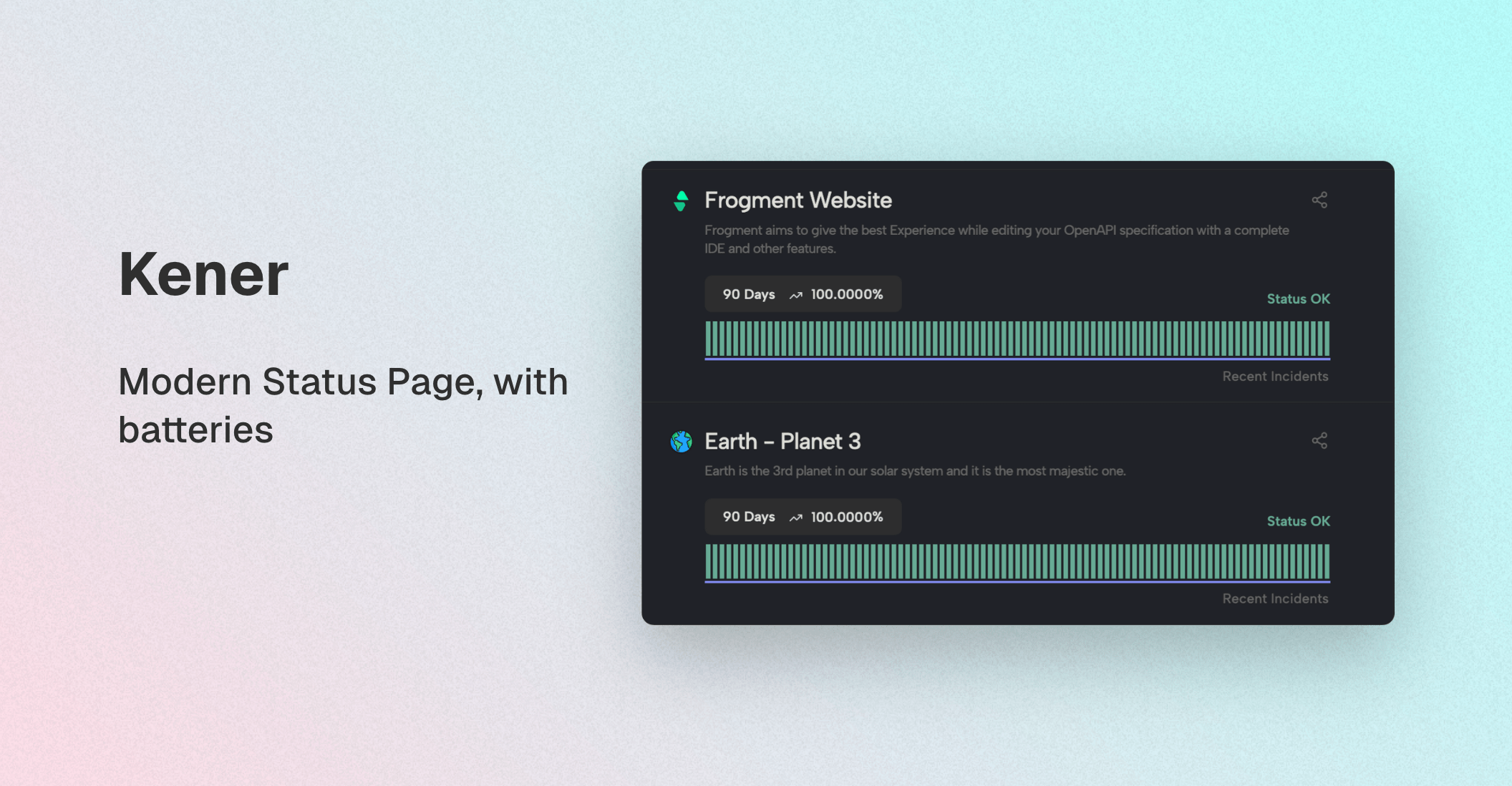
|
||||
API specification for Kener status page and incident management system. This API spec was created using [Frogment](https://www.frogment.app)
|
||||
contact:
|
||||
@@ -15,7 +15,7 @@ info:
|
||||
url: https://opensource.org/licenses/MIT
|
||||
openapi: 3.0.0
|
||||
servers:
|
||||
- url: https://your-kener-host.com
|
||||
- url: https://{host}
|
||||
description: Kener host URL
|
||||
tags:
|
||||
- name: Monitors
|
||||
@@ -76,130 +76,138 @@ components:
|
||||
uptime:
|
||||
type: string
|
||||
example: '100'
|
||||
lastUpdatedAt:
|
||||
last_updated_at:
|
||||
type: integer
|
||||
example: 1731251760
|
||||
example:
|
||||
status: UP
|
||||
lastUpdatedAt: 1731251760
|
||||
last_updated_at: 1731251760
|
||||
uptime: '100'
|
||||
Incident:
|
||||
type: object
|
||||
description: body of an incident
|
||||
required:
|
||||
- title
|
||||
- tags
|
||||
properties:
|
||||
startDatetime:
|
||||
start_date_time:
|
||||
type: integer
|
||||
description: UTC timestamp in seconds
|
||||
example: 1731901920
|
||||
endDatetime:
|
||||
end_date_time:
|
||||
type: integer
|
||||
description: UTC timestamp in seconds
|
||||
nullable: true
|
||||
example: 1704123938
|
||||
title:
|
||||
type: string
|
||||
example: Outage in mumbai
|
||||
description: title of the incident
|
||||
body:
|
||||
created_at:
|
||||
type: string
|
||||
example: body of the incident
|
||||
description: body of the incident
|
||||
tags:
|
||||
type: array
|
||||
items:
|
||||
type: string
|
||||
example: earth
|
||||
description: comma separated tags of monitors
|
||||
example:
|
||||
- earth
|
||||
- google
|
||||
impact:
|
||||
example: '2025-01-09 04:12:01'
|
||||
description: created at time
|
||||
updated_at:
|
||||
type: string
|
||||
example: DOWN
|
||||
description: Impact of the incident
|
||||
example: '2025-01-09 06:10:00'
|
||||
description: updated at time
|
||||
status:
|
||||
type: string
|
||||
example: OPEN
|
||||
description: delete or not deleted incident
|
||||
enum:
|
||||
- DOWN
|
||||
- DEGRADED
|
||||
isMaintenance:
|
||||
type: boolean
|
||||
description: is this incident because of maintenance
|
||||
example: false
|
||||
isIdentified:
|
||||
type: boolean
|
||||
description: has the incident been indentified
|
||||
example: true
|
||||
isResolved:
|
||||
type: boolean
|
||||
description: has the incident been resovled
|
||||
example: true
|
||||
- OPEN
|
||||
- CLOSED
|
||||
state:
|
||||
type: string
|
||||
description: the current status of the incident
|
||||
example: INVESTIGATING
|
||||
enum:
|
||||
- INVESTIGATING
|
||||
- IDENTIFIED
|
||||
- MONITORING
|
||||
- RESOLVED
|
||||
example:
|
||||
startDatetime: 1731901920
|
||||
endDatetime: 1704123938
|
||||
start_date_time: 1731901920
|
||||
end_date_time: 1704123938
|
||||
title: title of the incident
|
||||
body: body of the incident
|
||||
tags:
|
||||
- earth
|
||||
- google
|
||||
impact: DOWN
|
||||
isMaintenance: false
|
||||
isIdentified: true
|
||||
isResolved: true
|
||||
created_at: '2025-01-09 04:12:01'
|
||||
updated_at: '2025-01-09 04:12:01'
|
||||
state: INVESTIGATING
|
||||
status: OPEN
|
||||
id: 4
|
||||
IncidentResponse:
|
||||
description: Incident response schema
|
||||
allOf:
|
||||
- "$ref": "#/components/schemas/Incident"
|
||||
- type: object
|
||||
properties:
|
||||
createdAt:
|
||||
type: integer
|
||||
description: UTC timestamp in seconds, incident created at
|
||||
example: 1731901920
|
||||
closedAt:
|
||||
type: integer
|
||||
nullable: true
|
||||
description: UTC timestamp in seconds, incident closed at
|
||||
example: 1731901920
|
||||
incidentNumber:
|
||||
type: integer
|
||||
description: id of the incident
|
||||
example: 4
|
||||
example:
|
||||
createdAt: 1731901920
|
||||
closedAt: 1731901920
|
||||
incidentNumber: 4
|
||||
Comment:
|
||||
type: object
|
||||
description: Comment of an incident
|
||||
required:
|
||||
- body
|
||||
properties:
|
||||
body:
|
||||
comment:
|
||||
type: string
|
||||
example: comment 1
|
||||
commented_at:
|
||||
type: integer
|
||||
example: 1736398336
|
||||
state:
|
||||
type: string
|
||||
example: IDENTIFIED
|
||||
example:
|
||||
body: comment 2
|
||||
commented_at: 1736398336
|
||||
state: IDENTIFIED
|
||||
CommentResponse:
|
||||
type: object
|
||||
description: Comment Response
|
||||
properties:
|
||||
commentID:
|
||||
id:
|
||||
type: integer
|
||||
description: ID of the comment
|
||||
example: 1873376745
|
||||
body:
|
||||
example: 60
|
||||
comment:
|
||||
type: string
|
||||
description: body of the comment
|
||||
example: comment 3
|
||||
createdAt:
|
||||
description: The content of the comment
|
||||
example: Sometimes, you want all the goodness of moment#from but you don't
|
||||
want to have to create two moments, you just want to display a length
|
||||
of time.
|
||||
incident_id:
|
||||
type: integer
|
||||
description: timestamp when comment was created
|
||||
example: 1704123938
|
||||
description: ID of the associated incident
|
||||
example: 24
|
||||
commented_at:
|
||||
type: integer
|
||||
description: Timestamp when the comment was added
|
||||
example: 1736398336
|
||||
created_at:
|
||||
type: string
|
||||
format: date-time
|
||||
description: Timestamp when the comment was created in ISO 8601 format
|
||||
example: '2025-01-09 04:52:16'
|
||||
updated_at:
|
||||
type: string
|
||||
format: date-time
|
||||
description: Timestamp when the comment was last updated in ISO 8601 format
|
||||
example: '2025-01-09 04:52:16'
|
||||
status:
|
||||
type: string
|
||||
description: Current status of the comment
|
||||
example: ACTIVE
|
||||
state:
|
||||
type: string
|
||||
description: the current status of the incident
|
||||
example: INVESTIGATING
|
||||
enum:
|
||||
- INVESTIGATING
|
||||
- IDENTIFIED
|
||||
- MONITORING
|
||||
- RESOLVED
|
||||
example:
|
||||
commentID: 1873376745
|
||||
body: comment 4
|
||||
createdAt: 1704123938
|
||||
id: 60
|
||||
comment: Sometimes, you want all the goodness of moment
|
||||
incident_id: 24
|
||||
commented_at: 1736398336
|
||||
created_at: '2025-01-09 04:52:16'
|
||||
updated_at: '2025-01-09 04:52:16'
|
||||
status: ACTIVE
|
||||
state: MONITORING
|
||||
IncidentStatus:
|
||||
type: object
|
||||
description: Status of the incident
|
||||
@@ -220,6 +228,25 @@ components:
|
||||
isIdentified: true
|
||||
isResolved: true
|
||||
endDatetime: 1731901920
|
||||
IncidentCreateRequest:
|
||||
title: Incident Create Request Body
|
||||
type: object
|
||||
description: body of an incident
|
||||
required:
|
||||
- title
|
||||
- start_date_time
|
||||
properties:
|
||||
start_date_time:
|
||||
type: integer
|
||||
description: UTC timestamp in seconds
|
||||
example: 1731901920
|
||||
title:
|
||||
type: string
|
||||
example: Outage in mumbai
|
||||
description: title of the incident
|
||||
example:
|
||||
start_date_time: 1731901920
|
||||
title: title of the incident
|
||||
responses:
|
||||
Response401:
|
||||
description: Bad API keys response
|
||||
@@ -267,102 +294,94 @@ components:
|
||||
summary: create incident response
|
||||
description: create incident response
|
||||
value:
|
||||
createdAt: 1731901920
|
||||
closedAt: 1731901920
|
||||
incidentNumber: 4
|
||||
startDatetime: 1731901920
|
||||
endDatetime: 1704123938
|
||||
start_date_time: 1731901920
|
||||
end_date_time: 1731901920
|
||||
id: 4
|
||||
created_at: '2025-01-09 04:12:01'
|
||||
updated_at: '2025-01-10 04:12:01'
|
||||
title: title of the incident
|
||||
body: body of the incident
|
||||
tags:
|
||||
- earth
|
||||
- google
|
||||
impact: DOWN
|
||||
isMaintenance: false
|
||||
isIdentified: true
|
||||
isResolved: true
|
||||
status: OPEN
|
||||
state: INVESTIGATING
|
||||
CreateIncidentRequest:
|
||||
summary: create incident request body
|
||||
description: Some Description
|
||||
description: create incident request body
|
||||
value:
|
||||
startDatetime: 1731901920
|
||||
endDatetime: 1704123938
|
||||
start_date_time: 1731901920
|
||||
title: title of the incident
|
||||
body: body of the incident
|
||||
tags:
|
||||
- earth
|
||||
- google
|
||||
impact: DOWN
|
||||
isMaintenance: false
|
||||
isIdentified: true
|
||||
isResolved: true
|
||||
SearchIncidentsResponse:
|
||||
summary: array of incidents
|
||||
description: Some Description
|
||||
value:
|
||||
- createdAt: 1731901920
|
||||
closedAt: 1731901920
|
||||
incidentNumber: 4
|
||||
startDatetime: 1731901920
|
||||
endDatetime: 1704123938
|
||||
title: title of the incident
|
||||
body: body of the incident
|
||||
tags:
|
||||
- earth
|
||||
- google
|
||||
impact: DOWN
|
||||
isMaintenance: false
|
||||
isIdentified: true
|
||||
isResolved: true
|
||||
- createdAt: 1731901920
|
||||
closedAt: 1731901920
|
||||
incidentNumber: 4
|
||||
startDatetime: 1731901920
|
||||
endDatetime: 1704123938
|
||||
title: title of the incident
|
||||
body: body of the incident
|
||||
tags:
|
||||
- earth
|
||||
- google
|
||||
impact: DOWN
|
||||
isMaintenance: false
|
||||
isIdentified: true
|
||||
isResolved: true
|
||||
- id: 2
|
||||
title: future wala
|
||||
start_date_time: 1736774486
|
||||
end_date_time: 1737033787
|
||||
created_at: '2025-01-12 13:21:32'
|
||||
updated_at: '2025-01-12 13:23:15'
|
||||
status: OPEN
|
||||
state: RESOLVED
|
||||
- id: 1
|
||||
title: internatiinal asda
|
||||
start_date_time: 1736684329
|
||||
end_date_time:
|
||||
created_at: '2025-01-12 12:18:53'
|
||||
updated_at: '2025-01-12 13:21:32'
|
||||
status: OPEN
|
||||
state: INVESTIGATING
|
||||
CommentsResponse:
|
||||
summary: list of comments
|
||||
description: Some Description
|
||||
value:
|
||||
- commentID: 1873376745
|
||||
body: comment 4
|
||||
createdAt: 1704123938
|
||||
- commentID: 1873376745
|
||||
body: comment 4
|
||||
createdAt: 1704123938
|
||||
- id: 58
|
||||
comment: idensad
|
||||
incident_id: 24
|
||||
commented_at: 1736398295
|
||||
created_at: '2025-01-09 04:51:37'
|
||||
updated_at: '2025-01-09 04:51:37'
|
||||
status: ACTIVE
|
||||
state: IDENTIFIED
|
||||
- id: 57
|
||||
comment: Sometimes, you want all the goodness of moment#from but you don't
|
||||
want to have to create two moments, you just want to display a length of
|
||||
time.
|
||||
incident_id: 24
|
||||
commented_at: 1736398279
|
||||
created_at: '2025-01-09 04:51:19'
|
||||
updated_at: '2025-01-09 04:51:19'
|
||||
status: ACTIVE
|
||||
state: INVESTIGATING
|
||||
CommentRequestBody:
|
||||
summary: request body for a comment
|
||||
description: request body for a comment to add in an incident
|
||||
summary: request body for a update
|
||||
description: request body for a update to add in an incident
|
||||
value:
|
||||
body: This is a comment
|
||||
comment: This is a comment
|
||||
commented_at: 1736398336
|
||||
state: IDENTIFIED
|
||||
CreateCommentResponse:
|
||||
summary: create comment response body sample
|
||||
description: create comment response body sample
|
||||
summary: create update response body sample
|
||||
description: create update response body sample
|
||||
value:
|
||||
commentID: 1873376745
|
||||
body: comment 4
|
||||
createdAt: 1704123938
|
||||
id: 60
|
||||
comment: Sometimes, you want all the goodness of moment
|
||||
incident_id: 24
|
||||
commented_at: 1736398336
|
||||
created_at: '2025-01-09 04:52:16'
|
||||
updated_at: '2025-01-09 04:52:16'
|
||||
status: ACTIVE
|
||||
state: MONITORING
|
||||
paths:
|
||||
"/api/status":
|
||||
post:
|
||||
operationId: updateMonitorStatus
|
||||
summary: Update status of a monitor
|
||||
description: Update status of an incident at a given timestamp
|
||||
description: Update status of a monitor at a given timestamp UTC
|
||||
tags:
|
||||
- Monitors
|
||||
security:
|
||||
- bearerAuth: []
|
||||
requestBody:
|
||||
required: true
|
||||
description: request body to update an incident
|
||||
description: request body to update status of a monitor
|
||||
content:
|
||||
application/json:
|
||||
schema:
|
||||
@@ -403,7 +422,7 @@ paths:
|
||||
- name: tag
|
||||
in: query
|
||||
required: true
|
||||
description: monitor tag to get an incident
|
||||
description: monitor tag to get status of it
|
||||
schema:
|
||||
type: string
|
||||
example: earth
|
||||
@@ -436,7 +455,7 @@ paths:
|
||||
content:
|
||||
application/json:
|
||||
schema:
|
||||
"$ref": "#/components/schemas/Incident"
|
||||
"$ref": "#/components/schemas/IncidentCreateRequest"
|
||||
examples:
|
||||
sample:
|
||||
"$ref": "#/components/examples/CreateIncidentRequest"
|
||||
@@ -463,6 +482,17 @@ paths:
|
||||
security:
|
||||
- bearerAuth: []
|
||||
parameters:
|
||||
- name: status
|
||||
in: query
|
||||
description: status of the incident. Can be open or close. close means deleted
|
||||
schema:
|
||||
type: string
|
||||
description: status of the incident. Can be open or close. close means deleted
|
||||
enum:
|
||||
- OPEN
|
||||
- CLOSED
|
||||
default: OPEN
|
||||
example: OPEN
|
||||
- name: state
|
||||
in: query
|
||||
description: state of the incident. Can be open or close
|
||||
@@ -470,17 +500,12 @@ paths:
|
||||
type: string
|
||||
description: state of the incident. Can be open or close
|
||||
enum:
|
||||
- open
|
||||
- closed
|
||||
default: open
|
||||
example: open
|
||||
- name: tags
|
||||
in: query
|
||||
description: Comma separated monitor tags
|
||||
schema:
|
||||
type: string
|
||||
description: Comma separated monitor tags
|
||||
example: earth,google
|
||||
- INVESTIGATING
|
||||
- IDENTIFIED
|
||||
- MONITORING
|
||||
- RESOLVED
|
||||
default: INVESTIGATING
|
||||
example: IDENTIFIED
|
||||
- name: page
|
||||
in: query
|
||||
description: page number
|
||||
@@ -490,7 +515,7 @@ paths:
|
||||
default: 1
|
||||
minimum: 1
|
||||
example: 1
|
||||
- name: per_page
|
||||
- name: limit
|
||||
in: query
|
||||
description: how many per page
|
||||
schema:
|
||||
@@ -499,27 +524,20 @@ paths:
|
||||
description: how many per page
|
||||
maximum: 100
|
||||
example: 10
|
||||
- name: created_after_utc
|
||||
- name: start_date_time
|
||||
description: start time
|
||||
in: query
|
||||
schema:
|
||||
type: integer
|
||||
description: start time
|
||||
example: 1731866475
|
||||
- name: created_before_utc
|
||||
- name: end_date_time
|
||||
description: end time
|
||||
in: query
|
||||
schema:
|
||||
type: integer
|
||||
description: end time
|
||||
example: 1731866475
|
||||
- name: title_like
|
||||
description: title of the incident
|
||||
in: query
|
||||
schema:
|
||||
type: string
|
||||
description: title of the incident
|
||||
example: outage
|
||||
responses:
|
||||
'200':
|
||||
description: Search results retrieved successfully
|
||||
@@ -536,19 +554,19 @@ paths:
|
||||
"$ref": "#/components/responses/Response400"
|
||||
'401':
|
||||
"$ref": "#/components/responses/Response401"
|
||||
"/api/incident/{incidentNumber}":
|
||||
"/api/incident/{incident_id}":
|
||||
parameters:
|
||||
- name: incidentNumber
|
||||
- name: incident_id
|
||||
in: path
|
||||
required: true
|
||||
description: incident number as an integer to get incident by id
|
||||
description: incident id as an integer to get incident by id
|
||||
schema:
|
||||
type: integer
|
||||
example: 4
|
||||
get:
|
||||
operationId: getIncident
|
||||
summary: Get an incident by number
|
||||
description: API to get an incident by incident number
|
||||
summary: Get an incident by id
|
||||
description: API to get an incident by incident id
|
||||
tags:
|
||||
- Incidents
|
||||
security:
|
||||
@@ -570,7 +588,7 @@ paths:
|
||||
patch:
|
||||
operationId: updateIncident
|
||||
summary: Update an incident
|
||||
description: API to update an incident by incident number
|
||||
description: API to update an incident by incident id
|
||||
tags:
|
||||
- Incidents
|
||||
security:
|
||||
@@ -599,26 +617,26 @@ paths:
|
||||
"$ref": "#/components/responses/Response400"
|
||||
'401':
|
||||
"$ref": "#/components/responses/Response401"
|
||||
"/api/incident/{incidentNumber}/comment":
|
||||
"/api/incident/{incident_id}/updates":
|
||||
parameters:
|
||||
- name: incidentNumber
|
||||
- name: incident_id
|
||||
in: path
|
||||
required: true
|
||||
description: incident number to fetch comment for
|
||||
description: incident id to fetch comment for
|
||||
schema:
|
||||
type: integer
|
||||
example: 4
|
||||
post:
|
||||
operationId: addIncidentComment
|
||||
summary: Add a comment to an incident
|
||||
description: API to create comment for an incident
|
||||
summary: Add an update to an incident
|
||||
description: API to create update for an incident
|
||||
tags:
|
||||
- Incidents
|
||||
security:
|
||||
- bearerAuth: []
|
||||
requestBody:
|
||||
required: true
|
||||
description: body to add a comment
|
||||
description: body to add an update
|
||||
content:
|
||||
application/json:
|
||||
schema:
|
||||
@@ -642,15 +660,15 @@ paths:
|
||||
"$ref": "#/components/responses/Response401"
|
||||
get:
|
||||
operationId: getIncidentComments
|
||||
summary: Get comments for an incident
|
||||
description: API to get comments for an incident
|
||||
summary: Get updates for an incident
|
||||
description: API to get updates for an incident
|
||||
tags:
|
||||
- Incidents
|
||||
security:
|
||||
- bearerAuth: []
|
||||
responses:
|
||||
'200':
|
||||
description: Comments retrieved successfully
|
||||
description: updates retrieved successfully
|
||||
content:
|
||||
application/json:
|
||||
schema:
|
||||
@@ -664,45 +682,123 @@ paths:
|
||||
"$ref": "#/components/responses/Response400"
|
||||
'401':
|
||||
"$ref": "#/components/responses/Response401"
|
||||
"/api/incident/{incidentNumber}/status":
|
||||
"/api/incident/{incident_id}/monitors":
|
||||
parameters:
|
||||
- name: incidentNumber
|
||||
- name: incident_id
|
||||
in: path
|
||||
required: true
|
||||
description: incident number to fetch status for
|
||||
description: incident id to fetch comment for
|
||||
schema:
|
||||
type: integer
|
||||
example: 4
|
||||
post:
|
||||
operationId: updateIncidentStatus
|
||||
summary: Update the status of an incident
|
||||
description: API to update status of an incident
|
||||
get:
|
||||
summary: Get monitors for an incident
|
||||
operationId: getIncidentMonitors
|
||||
tags:
|
||||
- Incidents
|
||||
security:
|
||||
- bearerAuth: []
|
||||
requestBody:
|
||||
parameters:
|
||||
- name: incident_id
|
||||
in: path
|
||||
required: true
|
||||
description: request body to update status of an incident
|
||||
content:
|
||||
application/json:
|
||||
schema:
|
||||
"$ref": "#/components/schemas/IncidentStatus"
|
||||
example:
|
||||
isIdentified: true
|
||||
isResolved: true
|
||||
endDatetime: 1731901920
|
||||
schema:
|
||||
type: integer
|
||||
description: The ID of the incident
|
||||
responses:
|
||||
'200':
|
||||
description: Incident status updated successfully
|
||||
description: List of monitors for the incident
|
||||
content:
|
||||
application/json:
|
||||
schema:
|
||||
"$ref": "#/components/schemas/IncidentResponse"
|
||||
examples:
|
||||
success:
|
||||
"$ref": "#/components/examples/CreateIncidentResponse"
|
||||
'400':
|
||||
"$ref": "#/components/responses/Response400"
|
||||
'401':
|
||||
"$ref": "#/components/responses/Response401"
|
||||
type: array
|
||||
items:
|
||||
type: object
|
||||
properties:
|
||||
monitor_tag:
|
||||
type: string
|
||||
description: The tag of the monitor
|
||||
example: earth
|
||||
monitor_impact:
|
||||
type: string
|
||||
description: The impact status of the monitor
|
||||
example: DOWN
|
||||
security:
|
||||
- bearerAuth: []
|
||||
post:
|
||||
summary: Add a monitor to an incident
|
||||
operationId: addIncidentMonitor
|
||||
tags:
|
||||
- Incidents
|
||||
parameters:
|
||||
- name: incident_id
|
||||
in: path
|
||||
required: true
|
||||
schema:
|
||||
type: integer
|
||||
description: The ID of the incident
|
||||
requestBody:
|
||||
required: true
|
||||
content:
|
||||
application/json:
|
||||
schema:
|
||||
type: object
|
||||
properties:
|
||||
tag:
|
||||
type: string
|
||||
description: The tag for the monitor
|
||||
example: okbookmarks
|
||||
impact:
|
||||
type: string
|
||||
description: The impact status of the monitor
|
||||
example: DEGRADED
|
||||
responses:
|
||||
'200':
|
||||
description: Monitor added successfully
|
||||
content:
|
||||
application/json:
|
||||
schema:
|
||||
type: array
|
||||
items:
|
||||
type: object
|
||||
properties:
|
||||
monitor_tag:
|
||||
type: string
|
||||
description: The tag of the monitor
|
||||
example: okbookmarks
|
||||
monitor_impact:
|
||||
type: string
|
||||
description: The impact status of the monitor
|
||||
example: DEGRADED
|
||||
security:
|
||||
- bearerAuth: []
|
||||
delete:
|
||||
summary: Delete a monitor from an incident
|
||||
operationId: deleteIncidentMonitor
|
||||
tags:
|
||||
- Incidents
|
||||
parameters:
|
||||
- name: incident_id
|
||||
in: path
|
||||
required: true
|
||||
schema:
|
||||
type: integer
|
||||
description: The ID of the incident
|
||||
- name: tag
|
||||
in: query
|
||||
required: true
|
||||
schema:
|
||||
type: string
|
||||
description: The tag of the monitor to delete
|
||||
responses:
|
||||
'200':
|
||||
description: Monitor deleted successfully
|
||||
content:
|
||||
application/json:
|
||||
schema:
|
||||
type: object
|
||||
properties:
|
||||
message:
|
||||
type: string
|
||||
description: Confirmation message
|
||||
example: Monitor deleted successfully
|
||||
security:
|
||||
- bearerAuth: []
|
||||
|
||||
Generated
+1581
-35
File diff suppressed because it is too large
Load Diff
+19
-5
@@ -1,6 +1,6 @@
|
||||
{
|
||||
"name": "kener",
|
||||
"version": "2.0.0",
|
||||
"version": "3.0.4",
|
||||
"private": false,
|
||||
"license": "MIT",
|
||||
"description": "Kener: An open-source Node.js status page application for real-time service monitoring, incident management, and customizable reporting. Simplify service outage tracking, enhance incident communication, and ensure a seamless user experience.",
|
||||
@@ -29,32 +29,37 @@
|
||||
"scripts": {
|
||||
"build": "vite build",
|
||||
"preview": "vite preview",
|
||||
"predevschedule": "node build.js",
|
||||
"configure": "node build.js",
|
||||
"migrate": "npx knex migrate:latest",
|
||||
"preseed": "npx knex migrate:latest",
|
||||
"seed": "npx knex seed:run",
|
||||
"predev": "npm run seed",
|
||||
"devschedule": "node src/lib/server/startup.js",
|
||||
"schedule": "node src/lib/server/startup.js",
|
||||
"predevelopment": "node delay.js",
|
||||
"development": "vite dev",
|
||||
"dev": "npm-run-all --parallel devschedule development",
|
||||
"prettify": "prettier --write .",
|
||||
"start": "node main.js",
|
||||
"prod": "npm-run-all --parallel schedule start"
|
||||
"start": "node main.js"
|
||||
},
|
||||
"devDependencies": {
|
||||
"@sveltejs/adapter-auto": "^2.0.0",
|
||||
"@sveltejs/adapter-node": "^1.3.1",
|
||||
"@sveltejs/kit": "^1.27.4",
|
||||
"@tailwindcss/typography": "^0.5.10",
|
||||
"@zerodevx/svelte-toast": "^0.9.6",
|
||||
"autoprefixer": "^10.4.14",
|
||||
"concurrently": "^8.2.2",
|
||||
"cross-env": "^7.0.3",
|
||||
"date-picker-svelte": "^2.15.1",
|
||||
"postcss": "^8.4.24",
|
||||
"postcss-load-config": "^4.0.1",
|
||||
"prettier": "^3.2.5",
|
||||
"prettier-plugin-svelte": "^3.2.3",
|
||||
"prettier-plugin-tailwindcss": "^0.5.14",
|
||||
"svelte": "^4.0.5",
|
||||
"svelte-awesome-color-picker": "^3.1.4",
|
||||
"svelte-check": "^3.6.0",
|
||||
"svelte-dnd-action": "^0.9.55",
|
||||
"tailwindcss": "^3.3.2",
|
||||
"typescript": "^5.0.0",
|
||||
"vite": "^4.4.2"
|
||||
@@ -67,21 +72,26 @@
|
||||
"analytics": "^0.8.14",
|
||||
"axios": "^1.6.2",
|
||||
"badge-maker": "^3.3.1",
|
||||
"bcrypt": "^5.1.1",
|
||||
"better-sqlite3": "^11.5.0",
|
||||
"bits-ui": "^0.9.9",
|
||||
"clsx": "^2.0.0",
|
||||
"croner": "^7.0.5",
|
||||
"date-fns": "^4.1.0",
|
||||
"dns2": "^2.1.0",
|
||||
"dotenv": "^16.4.5",
|
||||
"express": "^4.18.2",
|
||||
"figlet": "^1.8.0",
|
||||
"fs-extra": "^11.1.1",
|
||||
"js-yaml": "^4.1.0",
|
||||
"jsonwebtoken": "^9.0.2",
|
||||
"knex": "^3.1.0",
|
||||
"lucide-svelte": "^0.292.0",
|
||||
"marked": "^11.1.1",
|
||||
"mode-watcher": "^0.4.1",
|
||||
"moment": "^2.29.4",
|
||||
"moment-timezone": "^0.5.43",
|
||||
"mysql2": "^3.12.0",
|
||||
"node-cache": "^5.1.2",
|
||||
"npm-run-all": "^4.1.5",
|
||||
"pg": "^8.13.1",
|
||||
@@ -89,8 +99,12 @@
|
||||
"ping": "^0.4.4",
|
||||
"queue": "^7.0.0",
|
||||
"randomstring": "^1.3.0",
|
||||
"resend": "^4.0.1",
|
||||
"svelte-legos": "^0.2.5",
|
||||
"tailwind-merge": "^2.0.0",
|
||||
"tailwind-variants": "^0.1.18"
|
||||
},
|
||||
"engines": {
|
||||
"node": ">=20.0.0"
|
||||
}
|
||||
}
|
||||
|
||||
@@ -0,0 +1,32 @@
|
||||
import monitorSeed from "../src/lib/server/db/seedMonitorData.js";
|
||||
|
||||
/**
|
||||
* @param { import("knex").Knex } knex
|
||||
* @returns { Promise<void> }
|
||||
*/
|
||||
export async function seed(knex) {
|
||||
// Check if the table is empty
|
||||
const count = await knex("monitors").count("id as CNT").first();
|
||||
if (count.CNT == 0) {
|
||||
// Deletes ALL existing entries
|
||||
for (const monitor of monitorSeed) {
|
||||
await knex("monitors").insert({
|
||||
tag: monitor.tag,
|
||||
name: monitor.name,
|
||||
description: monitor.description,
|
||||
image: monitor.image,
|
||||
cron: monitor.cron,
|
||||
default_status: monitor.default_status,
|
||||
status: monitor.status,
|
||||
category_name: monitor.category_name,
|
||||
monitor_type: monitor.monitor_type,
|
||||
type_data: monitor.type_data,
|
||||
day_degraded_minimum_count: monitor.day_degraded_minimum_count,
|
||||
day_down_minimum_count: monitor.day_down_minimum_count,
|
||||
include_degraded_in_downtime: monitor.include_degraded_in_downtime,
|
||||
created_at: knex.fn.now(),
|
||||
updated_at: knex.fn.now()
|
||||
});
|
||||
}
|
||||
}
|
||||
}
|
||||
@@ -0,0 +1,24 @@
|
||||
import seedSiteData from "../src/lib/server/db/seedSiteData.js";
|
||||
|
||||
/**
|
||||
* @param { import("knex").Knex } knex
|
||||
* @returns { Promise<void> }
|
||||
*/
|
||||
export async function seed(knex) {
|
||||
// Check if the table is empty
|
||||
const count = await knex("site_data").count("id as CNT").first();
|
||||
|
||||
for (const key in seedSiteData) {
|
||||
if (Object.prototype.hasOwnProperty.call(seedSiteData, key)) {
|
||||
let value = seedSiteData[key];
|
||||
let data_type = typeof value;
|
||||
if (data_type === "object") {
|
||||
value = JSON.stringify(value);
|
||||
}
|
||||
const existingEntry = await knex("site_data").where({ key: key }).first();
|
||||
if (!existingEntry) {
|
||||
await knex("site_data").insert([{ key: key, value: value, data_type: data_type }]);
|
||||
}
|
||||
}
|
||||
}
|
||||
}
|
||||
@@ -19,7 +19,7 @@ if (site.siteURL !== undefined && site.siteURL !== null && site.siteURL !== "")
|
||||
.map((monitor) => {
|
||||
return `
|
||||
<url>
|
||||
<loc>${site.siteURL}/incident/${monitor.folderName}</loc>
|
||||
<loc>${site.siteURL}/incident/${monitor.tag}</loc>
|
||||
<lastmod>${new Date().toISOString()}</lastmod>
|
||||
<changefreq>daily</changefreq>
|
||||
<priority>0.8</priority>
|
||||
+22
-16
@@ -9,22 +9,25 @@
|
||||
--background-kener-rgba: rgba(255, 255, 255, 0.5);
|
||||
--foreground: 240 10% 4%;
|
||||
|
||||
--muted: 210 40% 96.1%;
|
||||
--muted: 0 0% 92.9%;
|
||||
--muted-foreground: 215.4 16.3% 46.9%;
|
||||
|
||||
--popover: 0 0% 100%;
|
||||
--popover-foreground: 240 10% 4%;
|
||||
|
||||
--card: 0 0% 100%;
|
||||
--card: 0 0% 99%;
|
||||
--card-foreground: 240 10% 4%;
|
||||
|
||||
--border: 214.3 31.8% 91.4%;
|
||||
--input: 214.3 31.8% 91.4%;
|
||||
|
||||
--date-picker-background: hsl(0 0% 99%);
|
||||
--date-picker-foreground: hsl(240 10% 4%);
|
||||
|
||||
--primary: 222.2 47.4% 11.2%;
|
||||
--primary-foreground: 210 40% 98%;
|
||||
|
||||
--secondary: 210 40% 96.1%;
|
||||
--secondary: 0 0% 92.9%;
|
||||
--secondary-foreground: 222.2 47.4% 11.2%;
|
||||
|
||||
--accent: 210 40% 96.1%;
|
||||
@@ -39,28 +42,31 @@
|
||||
}
|
||||
|
||||
.dark {
|
||||
--background: 240 10% 4%;
|
||||
--background-kener: hsl(240, 10%, 4%);
|
||||
--background-kener-rgba: rgba(9, 9, 11, 0.35);
|
||||
--foreground: 210 40% 98%;
|
||||
--background: 240 7% 11%;
|
||||
--background-kener: hsl(240 7% 11%);
|
||||
--background-kener-rgba: rgba(30, 30, 26, 0.35);
|
||||
--foreground: 60 10% 86%;
|
||||
|
||||
--muted: 240 4% 16%;
|
||||
--muted-foreground: 215 20.2% 65.1%;
|
||||
--muted-foreground: 0 0% 40%;
|
||||
|
||||
--popover: 240 10% 4%;
|
||||
--popover: 230 9% 14%;
|
||||
--popover-foreground: 210 40% 98%;
|
||||
|
||||
--card: 240 10% 4%;
|
||||
--card-foreground: 210 40% 98%;
|
||||
--card: 230 9% 14%;
|
||||
--card-foreground: 60 10% 86%;
|
||||
|
||||
--border: 240 4% 16%;
|
||||
--input: 240 4% 16%;
|
||||
--border: 60 1% 17%;
|
||||
--input: 60 6% 17%;
|
||||
|
||||
--primary: 210 40% 98%;
|
||||
--date-picker-background: hsl(240 4% 16%);
|
||||
--date-picker-foreground: hsl(60 10% 86%);
|
||||
|
||||
--primary: 60 10% 86%;
|
||||
--primary-foreground: 222.2 47.4% 11.2%;
|
||||
|
||||
--secondary: 240 4% 16%;
|
||||
--secondary-foreground: 210 40% 98%;
|
||||
--secondary: 240 1% 18%;
|
||||
--secondary-foreground: 60 10% 86%;
|
||||
|
||||
--accent: 240 4% 16%;
|
||||
--accent-foreground: 210 40% 98%;
|
||||
|
||||
@@ -22,3 +22,48 @@ main {
|
||||
transition: all 0.3s;
|
||||
box-shadow: 0 0 8px 1.5px #3e9a4b;
|
||||
}
|
||||
|
||||
.accm input:checked ~ div {
|
||||
display: block;
|
||||
}
|
||||
.accm input ~ div {
|
||||
display: none;
|
||||
}
|
||||
|
||||
.accm input {
|
||||
visibility: hidden;
|
||||
}
|
||||
|
||||
.accmt {
|
||||
background-color: hsl(223, 10%, 14%);
|
||||
}
|
||||
|
||||
.accm input:checked ~ .showaccm span:first-child {
|
||||
display: none;
|
||||
}
|
||||
.accm input:checked ~ .showaccm span:last-child {
|
||||
display: block;
|
||||
}
|
||||
.accm input ~ .showaccm span:first-child {
|
||||
display: block;
|
||||
}
|
||||
.accm input ~ .showaccm span:last-child {
|
||||
display: none;
|
||||
}
|
||||
|
||||
.hljs {
|
||||
background: transparent !important;
|
||||
}
|
||||
|
||||
.note {
|
||||
@apply mt-4 rounded-md border bg-background p-3 text-sm shadow-sm;
|
||||
}
|
||||
.note.danger {
|
||||
border: 1px solid #e3342f;
|
||||
color: #e3342f;
|
||||
}
|
||||
|
||||
.note.info {
|
||||
border: 1px solid #3490dc;
|
||||
color: #3490dc;
|
||||
}
|
||||
|
||||
+477
-9
@@ -99,8 +99,8 @@ section {
|
||||
}
|
||||
/*Needed overlay content on top of dotted bg*/
|
||||
.blurry-bg {
|
||||
background-color: var(--background-kener-rgba);
|
||||
box-shadow: 0 0 64px 64px var(--background-kener-rgba);
|
||||
/* background-color: var(--background-kener-rgba);
|
||||
box-shadow: 0 0 64px 64px var(--background-kener-rgba); */
|
||||
}
|
||||
|
||||
:root {
|
||||
@@ -143,10 +143,10 @@ section {
|
||||
}
|
||||
/*Colors for something Not there*/
|
||||
.bg-api-nodata {
|
||||
background-color: #f1f5f8;
|
||||
background-color: #ededed;
|
||||
}
|
||||
.text-api-nodata {
|
||||
color: #b8bcbe;
|
||||
color: #a0a0a0;
|
||||
}
|
||||
.dark .bg-api-nodata {
|
||||
background-color: rgba(100, 100, 100, 0.4);
|
||||
@@ -167,16 +167,16 @@ section {
|
||||
background: linear-gradient(0deg, var(--degraded-color) 20%, var(--up-color) 1%);
|
||||
}
|
||||
.bg-api-degraded-40 {
|
||||
background: linear-gradient(0deg, var(--degraded-color) 20%, var(--up-color) 1%);
|
||||
background: linear-gradient(0deg, var(--degraded-color) 40%, var(--up-color) 1%);
|
||||
}
|
||||
.bg-api-degraded-60 {
|
||||
background: linear-gradient(0deg, var(--degraded-color) 20%, var(--up-color) 1%);
|
||||
background: linear-gradient(0deg, var(--degraded-color) 60%, var(--up-color) 1%);
|
||||
}
|
||||
.bg-api-degraded-80 {
|
||||
background: linear-gradient(0deg, var(--degraded-color) 20%, var(--up-color) 1%);
|
||||
background: linear-gradient(0deg, var(--degraded-color) 80%, var(--up-color) 1%);
|
||||
}
|
||||
.bg-api-degraded-90 {
|
||||
background: linear-gradient(0deg, var(--degraded-color) 20%, var(--up-color) 1%);
|
||||
background: linear-gradient(0deg, var(--degraded-color) 90%, var(--up-color) 1%);
|
||||
}
|
||||
|
||||
/*Needed to show markdown properly*/
|
||||
@@ -199,6 +199,7 @@ section {
|
||||
.monitors-card.embed .monitor {
|
||||
padding: 0em 0.87em 0.875em 0.87em;
|
||||
border-bottom: none;
|
||||
padding-bottom: 0;
|
||||
}
|
||||
|
||||
/*Tag Color*/
|
||||
@@ -223,6 +224,9 @@ section {
|
||||
.tag-identified-text {
|
||||
color: #ddac25;
|
||||
}
|
||||
.tag-siren-text {
|
||||
color: #dd256f;
|
||||
}
|
||||
.daygrid90 {
|
||||
-ms-overflow-style: none; /* Internet Explorer 10+ */
|
||||
scrollbar-width: none; /* Firefox */
|
||||
@@ -233,8 +237,12 @@ section {
|
||||
.oneline {
|
||||
transition: transform 0.1s ease-in;
|
||||
cursor: pointer;
|
||||
position: relative;
|
||||
}
|
||||
.oneline:hover {
|
||||
.oneline .oneline-in {
|
||||
transition: transform 0.1s ease-in;
|
||||
}
|
||||
.oneline:hover .oneline-in {
|
||||
transform: scaleY(1.2);
|
||||
}
|
||||
|
||||
@@ -271,6 +279,30 @@ section {
|
||||
z-index: 0;
|
||||
}
|
||||
|
||||
.comein {
|
||||
animation: comein 1s ease-in-out;
|
||||
}
|
||||
|
||||
@keyframes comein {
|
||||
0% {
|
||||
bottom: -6px;
|
||||
}
|
||||
25% {
|
||||
bottom: 0px;
|
||||
}
|
||||
50% {
|
||||
bottom: -4px;
|
||||
}
|
||||
75% {
|
||||
bottom: -2px;
|
||||
}
|
||||
100% {
|
||||
bottom: -3px;
|
||||
}
|
||||
}
|
||||
|
||||
/* animate wiggle */
|
||||
|
||||
.wiggle:hover {
|
||||
-webkit-animation-name: wiggle;
|
||||
-ms-animation-name: wiggle;
|
||||
@@ -367,3 +399,439 @@ section {
|
||||
.animatebg {
|
||||
animation: changeColor 2s infinite;
|
||||
}
|
||||
|
||||
textarea::placeholder {
|
||||
color: hsl(219, 14%, 47%);
|
||||
}
|
||||
.dark textarea::placeholder {
|
||||
color: hsl(0, 0%, 40%);
|
||||
}
|
||||
|
||||
.badge-MONITORING {
|
||||
color: #ffaf4d;
|
||||
}
|
||||
.badge-INVESTIGATING {
|
||||
color: #fe588a;
|
||||
}
|
||||
|
||||
.badge-RESOLVED {
|
||||
color: #7aba78;
|
||||
}
|
||||
.badge-IDENTIFIED {
|
||||
color: #b987f7;
|
||||
}
|
||||
|
||||
.newincidents .newincident:last-child .accor .border-b {
|
||||
border-bottom: none !important;
|
||||
}
|
||||
|
||||
.bounce-right:hover .arrow {
|
||||
animation: bounceRight 1s;
|
||||
}
|
||||
|
||||
@keyframes bounceRight {
|
||||
0%,
|
||||
100% {
|
||||
transform: translateX(0);
|
||||
}
|
||||
20% {
|
||||
transform: translateX(-4px);
|
||||
}
|
||||
40% {
|
||||
transform: translateX(4px);
|
||||
}
|
||||
60% {
|
||||
transform: translateX(-2px);
|
||||
}
|
||||
80% {
|
||||
transform: translateX(2px);
|
||||
}
|
||||
}
|
||||
.bounce-left:hover .arrow {
|
||||
animation: bounceLeft 1s;
|
||||
}
|
||||
|
||||
@keyframes bounceLeft {
|
||||
0%,
|
||||
100% {
|
||||
transform: translateX(0);
|
||||
}
|
||||
20% {
|
||||
transform: translateX(4px);
|
||||
}
|
||||
40% {
|
||||
transform: translateX(-4px);
|
||||
}
|
||||
60% {
|
||||
transform: translateX(2px);
|
||||
}
|
||||
80% {
|
||||
transform: translateX(-2px);
|
||||
}
|
||||
}
|
||||
|
||||
.mesh {
|
||||
background-image: linear-gradient(
|
||||
323deg,
|
||||
rgba(255, 255, 255, 0.01) 0%,
|
||||
rgba(255, 255, 255, 0.01) 16.667%,
|
||||
rgba(46, 46, 46, 0.01) 16.667%,
|
||||
rgba(46, 46, 46, 0.01) 33.334%,
|
||||
rgba(226, 226, 226, 0.01) 33.334%,
|
||||
rgba(226, 226, 226, 0.01) 50.001000000000005%,
|
||||
rgba(159, 159, 159, 0.01) 50.001%,
|
||||
rgba(159, 159, 159, 0.01) 66.668%,
|
||||
rgba(149, 149, 149, 0.01) 66.668%,
|
||||
rgba(149, 149, 149, 0.01) 83.33500000000001%,
|
||||
rgba(43, 43, 43, 0.01) 83.335%,
|
||||
rgba(43, 43, 43, 0.01) 100.002%
|
||||
),
|
||||
linear-gradient(
|
||||
346deg,
|
||||
rgba(166, 166, 166, 0.03) 0%,
|
||||
rgba(166, 166, 166, 0.03) 25%,
|
||||
rgba(240, 240, 240, 0.03) 25%,
|
||||
rgba(240, 240, 240, 0.03) 50%,
|
||||
rgba(121, 121, 121, 0.03) 50%,
|
||||
rgba(121, 121, 121, 0.03) 75%,
|
||||
rgba(40, 40, 40, 0.03) 75%,
|
||||
rgba(40, 40, 40, 0.03) 100%
|
||||
),
|
||||
linear-gradient(
|
||||
347deg,
|
||||
rgba(209, 209, 209, 0.01) 0%,
|
||||
rgba(209, 209, 209, 0.01) 25%,
|
||||
rgba(22, 22, 22, 0.01) 25%,
|
||||
rgba(22, 22, 22, 0.01) 50%,
|
||||
rgba(125, 125, 125, 0.01) 50%,
|
||||
rgba(125, 125, 125, 0.01) 75%,
|
||||
rgba(205, 205, 205, 0.01) 75%,
|
||||
rgba(205, 205, 205, 0.01) 100%
|
||||
),
|
||||
linear-gradient(
|
||||
84deg,
|
||||
rgba(195, 195, 195, 0.01) 0%,
|
||||
rgba(195, 195, 195, 0.01) 14.286%,
|
||||
rgba(64, 64, 64, 0.01) 14.286%,
|
||||
rgba(64, 64, 64, 0.01) 28.572%,
|
||||
rgba(67, 67, 67, 0.01) 28.572%,
|
||||
rgba(67, 67, 67, 0.01) 42.858%,
|
||||
rgba(214, 214, 214, 0.01) 42.858%,
|
||||
rgba(214, 214, 214, 0.01) 57.144%,
|
||||
rgba(45, 45, 45, 0.01) 57.144%,
|
||||
rgba(45, 45, 45, 0.01) 71.42999999999999%,
|
||||
rgba(47, 47, 47, 0.01) 71.43%,
|
||||
rgba(47, 47, 47, 0.01) 85.71600000000001%,
|
||||
rgba(172, 172, 172, 0.01) 85.716%,
|
||||
rgba(172, 172, 172, 0.01) 100.002%
|
||||
),
|
||||
linear-gradient(
|
||||
73deg,
|
||||
rgba(111, 111, 111, 0.03) 0%,
|
||||
rgba(111, 111, 111, 0.03) 16.667%,
|
||||
rgba(202, 202, 202, 0.03) 16.667%,
|
||||
rgba(202, 202, 202, 0.03) 33.334%,
|
||||
rgba(57, 57, 57, 0.03) 33.334%,
|
||||
rgba(57, 57, 57, 0.03) 50.001000000000005%,
|
||||
rgba(197, 197, 197, 0.03) 50.001%,
|
||||
rgba(197, 197, 197, 0.03) 66.668%,
|
||||
rgba(97, 97, 97, 0.03) 66.668%,
|
||||
rgba(97, 97, 97, 0.03) 83.33500000000001%,
|
||||
rgba(56, 56, 56, 0.03) 83.335%,
|
||||
rgba(56, 56, 56, 0.03) 100.002%
|
||||
),
|
||||
linear-gradient(
|
||||
132deg,
|
||||
rgba(88, 88, 88, 0.03) 0%,
|
||||
rgba(88, 88, 88, 0.03) 20%,
|
||||
rgba(249, 249, 249, 0.03) 20%,
|
||||
rgba(249, 249, 249, 0.03) 40%,
|
||||
rgba(2, 2, 2, 0.03) 40%,
|
||||
rgba(2, 2, 2, 0.03) 60%,
|
||||
rgba(185, 185, 185, 0.03) 60%,
|
||||
rgba(185, 185, 185, 0.03) 80%,
|
||||
rgba(196, 196, 196, 0.03) 80%,
|
||||
rgba(196, 196, 196, 0.03) 100%
|
||||
),
|
||||
linear-gradient(
|
||||
142deg,
|
||||
rgba(160, 160, 160, 0.03) 0%,
|
||||
rgba(160, 160, 160, 0.03) 12.5%,
|
||||
rgba(204, 204, 204, 0.03) 12.5%,
|
||||
rgba(204, 204, 204, 0.03) 25%,
|
||||
rgba(108, 108, 108, 0.03) 25%,
|
||||
rgba(108, 108, 108, 0.03) 37.5%,
|
||||
rgba(191, 191, 191, 0.03) 37.5%,
|
||||
rgba(191, 191, 191, 0.03) 50%,
|
||||
rgba(231, 231, 231, 0.03) 50%,
|
||||
rgba(231, 231, 231, 0.03) 62.5%,
|
||||
rgba(70, 70, 70, 0.03) 62.5%,
|
||||
rgba(70, 70, 70, 0.03) 75%,
|
||||
rgba(166, 166, 166, 0.03) 75%,
|
||||
rgba(166, 166, 166, 0.03) 87.5%,
|
||||
rgba(199, 199, 199, 0.03) 87.5%,
|
||||
rgba(199, 199, 199, 0.03) 100%
|
||||
),
|
||||
linear-gradient(
|
||||
238deg,
|
||||
rgba(116, 116, 116, 0.02) 0%,
|
||||
rgba(116, 116, 116, 0.02) 20%,
|
||||
rgba(141, 141, 141, 0.02) 20%,
|
||||
rgba(141, 141, 141, 0.02) 40%,
|
||||
rgba(152, 152, 152, 0.02) 40%,
|
||||
rgba(152, 152, 152, 0.02) 60%,
|
||||
rgba(61, 61, 61, 0.02) 60%,
|
||||
rgba(61, 61, 61, 0.02) 80%,
|
||||
rgba(139, 139, 139, 0.02) 80%,
|
||||
rgba(139, 139, 139, 0.02) 100%
|
||||
),
|
||||
linear-gradient(
|
||||
188deg,
|
||||
rgba(227, 227, 227, 0.01) 0%,
|
||||
rgba(227, 227, 227, 0.01) 20%,
|
||||
rgba(105, 105, 105, 0.01) 20%,
|
||||
rgba(105, 105, 105, 0.01) 40%,
|
||||
rgba(72, 72, 72, 0.01) 40%,
|
||||
rgba(72, 72, 72, 0.01) 60%,
|
||||
rgba(33, 33, 33, 0.01) 60%,
|
||||
rgba(33, 33, 33, 0.01) 80%,
|
||||
rgba(57, 57, 57, 0.01) 80%,
|
||||
rgba(57, 57, 57, 0.01) 100%
|
||||
),
|
||||
linear-gradient(90deg, hsl(237, 0%, 13%), hsl(237, 0%, 13%));
|
||||
}
|
||||
|
||||
.dark .mesh {
|
||||
background-image: linear-gradient(
|
||||
158deg,
|
||||
rgba(84, 84, 84, 0.03) 0%,
|
||||
rgba(84, 84, 84, 0.03) 20%,
|
||||
rgba(219, 219, 219, 0.03) 20%,
|
||||
rgba(219, 219, 219, 0.03) 40%,
|
||||
rgba(54, 54, 54, 0.03) 40%,
|
||||
rgba(54, 54, 54, 0.03) 60%,
|
||||
rgba(99, 99, 99, 0.03) 60%,
|
||||
rgba(99, 99, 99, 0.03) 80%,
|
||||
rgba(92, 92, 92, 0.03) 80%,
|
||||
rgba(92, 92, 92, 0.03) 100%
|
||||
),
|
||||
linear-gradient(
|
||||
45deg,
|
||||
rgba(221, 221, 221, 0.02) 0%,
|
||||
rgba(221, 221, 221, 0.02) 14.286%,
|
||||
rgba(8, 8, 8, 0.02) 14.286%,
|
||||
rgba(8, 8, 8, 0.02) 28.572%,
|
||||
rgba(52, 52, 52, 0.02) 28.572%,
|
||||
rgba(52, 52, 52, 0.02) 42.858%,
|
||||
rgba(234, 234, 234, 0.02) 42.858%,
|
||||
rgba(234, 234, 234, 0.02) 57.144%,
|
||||
rgba(81, 81, 81, 0.02) 57.144%,
|
||||
rgba(81, 81, 81, 0.02) 71.42999999999999%,
|
||||
rgba(239, 239, 239, 0.02) 71.43%,
|
||||
rgba(239, 239, 239, 0.02) 85.71600000000001%,
|
||||
rgba(187, 187, 187, 0.02) 85.716%,
|
||||
rgba(187, 187, 187, 0.02) 100.002%
|
||||
),
|
||||
linear-gradient(
|
||||
109deg,
|
||||
rgba(33, 33, 33, 0.03) 0%,
|
||||
rgba(33, 33, 33, 0.03) 12.5%,
|
||||
rgba(147, 147, 147, 0.03) 12.5%,
|
||||
rgba(147, 147, 147, 0.03) 25%,
|
||||
rgba(131, 131, 131, 0.03) 25%,
|
||||
rgba(131, 131, 131, 0.03) 37.5%,
|
||||
rgba(151, 151, 151, 0.03) 37.5%,
|
||||
rgba(151, 151, 151, 0.03) 50%,
|
||||
rgba(211, 211, 211, 0.03) 50%,
|
||||
rgba(211, 211, 211, 0.03) 62.5%,
|
||||
rgba(39, 39, 39, 0.03) 62.5%,
|
||||
rgba(39, 39, 39, 0.03) 75%,
|
||||
rgba(55, 55, 55, 0.03) 75%,
|
||||
rgba(55, 55, 55, 0.03) 87.5%,
|
||||
rgba(82, 82, 82, 0.03) 87.5%,
|
||||
rgba(82, 82, 82, 0.03) 100%
|
||||
),
|
||||
linear-gradient(
|
||||
348deg,
|
||||
rgba(42, 42, 42, 0.02) 0%,
|
||||
rgba(42, 42, 42, 0.02) 20%,
|
||||
rgba(8, 8, 8, 0.02) 20%,
|
||||
rgba(8, 8, 8, 0.02) 40%,
|
||||
rgba(242, 242, 242, 0.02) 40%,
|
||||
rgba(242, 242, 242, 0.02) 60%,
|
||||
rgba(42, 42, 42, 0.02) 60%,
|
||||
rgba(42, 42, 42, 0.02) 80%,
|
||||
rgba(80, 80, 80, 0.02) 80%,
|
||||
rgba(80, 80, 80, 0.02) 100%
|
||||
),
|
||||
linear-gradient(
|
||||
120deg,
|
||||
rgba(106, 106, 106, 0.03) 0%,
|
||||
rgba(106, 106, 106, 0.03) 14.286%,
|
||||
rgba(67, 67, 67, 0.03) 14.286%,
|
||||
rgba(67, 67, 67, 0.03) 28.572%,
|
||||
rgba(134, 134, 134, 0.03) 28.572%,
|
||||
rgba(134, 134, 134, 0.03) 42.858%,
|
||||
rgba(19, 19, 19, 0.03) 42.858%,
|
||||
rgba(19, 19, 19, 0.03) 57.144%,
|
||||
rgba(101, 101, 101, 0.03) 57.144%,
|
||||
rgba(101, 101, 101, 0.03) 71.42999999999999%,
|
||||
rgba(205, 205, 205, 0.03) 71.43%,
|
||||
rgba(205, 205, 205, 0.03) 85.71600000000001%,
|
||||
rgba(53, 53, 53, 0.03) 85.716%,
|
||||
rgba(53, 53, 53, 0.03) 100.002%
|
||||
),
|
||||
linear-gradient(
|
||||
45deg,
|
||||
rgba(214, 214, 214, 0.03) 0%,
|
||||
rgba(214, 214, 214, 0.03) 16.667%,
|
||||
rgba(255, 255, 255, 0.03) 16.667%,
|
||||
rgba(255, 255, 255, 0.03) 33.334%,
|
||||
rgba(250, 250, 250, 0.03) 33.334%,
|
||||
rgba(250, 250, 250, 0.03) 50.001000000000005%,
|
||||
rgba(231, 231, 231, 0.03) 50.001%,
|
||||
rgba(231, 231, 231, 0.03) 66.668%,
|
||||
rgba(241, 241, 241, 0.03) 66.668%,
|
||||
rgba(241, 241, 241, 0.03) 83.33500000000001%,
|
||||
rgba(31, 31, 31, 0.03) 83.335%,
|
||||
rgba(31, 31, 31, 0.03) 100.002%
|
||||
),
|
||||
linear-gradient(
|
||||
59deg,
|
||||
rgba(224, 224, 224, 0.03) 0%,
|
||||
rgba(224, 224, 224, 0.03) 12.5%,
|
||||
rgba(97, 97, 97, 0.03) 12.5%,
|
||||
rgba(97, 97, 97, 0.03) 25%,
|
||||
rgba(143, 143, 143, 0.03) 25%,
|
||||
rgba(143, 143, 143, 0.03) 37.5%,
|
||||
rgba(110, 110, 110, 0.03) 37.5%,
|
||||
rgba(110, 110, 110, 0.03) 50%,
|
||||
rgba(34, 34, 34, 0.03) 50%,
|
||||
rgba(34, 34, 34, 0.03) 62.5%,
|
||||
rgba(155, 155, 155, 0.03) 62.5%,
|
||||
rgba(155, 155, 155, 0.03) 75%,
|
||||
rgba(249, 249, 249, 0.03) 75%,
|
||||
rgba(249, 249, 249, 0.03) 87.5%,
|
||||
rgba(179, 179, 179, 0.03) 87.5%,
|
||||
rgba(179, 179, 179, 0.03) 100%
|
||||
),
|
||||
linear-gradient(
|
||||
241deg,
|
||||
rgba(58, 58, 58, 0.02) 0%,
|
||||
rgba(58, 58, 58, 0.02) 25%,
|
||||
rgba(124, 124, 124, 0.02) 25%,
|
||||
rgba(124, 124, 124, 0.02) 50%,
|
||||
rgba(254, 254, 254, 0.02) 50%,
|
||||
rgba(254, 254, 254, 0.02) 75%,
|
||||
rgba(52, 52, 52, 0.02) 75%,
|
||||
rgba(52, 52, 52, 0.02) 100%
|
||||
),
|
||||
linear-gradient(90deg, #ffffff, #ffffff);
|
||||
}
|
||||
|
||||
/* CSS */
|
||||
.button-77 {
|
||||
align-items: center;
|
||||
appearance: none;
|
||||
background-clip: padding-box;
|
||||
background-color: initial;
|
||||
background-image: none;
|
||||
border-style: none;
|
||||
box-sizing: border-box;
|
||||
cursor: pointer;
|
||||
display: inline-block;
|
||||
flex-direction: row;
|
||||
flex-shrink: 0;
|
||||
font-size: 16px;
|
||||
font-weight: 600;
|
||||
justify-content: center;
|
||||
line-height: 24px;
|
||||
margin: 0;
|
||||
min-height: 64px;
|
||||
outline: none;
|
||||
overflow: visible;
|
||||
padding: 19px 26px;
|
||||
pointer-events: auto;
|
||||
text-align: center;
|
||||
text-decoration: none;
|
||||
text-transform: none;
|
||||
user-select: none;
|
||||
-webkit-user-select: none;
|
||||
touch-action: manipulation;
|
||||
vertical-align: middle;
|
||||
width: auto;
|
||||
word-break: keep-all;
|
||||
z-index: 10;
|
||||
}
|
||||
|
||||
@media (min-width: 768px) {
|
||||
.button-77 {
|
||||
padding: 19px 32px;
|
||||
}
|
||||
}
|
||||
|
||||
.button-77:before,
|
||||
.button-77:after {
|
||||
border-radius: 80px;
|
||||
}
|
||||
|
||||
.button-77:before {
|
||||
background-color: rgba(249, 58, 19, 0.32);
|
||||
content: "";
|
||||
display: block;
|
||||
height: 100%;
|
||||
left: 0;
|
||||
overflow: hidden;
|
||||
position: absolute;
|
||||
top: 0;
|
||||
width: 100%;
|
||||
z-index: -2;
|
||||
}
|
||||
|
||||
.button-77:after {
|
||||
background-color: initial;
|
||||
background-image: linear-gradient(92.83deg, #ff7426 0, #f93a13 100%);
|
||||
bottom: 4px;
|
||||
content: "";
|
||||
display: block;
|
||||
left: 4px;
|
||||
overflow: hidden;
|
||||
position: absolute;
|
||||
right: 4px;
|
||||
top: 4px;
|
||||
transition: all 100ms ease-out;
|
||||
z-index: -1;
|
||||
}
|
||||
|
||||
.button-77:hover:not(:disabled):after {
|
||||
bottom: 0;
|
||||
left: 0;
|
||||
right: 0;
|
||||
top: 0;
|
||||
transition-timing-function: ease-in;
|
||||
}
|
||||
|
||||
.button-77:active:not(:disabled) {
|
||||
color: #ccc;
|
||||
}
|
||||
|
||||
.button-77:active:not(:disabled):after {
|
||||
background-image: linear-gradient(0deg, rgba(0, 0, 0, 0.2), rgba(0, 0, 0, 0.2)),
|
||||
linear-gradient(92.83deg, #ff7426 0, #f93a13 100%);
|
||||
bottom: 4px;
|
||||
left: 4px;
|
||||
right: 4px;
|
||||
top: 4px;
|
||||
}
|
||||
|
||||
.button-77:disabled {
|
||||
cursor: default;
|
||||
opacity: 0.24;
|
||||
}
|
||||
|
||||
@media (max-width: 767px) {
|
||||
.main-content {
|
||||
padding-left: 8px;
|
||||
padding-right: 8px;
|
||||
}
|
||||
}
|
||||
|
||||
@@ -0,0 +1,288 @@
|
||||
// @ts-nocheck
|
||||
import { base } from "$app/paths";
|
||||
function siteDataExtractFromDb(data, obj) {
|
||||
let requestedObject = { ...obj };
|
||||
for (const key in requestedObject) {
|
||||
if (Object.prototype.hasOwnProperty.call(requestedObject, key)) {
|
||||
const element = data[key];
|
||||
if (data[key]) {
|
||||
requestedObject[key] = data[key];
|
||||
}
|
||||
}
|
||||
}
|
||||
//remove any keys that are still null or empty
|
||||
for (const key in requestedObject) {
|
||||
if (Object.prototype.hasOwnProperty.call(requestedObject, key)) {
|
||||
const element = requestedObject[key];
|
||||
if (element === null || element === "") {
|
||||
delete requestedObject[key];
|
||||
}
|
||||
}
|
||||
}
|
||||
return requestedObject;
|
||||
}
|
||||
|
||||
//a function to make an api call to /manage/api/ to store site data
|
||||
function storeSiteData(data) {
|
||||
return fetch(base + "/manage/app/api/", {
|
||||
method: "POST",
|
||||
headers: {
|
||||
"Content-Type": "application/json"
|
||||
},
|
||||
body: JSON.stringify({ action: "storeSiteData", data })
|
||||
});
|
||||
}
|
||||
const allRecordTypes = {
|
||||
A: 1,
|
||||
NS: 2,
|
||||
MD: 3,
|
||||
MF: 4,
|
||||
CNAME: 5,
|
||||
SOA: 6,
|
||||
MB: 7,
|
||||
MG: 8,
|
||||
MR: 9,
|
||||
NULL: 10,
|
||||
WKS: 11,
|
||||
PTR: 12,
|
||||
HINFO: 13,
|
||||
MINFO: 14,
|
||||
MX: 15,
|
||||
TXT: 16,
|
||||
RP: 17,
|
||||
AFSDB: 18,
|
||||
X25: 19,
|
||||
ISDN: 20,
|
||||
RT: 21,
|
||||
NSAP: 22,
|
||||
NSAP_PTR: 23,
|
||||
SIG: 24,
|
||||
KEY: 25,
|
||||
PX: 26,
|
||||
GPOS: 27,
|
||||
AAAA: 28,
|
||||
LOC: 29,
|
||||
NXT: 30,
|
||||
EID: 31,
|
||||
NIMLOC: 32,
|
||||
SRV: 33,
|
||||
ATMA: 34,
|
||||
NAPTR: 35,
|
||||
KX: 36,
|
||||
CERT: 37,
|
||||
A6: 38,
|
||||
DNAME: 39,
|
||||
SINK: 40,
|
||||
OPT: 41,
|
||||
APL: 42,
|
||||
DS: 43,
|
||||
SSHFP: 44,
|
||||
IPSECKEY: 45,
|
||||
RRSIG: 46,
|
||||
NSEC: 47,
|
||||
DNSKEY: 48,
|
||||
DHCID: 49,
|
||||
NSEC3: 50,
|
||||
NSEC3PARAM: 51,
|
||||
TLSA: 52,
|
||||
SMIMEA: 53,
|
||||
HIP: 55,
|
||||
NINFO: 56,
|
||||
RKEY: 57,
|
||||
TALINK: 58,
|
||||
CDS: 59,
|
||||
CDNSKEY: 60,
|
||||
OPENPGPKEY: 61,
|
||||
CSYNC: 62,
|
||||
SPF: 99,
|
||||
UINFO: 100,
|
||||
UID: 101,
|
||||
GID: 102,
|
||||
UNSPEC: 103,
|
||||
NID: 104,
|
||||
L32: 105,
|
||||
L64: 106,
|
||||
LP: 107,
|
||||
EUI48: 108,
|
||||
EUI64: 109,
|
||||
TKEY: 249,
|
||||
TSIG: 250,
|
||||
IXFR: 251,
|
||||
AXFR: 252,
|
||||
MAILB: 253,
|
||||
MAILA: 254,
|
||||
ANY: 255
|
||||
};
|
||||
const ValidateIpAddress = function (input) {
|
||||
// Check if input is a valid IPv4 address with an optional port
|
||||
const ipv4Regex = /^(\d{1,3}\.){3}\d{1,3}(:\d{1,5})?$/;
|
||||
if (ipv4Regex.test(input)) {
|
||||
return "IPv4";
|
||||
}
|
||||
|
||||
// Improved IPv6 regex that better handles compressed notation
|
||||
const ipv6Regex =
|
||||
/^(?:(?:[0-9a-fA-F]{1,4}:){7}[0-9a-fA-F]{1,4}|(?:[0-9a-fA-F]{1,4}:){0,7}:|(?:[0-9a-fA-F]{1,4}:){1,7}:|(?:[0-9a-fA-F]{1,4}:){6}(?:25[0-5]|2[0-4][0-9]|1[0-9][0-9]|[1-9][0-9]|[0-9])|:(?:(?::[0-9a-fA-F]{1,4}){1,7}|:)|(?:[0-9a-fA-F]{1,4}:){1,7}(?::|:[0-9a-fA-F]{1,4})|(?:[0-9a-fA-F]{1,4}:){1,6}:[0-9a-fA-F]{1,4}|(?:[0-9a-fA-F]{1,4}:){1,5}(?::[0-9a-fA-F]{1,4}){1,2}|(?:[0-9a-fA-F]{1,4}:){1,4}(?::[0-9a-fA-F]{1,4}){1,3}|(?:[0-9a-fA-F]{1,4}:){1,3}(?::[0-9a-fA-F]{1,4}){1,4}|(?:[0-9a-fA-F]{1,4}:){1,2}(?::[0-9a-fA-F]{1,4}){1,5}|[0-9a-fA-F]{1,4}:(?:(?::[0-9a-fA-F]{1,4}){1,6})|:(?:(?::[0-9a-fA-F]{1,4}){1,7}|:))(?::\d{1,5})?$/;
|
||||
if (ipv6Regex.test(input)) {
|
||||
return "IPv6";
|
||||
}
|
||||
|
||||
// Check if input is a valid domain name with an optional port
|
||||
const domainRegex = /^[a-zA-Z0-9]+([\-\.]{1}[a-zA-Z0-9]+)*\.[a-zA-Z]{2,}(:\d{1,5})?$/;
|
||||
if (domainRegex.test(input)) {
|
||||
return "Domain Name";
|
||||
}
|
||||
|
||||
// If none of the above conditions match, the input is invalid
|
||||
return "Invalid";
|
||||
};
|
||||
|
||||
function IsValidHost(domain) {
|
||||
const regex = /^[a-zA-Z0-9]+([\-\.]{1}[a-zA-Z0-9]+)*\.[a-zA-Z]{2,}$/;
|
||||
return regex.test(domain);
|
||||
}
|
||||
function IsValidNameServer(nameServer) {
|
||||
//8.8.8.8 example
|
||||
const regex = /^([0-9]{1,3}\.){3}[0-9]{1,3}$/;
|
||||
return regex.test(nameServer);
|
||||
}
|
||||
const IsValidURL = function (url) {
|
||||
return /^(http|https):\/\/[^ "]+$/.test(url);
|
||||
};
|
||||
function ValidateCronExpression(cronExp) {
|
||||
// Check if expression is provided and is a string
|
||||
if (!cronExp || typeof cronExp !== "string") {
|
||||
return { isValid: false, message: "Cron expression must be a non-empty string" };
|
||||
}
|
||||
|
||||
// Split the expression into its components
|
||||
const fields = cronExp.trim().split(/\s+/);
|
||||
|
||||
// Standard cron should have 5 or 6 fields
|
||||
// minute hour day-of-month month day-of-week [year]
|
||||
if (fields.length < 5 || fields.length > 6) {
|
||||
return {
|
||||
isValid: false,
|
||||
message: "Cron expression must have 5 or 6 fields"
|
||||
};
|
||||
}
|
||||
|
||||
// Define field constraints
|
||||
const fieldConstraints = [
|
||||
{ name: "minute", min: 0, max: 59 },
|
||||
{ name: "hour", min: 0, max: 23 },
|
||||
{ name: "day", min: 1, max: 31 },
|
||||
{ name: "month", min: 1, max: 12 },
|
||||
{ name: "weekday", min: 0, max: 6 },
|
||||
{ name: "year", min: 1970, max: 2099 } // Optional field
|
||||
];
|
||||
|
||||
// Valid characters in cron expressions
|
||||
const validChars = /^[\d/*,\-]+$/;
|
||||
|
||||
// Validate each field
|
||||
for (let i = 0; i < fields.length; i++) {
|
||||
const field = fields[i];
|
||||
const constraint = fieldConstraints[i];
|
||||
|
||||
// Check for valid characters
|
||||
if (!validChars.test(field)) {
|
||||
return {
|
||||
isValid: false,
|
||||
message: `Invalid characters in ${constraint.name} field`
|
||||
};
|
||||
}
|
||||
|
||||
// Handle special characters
|
||||
if (field === "*") {
|
||||
continue; // Asterisk is valid for all fields
|
||||
}
|
||||
|
||||
// Handle lists (comma-separated values)
|
||||
if (field.includes(",")) {
|
||||
const values = field.split(",");
|
||||
for (const value of values) {
|
||||
if (!isValidRange(value, constraint.min, constraint.max)) {
|
||||
return {
|
||||
isValid: false,
|
||||
message: `Invalid value in ${constraint.name} field: ${value}`
|
||||
};
|
||||
}
|
||||
}
|
||||
continue;
|
||||
}
|
||||
|
||||
// Handle ranges (with hyphens)
|
||||
if (field.includes("-")) {
|
||||
const [start, end] = field.split("-").map(Number);
|
||||
if (
|
||||
start == null ||
|
||||
end == null ||
|
||||
start < constraint.min ||
|
||||
end > constraint.max ||
|
||||
start > end
|
||||
) {
|
||||
return {
|
||||
isValid: false,
|
||||
message: `Invalid range in ${constraint.name} field: ${field}`
|
||||
};
|
||||
}
|
||||
continue;
|
||||
}
|
||||
|
||||
// Handle steps (with forward slash)
|
||||
if (field.includes("/")) {
|
||||
const [range, step] = field.split("/");
|
||||
if (range !== "*" && !isValidRange(range, constraint.min, constraint.max)) {
|
||||
return {
|
||||
isValid: false,
|
||||
message: `Invalid range in ${constraint.name} field: ${range}`
|
||||
};
|
||||
}
|
||||
if (!isValidRange(step, 1, constraint.max)) {
|
||||
return {
|
||||
isValid: false,
|
||||
message: `Invalid step value in ${constraint.name} field: ${step}`
|
||||
};
|
||||
}
|
||||
continue;
|
||||
}
|
||||
|
||||
// Handle plain numbers
|
||||
if (!isValidRange(field, constraint.min, constraint.max)) {
|
||||
return {
|
||||
isValid: false,
|
||||
message: `Invalid value in ${constraint.name} field: ${field}`
|
||||
};
|
||||
}
|
||||
}
|
||||
|
||||
return { isValid: true, message: "Valid cron expression" };
|
||||
}
|
||||
|
||||
function isValidRange(value, min, max) {
|
||||
const num = Number(value);
|
||||
return !isNaN(num) && num >= min && num <= max;
|
||||
}
|
||||
function SortMonitor(monitorSort, resp) {
|
||||
let monitors = [];
|
||||
if (!!monitorSort && monitorSort.length > 0) {
|
||||
monitors = monitorSort.map((id) => resp.find((m) => m.id == id)).filter((m) => !!m);
|
||||
//append any new monitors
|
||||
monitors = [...monitors, ...resp.filter((m) => !monitorSort.includes(m.id))];
|
||||
} else {
|
||||
monitors = resp;
|
||||
}
|
||||
return monitors;
|
||||
}
|
||||
export {
|
||||
siteDataExtractFromDb,
|
||||
storeSiteData,
|
||||
allRecordTypes,
|
||||
ValidateIpAddress,
|
||||
IsValidHost,
|
||||
IsValidNameServer,
|
||||
IsValidURL,
|
||||
ValidateCronExpression,
|
||||
SortMonitor
|
||||
};
|
||||
+10
-9
@@ -1,13 +1,14 @@
|
||||
// @ts-nocheck
|
||||
import { siteStore } from "./server/stores/site.js";
|
||||
import { get } from "svelte/store";
|
||||
const site = get(siteStore);
|
||||
import { GetAllSiteData } from "$lib/server/controllers/controller.js";
|
||||
|
||||
const StatusColor = {
|
||||
UP: site.colors?.UP || "#00dfa2",
|
||||
DEGRADED: site.colors?.DEGRADED || "#e6ca61",
|
||||
DOWN: site.colors?.DOWN || "#ca3038",
|
||||
NO_DATA: "#f1f5f8"
|
||||
};
|
||||
async function StatusColor(status) {
|
||||
let site = await GetAllSiteData();
|
||||
return {
|
||||
UP: site.colors?.UP || "#00dfa2",
|
||||
DEGRADED: site.colors?.DEGRADED || "#e6ca61",
|
||||
DOWN: site.colors?.DOWN || "#ca3038",
|
||||
NO_DATA: "#f1f5f8"
|
||||
};
|
||||
}
|
||||
|
||||
export default StatusColor;
|
||||
|
||||
@@ -0,0 +1,137 @@
|
||||
<script>
|
||||
import { formatDistanceToNow, formatDistance } from "date-fns";
|
||||
|
||||
import * as Accordion from "$lib/components/ui/accordion";
|
||||
import { l, f, fd, fdn } from "$lib/i18n/client";
|
||||
import { base } from "$app/paths";
|
||||
export let incident;
|
||||
export let index;
|
||||
export let lang;
|
||||
export let selectedLang = "en";
|
||||
let startTime = new Date(incident.start_date_time * 1000);
|
||||
let endTime = new Date();
|
||||
let nowTime = new Date();
|
||||
if (incident.end_date_time) {
|
||||
endTime = new Date(incident.end_date_time * 1000);
|
||||
}
|
||||
|
||||
const lastedFor = fd(startTime, endTime, selectedLang);
|
||||
const startedAt = fdn(startTime, selectedLang);
|
||||
|
||||
let isFuture = false;
|
||||
//is future incident
|
||||
if (nowTime < startTime) {
|
||||
isFuture = true;
|
||||
}
|
||||
</script>
|
||||
|
||||
<div class="newincident relative grid w-full grid-cols-12 gap-2 px-0 py-0 last:border-b-0">
|
||||
<div class="col-span-12">
|
||||
<Accordion.Root bind:value={index} class="accor">
|
||||
<Accordion.Item value="incident-0">
|
||||
<Accordion.Trigger class="px-4 hover:bg-muted hover:no-underline">
|
||||
<div class="justify-start text-left hover:no-underline">
|
||||
<p
|
||||
class="scroll-m-20 text-xs font-semibold leading-5 tracking-normal badge-{incident.state}"
|
||||
>
|
||||
{l(lang, incident.state)}
|
||||
</p>
|
||||
<p class="scroll-m-20 text-lg font-medium tracking-tight">
|
||||
{incident.title}
|
||||
</p>
|
||||
|
||||
<p
|
||||
class="scroll-m-20 text-sm font-medium tracking-wide text-muted-foreground"
|
||||
>
|
||||
{#if !isFuture && incident.state != "RESOLVED"}
|
||||
<span>
|
||||
{l(lang, "Started about %startedAt, still ongoing", {
|
||||
startedAt
|
||||
})}
|
||||
</span>
|
||||
{:else if !isFuture && incident.state == "RESOLVED"}
|
||||
<span>
|
||||
{l(
|
||||
lang,
|
||||
"Started about %startedAt, lasted for about %lastedFor",
|
||||
{ startedAt, lastedFor }
|
||||
)}
|
||||
</span>
|
||||
{:else if isFuture && incident.state != "RESOLVED"}
|
||||
<span>
|
||||
{l(lang, "Starts in %startedAt", { startedAt })}
|
||||
</span>
|
||||
{:else if isFuture && incident.state == "RESOLVED"}
|
||||
<span>
|
||||
{l(
|
||||
lang,
|
||||
"Starts in %startedAt, will last for about %lastedFor",
|
||||
{ startedAt, lastedFor }
|
||||
)}
|
||||
</span>
|
||||
{/if}
|
||||
</p>
|
||||
</div>
|
||||
</Accordion.Trigger>
|
||||
<Accordion.Content>
|
||||
<div class="px-4 pt-2">
|
||||
{#if incident.monitors.length > 0}
|
||||
<div class="flex gap-2">
|
||||
{#each incident.monitors as monitor}
|
||||
<div
|
||||
class="tag-affected-text flex gap-x-2 rounded-md bg-secondary px-1 py-1 pr-2"
|
||||
>
|
||||
<div
|
||||
class="bg-api-{monitor.impact_type.toLowerCase()} rounded px-1.5 py-1 text-xs font-semibold text-primary-foreground"
|
||||
>
|
||||
{monitor.impact_type}
|
||||
</div>
|
||||
{#if monitor.image}
|
||||
<img src={base + monitor.image} class="mt-1 h-4 w-4" />
|
||||
{/if}
|
||||
<div class="mt-0.5 font-medium">
|
||||
{monitor.name}
|
||||
</div>
|
||||
</div>
|
||||
{/each}
|
||||
</div>
|
||||
{/if}
|
||||
<p class="my-3 text-xs font-semibold uppercase text-muted-foreground">
|
||||
{l(lang, "Updates")}
|
||||
</p>
|
||||
{#if incident.comments.length > 0}
|
||||
<ol class="relative mt-2 pl-14">
|
||||
{#each incident.comments as comment}
|
||||
<li class="relative border-l pb-4 pl-[4.5rem] last:border-0">
|
||||
<div
|
||||
class="absolute top-0 w-28 -translate-x-32 rounded border bg-secondary px-1.5 py-1 text-center text-xs font-semibold"
|
||||
>
|
||||
{l(lang, comment.state)}
|
||||
</div>
|
||||
<time
|
||||
class=" mb-1 text-sm font-medium leading-none text-muted-foreground"
|
||||
>
|
||||
{f(
|
||||
new Date(comment.commented_at * 1000),
|
||||
"MMMM do yyyy, h:mm:ss a",
|
||||
selectedLang
|
||||
)}
|
||||
</time>
|
||||
|
||||
<p class="mb-4 text-sm font-normal">
|
||||
{comment.comment}
|
||||
</p>
|
||||
</li>
|
||||
{/each}
|
||||
</ol>
|
||||
{:else}
|
||||
<p class="text-sm font-medium">
|
||||
{l(lang, "No Updates Yet")}
|
||||
</p>
|
||||
{/if}
|
||||
</div>
|
||||
</Accordion.Content>
|
||||
</Accordion.Item>
|
||||
</Accordion.Root>
|
||||
</div>
|
||||
</div>
|
||||
@@ -1,224 +0,0 @@
|
||||
<script>
|
||||
import * as Card from "$lib/components/ui/card";
|
||||
import { Separator } from "$lib/components/ui/separator";
|
||||
import moment from "moment";
|
||||
import { Button } from "$lib/components/ui/button";
|
||||
import { Badge } from "$lib/components/ui/badge";
|
||||
import { ChevronDown, Info, CalendarCheck, Hammer } from "lucide-svelte";
|
||||
import * as Collapsible from "$lib/components/ui/collapsible";
|
||||
import { l } from "$lib/i18n/client";
|
||||
import axios from "axios";
|
||||
import { Skeleton } from "$lib/components/ui/skeleton";
|
||||
import { base } from "$app/paths";
|
||||
|
||||
import { tooltipAction } from "svelte-legos";
|
||||
|
||||
export let incident;
|
||||
export let variant = "title+body+comments+monitor";
|
||||
export let state = "open";
|
||||
export let monitor;
|
||||
export let lang;
|
||||
const StatusObj = {
|
||||
UP: "api-up",
|
||||
DEGRADED: "api-degraded",
|
||||
DOWN: "api-down",
|
||||
NO_DATA: "api-nodata"
|
||||
};
|
||||
let blinker = "bg-transparent";
|
||||
let incidentPriority = "";
|
||||
let incidentDuration = 0;
|
||||
if (incident.labels.includes("incident-down")) {
|
||||
blinker = "bg-red-500";
|
||||
incidentPriority = "DOWN";
|
||||
} else if (incident.labels.includes("incident-degraded")) {
|
||||
blinker = "bg-yellow-500";
|
||||
incidentPriority = "DEGRADED";
|
||||
}
|
||||
let incidentState = incident.state;
|
||||
let incidentClosedAt = incident.incident_end_time;
|
||||
let incidentCreatedAt = incident.incident_start_time;
|
||||
let incidentMessage = "";
|
||||
if (!!incidentClosedAt && !!incidentCreatedAt) {
|
||||
//incidentDuration between closed_at and created_at
|
||||
incidentDuration = moment(incidentClosedAt * 1000)
|
||||
.add(1, "minutes")
|
||||
.diff(moment(incidentCreatedAt * 1000), "minutes");
|
||||
} else if (!!incidentCreatedAt) {
|
||||
//incidentDuration between now and created_at
|
||||
incidentDuration = moment().diff(moment(incidentCreatedAt * 1000), "minutes");
|
||||
}
|
||||
|
||||
//find a replace /\[start_datetime:(\d+)\]/ empty in incident.body
|
||||
//find a replace /\[end_datetime:(\d+)\]/ empty in incident.body
|
||||
incident.body = incident.body.replace(/\[start_datetime:(\d+)\]/g, "");
|
||||
incident.body = incident.body.replace(/\[end_datetime:(\d+)\]/g, "");
|
||||
|
||||
//fetch comments
|
||||
incident.comments = [];
|
||||
let commentsLoading = true;
|
||||
|
||||
function getComments() {
|
||||
if (incident.comments.length > 0) return;
|
||||
if (commentsLoading === false) return;
|
||||
axios
|
||||
.get(`${base}/incident/${incident.number}/comments`)
|
||||
.then((response) => {
|
||||
incident.comments = response.data;
|
||||
commentsLoading = false;
|
||||
})
|
||||
.catch((error) => {
|
||||
// console.log(error);
|
||||
});
|
||||
}
|
||||
$: {
|
||||
if (state == "open") {
|
||||
getComments();
|
||||
}
|
||||
}
|
||||
</script>
|
||||
|
||||
<div class="incident-div relative mb-8 grid w-full grid-cols-3 gap-4">
|
||||
<div class="col-span-3">
|
||||
<Card.Root>
|
||||
<Card.Header class="pb-2 pt-3">
|
||||
<Card.Title class="relative mb-0">
|
||||
{#if incidentPriority != "" && incidentDuration > 0}
|
||||
<p class="absolute -top-8 -translate-y-1 leading-10">
|
||||
<Badge
|
||||
class="-ml-4 bg-card text-xs font-semibold text-[rgba(0,0,0,.6)] text-{StatusObj[
|
||||
incidentPriority
|
||||
]} "
|
||||
>
|
||||
{incidentPriority} for {incidentDuration} Minute{incidentDuration >
|
||||
1
|
||||
? "s"
|
||||
: ""}
|
||||
</Badge>
|
||||
</p>
|
||||
{/if}
|
||||
{#if monitor.image}
|
||||
<img
|
||||
src={monitor.image.startsWith("/")
|
||||
? base + monitor.image
|
||||
: monitor.image}
|
||||
class="absolute left-0 top-1 inline h-5 w-5"
|
||||
alt=""
|
||||
srcset=""
|
||||
/>
|
||||
{/if}
|
||||
|
||||
<div class="px-8">
|
||||
<div class="scroll-m-20 text-xl font-medium tracking-tight">
|
||||
{#if variant.includes("monitor")}
|
||||
{monitor.name} -
|
||||
{/if}
|
||||
{#if variant.includes("title")}
|
||||
{incident.title}
|
||||
{/if}
|
||||
</div>
|
||||
</div>
|
||||
|
||||
{#if incidentState == "open"}
|
||||
<span
|
||||
class="absolute -left-[26px] -top-[16px] inline-flex h-[8px] w-[8px] animate-ping rounded-full {blinker} opacity-75"
|
||||
></span>
|
||||
{/if}
|
||||
{#if variant.includes("body") || variant.includes("comments")}
|
||||
<div class="toggle absolute right-4 {state}">
|
||||
<Button
|
||||
variant="outline"
|
||||
class="h-6 w-6 rounded-full"
|
||||
size="icon"
|
||||
on:click={() => {
|
||||
state = state == "open" ? "close" : "open";
|
||||
}}
|
||||
>
|
||||
<ChevronDown class="text-muted-foreground" size={12} />
|
||||
</Button>
|
||||
</div>
|
||||
{/if}
|
||||
</Card.Title>
|
||||
<Card.Description class="-mt-4 px-8 text-xs ">
|
||||
{moment(incidentCreatedAt * 1000).format("MMMM Do YYYY, h:mm:ss a")}
|
||||
|
||||
<p class="mt-0 flex gap-2 leading-8">
|
||||
{#if incident.labels.includes("identified")}
|
||||
<span
|
||||
class="tag-identified-text"
|
||||
title={l(lang, "incident.identified")}
|
||||
>
|
||||
<Info class="inline h-4 w-4" />
|
||||
</span>
|
||||
{/if}
|
||||
{#if incident.labels.includes("resolved")}
|
||||
<span class="tag-resolved-text" title={l(lang, "incident.resolved")}>
|
||||
<CalendarCheck class="inline h-4 w-4" />
|
||||
</span>
|
||||
{/if}
|
||||
{#if incident.labels.includes("maintenance")}
|
||||
<span
|
||||
class="tag-maintenance-text"
|
||||
title={l(lang, "incident.maintenance")}
|
||||
>
|
||||
<Hammer class="inline h-4 w-4" />
|
||||
</span>
|
||||
{/if}
|
||||
</p>
|
||||
</Card.Description>
|
||||
</Card.Header>
|
||||
{#if (variant.includes("body") || variant.includes("comments")) && state == "open"}
|
||||
<Card.Content class="px-14">
|
||||
{#if variant.includes("body")}
|
||||
<div
|
||||
class="prose prose-stone max-w-none text-sm dark:prose-invert prose-code:rounded prose-code:px-[0.3rem] prose-code:py-[0.2rem] prose-code:font-mono prose-code:text-sm"
|
||||
>
|
||||
{@html incident.body}
|
||||
</div>
|
||||
{/if}
|
||||
{#if variant.includes("comments") && incident.comments?.length > 0}
|
||||
<div class="ml-4 mt-8 px-4">
|
||||
<ol class="relative border-s border-secondary">
|
||||
{#each incident.comments as comment}
|
||||
<li class="mb-10 ms-4">
|
||||
<div
|
||||
class="absolute -start-1.5 mt-1.5 h-3 w-3 rounded-full border border-secondary bg-secondary"
|
||||
></div>
|
||||
<time
|
||||
class="mb-1 text-xs font-normal leading-none text-muted-foreground"
|
||||
>
|
||||
{moment(comment.created_at).format(
|
||||
"MMMM Do YYYY, h:mm:ss a"
|
||||
)}
|
||||
</time>
|
||||
<div
|
||||
class="wysiwyg prose prose-stone mb-4 max-w-none text-base text-sm font-normal dark:prose-invert prose-code:rounded prose-code:px-[0.3rem] prose-code:py-[0.2rem] prose-code:font-mono prose-code:text-sm"
|
||||
>
|
||||
{@html comment.body}
|
||||
</div>
|
||||
</li>
|
||||
{/each}
|
||||
</ol>
|
||||
</div>
|
||||
{:else if commentsLoading}
|
||||
<Skeleton class="h-[20px] w-[100px] rounded-full" />
|
||||
{/if}
|
||||
</Card.Content>
|
||||
{/if}
|
||||
</Card.Root>
|
||||
</div>
|
||||
</div>
|
||||
|
||||
<style>
|
||||
.toggle {
|
||||
display: none;
|
||||
}
|
||||
.toggle {
|
||||
transition: all 0.15s ease-in-out;
|
||||
}
|
||||
.toggle.open {
|
||||
transform: rotate(180deg);
|
||||
}
|
||||
.incident-div:hover .toggle {
|
||||
display: block;
|
||||
}
|
||||
</style>
|
||||
@@ -0,0 +1,209 @@
|
||||
<script>
|
||||
import { onMount } from "svelte";
|
||||
import { base } from "$app/paths";
|
||||
import moment from "moment";
|
||||
import { Loader, ChevronLeft, ChevronRight } from "lucide-svelte";
|
||||
|
||||
export let data;
|
||||
let pageNo = 1;
|
||||
let limit = 20;
|
||||
let alerts = [];
|
||||
let totalPages = 0;
|
||||
let loadingData = false;
|
||||
|
||||
let incidentURL = "";
|
||||
if (data.siteData.github && data.siteData.github.owner && data.siteData.github.repo) {
|
||||
incidentURL = `https://github.com/${data.siteData.github.owner}/${data.siteData.github.repo}/issues`;
|
||||
}
|
||||
|
||||
async function loadData() {
|
||||
loadingData = true;
|
||||
try {
|
||||
let apiResp = await fetch(base + "/manage/app/api/", {
|
||||
method: "POST",
|
||||
headers: {
|
||||
"Content-Type": "application/json"
|
||||
},
|
||||
body: JSON.stringify({
|
||||
action: "getAllAlertsPaginated",
|
||||
data: { page: pageNo, limit }
|
||||
})
|
||||
});
|
||||
let resp = await apiResp.json();
|
||||
alerts = resp.alerts;
|
||||
totalPages = Math.ceil(resp.total.count / limit);
|
||||
} catch (error) {
|
||||
alert("Error: " + error);
|
||||
} finally {
|
||||
loadingData = false;
|
||||
}
|
||||
}
|
||||
|
||||
onMount(async () => {
|
||||
await loadData();
|
||||
});
|
||||
</script>
|
||||
|
||||
<div class="mt-4">
|
||||
<div class="mb-4 flex justify-between">
|
||||
<div>
|
||||
{#if loadingData}
|
||||
<Loader class="mt-6 h-4 w-4 animate-spin" />
|
||||
{/if}
|
||||
</div>
|
||||
<!-- Pagination -->
|
||||
{#if totalPages > 1}
|
||||
<nav class="flex max-w-2xl items-center gap-x-1" aria-label="Pagination">
|
||||
<button
|
||||
disabled={pageNo === 1}
|
||||
type="button"
|
||||
class="inline-flex min-h-[38px] min-w-[38px] items-center justify-center gap-x-2 rounded-lg border border-transparent px-2.5 py-2 text-sm text-gray-800 hover:bg-gray-100 focus:bg-gray-100 focus:outline-none disabled:pointer-events-none disabled:opacity-50 dark:border-transparent dark:text-white dark:hover:bg-white/10 dark:focus:bg-white/10"
|
||||
aria-label="Previous"
|
||||
on:click={() => {
|
||||
pageNo--;
|
||||
loadData();
|
||||
}}
|
||||
>
|
||||
<ChevronLeft class="size-3.5 shrink-0" />
|
||||
<span class="sr-only">Previous</span>
|
||||
</button>
|
||||
<div class="flex max-w-[380px] items-center gap-x-1 overflow-x-auto">
|
||||
{#each Array.from({ length: totalPages }, (_, i) => i + 1) as page}
|
||||
<button
|
||||
on:click={() => {
|
||||
pageNo = page;
|
||||
loadData();
|
||||
}}
|
||||
type="button"
|
||||
class="flex min-h-[38px] min-w-[38px] items-center justify-center rounded-lg border {page ==
|
||||
pageNo
|
||||
? 'border-gray-200'
|
||||
: 'border-transparent'} px-3 py-2 text-sm text-gray-800 hover:bg-gray-100 focus:bg-gray-100 focus:outline-none disabled:pointer-events-none disabled:opacity-50 dark:border-transparent dark:text-white dark:hover:bg-white/10 dark:focus:bg-white/10"
|
||||
>
|
||||
{page}
|
||||
</button>
|
||||
{/each}
|
||||
</div>
|
||||
<button
|
||||
type="button"
|
||||
disabled={pageNo === totalPages}
|
||||
class="inline-flex min-h-[38px] min-w-[38px] items-center justify-center gap-x-2 rounded-lg border border-transparent px-2.5 py-2 text-sm text-gray-800 hover:bg-gray-100 focus:bg-gray-100 focus:outline-none disabled:pointer-events-none disabled:opacity-50 dark:border-transparent dark:text-white dark:hover:bg-white/10 dark:focus:bg-white/10"
|
||||
aria-label="Next"
|
||||
on:click={() => {
|
||||
pageNo++;
|
||||
loadData();
|
||||
}}
|
||||
>
|
||||
<span class="sr-only">Next</span>
|
||||
<ChevronRight class="size-3.5 shrink-0" />
|
||||
</button>
|
||||
</nav>
|
||||
{/if}
|
||||
<!-- End Pagination -->
|
||||
</div>
|
||||
<div class="flex flex-col">
|
||||
<div class="-m-1.5 overflow-x-auto">
|
||||
<div class="inline-block min-w-full p-1.5 align-middle">
|
||||
<div class="overflow-hidden rounded-lg border dark:border-neutral-700">
|
||||
<table class="min-w-full divide-y divide-gray-200 dark:divide-neutral-700">
|
||||
<thead>
|
||||
<tr>
|
||||
<th
|
||||
scope="col"
|
||||
class="px-6 py-3 text-start text-xs font-medium uppercase text-gray-500 dark:text-neutral-500"
|
||||
>ID</th
|
||||
>
|
||||
<th
|
||||
scope="col"
|
||||
class="px-6 py-3 text-start text-xs font-medium uppercase text-gray-500 dark:text-neutral-500"
|
||||
>Type</th
|
||||
>
|
||||
<th
|
||||
scope="col"
|
||||
class="px-6 py-3 text-start text-xs font-medium uppercase text-gray-500 dark:text-neutral-500"
|
||||
>Monitor</th
|
||||
>
|
||||
<th
|
||||
scope="col"
|
||||
class="px-6 py-3 text-start text-xs font-medium uppercase text-gray-500 dark:text-neutral-500"
|
||||
>Status</th
|
||||
>
|
||||
<th
|
||||
scope="col"
|
||||
class="px-6 py-3 text-start text-xs font-medium uppercase text-gray-500 dark:text-neutral-500"
|
||||
>Checks</th
|
||||
>
|
||||
<th
|
||||
scope="col"
|
||||
class="px-6 py-3 text-start text-xs font-medium uppercase text-gray-500 dark:text-neutral-500"
|
||||
>Incident</th
|
||||
>
|
||||
<th
|
||||
scope="col"
|
||||
class="px-6 py-3 text-start text-xs font-medium uppercase text-gray-500 dark:text-neutral-500"
|
||||
>Created At</th
|
||||
>
|
||||
</tr>
|
||||
</thead>
|
||||
<tbody class="divide-y divide-gray-200 dark:divide-neutral-700">
|
||||
{#each alerts as alert}
|
||||
<tr>
|
||||
<td class="whitespace-nowrap px-6 py-4 text-sm font-medium">
|
||||
{alert.id}
|
||||
</td>
|
||||
<td class="whitespace-nowrap px-6 py-4 text-xs font-semibold">
|
||||
{#if alert.monitor_status === "DOWN"}
|
||||
<span class="text-red-500">
|
||||
{alert.monitor_status}
|
||||
</span>
|
||||
{:else}
|
||||
<span class="text-yellow-500">
|
||||
{alert.monitor_status}
|
||||
</span>
|
||||
{/if}
|
||||
</td>
|
||||
<td class="whitespace-nowrap px-6 py-4 text-sm">
|
||||
{alert.monitor_tag}
|
||||
</td>
|
||||
<td class="whitespace-nowrap px-6 py-4 text-xs font-semibold">
|
||||
{#if alert.alert_status === "RESOLVED"}
|
||||
<span class="text-blue-500">
|
||||
{alert.alert_status}
|
||||
</span>
|
||||
{:else}
|
||||
<span class="text-fuchsia-500">
|
||||
{alert.alert_status}
|
||||
</span>
|
||||
{/if}
|
||||
</td>
|
||||
<td class="whitespace-nowrap px-6 py-4 text-sm">
|
||||
{alert.health_checks}
|
||||
</td>
|
||||
<td class="whitespace-nowrap px-6 py-4 text-xs font-semibold">
|
||||
{#if !!alert.incident_number}
|
||||
<a
|
||||
target="_blank"
|
||||
href="{incidentURL}/{alert.incident_number}"
|
||||
class="text-cyan-500 hover:underline focus:outline-none"
|
||||
>
|
||||
{alert.incident_number}
|
||||
</a>
|
||||
{:else}
|
||||
-
|
||||
{/if}
|
||||
</td>
|
||||
<td class="whitespace-nowrap px-6 py-4 text-sm">
|
||||
{moment
|
||||
.utc(alert.created_at, "YYYY-MM-DD HH:mm:ss")
|
||||
.local()
|
||||
.format("YYYY-MM-DD HH:mm:ss")}
|
||||
</td>
|
||||
</tr>
|
||||
{/each}
|
||||
</tbody>
|
||||
</table>
|
||||
</div>
|
||||
</div>
|
||||
</div>
|
||||
</div>
|
||||
</div>
|
||||
@@ -0,0 +1,271 @@
|
||||
<script>
|
||||
import { onMount } from "svelte";
|
||||
import { base } from "$app/paths";
|
||||
import moment from "moment";
|
||||
import { Button } from "$lib/components/ui/button";
|
||||
import { Plus, X, Settings, Bell, Loader, Copy, Check } from "lucide-svelte";
|
||||
import { Input } from "$lib/components/ui/input";
|
||||
import { Label } from "$lib/components/ui/label";
|
||||
|
||||
let apiKeys = [];
|
||||
let loaderLoadingAll = false;
|
||||
let loaderCreateNew = false;
|
||||
let newAPIKeyName = "";
|
||||
let newKeyResp = {};
|
||||
let showCreateModal = false;
|
||||
|
||||
async function loadAPIKeys() {
|
||||
loaderLoadingAll = true;
|
||||
try {
|
||||
let apiResp = await fetch(base + "/manage/app/api/", {
|
||||
method: "POST",
|
||||
headers: {
|
||||
"Content-Type": "application/json"
|
||||
},
|
||||
body: JSON.stringify({
|
||||
action: "getAPIKeys",
|
||||
data: {}
|
||||
})
|
||||
});
|
||||
let resp = await apiResp.json();
|
||||
apiKeys = resp;
|
||||
} catch (error) {
|
||||
alert("Error: " + error);
|
||||
} finally {
|
||||
loaderLoadingAll = false;
|
||||
}
|
||||
}
|
||||
|
||||
async function createNew() {
|
||||
newKeyResp = {};
|
||||
loaderCreateNew = true;
|
||||
try {
|
||||
let apiResp = await fetch(base + "/manage/app/api/", {
|
||||
method: "POST",
|
||||
headers: {
|
||||
"Content-Type": "application/json"
|
||||
},
|
||||
body: JSON.stringify({
|
||||
action: "createNewApiKey",
|
||||
data: {
|
||||
name: newAPIKeyName
|
||||
}
|
||||
})
|
||||
});
|
||||
newKeyResp = await apiResp.json();
|
||||
loadAPIKeys();
|
||||
showCreateModal = false;
|
||||
} catch (error) {
|
||||
alert("Error: " + error);
|
||||
} finally {
|
||||
loaderCreateNew = false;
|
||||
}
|
||||
}
|
||||
|
||||
onMount(() => {
|
||||
loadAPIKeys();
|
||||
});
|
||||
|
||||
function copyKey() {
|
||||
navigator.clipboard.writeText(newKeyResp.apiKey);
|
||||
}
|
||||
|
||||
function updateStatus(apiKey) {
|
||||
apiKey.status = apiKey.status == "ACTIVE" ? "INACTIVE" : "ACTIVE";
|
||||
fetch(base + "/manage/app/api/", {
|
||||
method: "POST",
|
||||
headers: {
|
||||
"Content-Type": "application/json"
|
||||
},
|
||||
body: JSON.stringify({
|
||||
action: "updateApiKeyStatus",
|
||||
data: {
|
||||
id: apiKey.id,
|
||||
status: apiKey.status
|
||||
}
|
||||
})
|
||||
});
|
||||
}
|
||||
</script>
|
||||
|
||||
<div class="mt-4">
|
||||
<div class="mb-4 flex justify-between">
|
||||
<div>
|
||||
{#if loaderLoadingAll}
|
||||
<Loader class="mt-6 h-4 w-4 animate-spin" />
|
||||
{/if}
|
||||
</div>
|
||||
<div>
|
||||
<Button
|
||||
on:click={(e) => {
|
||||
showCreateModal = true;
|
||||
}}
|
||||
>
|
||||
<Plus class="mr-2 h-4 w-4" /> Create New API Key
|
||||
</Button>
|
||||
</div>
|
||||
</div>
|
||||
</div>
|
||||
{#if !!newKeyResp && !!newKeyResp.apiKey}
|
||||
<div class="my-4 rounded-lg border border-green-700 bg-green-800 bg-opacity-20 p-4">
|
||||
<p class="font-medium">
|
||||
<picture class="mr-1 inline-block">
|
||||
<source
|
||||
srcset="https://fonts.gstatic.com/s/e/notoemoji/latest/1f389/512.webp"
|
||||
type="image/webp"
|
||||
/>
|
||||
<img
|
||||
src="https://fonts.gstatic.com/s/e/notoemoji/latest/1f389/512.gif"
|
||||
alt="🎉"
|
||||
width="24"
|
||||
height="24"
|
||||
/>
|
||||
</picture>
|
||||
API Key Created
|
||||
</p>
|
||||
<p
|
||||
class="relative my-2 rounded-sm border bg-card px-4 py-2 pr-8 font-mono text-sm font-medium"
|
||||
>
|
||||
{newKeyResp.apiKey}
|
||||
|
||||
<Button
|
||||
size="icon"
|
||||
variant="ghost"
|
||||
class="copybtn absolute right-2 top-2 h-5 w-5 p-1"
|
||||
on:click={copyKey}
|
||||
>
|
||||
<Check class="check-btn absolute left-0 top-0 h-4 w-4 text-green-500" />
|
||||
<Copy class="copy-btn absolute left-0 top-0 h-4 w-4 " />
|
||||
</Button>
|
||||
</p>
|
||||
<p class="text-xs text-muted-foreground">
|
||||
Your new API key has been created. It will be <b class="uppercase underline"
|
||||
>not be shown again</b
|
||||
>, so make sure to save it.
|
||||
</p>
|
||||
</div>
|
||||
{/if}
|
||||
<div class="flex flex-col">
|
||||
<div class="-m-1.5 overflow-x-auto">
|
||||
<div class="inline-block min-w-full p-1.5 align-middle">
|
||||
<div class="overflow-hidden rounded-lg border dark:border-neutral-700">
|
||||
<table class="min-w-full divide-y divide-gray-200 dark:divide-neutral-700">
|
||||
<thead>
|
||||
<tr>
|
||||
<th
|
||||
scope="col"
|
||||
class="px-6 py-3 text-start text-xs font-medium uppercase text-gray-500 dark:text-neutral-500"
|
||||
>Name</th
|
||||
>
|
||||
<th
|
||||
scope="col"
|
||||
class="px-6 py-3 text-start text-xs font-medium uppercase text-gray-500 dark:text-neutral-500"
|
||||
>Key</th
|
||||
>
|
||||
<th
|
||||
scope="col"
|
||||
class="px-6 py-3 text-start text-xs font-medium uppercase text-gray-500 dark:text-neutral-500"
|
||||
>Created At</th
|
||||
>
|
||||
<th
|
||||
scope="col"
|
||||
class="px-6 py-3 text-start text-xs font-medium uppercase text-gray-500 dark:text-neutral-500"
|
||||
></th>
|
||||
</tr>
|
||||
</thead>
|
||||
<tbody class="divide-y divide-gray-200 dark:divide-neutral-700">
|
||||
{#each apiKeys as apiKey}
|
||||
<tr>
|
||||
<td
|
||||
class="whitespace-nowrap px-6 py-4 text-sm font-medium text-gray-800 dark:text-neutral-200"
|
||||
>
|
||||
{apiKey.name}
|
||||
</td>
|
||||
<td
|
||||
class="whitespace-nowrap px-6 py-4 text-xs font-semibold text-gray-800 dark:text-neutral-200"
|
||||
>
|
||||
{apiKey.masked_key.slice(-32)}
|
||||
</td>
|
||||
<td
|
||||
class="whitespace-nowrap px-6 py-4 text-sm text-gray-800 dark:text-neutral-200"
|
||||
>
|
||||
{moment
|
||||
.utc(apiKey.created_at, "YYYY-MM-DD HH:mm:ss")
|
||||
.local()
|
||||
.format("YYYY-MM-DD HH:mm:ss")}
|
||||
</td>
|
||||
<td
|
||||
class="whitespace-nowrap px-6 py-4 text-xs font-semibold text-gray-800 dark:text-neutral-200"
|
||||
>
|
||||
<label class="inline-flex cursor-pointer items-center">
|
||||
<input
|
||||
type="checkbox"
|
||||
value=""
|
||||
class="peer sr-only"
|
||||
checked={apiKey.status == "ACTIVE"}
|
||||
on:change={() => {
|
||||
updateStatus(apiKey);
|
||||
}}
|
||||
/>
|
||||
<div
|
||||
class="peer relative h-6 w-11 rounded-full bg-gray-200 after:absolute after:start-[2px] after:top-[2px] after:h-5 after:w-5 after:rounded-full after:border after:border-gray-300 after:bg-white after:transition-all after:content-[''] peer-checked:bg-blue-600 peer-checked:after:translate-x-full peer-checked:after:border-white peer-focus:outline-none peer-focus:ring-4 peer-focus:ring-blue-300 rtl:peer-checked:after:-translate-x-full dark:border-gray-600 dark:bg-gray-700 dark:peer-focus:ring-blue-800"
|
||||
></div>
|
||||
</label>
|
||||
</td>
|
||||
</tr>
|
||||
{/each}
|
||||
</tbody>
|
||||
</table>
|
||||
</div>
|
||||
</div>
|
||||
</div>
|
||||
</div>
|
||||
{#if showCreateModal}
|
||||
<div
|
||||
class="moldal-container fixed left-0 top-0 z-30 h-screen w-full bg-card bg-opacity-30 backdrop-blur-sm"
|
||||
>
|
||||
<div
|
||||
class="absolute left-1/2 top-1/2 h-fit w-full max-w-xl -translate-x-1/2 -translate-y-1/2 rounded-md border bg-background shadow-lg backdrop-blur-lg"
|
||||
>
|
||||
<Button
|
||||
variant="ghost"
|
||||
on:click={() => {
|
||||
showCreateModal = false;
|
||||
}}
|
||||
class="absolute right-2 top-2 z-40 h-6 w-6 rounded-full border bg-background p-1"
|
||||
>
|
||||
<X class="h-4 w-4 text-muted-foreground" />
|
||||
</Button>
|
||||
<div class="content px-4 py-4">
|
||||
<h2 class="text-lg font-semibold">Create a new API Key</h2>
|
||||
<p class="text-xs text-muted-foreground">
|
||||
API keys are used to authenticate your requests to the API. They are unique to
|
||||
your account and should be kept secret.
|
||||
</p>
|
||||
<hr class="my-4" />
|
||||
<form on:submit|preventDefault={createNew}>
|
||||
<div class="flex flex-col gap-4">
|
||||
<div>
|
||||
<Label for="newAPIKeyName">Name</Label>
|
||||
<Input
|
||||
bind:value={newAPIKeyName}
|
||||
class="mt-2"
|
||||
type="text"
|
||||
id="newAPIKeyName"
|
||||
placeholder="eg. My API Key"
|
||||
/>
|
||||
</div>
|
||||
</div>
|
||||
<div class="mt-4 flex justify-end">
|
||||
<Button variant="secondary" type="submit" disabled={loaderCreateNew}>
|
||||
Create
|
||||
{#if loaderCreateNew}
|
||||
<Loader class="ml-2 inline h-4 w-4 animate-spin" />
|
||||
{/if}
|
||||
</Button>
|
||||
</div>
|
||||
</form>
|
||||
</div>
|
||||
</div>
|
||||
</div>
|
||||
{/if}
|
||||
@@ -0,0 +1,600 @@
|
||||
<script>
|
||||
import * as Card from "$lib/components/ui/card";
|
||||
import { Button } from "$lib/components/ui/button";
|
||||
import { Input } from "$lib/components/ui/input";
|
||||
import { Label } from "$lib/components/ui/label";
|
||||
import { siteDataExtractFromDb, storeSiteData } from "$lib/clientTools.js";
|
||||
import { base } from "$app/paths";
|
||||
import * as Select from "$lib/components/ui/select";
|
||||
import locales from "$lib/locales/locales.json?raw";
|
||||
|
||||
import { Loader, X, Plus, Info, Play } from "lucide-svelte";
|
||||
import { Tooltip } from "bits-ui";
|
||||
|
||||
export let data;
|
||||
|
||||
let formStateHero = "idle";
|
||||
let formStateNav = "idle";
|
||||
let formStateFooter = "idle";
|
||||
let formStateIncident = "idle";
|
||||
let formStatei18n = "idle";
|
||||
let formStateCategories = "idle";
|
||||
|
||||
let hero = {
|
||||
title: "",
|
||||
subtitle: ""
|
||||
};
|
||||
let footerHTML = "";
|
||||
let homeIncidentCount = 10;
|
||||
let homeIncidentStartTimeWithin = 30;
|
||||
let nav = [];
|
||||
let categories = [];
|
||||
let i18n = {
|
||||
defaultLocale: "en",
|
||||
locales: JSON.parse(locales).map((el) => {
|
||||
return {
|
||||
code: el.code,
|
||||
name: el.name,
|
||||
selected: true,
|
||||
disabled: false
|
||||
};
|
||||
})
|
||||
};
|
||||
|
||||
if (data.siteData?.nav) {
|
||||
nav = data.siteData.nav;
|
||||
}
|
||||
if (data.siteData?.categories) {
|
||||
categories = data.siteData.categories;
|
||||
}
|
||||
if (data.siteData?.hero) {
|
||||
hero = data.siteData.hero;
|
||||
}
|
||||
|
||||
if (data.siteData.homeIncidentCount) {
|
||||
homeIncidentCount = data.siteData.homeIncidentCount;
|
||||
}
|
||||
if (data.siteData.homeIncidentStartTimeWithin) {
|
||||
homeIncidentStartTimeWithin = data.siteData.homeIncidentStartTimeWithin;
|
||||
}
|
||||
if (data.siteData.footerHTML) {
|
||||
footerHTML = data.siteData.footerHTML;
|
||||
}
|
||||
if (data.siteData.i18n) {
|
||||
i18n = data.siteData.i18n;
|
||||
//add locales that are not present in the data
|
||||
JSON.parse(locales).forEach((el) => {
|
||||
if (!i18n.locales.find((locale) => locale.code === el.code)) {
|
||||
i18n.locales.push({
|
||||
code: el.code,
|
||||
name: el.name,
|
||||
selected: false,
|
||||
disabled: false
|
||||
});
|
||||
}
|
||||
});
|
||||
}
|
||||
|
||||
async function formSubmitHero() {
|
||||
formStateHero = "loading";
|
||||
let resp = await storeSiteData({
|
||||
hero: JSON.stringify(hero)
|
||||
});
|
||||
//print data
|
||||
let data = await resp.json();
|
||||
formStateHero = "idle";
|
||||
if (data.error) {
|
||||
alert(data.error);
|
||||
return;
|
||||
}
|
||||
}
|
||||
|
||||
let navErrorMessage = "";
|
||||
async function formSubmitNav() {
|
||||
navErrorMessage = "";
|
||||
formStateNav = "loading";
|
||||
let resp = await storeSiteData({
|
||||
nav: JSON.stringify(nav)
|
||||
});
|
||||
//print data
|
||||
let data = await resp.json();
|
||||
formStateNav = "idle";
|
||||
if (data.error) {
|
||||
navErrorMessage = data.error;
|
||||
return;
|
||||
}
|
||||
}
|
||||
async function formSubmitCategories() {
|
||||
formStateCategories = "loading";
|
||||
let resp = await storeSiteData({
|
||||
categories: JSON.stringify(categories)
|
||||
});
|
||||
//print data
|
||||
let data = await resp.json();
|
||||
formStateCategories = "idle";
|
||||
if (data.error) {
|
||||
alert(data.error);
|
||||
return;
|
||||
}
|
||||
}
|
||||
async function formSubmitFooter() {
|
||||
formStateFooter = "loading";
|
||||
let resp = await storeSiteData({
|
||||
footerHTML: footerHTML
|
||||
});
|
||||
//print data
|
||||
let data = await resp.json();
|
||||
formStateFooter = "idle";
|
||||
if (data.error) {
|
||||
alert(data.error);
|
||||
return;
|
||||
}
|
||||
}
|
||||
async function formSubmitIncident() {
|
||||
formStateIncident = "loading";
|
||||
let resp = await storeSiteData({
|
||||
homeIncidentCount: homeIncidentCount,
|
||||
homeIncidentStartTimeWithin: homeIncidentStartTimeWithin
|
||||
});
|
||||
//print data
|
||||
let data = await resp.json();
|
||||
formStateIncident = "idle";
|
||||
if (data.error) {
|
||||
alert(data.error);
|
||||
return;
|
||||
}
|
||||
}
|
||||
|
||||
async function handleFileChangeLogo(event, i) {
|
||||
const file = event.target.files[0];
|
||||
|
||||
if (!file) {
|
||||
alert("Please select a file to upload.");
|
||||
return;
|
||||
}
|
||||
|
||||
if (file.size > 100000) {
|
||||
alert("File size should be less than 100KB");
|
||||
return;
|
||||
}
|
||||
|
||||
nav[i].uploading = true;
|
||||
const formData = new FormData();
|
||||
formData.append("image", file);
|
||||
try {
|
||||
const response = await fetch(base + "/manage/app/upload", {
|
||||
method: "POST",
|
||||
body: formData
|
||||
});
|
||||
|
||||
if (response.ok) {
|
||||
const result = await response.json();
|
||||
nav[i].iconURL = "/uploads/" + result.filename;
|
||||
} else {
|
||||
alert("Failed to upload file.");
|
||||
}
|
||||
} catch (error) {
|
||||
alert("An error occurred while uploading the file.");
|
||||
} finally {
|
||||
nav[i].uploading = false;
|
||||
}
|
||||
}
|
||||
function addNewRow() {
|
||||
nav = [
|
||||
...nav,
|
||||
{
|
||||
name: "",
|
||||
url: "",
|
||||
iconURL: ""
|
||||
}
|
||||
];
|
||||
}
|
||||
function addNewCategory() {
|
||||
categories = [
|
||||
...categories,
|
||||
{
|
||||
name: "",
|
||||
description: ""
|
||||
}
|
||||
];
|
||||
}
|
||||
function removeRow(i) {
|
||||
nav = nav.filter((_, index) => index !== i);
|
||||
}
|
||||
|
||||
function i18nChange(e) {
|
||||
i18n.defaultLocale = e.value;
|
||||
}
|
||||
|
||||
async function formSubmiti18n() {
|
||||
formStatei18n = "loading";
|
||||
let resp = await storeSiteData({
|
||||
i18n: JSON.stringify(i18n)
|
||||
});
|
||||
//print data
|
||||
let data = await resp.json();
|
||||
formStatei18n = "idle";
|
||||
if (data.error) {
|
||||
alert(data.error);
|
||||
return;
|
||||
}
|
||||
}
|
||||
</script>
|
||||
|
||||
<Card.Root class="mt-4">
|
||||
<Card.Header class="border-b">
|
||||
<Card.Title>Hero Section</Card.Title>
|
||||
<Card.Description>
|
||||
Configure the hero section of your site. This is the first section that appears on your
|
||||
site.
|
||||
</Card.Description>
|
||||
</Card.Header>
|
||||
<Card.Content>
|
||||
<form class="mx-auto mt-4 space-y-4" on:submit|preventDefault={formSubmitHero}>
|
||||
<div class="flex w-full flex-row justify-evenly gap-2">
|
||||
<div class="w-full">
|
||||
<Label for="hero_title">
|
||||
Title
|
||||
<Tooltip.Root openDelay={100}>
|
||||
<Tooltip.Trigger class="">
|
||||
<Info class="inline-block h-4 w-4 text-muted-foreground" />
|
||||
</Tooltip.Trigger>
|
||||
<Tooltip.Content class="max-w-md">
|
||||
<div
|
||||
class=" flex items-center justify-center rounded border bg-gray-800 px-2 py-1.5 text-xs font-medium text-gray-300 shadow-popover outline-none"
|
||||
>
|
||||
You can set the title of the hero section here. This will be
|
||||
displayed on the top of the page.
|
||||
</div>
|
||||
</Tooltip.Content>
|
||||
</Tooltip.Root>
|
||||
</Label>
|
||||
<Input
|
||||
bind:value={hero.title}
|
||||
class="mt-2"
|
||||
type="text"
|
||||
id="hero_title"
|
||||
placeholder="Status Page for Kener"
|
||||
/>
|
||||
</div>
|
||||
</div>
|
||||
<div class="flex w-full flex-row justify-evenly gap-2">
|
||||
<div class="w-full">
|
||||
<Label for="hero_subtitle">
|
||||
Subtitle
|
||||
<Tooltip.Root openDelay={100}>
|
||||
<Tooltip.Trigger class="">
|
||||
<Info class="inline-block h-4 w-4 text-muted-foreground" />
|
||||
</Tooltip.Trigger>
|
||||
<Tooltip.Content class="max-w-md">
|
||||
<div
|
||||
class=" flex items-center justify-center rounded border bg-gray-800 px-2 py-1.5 text-xs font-medium text-gray-300 shadow-popover outline-none"
|
||||
>
|
||||
You can set the subtitle of the hero section here. This will be
|
||||
displayed below the title.
|
||||
</div>
|
||||
</Tooltip.Content>
|
||||
</Tooltip.Root>
|
||||
</Label>
|
||||
<Input
|
||||
bind:value={hero.subtitle}
|
||||
class="mt-2"
|
||||
type="text"
|
||||
id="hero_subtitle"
|
||||
placeholder="Welcome to our status page"
|
||||
/>
|
||||
</div>
|
||||
</div>
|
||||
<div class="flex w-full justify-end">
|
||||
<Button type="submit" disabled={formStateHero === "loading"}>
|
||||
Save
|
||||
{#if formStateHero === "loading"}
|
||||
<Loader class="ml-2 inline h-4 w-4 animate-spin" />
|
||||
{/if}
|
||||
</Button>
|
||||
</div>
|
||||
</form>
|
||||
</Card.Content>
|
||||
</Card.Root>
|
||||
<Card.Root class="mt-4">
|
||||
<Card.Header class="border-b">
|
||||
<Card.Title>Incidents</Card.Title>
|
||||
<Card.Description>
|
||||
Control how many recent updated incidents you want to show on the homepage.
|
||||
</Card.Description>
|
||||
</Card.Header>
|
||||
<Card.Content>
|
||||
<form class="mx-auto mt-4 space-y-4" on:submit|preventDefault={formSubmitIncident}>
|
||||
<div class="flex max-w-md flex-row justify-start gap-2">
|
||||
<div class="">
|
||||
<Label for="hero_title">Maximum Number to Show</Label>
|
||||
<Input
|
||||
bind:value={homeIncidentCount}
|
||||
class="mt-2"
|
||||
type="text"
|
||||
id="homeIncidentCount"
|
||||
placeholder="10"
|
||||
/>
|
||||
</div>
|
||||
<div class="">
|
||||
<Label for="hero_title">Start time within x days</Label>
|
||||
<Input
|
||||
bind:value={homeIncidentStartTimeWithin}
|
||||
class="mt-2"
|
||||
type="text"
|
||||
id="homeIncidentStartTimeWithin"
|
||||
placeholder="2 days"
|
||||
/>
|
||||
</div>
|
||||
<div class="pt-8">
|
||||
<Button type="submit" disabled={formStateIncident === "loading"}>
|
||||
Save
|
||||
{#if formStateIncident === "loading"}
|
||||
<Loader class="ml-2 inline h-4 w-4 animate-spin" />
|
||||
{/if}
|
||||
</Button>
|
||||
</div>
|
||||
</div>
|
||||
<p class="text-sm text-muted-foreground">
|
||||
Translates to "Show {homeIncidentCount} incidents that have started in the last {homeIncidentStartTimeWithin}
|
||||
days in the past or going to start in {homeIncidentStartTimeWithin} days in the future"
|
||||
</p>
|
||||
</form>
|
||||
</Card.Content>
|
||||
</Card.Root>
|
||||
|
||||
<Card.Root class="mt-4">
|
||||
<Card.Header class="border-b">
|
||||
<Card.Title>Navigation</Card.Title>
|
||||
<Card.Description>
|
||||
Configure the navigation of your site. This is the first section that appears on your
|
||||
site.
|
||||
</Card.Description>
|
||||
</Card.Header>
|
||||
<Card.Content>
|
||||
<form class="mx-auto mt-4 space-y-4" on:submit|preventDefault={formSubmitNav}>
|
||||
{#each nav as navItem, i}
|
||||
<div class="mb-8 flex w-full flex-row justify-evenly gap-2">
|
||||
<div class=" grid grid-cols-12 gap-x-2">
|
||||
<div class="relative col-span-3 {!!navItem.iconURL ? 'pl-12' : ''}">
|
||||
{#if !!navItem.iconURL}
|
||||
<div
|
||||
class="absolute left-0 top-5 mt-2 h-[30px] w-[30px] rounded-sm border p-1"
|
||||
>
|
||||
<img src={base + navItem.iconURL} class="" alt="" />
|
||||
<Button
|
||||
variant="secondary"
|
||||
class="absolute -right-2.5 -top-1.5 h-4 w-4 rounded-full p-0"
|
||||
on:click={() => (navItem.iconURL = "")}
|
||||
>
|
||||
<X class="h-3 w-3" />
|
||||
</Button>
|
||||
</div>
|
||||
{/if}
|
||||
<Label for="logo">Icon</Label>
|
||||
|
||||
<Input
|
||||
class=""
|
||||
id="logo"
|
||||
disabled={!!navItem.uploading}
|
||||
type="file"
|
||||
accept=".jpg, .jpeg, .png"
|
||||
on:change={(e) => {
|
||||
handleFileChangeLogo(e, i);
|
||||
}}
|
||||
/>
|
||||
</div>
|
||||
<div class="col-span-3">
|
||||
<Label for="key">Title</Label>
|
||||
<Input
|
||||
bind:value={navItem.name}
|
||||
type="text"
|
||||
id="key"
|
||||
placeholder="Documentation"
|
||||
/>
|
||||
</div>
|
||||
<div class="col-span-5">
|
||||
<Label for="value">URL</Label>
|
||||
<Input
|
||||
bind:value={navItem.url}
|
||||
type="text"
|
||||
id="value"
|
||||
placeholder="/docs"
|
||||
/>
|
||||
</div>
|
||||
<div class="col-span-1">
|
||||
<Button variant="ghost" class="mt-6" on:click={() => removeRow(i)}>
|
||||
<X class="h-4 w-4" />
|
||||
</Button>
|
||||
</div>
|
||||
</div>
|
||||
</div>
|
||||
<hr />
|
||||
{/each}
|
||||
<div class="relative">
|
||||
<hr class="border-1 border-border-input relative top-4 h-px border-dashed" />
|
||||
|
||||
<Button
|
||||
on:click={addNewRow}
|
||||
variant="secondary"
|
||||
class="absolute left-1/2 h-8 w-8 -translate-x-1/2 p-0 "
|
||||
>
|
||||
<Plus class="h-4 w-4 " />
|
||||
</Button>
|
||||
</div>
|
||||
<div class="flex w-full justify-end" style="margin-top:32px">
|
||||
<p class="px-4 pt-1">
|
||||
<span class="text-xs text-red-500"> {navErrorMessage} </span>
|
||||
</p>
|
||||
<Button type="submit" disabled={formStateHero === "loading"}>
|
||||
Save
|
||||
{#if formStateHero === "loading"}
|
||||
<Loader class="ml-2 inline h-4 w-4 animate-spin" />
|
||||
{/if}
|
||||
</Button>
|
||||
</div>
|
||||
</form>
|
||||
</Card.Content>
|
||||
</Card.Root>
|
||||
|
||||
<Card.Root class="mt-4">
|
||||
<Card.Header class="border-b">
|
||||
<Card.Title>Internationalization</Card.Title>
|
||||
<Card.Description>
|
||||
Configure the languages of your site. This is the first section that appears on your
|
||||
site.
|
||||
</Card.Description>
|
||||
</Card.Header>
|
||||
<Card.Content>
|
||||
<form class="mx-auto mt-4 space-y-4" on:submit|preventDefault={formSubmiti18n}>
|
||||
<p class="text-sm font-medium">All available languages</p>
|
||||
<div class="mb-8 flex w-full flex-row flex-wrap gap-x-4">
|
||||
{#each i18n.locales as locale}
|
||||
<div>
|
||||
<label>
|
||||
<input
|
||||
on:change={(e) => {
|
||||
locale.selected = e.target.checked;
|
||||
}}
|
||||
type="checkbox"
|
||||
checked={locale.selected}
|
||||
disabled={i18n.defaultLocale === locale.code}
|
||||
/>
|
||||
{locale.name}
|
||||
</label>
|
||||
</div>
|
||||
{/each}
|
||||
</div>
|
||||
<p class="text-sm font-medium">Select Default Language</p>
|
||||
<Select.Root portal={null} onSelectedChange={i18nChange}>
|
||||
<Select.Trigger class="w-[180px]">
|
||||
<Select.Value
|
||||
placeholder={i18n.locales.find((el) => el.code == i18n.defaultLocale).name}
|
||||
/>
|
||||
</Select.Trigger>
|
||||
<Select.Content>
|
||||
<Select.Group>
|
||||
<Select.Label>Languages</Select.Label>
|
||||
{#each i18n.locales as locale}
|
||||
<Select.Item
|
||||
value={locale.code}
|
||||
label={locale.name}
|
||||
disabled={!locale.selected}
|
||||
class="text-sm font-medium"
|
||||
>
|
||||
{locale.name}
|
||||
</Select.Item>
|
||||
{/each}
|
||||
</Select.Group>
|
||||
</Select.Content>
|
||||
</Select.Root>
|
||||
<div class="flex w-full justify-end">
|
||||
<Button type="submit" disabled={formStatei18n === "loading"}>
|
||||
Save
|
||||
{#if formStatei18n === "loading"}
|
||||
<Loader class="ml-2 inline h-4 w-4 animate-spin" />
|
||||
{/if}
|
||||
</Button>
|
||||
</div>
|
||||
</form>
|
||||
</Card.Content>
|
||||
</Card.Root>
|
||||
|
||||
<Card.Root class="mt-4">
|
||||
<Card.Header class="border-b">
|
||||
<Card.Title>Site Categories</Card.Title>
|
||||
<Card.Description>
|
||||
Configure the categories of your site. This is the first section that appears on your
|
||||
site.
|
||||
</Card.Description>
|
||||
</Card.Header>
|
||||
<Card.Content>
|
||||
<form class="mx-auto mt-4 space-y-4" on:submit|preventDefault={formSubmitCategories}>
|
||||
{#each categories as cat, i}
|
||||
<div class="grid grid-cols-4 gap-2">
|
||||
<div class="col-span-1">
|
||||
<Label for="{i}catkey" class="block w-full">Name</Label>
|
||||
<Input
|
||||
bind:value={cat.name}
|
||||
class="mt-2"
|
||||
type="text"
|
||||
id="{i}catkey"
|
||||
placeholder="Category Name"
|
||||
disabled={i === 0}
|
||||
/>
|
||||
</div>
|
||||
<div class="relative col-span-3 pr-8">
|
||||
<Label for="{i}catdsc" class="block w-full">Description</Label>
|
||||
<Input
|
||||
bind:value={cat.description}
|
||||
class="mt-2"
|
||||
type="text"
|
||||
id="{i}catdsc"
|
||||
placeholder="Category Description"
|
||||
disabled={i === 0}
|
||||
/>
|
||||
<Button
|
||||
variant="ghost"
|
||||
class="absolute right-0 top-8 ml-2 h-6 w-6 p-1 "
|
||||
disabled={i === 0}
|
||||
on:click={() =>
|
||||
(categories = categories.filter((_, index) => index !== i))}
|
||||
>
|
||||
<X class="h-5 w-5" />
|
||||
</Button>
|
||||
</div>
|
||||
</div>
|
||||
{/each}
|
||||
<div class="relative pb-8">
|
||||
<hr class="border-1 border-border-input relative top-4 h-px border-dashed" />
|
||||
|
||||
<Button
|
||||
on:click={addNewCategory}
|
||||
variant="secondary"
|
||||
class="absolute left-1/2 h-8 w-8 -translate-x-1/2 p-0 "
|
||||
>
|
||||
<Plus class="h-4 w-4 " />
|
||||
</Button>
|
||||
</div>
|
||||
<div class="flex w-full justify-end">
|
||||
<Button type="submit" disabled={formStateCategories === "loading"}>
|
||||
Save
|
||||
{#if formStateCategories === "loading"}
|
||||
<Loader class="ml-2 inline h-4 w-4 animate-spin" />
|
||||
{/if}
|
||||
</Button>
|
||||
</div>
|
||||
</form>
|
||||
</Card.Content>
|
||||
</Card.Root>
|
||||
|
||||
<Card.Root class="mt-4">
|
||||
<Card.Header class="border-b">
|
||||
<Card.Title>Site Footer</Card.Title>
|
||||
<Card.Description>
|
||||
Configure the footer of your site. This is the first section that appears on your site.
|
||||
</Card.Description>
|
||||
</Card.Header>
|
||||
<Card.Content>
|
||||
<form class="mx-auto mt-4 space-y-4" on:submit|preventDefault={formSubmitFooter}>
|
||||
<div class="flex w-full flex-row justify-evenly gap-2">
|
||||
<div class="w-full">
|
||||
<textarea
|
||||
bind:value={footerHTML}
|
||||
class="mt-2 h-48 w-full rounded-sm border p-2"
|
||||
placeholder="eg. <p>Powered by Kener</p>"
|
||||
></textarea>
|
||||
</div>
|
||||
</div>
|
||||
|
||||
<div class="flex w-full justify-end">
|
||||
<Button type="submit" disabled={formStateFooter === "loading"}>
|
||||
Save
|
||||
{#if formStateFooter === "loading"}
|
||||
<Loader class="ml-2 inline h-4 w-4 animate-spin" />
|
||||
{/if}
|
||||
</Button>
|
||||
</div>
|
||||
</form>
|
||||
</Card.Content>
|
||||
</Card.Root>
|
||||
@@ -0,0 +1,837 @@
|
||||
<script>
|
||||
import { Button } from "$lib/components/ui/button";
|
||||
import { Plus, X, Loader } from "lucide-svelte";
|
||||
import { Input } from "$lib/components/ui/input";
|
||||
import { Label } from "$lib/components/ui/label";
|
||||
import { clickOutsideAction, slide } from "svelte-legos";
|
||||
import { ChevronRight, Trash } from "lucide-svelte";
|
||||
import { base } from "$app/paths";
|
||||
import * as Select from "$lib/components/ui/select";
|
||||
import { createEventDispatcher } from "svelte";
|
||||
import {
|
||||
allRecordTypes,
|
||||
ValidateIpAddress,
|
||||
ValidateCronExpression,
|
||||
IsValidHost,
|
||||
IsValidNameServer
|
||||
} from "$lib/clientTools.js";
|
||||
|
||||
const dispatch = createEventDispatcher();
|
||||
|
||||
const defaultEval = `(function (statusCode, responseTime, responseData) {
|
||||
let statusCodeShort = Math.floor(statusCode/100);
|
||||
if(statusCode == 429 || (statusCodeShort >=2 && statusCodeShort <= 3)) {
|
||||
return {
|
||||
status: 'UP',
|
||||
latency: responseTime,
|
||||
}
|
||||
}
|
||||
return {
|
||||
status: 'DOWN',
|
||||
latency: responseTime,
|
||||
}
|
||||
})`;
|
||||
export let categories = [];
|
||||
let formState = "idle";
|
||||
|
||||
export let newMonitor;
|
||||
let loadingLogo = false;
|
||||
|
||||
let selectedCategory = categories.find(
|
||||
(category) => category.name === newMonitor.category_name
|
||||
);
|
||||
|
||||
async function handleFileChangeLogo(event) {
|
||||
const file = event.target.files[0];
|
||||
if (!file) {
|
||||
event.target.value = "";
|
||||
alert("Please select a file to upload.");
|
||||
return;
|
||||
}
|
||||
if (file.size > 100000) {
|
||||
event.target.value = "";
|
||||
alert("File size should be less than 100KB");
|
||||
return;
|
||||
}
|
||||
|
||||
loadingLogo = true;
|
||||
const formData = new FormData();
|
||||
formData.append("image", file);
|
||||
try {
|
||||
const response = await fetch(base + "/manage/app/upload", {
|
||||
method: "POST",
|
||||
body: formData
|
||||
});
|
||||
|
||||
if (response.ok) {
|
||||
const result = await response.json();
|
||||
newMonitor.image = "/uploads/" + result.filename;
|
||||
} else {
|
||||
alert("Failed to upload file.");
|
||||
}
|
||||
} catch (error) {
|
||||
alert("An error occurred while uploading the file.");
|
||||
} finally {
|
||||
loadingLogo = false;
|
||||
}
|
||||
}
|
||||
function addHeader() {
|
||||
newMonitor.apiConfig.headers = [...newMonitor.apiConfig.headers, { key: "", value: "" }];
|
||||
}
|
||||
|
||||
let invalidFormMessage = "";
|
||||
|
||||
function isValidEval() {
|
||||
try {
|
||||
let evalResp = eval(newMonitor.apiConfig.eval + `(200, 1000, "e30=")`);
|
||||
|
||||
if (
|
||||
evalResp === undefined ||
|
||||
evalResp === null ||
|
||||
evalResp.status === undefined ||
|
||||
evalResp.status === null ||
|
||||
evalResp.latency === undefined ||
|
||||
evalResp.latency === null
|
||||
) {
|
||||
return false;
|
||||
}
|
||||
} catch (error) {
|
||||
invalidFormMessage = error.message + " in eval.";
|
||||
return false;
|
||||
}
|
||||
return true;
|
||||
}
|
||||
const IsValidURL = function (url) {
|
||||
return /^(http|https):\/\/[^ "]+$/.test(url);
|
||||
};
|
||||
|
||||
async function saveOrUpdateMonitor() {
|
||||
invalidFormMessage = "";
|
||||
//tag should alphanumeric hyphen underscore only
|
||||
const tagRegex = /^[a-zA-Z0-9_-]+$/;
|
||||
if (!tagRegex.test(newMonitor.tag)) {
|
||||
invalidFormMessage = "Tag should be alphanumeric, hyphen, underscore only";
|
||||
return;
|
||||
}
|
||||
//name should be present
|
||||
if (!newMonitor.name) {
|
||||
invalidFormMessage = "Name is required";
|
||||
return;
|
||||
}
|
||||
//day_degraded_minimum_count should be positive number
|
||||
if (newMonitor.day_degraded_minimum_count < 1) {
|
||||
invalidFormMessage = "Day Degraded Minimum Count should be greater than 0";
|
||||
return;
|
||||
}
|
||||
//day_down_minimum_count should be positive number
|
||||
if (newMonitor.day_down_minimum_count < 1) {
|
||||
invalidFormMessage = "Day Down Minimum Count should be greater than 0";
|
||||
return;
|
||||
}
|
||||
|
||||
//validating cron
|
||||
const cron = newMonitor.cron;
|
||||
let cronValidation = ValidateCronExpression(cron);
|
||||
if (cronValidation.isValid === false) {
|
||||
invalidFormMessage = "Cron invalid: " + cronValidation.message;
|
||||
return;
|
||||
}
|
||||
//if monitor type is API
|
||||
if (newMonitor.monitor_type === "API") {
|
||||
//validating url
|
||||
if (!newMonitor.apiConfig.url) {
|
||||
invalidFormMessage = "URL is required";
|
||||
return;
|
||||
}
|
||||
if (!IsValidURL(newMonitor.apiConfig.url)) {
|
||||
invalidFormMessage = "Invalid URL";
|
||||
return;
|
||||
}
|
||||
|
||||
//timeout should be positive number
|
||||
if (newMonitor.apiConfig.timeout < 1) {
|
||||
invalidFormMessage = "Timeout should be greater than 0";
|
||||
return;
|
||||
}
|
||||
|
||||
//if evali ends with semicolor throw error
|
||||
if (!!newMonitor.apiConfig.eval && newMonitor.apiConfig.eval.endsWith(";")) {
|
||||
invalidFormMessage = "Eval should not end with semicolon";
|
||||
return;
|
||||
}
|
||||
|
||||
//validating eval
|
||||
if (!!newMonitor.apiConfig.eval && !isValidEval()) {
|
||||
invalidFormMessage = invalidFormMessage + "Invalid eval";
|
||||
return;
|
||||
}
|
||||
|
||||
newMonitor.type_data = JSON.stringify(newMonitor.apiConfig);
|
||||
} else if (newMonitor.monitor_type === "PING") {
|
||||
//validating hostsV4
|
||||
|
||||
let hostsV4 = newMonitor.pingConfig.hostsV4;
|
||||
let hostsV6 = newMonitor.pingConfig.hostsV6;
|
||||
let hasV4 = false;
|
||||
let hasV6 = false;
|
||||
if (hostsV4 && Array.isArray(hostsV4) && hostsV4.length > 0) {
|
||||
for (let i = 0; i < hostsV4.length; i++) {
|
||||
if (ValidateIpAddress(hostsV4[i]) == "Invalid") {
|
||||
invalidFormMessage = `hostsV4 ${hostsV4[i]} is not valid`;
|
||||
return;
|
||||
}
|
||||
}
|
||||
|
||||
hasV4 = true;
|
||||
}
|
||||
if (hostsV6 && Array.isArray(hostsV6) && hostsV6.length > 0) {
|
||||
for (let i = 0; i < hostsV6.length; i++) {
|
||||
if (ValidateIpAddress(hostsV6[i]) == "Invalid") {
|
||||
invalidFormMessage = `hostsV6 ${hostsV6[i]} is not valid`;
|
||||
return;
|
||||
}
|
||||
}
|
||||
hasV6 = true;
|
||||
}
|
||||
|
||||
if (!hasV4 && !hasV6) {
|
||||
invalidFormMessage = "hostsV4 or hostsV6 is required";
|
||||
return;
|
||||
}
|
||||
newMonitor.type_data = JSON.stringify(newMonitor.pingConfig);
|
||||
} else if (newMonitor.monitor_type === "DNS") {
|
||||
//validating host
|
||||
if (!newMonitor.dnsConfig.host) {
|
||||
invalidFormMessage = "Host is required";
|
||||
return;
|
||||
}
|
||||
if (!IsValidHost(newMonitor.dnsConfig.host)) {
|
||||
invalidFormMessage = "Invalid Host";
|
||||
return;
|
||||
}
|
||||
//validating nameServer
|
||||
if (!newMonitor.dnsConfig.nameServer) {
|
||||
invalidFormMessage = "Name Server is required";
|
||||
return;
|
||||
}
|
||||
if (!IsValidNameServer(newMonitor.dnsConfig.nameServer)) {
|
||||
invalidFormMessage = "Invalid Name Server";
|
||||
return;
|
||||
}
|
||||
//atleast one value should be present
|
||||
if (
|
||||
!newMonitor.dnsConfig.values ||
|
||||
!Array.isArray(newMonitor.dnsConfig.values) ||
|
||||
newMonitor.dnsConfig.values.length === 0
|
||||
) {
|
||||
invalidFormMessage = "Atleast one value is required";
|
||||
return;
|
||||
}
|
||||
newMonitor.type_data = JSON.stringify(newMonitor.dnsConfig);
|
||||
}
|
||||
formState = "loading";
|
||||
|
||||
try {
|
||||
let data = await fetch(base + "/manage/app/api/", {
|
||||
method: "POST",
|
||||
headers: {
|
||||
"Content-Type": "application/json"
|
||||
},
|
||||
body: JSON.stringify({ action: "storeMonitorData", data: newMonitor })
|
||||
});
|
||||
let resp = await data.json();
|
||||
if (resp.error) {
|
||||
invalidFormMessage = resp.error;
|
||||
} else {
|
||||
dispatch("closeModal", {});
|
||||
}
|
||||
} catch (error) {
|
||||
invalidFormMessage = "Error while saving data";
|
||||
} finally {
|
||||
formState = "idle";
|
||||
}
|
||||
}
|
||||
</script>
|
||||
|
||||
<div class="fixed left-0 top-0 z-50 h-screen w-screen bg-card bg-opacity-20 backdrop-blur-sm">
|
||||
<div
|
||||
transition:slide={{ direction: "right", duration: 200 }}
|
||||
use:clickOutsideAction
|
||||
on:clickoutside={(e) => {
|
||||
dispatch("closeModal", {});
|
||||
}}
|
||||
class="absolute right-0 top-0 h-screen w-[800px] bg-background px-3 shadow-xl"
|
||||
>
|
||||
<Button
|
||||
variant="outline"
|
||||
size="icon"
|
||||
class="absolute right-[785px] top-8 z-10 h-8 w-8 rounded-md"
|
||||
on:click={(e) => {
|
||||
dispatch("closeModal", {});
|
||||
}}
|
||||
>
|
||||
<ChevronRight class="h-6 w-6 " />
|
||||
</Button>
|
||||
<div class="absolute top-0 flex h-12 w-full justify-between gap-2 border-b p-3">
|
||||
{#if newMonitor.id}
|
||||
<h2 class="text-lg font-medium">Edit Monitor</h2>
|
||||
{:else}
|
||||
<h2 class="text-lg font-medium">Add Monitor</h2>
|
||||
{/if}
|
||||
<div>
|
||||
<label class="inline-flex cursor-pointer items-center">
|
||||
<input
|
||||
type="checkbox"
|
||||
value=""
|
||||
class="peer sr-only"
|
||||
checked={newMonitor.status == "ACTIVE"}
|
||||
on:change={() => {
|
||||
newMonitor.status =
|
||||
newMonitor.status == "ACTIVE" ? "INACTIVE" : "ACTIVE";
|
||||
}}
|
||||
/>
|
||||
<div
|
||||
class="peer relative h-6 w-11 rounded-full bg-gray-200 after:absolute after:start-[2px] after:top-[2px] after:h-5 after:w-5 after:rounded-full after:border after:border-gray-300 after:bg-white after:transition-all after:content-[''] peer-checked:bg-blue-600 peer-checked:after:translate-x-full peer-checked:after:border-white peer-focus:outline-none peer-focus:ring-4 peer-focus:ring-blue-300 rtl:peer-checked:after:-translate-x-full dark:border-gray-600 dark:bg-gray-700 dark:peer-focus:ring-blue-800"
|
||||
></div>
|
||||
</label>
|
||||
</div>
|
||||
</div>
|
||||
<div class="mt-12 w-full overflow-y-auto p-3" style="height: calc(100vh - 7rem);">
|
||||
<div class="grid grid-cols-3 gap-x-2 gap-y-4">
|
||||
<div class="col-span-3">
|
||||
<Label for="logo">Image</Label>
|
||||
{#if !!newMonitor.image}
|
||||
<div class="relative mb-2 h-[48px] w-[48px] rounded-sm border p-1">
|
||||
<img src={base + newMonitor.image} class="" alt="" />
|
||||
<Button
|
||||
variant="secondary"
|
||||
class="absolute -right-2.5 -top-1.5 h-5 w-5 rounded-full p-0"
|
||||
on:click={() => (newMonitor.image = "")}
|
||||
>
|
||||
<X class="h-4 w-4" />
|
||||
</Button>
|
||||
</div>
|
||||
{/if}
|
||||
<Input
|
||||
class="w-1/2"
|
||||
id="logo"
|
||||
type="file"
|
||||
disabled={loadingLogo}
|
||||
accept=".jpg, .jpeg, .png"
|
||||
on:change={(e) => {
|
||||
handleFileChangeLogo(e);
|
||||
}}
|
||||
/>
|
||||
</div>
|
||||
<div class="col-span-1">
|
||||
<Label for="tag">
|
||||
Tag
|
||||
<span class="text-red-500">*</span>
|
||||
</Label>
|
||||
<Input bind:value={newMonitor.tag} id="tag" placeholder="Add a Tag" />
|
||||
</div>
|
||||
<div class="col-span-1">
|
||||
<Label for="name">Name <span class="text-red-500">*</span></Label>
|
||||
<Input bind:value={newMonitor.name} id="name" placeholder="Add a Name" />
|
||||
</div>
|
||||
<div class="col-span-3">
|
||||
<Label for="description">Description</Label>
|
||||
<Input
|
||||
bind:value={newMonitor.description}
|
||||
id="description"
|
||||
placeholder="Add a description for the monitor"
|
||||
/>
|
||||
</div>
|
||||
|
||||
<div class="col-span-1">
|
||||
<Label for="cron">Cron <span class="text-red-500">*</span></Label>
|
||||
<Input bind:value={newMonitor.cron} id="cron" />
|
||||
</div>
|
||||
<div class="col-span-1">
|
||||
<Label for="default_status">Default Status</Label>
|
||||
<Select.Root
|
||||
portal={null}
|
||||
onSelectedChange={(e) => (newMonitor.default_status = e.value)}
|
||||
>
|
||||
<Select.Trigger id="default_status">
|
||||
<Select.Value placeholder={newMonitor.default_status} />
|
||||
</Select.Trigger>
|
||||
<Select.Content>
|
||||
<Select.Group>
|
||||
<Select.Label>Status</Select.Label>
|
||||
<Select.Item value="NONE" label="NONE" class="text-sm font-medium">
|
||||
NONE
|
||||
</Select.Item>
|
||||
<Select.Item value="UP" label="UP" class="text-sm font-medium">
|
||||
UP
|
||||
</Select.Item>
|
||||
<Select.Item value="DOWN" label="DOWN" class="text-sm font-medium">
|
||||
DOWN
|
||||
</Select.Item>
|
||||
<Select.Item
|
||||
value="DEGRADED"
|
||||
label="DEGRADED"
|
||||
class="text-sm font-medium"
|
||||
>
|
||||
DEGRADED
|
||||
</Select.Item>
|
||||
</Select.Group>
|
||||
</Select.Content>
|
||||
</Select.Root>
|
||||
</div>
|
||||
|
||||
<div class="col-span-1">
|
||||
<Label for="category_name">Category Name</Label>
|
||||
<Select.Root
|
||||
portal={null}
|
||||
bind:value={selectedCategory}
|
||||
onSelectedChange={(e) => (newMonitor.category_name = e.value)}
|
||||
>
|
||||
<Select.Trigger id="category_name">
|
||||
<Select.Value placeholder={newMonitor.category_name} />
|
||||
</Select.Trigger>
|
||||
<Select.Content>
|
||||
<Select.Group>
|
||||
<Select.Label>Category</Select.Label>
|
||||
|
||||
{#each categories as category}
|
||||
<Select.Item
|
||||
value={category.name}
|
||||
label={category.name}
|
||||
class="text-sm font-medium"
|
||||
>
|
||||
{category.name}
|
||||
</Select.Item>
|
||||
{/each}
|
||||
</Select.Group>
|
||||
</Select.Content>
|
||||
</Select.Root>
|
||||
</div>
|
||||
|
||||
<div class="col-span-1">
|
||||
<Label for="day_degraded_minimum_count">
|
||||
Day Degraded Minimum Count <span class="text-red-500">*</span>
|
||||
</Label>
|
||||
<Input
|
||||
bind:value={newMonitor.day_degraded_minimum_count}
|
||||
id="day_degraded_minimum_count"
|
||||
/>
|
||||
</div>
|
||||
<div class="col-span-1">
|
||||
<Label for="day_down_minimum_count">
|
||||
Day Down Minimum Count <span class="text-red-500">*</span>
|
||||
</Label>
|
||||
<Input
|
||||
bind:value={newMonitor.day_down_minimum_count}
|
||||
id="day_down_minimum_count"
|
||||
/>
|
||||
</div>
|
||||
<div class="col-span-1">
|
||||
<Label for="include_degraded_in_downtime">Include Degraded In Downtime</Label>
|
||||
<Select.Root
|
||||
portal={null}
|
||||
onSelectedChange={(e) =>
|
||||
(newMonitor.include_degraded_in_downtime = e.value)}
|
||||
>
|
||||
<Select.Trigger id="include_degraded_in_downtime">
|
||||
<Select.Value placeholder={newMonitor.include_degraded_in_downtime} />
|
||||
</Select.Trigger>
|
||||
<Select.Content>
|
||||
<Select.Group>
|
||||
<Select.Label>Select YES or NO</Select.Label>
|
||||
<Select.Item value="YES" label="YES" class="text-sm font-medium">
|
||||
YES
|
||||
</Select.Item>
|
||||
<Select.Item value="NO" label="NO" class="text-sm font-medium">
|
||||
NO
|
||||
</Select.Item>
|
||||
</Select.Group>
|
||||
</Select.Content>
|
||||
</Select.Root>
|
||||
</div>
|
||||
<div class="col-span-1">
|
||||
<Label for="monitor_type">Monitor Type</Label>
|
||||
<Select.Root
|
||||
portal={null}
|
||||
onSelectedChange={(e) => (newMonitor.monitor_type = e.value)}
|
||||
>
|
||||
<Select.Trigger id="monitor_type">
|
||||
<Select.Value placeholder={newMonitor.monitor_type} />
|
||||
</Select.Trigger>
|
||||
<Select.Content>
|
||||
<Select.Group>
|
||||
<Select.Label>Type</Select.Label>
|
||||
<Select.Item value="NONE" label="NONE" class="text-sm font-medium">
|
||||
NONE
|
||||
</Select.Item>
|
||||
<Select.Item value="API" label="API" class="text-sm font-medium">
|
||||
API
|
||||
</Select.Item>
|
||||
<Select.Item value="PING" label="PING" class="text-sm font-medium">
|
||||
PING
|
||||
</Select.Item>
|
||||
<Select.Item value="DNS" label="DNS" class="text-sm font-medium">
|
||||
DNS
|
||||
</Select.Item>
|
||||
</Select.Group>
|
||||
</Select.Content>
|
||||
</Select.Root>
|
||||
</div>
|
||||
</div>
|
||||
{#if newMonitor.monitor_type === "API"}
|
||||
<div class="mt-4 grid grid-cols-6 gap-2">
|
||||
<div class="col-span-1">
|
||||
<Label for="timeout">
|
||||
Timeout(ms)
|
||||
<span class="text-red-500">*</span>
|
||||
</Label>
|
||||
<Input bind:value={newMonitor.apiConfig.timeout} id="timeout" />
|
||||
</div>
|
||||
<div class="col-span-1">
|
||||
<Label for="method">Method</Label>
|
||||
<Select.Root
|
||||
portal={null}
|
||||
onSelectedChange={(e) => (newMonitor.apiConfig.method = e.value)}
|
||||
>
|
||||
<Select.Trigger id="method">
|
||||
<Select.Value placeholder={newMonitor.apiConfig.method} />
|
||||
</Select.Trigger>
|
||||
<Select.Content>
|
||||
<Select.Group>
|
||||
<Select.Label>Method</Select.Label>
|
||||
<Select.Item
|
||||
value="GET"
|
||||
label="GET"
|
||||
class="text-sm font-medium"
|
||||
>
|
||||
GET
|
||||
</Select.Item>
|
||||
<Select.Item
|
||||
value="POST"
|
||||
label="POST"
|
||||
class="text-sm font-medium"
|
||||
>
|
||||
POST
|
||||
</Select.Item>
|
||||
<Select.Item
|
||||
value="PUT"
|
||||
label="PUT"
|
||||
class="text-sm font-medium"
|
||||
>
|
||||
PUT
|
||||
</Select.Item>
|
||||
<Select.Item
|
||||
value="PATCH"
|
||||
label="PATCH"
|
||||
class="text-sm font-medium"
|
||||
>
|
||||
PATCH
|
||||
</Select.Item>
|
||||
<Select.Item
|
||||
value="DELETE"
|
||||
label="DELETE"
|
||||
class="text-sm font-medium"
|
||||
>
|
||||
DELETE
|
||||
</Select.Item>
|
||||
</Select.Group>
|
||||
</Select.Content>
|
||||
</Select.Root>
|
||||
</div>
|
||||
<div class="col-span-4">
|
||||
<Label for="url">URL <span class="text-red-500">*</span></Label>
|
||||
<Input
|
||||
bind:value={newMonitor.apiConfig.url}
|
||||
id="url"
|
||||
placeholder="https://example.com/api/users"
|
||||
/>
|
||||
</div>
|
||||
<div class="col-span-6 mt-2">
|
||||
<Label for="url">Headers</Label>
|
||||
<div class="grid grid-cols-6 gap-2">
|
||||
{#each newMonitor.apiConfig.headers as header, index}
|
||||
<div class="col-span-2">
|
||||
<Input
|
||||
bind:value={header.key}
|
||||
id="header"
|
||||
placeholder="Content-Type"
|
||||
/>
|
||||
</div>
|
||||
<div class="col-span-3">
|
||||
<Input
|
||||
bind:value={header.value}
|
||||
id="header"
|
||||
placeholder="application/json"
|
||||
/>
|
||||
</div>
|
||||
<div class="col-span-1 pt-2">
|
||||
<Button
|
||||
class=" h-6 w-6 p-1"
|
||||
variant="secondary"
|
||||
on:click={() => {
|
||||
newMonitor.apiConfig.headers =
|
||||
newMonitor.apiConfig.headers.filter(
|
||||
(_, i) => i !== index
|
||||
);
|
||||
}}
|
||||
>
|
||||
<X class="h-5 w-5" />
|
||||
</Button>
|
||||
</div>
|
||||
{/each}
|
||||
</div>
|
||||
<div class="relative pb-8 pt-2">
|
||||
<hr
|
||||
class="border-1 border-border-input relative top-4 h-px border-dashed"
|
||||
/>
|
||||
|
||||
<Button
|
||||
on:click={addHeader}
|
||||
variant="secondary"
|
||||
class="absolute left-1/2 h-8 -translate-x-1/2 p-2 text-xs "
|
||||
>
|
||||
<Plus class="mr-2 h-4 w-4" /> Add Header
|
||||
</Button>
|
||||
</div>
|
||||
</div>
|
||||
|
||||
{#if newMonitor.apiConfig.method[0] == "P"}
|
||||
<div class="col-span-6">
|
||||
<Label for="body">Body</Label>
|
||||
<textarea
|
||||
bind:value={newMonitor.apiConfig.body}
|
||||
id="body"
|
||||
class="h-48 w-full rounded-sm border p-2"
|
||||
placeholder={JSON.stringify({ name: "Kener" }, null, 2)}
|
||||
></textarea>
|
||||
</div>
|
||||
{/if}
|
||||
<div class="col-span-6">
|
||||
<Label for="eval">Eval</Label>
|
||||
<p class="my-1 text-xs text-muted-foreground">
|
||||
You can write a custom eval function to evaluate the response. The
|
||||
function should return an object with status and latency. <a
|
||||
class="font-medium text-primary"
|
||||
href="https://kener.ing/docs/monitors-api#eval">Read the docs</a
|
||||
> to learn
|
||||
</p>
|
||||
<textarea
|
||||
bind:value={newMonitor.apiConfig.eval}
|
||||
id="eval"
|
||||
class="h-96 w-full rounded-sm border p-2"
|
||||
placeholder="Leave blank or write a custom eval function"
|
||||
></textarea>
|
||||
</div>
|
||||
</div>
|
||||
{:else if newMonitor.monitor_type == "PING"}
|
||||
<div class="mt-4 grid grid-cols-6 gap-2">
|
||||
<div class="col-span-6">
|
||||
<Label for="hostsV4">Hosts V4</Label>
|
||||
<div class="mb-2 grid grid-cols-7 gap-2">
|
||||
{#each newMonitor.pingConfig.hostsV4 as host, index}
|
||||
<div class="relative col-span-2">
|
||||
<Input
|
||||
bind:value={host}
|
||||
id="hostsV4"
|
||||
class="pr-10"
|
||||
placeholder="172.12.14.42"
|
||||
/>
|
||||
<Button
|
||||
class="absolute right-3 top-2 h-6 w-6 p-1"
|
||||
variant="secondary"
|
||||
on:click={() => {
|
||||
newMonitor.pingConfig.hostsV4 =
|
||||
newMonitor.pingConfig.hostsV4.filter(
|
||||
(_, i) => i !== index
|
||||
);
|
||||
}}
|
||||
>
|
||||
<X class="h-5 w-5" />
|
||||
</Button>
|
||||
</div>
|
||||
{/each}
|
||||
<div class="col-span-1 pt-2">
|
||||
<Button
|
||||
class="h-6 w-6 p-1"
|
||||
variant="secondary"
|
||||
on:click={() => {
|
||||
newMonitor.pingConfig.hostsV4 = [
|
||||
...newMonitor.pingConfig.hostsV4,
|
||||
""
|
||||
];
|
||||
}}
|
||||
>
|
||||
<Plus class="h-5 w-5" />
|
||||
</Button>
|
||||
</div>
|
||||
</div>
|
||||
<Label for="hostsV6">Hosts V6</Label>
|
||||
<div class="grid grid-cols-5 gap-2">
|
||||
{#each newMonitor.pingConfig.hostsV6 as host, index}
|
||||
<div class="relative col-span-2">
|
||||
<Input
|
||||
bind:value={host}
|
||||
id="hostsV6"
|
||||
class="pr-10"
|
||||
placeholder="2001:0db8:85a3:0000:0000:8a2e:0370:7334"
|
||||
/>
|
||||
<Button
|
||||
class="absolute right-3 top-2 h-6 w-6 p-1"
|
||||
variant="secondary"
|
||||
on:click={() => {
|
||||
newMonitor.pingConfig.hostsV6 =
|
||||
newMonitor.pingConfig.hostsV6.filter(
|
||||
(_, i) => i !== index
|
||||
);
|
||||
}}
|
||||
>
|
||||
<X class="h-5 w-5" />
|
||||
</Button>
|
||||
</div>
|
||||
{/each}
|
||||
<div class="col-span-1 pt-2">
|
||||
<Button
|
||||
class="h-6 w-6 p-1"
|
||||
variant="secondary"
|
||||
on:click={() => {
|
||||
newMonitor.pingConfig.hostsV6 = [
|
||||
...newMonitor.pingConfig.hostsV6,
|
||||
""
|
||||
];
|
||||
}}
|
||||
>
|
||||
<Plus class="h-5 w-5" />
|
||||
</Button>
|
||||
</div>
|
||||
</div>
|
||||
</div>
|
||||
</div>
|
||||
{:else if newMonitor.monitor_type == "DNS"}
|
||||
<div class="mt-4 grid grid-cols-4 gap-2">
|
||||
<div class="col-span-2">
|
||||
<Label for="host">Host</Label>
|
||||
<Input bind:value={newMonitor.dnsConfig.host} id="host" />
|
||||
</div>
|
||||
<div class="col-span-2">
|
||||
<Label for="lookupRecord">Lookup Record</Label>
|
||||
<Select.Root
|
||||
portal={null}
|
||||
onSelectedChange={(e) => (newMonitor.dnsConfig.lookupRecord = e.value)}
|
||||
>
|
||||
<Select.Trigger id="lookupRecord">
|
||||
<Select.Value placeholder={newMonitor.dnsConfig.lookupRecord} />
|
||||
</Select.Trigger>
|
||||
<Select.Content class="max-h-56 overflow-y-auto">
|
||||
<Select.Group>
|
||||
<Select.Label>Record</Select.Label>
|
||||
{#each Object.keys(allRecordTypes) as record}
|
||||
<Select.Item
|
||||
value={record}
|
||||
label={record}
|
||||
class="text-sm font-medium"
|
||||
>
|
||||
{record}
|
||||
</Select.Item>
|
||||
{/each}
|
||||
</Select.Group>
|
||||
</Select.Content>
|
||||
</Select.Root>
|
||||
</div>
|
||||
<div class="col-span-2">
|
||||
<Label for="nameServer">Name Server</Label>
|
||||
<Input bind:value={newMonitor.dnsConfig.nameServer} id="nameServer" />
|
||||
</div>
|
||||
<div class="col-span-2">
|
||||
<Label for="matchType">Match Type</Label>
|
||||
<Select.Root
|
||||
portal={null}
|
||||
onSelectedChange={(e) => (newMonitor.dnsConfig.matchType = e.value)}
|
||||
>
|
||||
<Select.Trigger id="matchType">
|
||||
<Select.Value placeholder={newMonitor.dnsConfig.matchType} />
|
||||
</Select.Trigger>
|
||||
<Select.Content>
|
||||
<Select.Group>
|
||||
<Select.Label>Match Type</Select.Label>
|
||||
<Select.Item
|
||||
value="ANY"
|
||||
label="ANY"
|
||||
class="text-sm font-medium"
|
||||
>
|
||||
ANY
|
||||
</Select.Item>
|
||||
<Select.Item
|
||||
value="ALL"
|
||||
label="ALL"
|
||||
class="text-sm font-medium"
|
||||
>
|
||||
ALL
|
||||
</Select.Item>
|
||||
</Select.Group>
|
||||
</Select.Content>
|
||||
</Select.Root>
|
||||
</div>
|
||||
|
||||
<div class="col-span-4">
|
||||
<Label for="values">Expected Values</Label>
|
||||
<div class="grid grid-cols-7 gap-2">
|
||||
{#each newMonitor.dnsConfig.values as value, index}
|
||||
<div class="relative col-span-3">
|
||||
<Input
|
||||
bind:value
|
||||
id="values"
|
||||
class="pr-10"
|
||||
placeholder="rajnandan1.github.io"
|
||||
/>
|
||||
<Button
|
||||
class="absolute right-3 top-2 h-6 w-6 p-1"
|
||||
variant="secondary"
|
||||
on:click={() => {
|
||||
newMonitor.dnsConfig.values =
|
||||
newMonitor.dnsConfig.values.filter(
|
||||
(_, i) => i !== index
|
||||
);
|
||||
}}
|
||||
>
|
||||
<X class="h-5 w-5" />
|
||||
</Button>
|
||||
</div>
|
||||
{/each}
|
||||
<div class="col-span-1 pt-2">
|
||||
<Button
|
||||
class="h-6 w-6 p-1"
|
||||
variant="secondary"
|
||||
on:click={() => {
|
||||
newMonitor.dnsConfig.values = [
|
||||
...newMonitor.dnsConfig.values,
|
||||
""
|
||||
];
|
||||
}}
|
||||
>
|
||||
<Plus class="h-5 w-5" />
|
||||
</Button>
|
||||
</div>
|
||||
</div>
|
||||
</div>
|
||||
</div>
|
||||
{/if}
|
||||
</div>
|
||||
<div class="absolute bottom-0 grid h-16 w-full grid-cols-6 justify-end gap-2 border-t p-3">
|
||||
<div class="col-span-5 py-2.5">
|
||||
<p class="text-right text-xs font-medium text-red-500">{invalidFormMessage}</p>
|
||||
</div>
|
||||
<div class="col-span-1">
|
||||
<Button
|
||||
class=" w-full"
|
||||
on:click={saveOrUpdateMonitor}
|
||||
disabled={formState === "loading"}
|
||||
>
|
||||
Save
|
||||
{#if formState === "loading"}
|
||||
<Loader class="ml-2 inline h-4 w-4 animate-spin" />
|
||||
{/if}
|
||||
</Button>
|
||||
</div>
|
||||
</div>
|
||||
</div>
|
||||
</div>
|
||||
@@ -0,0 +1,597 @@
|
||||
<script>
|
||||
import { Button } from "$lib/components/ui/button";
|
||||
import { Plus, X, Settings, Bell, Loader, ArrowDownUp, Grip } from "lucide-svelte";
|
||||
import { Input } from "$lib/components/ui/input";
|
||||
import { Label } from "$lib/components/ui/label";
|
||||
import { base } from "$app/paths";
|
||||
import MonitorsSheet from "$lib/components/manage/monitorSheet.svelte";
|
||||
import { onMount } from "svelte";
|
||||
import * as Card from "$lib/components/ui/card";
|
||||
import * as Select from "$lib/components/ui/select";
|
||||
import { storeSiteData, SortMonitor } from "$lib/clientTools.js";
|
||||
import { dndzone } from "svelte-dnd-action";
|
||||
import { flip } from "svelte/animate";
|
||||
|
||||
export let categories = [];
|
||||
export let colorDown = "#777";
|
||||
export let colorDegraded = "#777";
|
||||
export let monitorSort = [];
|
||||
let monitors = [];
|
||||
let status = "ACTIVE";
|
||||
let showAddMonitor = false;
|
||||
let formState = "idle";
|
||||
let loadingData = false;
|
||||
let triggers = [];
|
||||
|
||||
function showAddMonitorSheet() {
|
||||
resetNewMonitor();
|
||||
showAddMonitor = true;
|
||||
}
|
||||
let newMonitor;
|
||||
function resetNewMonitor() {
|
||||
newMonitor = {
|
||||
id: 0,
|
||||
tag: "",
|
||||
name: "",
|
||||
description: "",
|
||||
image: "",
|
||||
cron: "* * * * *",
|
||||
default_status: "NONE",
|
||||
status: "ACTIVE",
|
||||
category_name: "Home",
|
||||
monitor_type: "NONE",
|
||||
type_data: "",
|
||||
day_degraded_minimum_count: 1,
|
||||
day_down_minimum_count: 1,
|
||||
include_degraded_in_downtime: "NO",
|
||||
apiConfig: {
|
||||
url: "",
|
||||
method: "GET",
|
||||
headers: [],
|
||||
body: "",
|
||||
timeout: 10000,
|
||||
eval: "",
|
||||
hideURLForGet: "NO"
|
||||
},
|
||||
pingConfig: {
|
||||
hostsV4: [],
|
||||
hostsV6: []
|
||||
},
|
||||
dnsConfig: {
|
||||
host: "",
|
||||
lookupRecord: "",
|
||||
nameServer: "8.8.8.8",
|
||||
matchType: "ANY",
|
||||
values: []
|
||||
}
|
||||
};
|
||||
}
|
||||
|
||||
function showUpdateMonitorSheet(m) {
|
||||
resetNewMonitor();
|
||||
newMonitor = { ...newMonitor, ...m };
|
||||
|
||||
if (newMonitor.monitor_type == "API") {
|
||||
newMonitor.apiConfig = JSON.parse(newMonitor.type_data);
|
||||
} else if (newMonitor.monitor_type == "PING") {
|
||||
newMonitor.pingConfig = JSON.parse(newMonitor.type_data);
|
||||
} else if (newMonitor.monitor_type == "DNS") {
|
||||
newMonitor.dnsConfig = JSON.parse(newMonitor.type_data);
|
||||
}
|
||||
showAddMonitor = true;
|
||||
}
|
||||
|
||||
async function loadData() {
|
||||
loadingData = true;
|
||||
try {
|
||||
let apiResp = await fetch(base + "/manage/app/api/", {
|
||||
method: "POST",
|
||||
headers: {
|
||||
"Content-Type": "application/json"
|
||||
},
|
||||
body: JSON.stringify({ action: "getMonitors", data: { status: status } })
|
||||
});
|
||||
let resp = await apiResp.json();
|
||||
resp = resp.map((m) => {
|
||||
m.down_trigger = JSON.parse(m.down_trigger);
|
||||
m.degraded_trigger = JSON.parse(m.degraded_trigger);
|
||||
return m;
|
||||
});
|
||||
|
||||
monitors = SortMonitor(monitorSort, resp);
|
||||
} catch (error) {
|
||||
alert("Err2or: " + error);
|
||||
} finally {
|
||||
loadingData = false;
|
||||
}
|
||||
}
|
||||
|
||||
async function loadTriggersData() {
|
||||
try {
|
||||
let apiResp = await fetch(base + "/manage/app/api/", {
|
||||
method: "POST",
|
||||
headers: {
|
||||
"Content-Type": "application/json"
|
||||
},
|
||||
body: JSON.stringify({ action: "getTriggers", data: { status: "ACTIVE" } })
|
||||
});
|
||||
triggers = await apiResp.json();
|
||||
} catch (error) {
|
||||
alert("Error: " + error);
|
||||
}
|
||||
}
|
||||
onMount(async () => {
|
||||
loadData();
|
||||
loadTriggersData();
|
||||
});
|
||||
let shareMenusToggle = false;
|
||||
|
||||
let monitorTriggers = {
|
||||
down_trigger: {
|
||||
failureThreshold: 1,
|
||||
trigger_type: "DOWN",
|
||||
successThreshold: 1,
|
||||
description: "The monitor is down",
|
||||
createIncident: "NO",
|
||||
active: false,
|
||||
triggers: [],
|
||||
severity: "critical"
|
||||
},
|
||||
degraded_trigger: {
|
||||
failureThreshold: 1,
|
||||
trigger_type: "DEGRADED",
|
||||
successThreshold: 1,
|
||||
active: false,
|
||||
description: "The monitor is degraded",
|
||||
createIncident: "NO",
|
||||
triggers: [],
|
||||
severity: "warning"
|
||||
}
|
||||
};
|
||||
|
||||
async function saveTriggers() {
|
||||
let data = {
|
||||
id: currentAlertMonitor.id,
|
||||
down_trigger: JSON.stringify(monitorTriggers.down_trigger),
|
||||
degraded_trigger: JSON.stringify(monitorTriggers.degraded_trigger)
|
||||
};
|
||||
formState = "loading";
|
||||
//updateMonitorTriggers
|
||||
try {
|
||||
let apiResp = await fetch(base + "/manage/app/api/", {
|
||||
method: "POST",
|
||||
headers: {
|
||||
"Content-Type": "application/json"
|
||||
},
|
||||
body: JSON.stringify({ action: "updateMonitorTriggers", data })
|
||||
});
|
||||
} catch (error) {
|
||||
alert("Error: " + error);
|
||||
} finally {
|
||||
formState = "idle";
|
||||
loadData();
|
||||
shareMenusToggle = false;
|
||||
}
|
||||
}
|
||||
let currentAlertMonitor;
|
||||
function openAlertMenu(m) {
|
||||
currentAlertMonitor = m;
|
||||
if (m.down_trigger) {
|
||||
monitorTriggers.down_trigger = m.down_trigger;
|
||||
}
|
||||
if (m.degraded_trigger) {
|
||||
monitorTriggers.degraded_trigger = m.degraded_trigger;
|
||||
}
|
||||
shareMenusToggle = true;
|
||||
}
|
||||
const flipDurationMs = 200;
|
||||
function handleSort(e) {
|
||||
dropTargetStyle = {
|
||||
border: "1px solid transparent"
|
||||
};
|
||||
monitors = e.detail.items;
|
||||
monitorSort = monitors.map((m) => m.id);
|
||||
storeSiteData({
|
||||
monitorSort: JSON.stringify(monitorSort)
|
||||
});
|
||||
}
|
||||
let dropTargetStyle;
|
||||
let draggableMenu = false;
|
||||
</script>
|
||||
|
||||
{#if showAddMonitor}
|
||||
<MonitorsSheet
|
||||
{categories}
|
||||
{newMonitor}
|
||||
on:closeModal={(e) => {
|
||||
showAddMonitor = false;
|
||||
loadData();
|
||||
}}
|
||||
/>
|
||||
{/if}
|
||||
{#if draggableMenu}
|
||||
<div
|
||||
class="moldal-container fixed left-0 top-0 z-50 h-screen w-full bg-card bg-opacity-30 backdrop-blur-sm"
|
||||
>
|
||||
<div
|
||||
class="absolute left-1/2 top-1/2 h-fit w-full max-w-md -translate-x-1/2 -translate-y-1/2 rounded-md border bg-background shadow-lg backdrop-blur-lg"
|
||||
>
|
||||
<Button
|
||||
variant="ghost"
|
||||
on:click={() => {
|
||||
draggableMenu = false;
|
||||
}}
|
||||
class="absolute right-2 top-2 z-40 h-6 w-6 rounded-full border bg-background p-1"
|
||||
>
|
||||
<X class="h-4 w-4 text-muted-foreground" />
|
||||
</Button>
|
||||
<div class="content px-4 py-4">
|
||||
<h2 class="text-lg font-semibold">Rearrange Monitors</h2>
|
||||
<div
|
||||
class="mt-4"
|
||||
use:dndzone={{ items: monitors, flipDurationMs, dropTargetStyle }}
|
||||
on:consider={handleSort}
|
||||
on:finalize={handleSort}
|
||||
>
|
||||
{#each monitors as monitor (monitor.id)}
|
||||
<div
|
||||
animate:flip={{ duration: flipDurationMs }}
|
||||
class="mb-2 rounded-md bg-card p-2"
|
||||
>
|
||||
<Grip class="mr-2 inline h-4 w-4" />
|
||||
{#if !!monitor.image}
|
||||
<img
|
||||
src={base + monitor.image}
|
||||
alt={monitor.name}
|
||||
class="mr-1 inline-block h-4 w-4"
|
||||
/>
|
||||
{/if}
|
||||
{monitor.name}
|
||||
</div>
|
||||
{/each}
|
||||
</div>
|
||||
</div>
|
||||
</div>
|
||||
</div>
|
||||
{/if}
|
||||
<div class="mt-4 flex justify-between">
|
||||
<div class="flex w-40">
|
||||
<Select.Root
|
||||
portal={null}
|
||||
onSelectedChange={(e) => {
|
||||
status = e.value;
|
||||
loadData();
|
||||
}}
|
||||
>
|
||||
<Select.Trigger id="statusmonitor">
|
||||
<Select.Value placeholder={status} />
|
||||
</Select.Trigger>
|
||||
<Select.Content>
|
||||
<Select.Group>
|
||||
<Select.Label>Status</Select.Label>
|
||||
<Select.Item value="ACTIVE" label="ACTIVE" class="text-sm font-medium">
|
||||
ACTIVE
|
||||
</Select.Item>
|
||||
<Select.Item value="INACTIVE" label="INACTIVE" class="text-sm font-medium">
|
||||
INACTIVE
|
||||
</Select.Item>
|
||||
</Select.Group>
|
||||
</Select.Content>
|
||||
</Select.Root>
|
||||
{#if loadingData}
|
||||
<Loader class="ml-2 mt-2 inline h-6 w-6 animate-spin" />
|
||||
{/if}
|
||||
</div>
|
||||
<div>
|
||||
{#if status == "ACTIVE"}
|
||||
<Button
|
||||
size="icon"
|
||||
variant="secondary"
|
||||
on:click={() => (draggableMenu = !draggableMenu)}
|
||||
>
|
||||
<ArrowDownUp class=" " />
|
||||
</Button>
|
||||
{/if}
|
||||
<Button on:click={showAddMonitorSheet}>
|
||||
<Plus class="mr-2 inline h-6 w-6" />
|
||||
Add Monitor
|
||||
</Button>
|
||||
</div>
|
||||
</div>
|
||||
|
||||
<div class="mt-4">
|
||||
{#each monitors as monitor}
|
||||
<Card.Root class="mb-4">
|
||||
<Card.Header class="relative">
|
||||
<Card.Title>
|
||||
{#if !!monitor.image}
|
||||
<img
|
||||
src={base + monitor.image}
|
||||
alt={monitor.name}
|
||||
class="mr-2 inline-block h-8 w-8"
|
||||
/>
|
||||
{/if}
|
||||
{monitor.name}
|
||||
</Card.Title>
|
||||
{#if !!monitor.description}
|
||||
<Card.Description>{@html monitor.description}</Card.Description>
|
||||
{/if}
|
||||
<div class="absolute right-2 top-0.5">
|
||||
<Button
|
||||
variant="secondary"
|
||||
class="h-8 w-8 p-2"
|
||||
on:click={() => openAlertMenu(monitor)}
|
||||
>
|
||||
<Bell class="inline h-4 w-4" />
|
||||
</Button>
|
||||
<Button
|
||||
variant="secondary"
|
||||
class="h-8 w-8 p-2"
|
||||
on:click={() => showUpdateMonitorSheet(monitor)}
|
||||
>
|
||||
<Settings class="inline h-4 w-4" />
|
||||
</Button>
|
||||
</div>
|
||||
</Card.Header>
|
||||
<Card.Content>
|
||||
<div class="flex justify-between gap-4">
|
||||
<div class="">
|
||||
<Label class="text-xs font-semibold text-muted-foreground">Tag</Label>
|
||||
<p class="text-sm font-semibold">
|
||||
{monitor.tag}
|
||||
</p>
|
||||
</div>
|
||||
<div class="">
|
||||
<Label class="text-xs font-semibold text-muted-foreground"
|
||||
>Monitor Type</Label
|
||||
>
|
||||
<p class="text-sm font-semibold">
|
||||
{monitor.monitor_type}
|
||||
</p>
|
||||
</div>
|
||||
<div class="">
|
||||
<Label class="text-xs font-semibold text-muted-foreground">Cron</Label>
|
||||
<p class="text-sm font-semibold">
|
||||
{monitor.cron}
|
||||
</p>
|
||||
</div>
|
||||
<div class="">
|
||||
<Label class="text-xs font-semibold text-muted-foreground">Category</Label>
|
||||
<p class="text-sm font-semibold">
|
||||
{!!monitor.category_name ? monitor.category_name : "-"}
|
||||
</p>
|
||||
</div>
|
||||
</div>
|
||||
</Card.Content>
|
||||
</Card.Root>
|
||||
{/each}
|
||||
</div>
|
||||
|
||||
{#if shareMenusToggle}
|
||||
<div
|
||||
class="moldal-container fixed left-0 top-0 z-50 h-screen w-full bg-card bg-opacity-30 backdrop-blur-sm"
|
||||
>
|
||||
<div
|
||||
class="absolute left-1/2 top-1/2 h-fit w-full max-w-2xl -translate-x-1/2 -translate-y-1/2 rounded-md border bg-background shadow-lg backdrop-blur-lg"
|
||||
>
|
||||
<Button
|
||||
variant="ghost"
|
||||
on:click={() => {
|
||||
shareMenusToggle = false;
|
||||
}}
|
||||
class="absolute right-2 top-2 z-40 h-6 w-6 rounded-full border bg-background p-1"
|
||||
>
|
||||
<X class="h-4 w-4 text-muted-foreground" />
|
||||
</Button>
|
||||
<div class="content px-4 py-4">
|
||||
<h2 class="text-lg font-semibold">
|
||||
Add Alert Triggers for {currentAlertMonitor.name}
|
||||
</h2>
|
||||
<p class="text-xs text-muted-foreground">
|
||||
Alert triggers are used to notify you when your monitor is down or degraded.
|
||||
</p>
|
||||
<hr class="my-4" />
|
||||
{#each Object.entries(monitorTriggers) as [key, data]}
|
||||
<div class="flex justify-between">
|
||||
<h3
|
||||
class="font-semibold"
|
||||
style="color:{data.trigger_type == 'DOWN' ? colorDown : colorDegraded};"
|
||||
>
|
||||
If Monitor {data.trigger_type}
|
||||
</h3>
|
||||
<div>
|
||||
<label class="inline-flex cursor-pointer items-center">
|
||||
<input
|
||||
type="checkbox"
|
||||
value=""
|
||||
class="peer sr-only"
|
||||
checked={data.active}
|
||||
on:change={() => {
|
||||
data.active = !data.active;
|
||||
}}
|
||||
/>
|
||||
<div
|
||||
class="peer relative h-6 w-11 rounded-full bg-gray-200 after:absolute after:start-[2px] after:top-[2px] after:h-5 after:w-5 after:rounded-full after:border after:border-gray-300 after:bg-white after:transition-all after:content-[''] peer-checked:bg-blue-600 peer-checked:after:translate-x-full peer-checked:after:border-white peer-focus:outline-none peer-focus:ring-4 peer-focus:ring-blue-300 rtl:peer-checked:after:-translate-x-full dark:border-gray-600 dark:bg-gray-700 dark:peer-focus:ring-blue-800"
|
||||
></div>
|
||||
</label>
|
||||
</div>
|
||||
</div>
|
||||
|
||||
<div class="grid grid-cols-4 gap-2">
|
||||
<div class="col-span-1">
|
||||
<Label for="{key}failureThreshold">
|
||||
Failure Threshold
|
||||
<span class="text-red-500">*</span>
|
||||
</Label>
|
||||
<Input
|
||||
bind:value={data.failureThreshold}
|
||||
min="1"
|
||||
id="{key}failureThreshold"
|
||||
type="number"
|
||||
/>
|
||||
</div>
|
||||
<div class="col-span-1">
|
||||
<div class="col-span-1">
|
||||
<Label for="{key}successThreshold">
|
||||
Success Threshold
|
||||
<span class="text-red-500">*</span>
|
||||
</Label>
|
||||
<Input
|
||||
bind:value={data.successThreshold}
|
||||
min="1"
|
||||
id="{key}successThreshold"
|
||||
type="number"
|
||||
/>
|
||||
</div>
|
||||
</div>
|
||||
<div class="col-span-1">
|
||||
<Label for="{key}createIncident">Create Incident</Label>
|
||||
<Select.Root
|
||||
portal={null}
|
||||
onSelectedChange={(e) => (data.createIncident = e.value)}
|
||||
selected={{
|
||||
value: data.createIncident,
|
||||
label: data.createIncident
|
||||
}}
|
||||
>
|
||||
<Select.Trigger id="{key}createIncident">
|
||||
<Select.Value
|
||||
bind:value={data.createIncident}
|
||||
placeholder={data.createIncident}
|
||||
/>
|
||||
</Select.Trigger>
|
||||
<Select.Content>
|
||||
<Select.Group>
|
||||
<Select.Item
|
||||
value="YES"
|
||||
label="YES"
|
||||
class="text-sm font-medium"
|
||||
>
|
||||
YES
|
||||
</Select.Item>
|
||||
<Select.Item
|
||||
value="NO"
|
||||
label="NO"
|
||||
class="text-sm font-medium"
|
||||
>
|
||||
NO
|
||||
</Select.Item>
|
||||
</Select.Group>
|
||||
</Select.Content>
|
||||
</Select.Root>
|
||||
</div>
|
||||
<div class="col-span-1">
|
||||
<Label for="{key}createInseveritycident">
|
||||
Severity
|
||||
<span class="text-red-500">*</span>
|
||||
</Label>
|
||||
<Select.Root
|
||||
portal={null}
|
||||
onSelectedChange={(e) => (data.severity = e.value)}
|
||||
selected={{
|
||||
value: data.severity,
|
||||
label: data.severity.toUpperCase()
|
||||
}}
|
||||
>
|
||||
<Select.Trigger id="{key}severity">
|
||||
<Select.Value
|
||||
bind:value={data.severity}
|
||||
placeholder={data.severity}
|
||||
/>
|
||||
</Select.Trigger>
|
||||
<Select.Content>
|
||||
<Select.Group>
|
||||
<Select.Item
|
||||
value="critical"
|
||||
label="CRITICAL"
|
||||
class="text-sm font-medium"
|
||||
>
|
||||
CRITICAL
|
||||
</Select.Item>
|
||||
<Select.Item
|
||||
value="warning"
|
||||
label="WARNING"
|
||||
class="text-sm font-medium"
|
||||
>
|
||||
WARNING
|
||||
</Select.Item>
|
||||
</Select.Group>
|
||||
</Select.Content>
|
||||
</Select.Root>
|
||||
</div>
|
||||
<div class="col-span-4">
|
||||
<Label for="{key}description">
|
||||
Add Custom Alert Message
|
||||
<span class="text-red-500">*</span>
|
||||
</Label>
|
||||
<Input
|
||||
id="{key}description"
|
||||
bind:value={data.description}
|
||||
type="text"
|
||||
/>
|
||||
</div>
|
||||
<p class="col-span-4 mt-2 text-sm font-medium">Choose Triggers</p>
|
||||
{#each triggers as trigger}
|
||||
<div
|
||||
class="col-span-1 overflow-hidden overflow-ellipsis whitespace-nowrap"
|
||||
>
|
||||
<label class="cursor-pointer">
|
||||
<input
|
||||
type="checkbox"
|
||||
class="text-sm"
|
||||
checked={data.triggers.indexOf(trigger.id) > -1}
|
||||
on:change={() => {
|
||||
data.triggers = data.triggers.includes(trigger.id)
|
||||
? data.triggers.filter((t) => t != trigger.id)
|
||||
: [...data.triggers, trigger.id];
|
||||
}}
|
||||
/>
|
||||
{#if trigger.trigger_type == "webhook"}
|
||||
<img
|
||||
src={base + "/webhooks.svg"}
|
||||
alt={trigger.trigger_type}
|
||||
class="ml-2 inline-block h-4 w-4"
|
||||
/>
|
||||
{:else if trigger.trigger_type == "email"}
|
||||
<img
|
||||
src={base + "/email.png"}
|
||||
alt={trigger.trigger_type}
|
||||
class="ml-2 inline-block h-4 w-4"
|
||||
/>
|
||||
{:else if trigger.trigger_type == "slack"}
|
||||
<img
|
||||
src={base + "/slack.svg"}
|
||||
alt={trigger.trigger_type}
|
||||
class="ml-2 inline-block h-4 w-4"
|
||||
/>
|
||||
{:else if trigger.trigger_type == "discord"}
|
||||
<img
|
||||
src={base + "/discord.svg"}
|
||||
alt={trigger.trigger_type}
|
||||
class="ml-2 inline-block h-4 w-4"
|
||||
/>
|
||||
{/if}
|
||||
{trigger.name}
|
||||
</label>
|
||||
</div>
|
||||
{/each}
|
||||
</div>
|
||||
<hr class="my-4" />
|
||||
{/each}
|
||||
|
||||
<div class="flex justify-end">
|
||||
<Button
|
||||
class="w-full"
|
||||
on:click={saveTriggers}
|
||||
disabled={formState === "loading"}
|
||||
>
|
||||
Save
|
||||
{#if formState === "loading"}
|
||||
<Loader class="ml-2 inline h-4 w-4 animate-spin" />
|
||||
{/if}
|
||||
</Button>
|
||||
</div>
|
||||
</div>
|
||||
</div>
|
||||
</div>
|
||||
{/if}
|
||||
@@ -0,0 +1,221 @@
|
||||
<script>
|
||||
import * as Card from "$lib/components/ui/card";
|
||||
import { Button } from "$lib/components/ui/button";
|
||||
import { Input } from "$lib/components/ui/input";
|
||||
import { Label } from "$lib/components/ui/label";
|
||||
import { Plus, X } from "lucide-svelte";
|
||||
import autoAnimate from "@formkit/auto-animate";
|
||||
import { siteDataExtractFromDb, storeSiteData } from "$lib/clientTools.js";
|
||||
import { base } from "$app/paths";
|
||||
import { Loader, Info } from "lucide-svelte";
|
||||
import { Tooltip } from "bits-ui";
|
||||
|
||||
export let data;
|
||||
|
||||
let metaTags = [];
|
||||
function addNewRow() {
|
||||
metaTags = [
|
||||
...metaTags,
|
||||
{
|
||||
key: "",
|
||||
value: ""
|
||||
}
|
||||
];
|
||||
}
|
||||
let analyticsSupported = [
|
||||
{
|
||||
id: "",
|
||||
type: "GA",
|
||||
name: "Google Analytics",
|
||||
script: "https://unpkg.com/@analytics/google-analytics@1.0.7/dist/@analytics/google-analytics.min.js"
|
||||
},
|
||||
{
|
||||
id: "",
|
||||
type: "AMPLITUDE",
|
||||
name: "Amplitude",
|
||||
script: "https://unpkg.com/@analytics/amplitude@0.1.3/dist/@analytics/amplitude.min.js"
|
||||
},
|
||||
{
|
||||
id: "",
|
||||
type: "MIXPANEL",
|
||||
name: "MixPanel",
|
||||
script: "https://unpkg.com/@analytics/mixpanel@0.4.0/dist/@analytics/mixpanel.min.js"
|
||||
}
|
||||
];
|
||||
function removeRow(i) {
|
||||
metaTags = metaTags.filter((_, index) => index !== i);
|
||||
}
|
||||
|
||||
metaTags = siteDataExtractFromDb(data.siteData, {
|
||||
metaTags: JSON.stringify(metaTags)
|
||||
}).metaTags;
|
||||
|
||||
let analytics = siteDataExtractFromDb(data.siteData, {
|
||||
analytics: []
|
||||
}).analytics;
|
||||
|
||||
//merge analyticsSupported with analytics
|
||||
analytics = analyticsSupported.map((supported) => {
|
||||
let found = analytics.find((a) => a.type === supported.type);
|
||||
if (found) {
|
||||
return found;
|
||||
}
|
||||
return supported;
|
||||
});
|
||||
|
||||
let formState = "idle";
|
||||
let formStateAnalytics = "idle";
|
||||
async function formSubmit() {
|
||||
formState = "loading";
|
||||
let resp = await storeSiteData({
|
||||
metaTags: JSON.stringify(metaTags)
|
||||
});
|
||||
//print data
|
||||
let data = await resp.json();
|
||||
formState = "idle";
|
||||
if (data.error) {
|
||||
alert(data.error);
|
||||
return;
|
||||
}
|
||||
}
|
||||
|
||||
async function formSubmitAnalytics() {
|
||||
formStateAnalytics = "loading";
|
||||
let resp = await storeSiteData({
|
||||
analytics: JSON.stringify(analytics)
|
||||
});
|
||||
//print data
|
||||
let data = await resp.json();
|
||||
formStateAnalytics = "idle";
|
||||
if (data.error) {
|
||||
alert(data.error);
|
||||
return;
|
||||
}
|
||||
}
|
||||
</script>
|
||||
|
||||
<Card.Root class="mt-4">
|
||||
<Card.Header class="border-b">
|
||||
<Card.Title>Analytics</Card.Title>
|
||||
<Card.Description>
|
||||
Add your analytics ID/Key here. You can add multiple analytics providers.
|
||||
</Card.Description>
|
||||
</Card.Header>
|
||||
<Card.Content>
|
||||
<form class="mx-auto mt-4 space-y-4" on:submit|preventDefault={formSubmitAnalytics}>
|
||||
<div class="grid grid-cols-2 gap-2">
|
||||
{#each analytics as analytic}
|
||||
<div class="col-span-1">
|
||||
<Label for={analytic.type}>
|
||||
{analytic.name}
|
||||
<Tooltip.Root openDelay={100}>
|
||||
<Tooltip.Trigger class="">
|
||||
<Info class="inline-block h-4 w-4 text-muted-foreground" />
|
||||
</Tooltip.Trigger>
|
||||
<Tooltip.Content>
|
||||
<div
|
||||
class=" flex items-center justify-center rounded border bg-gray-800 p-1.5 text-xs font-medium text-gray-300 shadow-popover outline-none"
|
||||
>
|
||||
Add your {analytic.name} ID/Key here.
|
||||
</div>
|
||||
</Tooltip.Content>
|
||||
</Tooltip.Root>
|
||||
</Label>
|
||||
<Input
|
||||
bind:value={analytic.id}
|
||||
class="mt-2"
|
||||
type="text"
|
||||
id={analytic.type}
|
||||
placeholder="{analytic.type} ID/Key"
|
||||
/>
|
||||
</div>
|
||||
{/each}
|
||||
</div>
|
||||
|
||||
<div class="flex w-full justify-end">
|
||||
<Button type="submit" disabled={formStateAnalytics === "loading"}>
|
||||
Save
|
||||
{#if formStateAnalytics === "loading"}
|
||||
<Loader class="ml-2 inline h-4 w-4 animate-spin" />
|
||||
{/if}
|
||||
</Button>
|
||||
</div>
|
||||
</form>
|
||||
</Card.Content>
|
||||
</Card.Root>
|
||||
<Card.Root class="mt-4">
|
||||
<Card.Header class="border-b">
|
||||
<Card.Title>Search Engine Optimization</Card.Title>
|
||||
<Card.Description>
|
||||
Add your meta tags here. You can add multiple meta tags.
|
||||
</Card.Description>
|
||||
</Card.Header>
|
||||
<Card.Content>
|
||||
<form class="mx-auto mt-4 space-y-4" use:autoAnimate on:submit|preventDefault={formSubmit}>
|
||||
{#each metaTags as metaTag, i}
|
||||
<div class="flex w-full flex-row justify-between gap-2">
|
||||
<div class="grid grid-cols-12 gap-x-2">
|
||||
<div class="col-span-4">
|
||||
<Label for="key">
|
||||
Meta Name
|
||||
<Tooltip.Root openDelay={100}>
|
||||
<Tooltip.Trigger class="">
|
||||
<Info class="inline-block h-4 w-4 text-muted-foreground" />
|
||||
</Tooltip.Trigger>
|
||||
<Tooltip.Content class="max-w-md">
|
||||
<div
|
||||
class=" flex items-center justify-center rounded border bg-gray-800 px-2 py-1.5 text-xs font-medium text-gray-300 shadow-popover outline-none"
|
||||
>
|
||||
<meta name="{metaTag.key}" content="{metaTag.value}">
|
||||
</div>
|
||||
</Tooltip.Content>
|
||||
</Tooltip.Root>
|
||||
</Label>
|
||||
<Input
|
||||
bind:value={metaTag.key}
|
||||
class="mt-2"
|
||||
type="text"
|
||||
id="key"
|
||||
placeholder="eg. kener"
|
||||
/>
|
||||
</div>
|
||||
<div class="col-span-7">
|
||||
<Label for="value">Content</Label>
|
||||
<Input
|
||||
bind:value={metaTag.value}
|
||||
class="mt-2"
|
||||
type="text"
|
||||
id="value"
|
||||
placeholder="eg. kener"
|
||||
/>
|
||||
</div>
|
||||
<div class="col-span-1">
|
||||
<Button variant="ghost" class="mt-8" on:click={() => removeRow(i)}>
|
||||
<X class="h-4 w-4" />
|
||||
</Button>
|
||||
</div>
|
||||
</div>
|
||||
</div>
|
||||
{/each}
|
||||
<div class="relative">
|
||||
<hr class="border-1 border-border-input relative top-4 h-px border-dashed" />
|
||||
|
||||
<Button
|
||||
on:click={addNewRow}
|
||||
variant="secondary"
|
||||
class="absolute left-1/2 h-8 w-8 -translate-x-1/2 p-0 "
|
||||
>
|
||||
<Plus class="h-4 w-4 " />
|
||||
</Button>
|
||||
</div>
|
||||
<div class="flex w-full justify-end" style="margin-top:32px">
|
||||
<Button type="submit" disabled={formState === "loading"}>
|
||||
Save
|
||||
{#if formState === "loading"}
|
||||
<Loader class="ml-2 inline h-4 w-4 animate-spin" />
|
||||
{/if}
|
||||
</Button>
|
||||
</div>
|
||||
</form>
|
||||
</Card.Content>
|
||||
</Card.Root>
|
||||
@@ -0,0 +1,381 @@
|
||||
<script>
|
||||
import * as Card from "$lib/components/ui/card";
|
||||
import { Button } from "$lib/components/ui/button";
|
||||
import { Input } from "$lib/components/ui/input";
|
||||
import { Label } from "$lib/components/ui/label";
|
||||
import { siteDataExtractFromDb, storeSiteData } from "$lib/clientTools.js";
|
||||
import { tooltipAction } from "svelte-legos";
|
||||
import { base } from "$app/paths";
|
||||
import { Loader, Info, X } from "lucide-svelte";
|
||||
import { Tooltip } from "bits-ui";
|
||||
|
||||
export let data;
|
||||
|
||||
let siteInformation = {
|
||||
title: "",
|
||||
siteName: "",
|
||||
siteURL: "",
|
||||
home: "",
|
||||
logo: "",
|
||||
favicon: ""
|
||||
};
|
||||
|
||||
let logoFile;
|
||||
|
||||
let formErrorMessage = "";
|
||||
|
||||
siteInformation = siteDataExtractFromDb(data.siteData, siteInformation);
|
||||
|
||||
let formState = "idle";
|
||||
async function formSubmit() {
|
||||
formErrorMessage = "";
|
||||
formState = "loading";
|
||||
let resp = await storeSiteData(siteInformation);
|
||||
//print data
|
||||
let data = await resp.json();
|
||||
formState = "idle";
|
||||
if (data.error) {
|
||||
formErrorMessage = data.error;
|
||||
return;
|
||||
}
|
||||
}
|
||||
|
||||
function handleFileChangeFavicon(event) {
|
||||
const file = event.target.files[0];
|
||||
if (file) {
|
||||
const reader = new FileReader();
|
||||
reader.onload = () => {
|
||||
siteInformation.favicon = reader.result;
|
||||
uploadFunction(reader.result);
|
||||
};
|
||||
reader.readAsDataURL(file);
|
||||
}
|
||||
}
|
||||
let uploadLogoStatus = "";
|
||||
let uploadingLogo = false;
|
||||
async function handleFileChangeLogo(event) {
|
||||
event.preventDefault();
|
||||
|
||||
uploadLogoStatus = "";
|
||||
const file = event.target.files[0];
|
||||
if (!file) {
|
||||
uploadLogoStatus = "Please select a file to upload.";
|
||||
return;
|
||||
}
|
||||
|
||||
if (file.size > 100000) {
|
||||
uploadLogoStatus = "File size should be less than 100KB.";
|
||||
return;
|
||||
}
|
||||
|
||||
const formData = new FormData();
|
||||
formData.append("image", file);
|
||||
uploadingLogo = true;
|
||||
try {
|
||||
const response = await fetch(base + "/manage/app/upload", {
|
||||
method: "POST",
|
||||
body: formData
|
||||
});
|
||||
|
||||
if (response.ok) {
|
||||
const result = await response.json();
|
||||
siteInformation.logo = "/uploads/" + result.filename;
|
||||
} else {
|
||||
uploadLogoStatus = "Failed to upload file.";
|
||||
}
|
||||
} catch (error) {
|
||||
uploadLogoStatus = "An error occurred while uploading the file.";
|
||||
} finally {
|
||||
uploadingLogo = false;
|
||||
}
|
||||
}
|
||||
|
||||
let uploadFaviconStatus = "";
|
||||
let uploadingFavicon = false;
|
||||
async function handleFaviconChangeLogo(event) {
|
||||
event.preventDefault();
|
||||
|
||||
uploadFaviconStatus = "";
|
||||
const file = event.target.files[0];
|
||||
if (!file) {
|
||||
uploadFaviconStatus = "Please select a file to upload.";
|
||||
return;
|
||||
}
|
||||
|
||||
if (file.size > 20000) {
|
||||
uploadFaviconStatus = "File size should be less than 20KB.";
|
||||
return;
|
||||
}
|
||||
|
||||
const formData = new FormData();
|
||||
formData.append("image", file);
|
||||
uploadingFavicon = true;
|
||||
try {
|
||||
const response = await fetch(base + "/manage/app/upload", {
|
||||
method: "POST",
|
||||
body: formData
|
||||
});
|
||||
|
||||
if (response.ok) {
|
||||
const result = await response.json();
|
||||
siteInformation.favicon = "/uploads/" + result.filename;
|
||||
} else {
|
||||
uploadFaviconStatus = "Failed to upload file.";
|
||||
}
|
||||
} catch (error) {
|
||||
uploadFaviconStatus = "An error occurred while uploading the file.";
|
||||
} finally {
|
||||
uploadingFavicon = false;
|
||||
}
|
||||
}
|
||||
</script>
|
||||
|
||||
<Card.Root class="mt-4">
|
||||
<Card.Header class="border-b">
|
||||
<Card.Title>Site Configuration</Card.Title>
|
||||
<Card.Description>Configure your site information here.</Card.Description>
|
||||
</Card.Header>
|
||||
<Card.Content>
|
||||
<form class="mx-auto mt-4 space-y-4" on:submit|preventDefault={formSubmit}>
|
||||
<div class="flex w-full flex-row justify-evenly gap-2">
|
||||
<div class="w-full">
|
||||
<Label for="title" class="">
|
||||
Site Title
|
||||
<span class="text-red-500">*</span>
|
||||
|
||||
<Tooltip.Root openDelay={100}>
|
||||
<Tooltip.Trigger class="">
|
||||
<Info class="inline-block h-4 w-4 text-muted-foreground" />
|
||||
</Tooltip.Trigger>
|
||||
<Tooltip.Content>
|
||||
<div
|
||||
class=" flex items-center justify-center rounded border bg-input p-1.5 text-xs font-medium text-gray-300 shadow-popover outline-none"
|
||||
>
|
||||
Site Title will be the page title of your site.
|
||||
<title></title>
|
||||
</div>
|
||||
</Tooltip.Content>
|
||||
</Tooltip.Root>
|
||||
</Label>
|
||||
<Input
|
||||
bind:value={siteInformation.title}
|
||||
class="mt-2"
|
||||
type="text"
|
||||
id="title"
|
||||
placeholder="eg. kener"
|
||||
required
|
||||
/>
|
||||
</div>
|
||||
<div class="w-full">
|
||||
<Label for="siteName">
|
||||
Site Name
|
||||
<span class="text-red-500">*</span>
|
||||
|
||||
<Tooltip.Root openDelay={100}>
|
||||
<Tooltip.Trigger class="">
|
||||
<Info class="inline-block h-4 w-4 text-muted-foreground" />
|
||||
</Tooltip.Trigger>
|
||||
<Tooltip.Content>
|
||||
<div
|
||||
class=" flex items-center justify-center rounded border bg-input p-1.5 text-xs font-medium text-gray-300 shadow-popover outline-none"
|
||||
>
|
||||
This is the name of your site.<br /> It will be shown in the nav
|
||||
bar as brand name.
|
||||
</div>
|
||||
</Tooltip.Content>
|
||||
</Tooltip.Root>
|
||||
</Label>
|
||||
<Input
|
||||
bind:value={siteInformation.siteName}
|
||||
class="mt-2"
|
||||
type="text"
|
||||
id="siteName"
|
||||
placeholder="eg. Kener.ing"
|
||||
required
|
||||
/>
|
||||
</div>
|
||||
</div>
|
||||
<div class="flex w-full flex-row justify-evenly gap-2">
|
||||
<div class="w-full">
|
||||
<Label for="siteURL">
|
||||
Site URL
|
||||
<span class="text-red-500">*</span>
|
||||
<Tooltip.Root openDelay={100}>
|
||||
<Tooltip.Trigger class="">
|
||||
<Info class="inline-block h-4 w-4 text-muted-foreground" />
|
||||
</Tooltip.Trigger>
|
||||
<Tooltip.Content>
|
||||
<div
|
||||
class=" flex items-center justify-center rounded border bg-input p-1.5 text-xs font-medium text-gray-300 shadow-popover outline-none"
|
||||
>
|
||||
The URL your kener is hosted on.
|
||||
</div>
|
||||
</Tooltip.Content>
|
||||
</Tooltip.Root>
|
||||
</Label>
|
||||
<Input
|
||||
bind:value={siteInformation.siteURL}
|
||||
class="mt-2"
|
||||
type="text"
|
||||
id="siteURL"
|
||||
placeholder="eg. https://status.example.com"
|
||||
required
|
||||
/>
|
||||
</div>
|
||||
</div>
|
||||
<div class="flex w-full flex-row justify-evenly gap-2">
|
||||
<div class="w-full">
|
||||
<Label for="siteURL">
|
||||
Home Location
|
||||
<span class="text-red-500">*</span>
|
||||
<Tooltip.Root openDelay={100}>
|
||||
<Tooltip.Trigger class="">
|
||||
<Info class="inline-block h-4 w-4 text-muted-foreground" />
|
||||
</Tooltip.Trigger>
|
||||
<Tooltip.Content>
|
||||
<div
|
||||
class=" flex items-center justify-center rounded border bg-input p-1.5 text-xs font-medium text-gray-300 shadow-popover outline-none"
|
||||
>
|
||||
Where to go when someone clicks on the brand logo in the navbar.
|
||||
</div>
|
||||
</Tooltip.Content>
|
||||
</Tooltip.Root>
|
||||
</Label>
|
||||
|
||||
<Input
|
||||
bind:value={siteInformation.home}
|
||||
class="mt-2"
|
||||
type="text"
|
||||
id="home"
|
||||
placeholder="/ or https://example.com"
|
||||
required
|
||||
/>
|
||||
</div>
|
||||
</div>
|
||||
|
||||
<div class="flex w-full flex-col justify-evenly gap-2">
|
||||
<div>
|
||||
<Label for="logo">Logo</Label>
|
||||
</div>
|
||||
<div class="flex gap-x-2">
|
||||
{#if !!siteInformation.logo}
|
||||
<div class="relative">
|
||||
<Label
|
||||
for="logo"
|
||||
class="inline-block h-[60px] w-[60px] cursor-pointer rounded-sm border p-1"
|
||||
>
|
||||
<img
|
||||
src={base + siteInformation.logo}
|
||||
class="w-fit hover:scale-95"
|
||||
alt=""
|
||||
/>
|
||||
</Label>
|
||||
|
||||
<div class="absolute -right-2 -top-2">
|
||||
<Button
|
||||
variant="secondary"
|
||||
class="h-5 w-5 rounded-full border p-1"
|
||||
size="icon"
|
||||
on:click={() => (siteInformation.logo = "")}
|
||||
>
|
||||
<X class="h-4 w-4" />
|
||||
</Button>
|
||||
</div>
|
||||
{#if uploadingLogo}
|
||||
<div
|
||||
class="absolute left-1/2 top-1/2 h-5 w-5 -translate-x-1/2 -translate-y-1/2 transform rounded-sm bg-[rgba(0,0,0,0.5)] p-0.5"
|
||||
>
|
||||
<Loader class="h-4 w-4 animate-spin" />
|
||||
</div>
|
||||
{/if}
|
||||
</div>
|
||||
{/if}
|
||||
<div>
|
||||
<Input
|
||||
class=""
|
||||
id="logo"
|
||||
type="file"
|
||||
accept=".jpg, .jpeg, .png"
|
||||
disabled={uploadingLogo}
|
||||
on:change={handleFileChangeLogo}
|
||||
/>
|
||||
<p class="mt-1 text-xs font-medium">
|
||||
Please upload a square image of max size 100KB
|
||||
</p>
|
||||
<p class="mt-1 text-xs font-medium text-destructive">
|
||||
{uploadLogoStatus}
|
||||
</p>
|
||||
</div>
|
||||
</div>
|
||||
<div>
|
||||
<Label for="favicon">Favicon</Label>
|
||||
</div>
|
||||
<div class="flex gap-x-2">
|
||||
{#if !!siteInformation.favicon}
|
||||
<div class="relative">
|
||||
<Label
|
||||
for="favicon"
|
||||
class="inline-block h-[40px] w-[40px] cursor-pointer rounded-sm border p-1"
|
||||
>
|
||||
<img
|
||||
src={base + siteInformation.favicon}
|
||||
class="w-fit hover:scale-95"
|
||||
alt=""
|
||||
/>
|
||||
</Label>
|
||||
|
||||
<div class="absolute -right-2 -top-2">
|
||||
<Button
|
||||
variant="secondary"
|
||||
class="h-5 w-5 rounded-full border p-1"
|
||||
size="icon"
|
||||
on:click={() => (siteInformation.favicon = "")}
|
||||
>
|
||||
<X class="h-4 w-4" />
|
||||
</Button>
|
||||
</div>
|
||||
{#if uploadingFavicon}
|
||||
<div
|
||||
class="absolute left-1/2 top-1/2 h-5 w-5 -translate-x-1/2 -translate-y-1/2 transform rounded-sm bg-[rgba(0,0,0,0.5)] p-0.5"
|
||||
>
|
||||
<Loader class="h-4 w-4 animate-spin" />
|
||||
</div>
|
||||
{/if}
|
||||
</div>
|
||||
{/if}
|
||||
<div>
|
||||
<Input
|
||||
class=""
|
||||
id="logo"
|
||||
type="file"
|
||||
accept=".jpg, .jpeg, .png, .ico"
|
||||
disabled={uploadingFavicon}
|
||||
on:change={handleFaviconChangeLogo}
|
||||
/>
|
||||
<p class="mt-1 text-xs font-medium">
|
||||
Please upload a square image of max size 20KB
|
||||
</p>
|
||||
<p class="mt-1 text-xs font-medium text-destructive">
|
||||
{uploadFaviconStatus}
|
||||
</p>
|
||||
</div>
|
||||
</div>
|
||||
</div>
|
||||
<div class="flex w-full justify-end">
|
||||
<p class="px-4 pt-3 text-sm">
|
||||
<span class="text-red-500">
|
||||
{formErrorMessage}
|
||||
</span>
|
||||
</p>
|
||||
<Button type="submit" disabled={formState === "loading"}>
|
||||
Save
|
||||
{#if formState === "loading"}
|
||||
<Loader class="ml-2 inline h-4 w-4 animate-spin" />
|
||||
{/if}
|
||||
</Button>
|
||||
</div>
|
||||
</form>
|
||||
</Card.Content>
|
||||
</Card.Root>
|
||||
|
||||
<!-- GitHub Settings -->
|
||||
@@ -0,0 +1,378 @@
|
||||
<script>
|
||||
import * as Card from "$lib/components/ui/card";
|
||||
import { Button } from "$lib/components/ui/button";
|
||||
import { Input } from "$lib/components/ui/input";
|
||||
import { Label } from "$lib/components/ui/label";
|
||||
import { Plus, X, Info } from "lucide-svelte";
|
||||
import autoAnimate from "@formkit/auto-animate";
|
||||
import { siteDataExtractFromDb, storeSiteData } from "$lib/clientTools.js";
|
||||
import { base } from "$app/paths";
|
||||
import { Loader } from "lucide-svelte";
|
||||
import * as RadioGroup from "$lib/components/ui/radio-group";
|
||||
import { Tooltip } from "bits-ui";
|
||||
import ColorPicker from "svelte-awesome-color-picker";
|
||||
|
||||
export let data;
|
||||
|
||||
let formState = "idle";
|
||||
|
||||
let themeData = {
|
||||
pattern: "none",
|
||||
theme: "light",
|
||||
themeToggle: "YES",
|
||||
barStyle: "PARTIAL",
|
||||
barRoundness: "ROUNDED",
|
||||
summaryStyle: "CURRENT",
|
||||
colorsJ: {
|
||||
UP: "#4ead94",
|
||||
DOWN: "#ca3038",
|
||||
DEGRADED: "#e6ca61"
|
||||
},
|
||||
fontJ: {
|
||||
cssSrc: "https://fonts.googleapis.com/css2?family=Albert+Sans:ital,wght@0,100..900;1,100..900&display=swap",
|
||||
family: "Albert Sans"
|
||||
},
|
||||
colors: "",
|
||||
font: "",
|
||||
customCSS: ""
|
||||
};
|
||||
|
||||
themeData = siteDataExtractFromDb(data.siteData, themeData);
|
||||
|
||||
if (data.siteData.colors) {
|
||||
themeData.colorsJ = data.siteData.colors;
|
||||
}
|
||||
if (data.siteData.font) {
|
||||
themeData.fontJ = data.siteData.font;
|
||||
}
|
||||
|
||||
async function formSubmit() {
|
||||
formState = "loading";
|
||||
let themeDataAPI = { ...themeData };
|
||||
themeDataAPI.colors = JSON.stringify(themeDataAPI.colorsJ);
|
||||
themeDataAPI.font = JSON.stringify(themeDataAPI.fontJ);
|
||||
delete themeDataAPI.colorsJ;
|
||||
delete themeDataAPI.fontJ;
|
||||
let resp = await storeSiteData(themeDataAPI);
|
||||
//print data
|
||||
let data = await resp.json();
|
||||
formState = "idle";
|
||||
if (data.error) {
|
||||
alert(data.error);
|
||||
return;
|
||||
}
|
||||
}
|
||||
</script>
|
||||
|
||||
<Card.Root class="mt-4">
|
||||
<Card.Header class="border-b">
|
||||
<Card.Title>Theme Customization</Card.Title>
|
||||
<Card.Description>
|
||||
You can customize the theme of your site here. You can change the pattern, theme,
|
||||
colors, font, and monitor style.
|
||||
</Card.Description>
|
||||
</Card.Header>
|
||||
<Card.Content>
|
||||
<form class="mx-auto mt-4 space-y-4" on:submit|preventDefault={formSubmit}>
|
||||
<p class="font-medium">
|
||||
Home Page Pattern
|
||||
<Tooltip.Root openDelay={100}>
|
||||
<Tooltip.Trigger class="">
|
||||
<Info class="inline-block h-4 w-4 text-muted-foreground" />
|
||||
</Tooltip.Trigger>
|
||||
<Tooltip.Content class="max-w-md">
|
||||
<div
|
||||
class=" flex items-center justify-center rounded border bg-gray-800 px-2 py-1.5 text-xs font-medium text-gray-300 shadow-popover outline-none"
|
||||
>
|
||||
Choose the pattern for the home page. You can choose between squares,
|
||||
dots, or none.
|
||||
</div>
|
||||
</Tooltip.Content>
|
||||
</Tooltip.Root>
|
||||
</p>
|
||||
|
||||
<div class="flex">
|
||||
<RadioGroup.Root
|
||||
bind:value={themeData.pattern}
|
||||
onValueChange={(e) => (themeData.pattern = e)}
|
||||
>
|
||||
<div class="flex items-center space-x-2">
|
||||
<RadioGroup.Item value="squares" id="rsq" />
|
||||
<Label for="rsq">Squares</Label>
|
||||
</div>
|
||||
<div class="flex items-center space-x-2">
|
||||
<RadioGroup.Item value="dots" id="rdot" />
|
||||
<Label for="rdot">Dots</Label>
|
||||
</div>
|
||||
<div class="flex items-center space-x-2">
|
||||
<RadioGroup.Item value="none" id="rnone" />
|
||||
<Label for="rnone">None</Label>
|
||||
</div>
|
||||
</RadioGroup.Root>
|
||||
</div>
|
||||
<hr />
|
||||
<p class="font-medium">
|
||||
Default Theme
|
||||
<Tooltip.Root openDelay={100}>
|
||||
<Tooltip.Trigger class="">
|
||||
<Info class="inline-block h-4 w-4 text-muted-foreground" />
|
||||
</Tooltip.Trigger>
|
||||
<Tooltip.Content class="max-w-md">
|
||||
<div
|
||||
class=" flex items-center justify-center rounded border bg-gray-800 px-2 py-1.5 text-xs font-medium text-gray-300 shadow-popover outline-none"
|
||||
>
|
||||
Choose the default theme for the site. You can choose between light,
|
||||
dark, or system.
|
||||
</div>
|
||||
</Tooltip.Content>
|
||||
</Tooltip.Root>
|
||||
</p>
|
||||
<div class="flex">
|
||||
<RadioGroup.Root
|
||||
bind:value={themeData.theme}
|
||||
onValueChange={(e) => (themeData.theme = e)}
|
||||
>
|
||||
<div class="flex items-center space-x-2">
|
||||
<RadioGroup.Item value="none" id="none_theme" />
|
||||
<Label for="none_theme">None</Label>
|
||||
</div>
|
||||
<div class="flex items-center space-x-2">
|
||||
<RadioGroup.Item value="light" id="light_theme" />
|
||||
<Label for="light_theme">Light</Label>
|
||||
</div>
|
||||
<div class="flex items-center space-x-2">
|
||||
<RadioGroup.Item value="dark" id="dark_theme" />
|
||||
<Label for="dark_theme">Dark</Label>
|
||||
</div>
|
||||
<div class="flex items-center space-x-2">
|
||||
<RadioGroup.Item value="system" id="system_theme" />
|
||||
<Label for="system_theme">System</Label>
|
||||
</div>
|
||||
</RadioGroup.Root>
|
||||
</div>
|
||||
<p class="font-medium">
|
||||
<label>
|
||||
<input
|
||||
on:change={(e) => {
|
||||
themeData.themeToggle = e.target.checked === true ? "YES" : "NO";
|
||||
}}
|
||||
type="checkbox"
|
||||
checked={themeData.themeToggle === "YES"}
|
||||
/>
|
||||
Let Users toggle theme between light and dark
|
||||
</label>
|
||||
</p>
|
||||
<hr />
|
||||
<p class="font-medium">Monitor Style</p>
|
||||
|
||||
<div class="flex gap-x-24">
|
||||
<RadioGroup.Root
|
||||
bind:value={themeData.barStyle}
|
||||
onValueChange={(e) => (themeData.barStyle = e)}
|
||||
>
|
||||
<p class="text-sm font-medium text-muted-foreground">
|
||||
Status bar
|
||||
<Tooltip.Root openDelay={100}>
|
||||
<Tooltip.Trigger class="">
|
||||
<Info class="inline-block h-4 w-4 text-muted-foreground" />
|
||||
</Tooltip.Trigger>
|
||||
<Tooltip.Content class="max-w-md">
|
||||
<div
|
||||
class=" flex items-center justify-center rounded border bg-gray-800 px-2 py-1.5 text-xs font-medium text-gray-300 shadow-popover outline-none"
|
||||
>
|
||||
Choose the style for the monitor. You can choose between partial
|
||||
or full.
|
||||
</div>
|
||||
</Tooltip.Content>
|
||||
</Tooltip.Root>
|
||||
</p>
|
||||
<div class="flex items-center space-x-2">
|
||||
<RadioGroup.Item value="PARTIAL" id="barStylePARTIAL" />
|
||||
<Label for="barStylePARTIAL">PARTIAL</Label>
|
||||
</div>
|
||||
<div class="flex items-center space-x-2">
|
||||
<RadioGroup.Item value="FULL" id="barStyleFULL" />
|
||||
<Label for="barStyleFULL">FULL</Label>
|
||||
</div>
|
||||
</RadioGroup.Root>
|
||||
<RadioGroup.Root
|
||||
bind:value={themeData.barRoundness}
|
||||
onValueChange={(e) => (themeData.barRoundness = e)}
|
||||
>
|
||||
<p class="text-sm font-medium text-muted-foreground">
|
||||
Roundness
|
||||
<Tooltip.Root openDelay={100}>
|
||||
<Tooltip.Trigger class="">
|
||||
<Info class="inline-block h-4 w-4 text-muted-foreground" />
|
||||
</Tooltip.Trigger>
|
||||
<Tooltip.Content class="max-w-md">
|
||||
<div
|
||||
class=" flex items-center justify-center rounded border bg-gray-800 px-2 py-1.5 text-xs font-medium text-gray-300 shadow-popover outline-none"
|
||||
>
|
||||
Choose the roundness for the monitor. You can choose between
|
||||
rounded or sharp.
|
||||
</div>
|
||||
</Tooltip.Content>
|
||||
</Tooltip.Root>
|
||||
</p>
|
||||
<div class="flex items-center space-x-2">
|
||||
<RadioGroup.Item value="SHARP" id="barRoundnessSHARP" />
|
||||
<Label for="barRoundnessSHARP">SHARP</Label>
|
||||
</div>
|
||||
<div class="flex items-center space-x-2">
|
||||
<RadioGroup.Item value="ROUNDED" id="barRoundnessRound" />
|
||||
<Label for="barRoundnessRound">ROUNDED</Label>
|
||||
</div>
|
||||
</RadioGroup.Root>
|
||||
<RadioGroup.Root
|
||||
bind:value={themeData.summaryStyle}
|
||||
onValueChange={(e) => (themeData.summaryStyle = e)}
|
||||
>
|
||||
<p class="text-sm font-medium text-muted-foreground">
|
||||
Summary Type
|
||||
<Tooltip.Root openDelay={100}>
|
||||
<Tooltip.Trigger class="">
|
||||
<Info class="inline-block h-4 w-4 text-muted-foreground" />
|
||||
</Tooltip.Trigger>
|
||||
<Tooltip.Content class="max-w-md">
|
||||
<div
|
||||
class=" flex items-center justify-center rounded border bg-gray-800 px-2 py-1.5 text-xs font-medium text-gray-300 shadow-popover outline-none"
|
||||
>
|
||||
Choose the summary type for the monitor. You can choose between
|
||||
current or day.
|
||||
</div>
|
||||
</Tooltip.Content>
|
||||
</Tooltip.Root>
|
||||
</p>
|
||||
<div class="flex items-center space-x-2">
|
||||
<RadioGroup.Item value="CURRENT" id="summaryStyle1" />
|
||||
<Label for="summaryStyle1">CURRENT</Label>
|
||||
</div>
|
||||
<div class="flex items-center space-x-2">
|
||||
<RadioGroup.Item value="DAY" id="summaryStyle2" />
|
||||
<Label for="summaryStyle2">DAY</Label>
|
||||
</div>
|
||||
</RadioGroup.Root>
|
||||
</div>
|
||||
<hr />
|
||||
<p class="font-medium">
|
||||
Colors
|
||||
<Tooltip.Root openDelay={100}>
|
||||
<Tooltip.Trigger class="">
|
||||
<Info class="inline-block h-4 w-4 text-muted-foreground" />
|
||||
</Tooltip.Trigger>
|
||||
<Tooltip.Content class="max-w-md">
|
||||
<div
|
||||
class=" flex items-center justify-center rounded border bg-gray-800 px-2 py-1.5 text-xs font-medium text-gray-300 shadow-popover outline-none"
|
||||
>
|
||||
Choose the colors for the monitor. You can choose between UP, DEGRADED,
|
||||
and DOWN.
|
||||
</div>
|
||||
</Tooltip.Content>
|
||||
</Tooltip.Root>
|
||||
</p>
|
||||
<div class="flex w-full flex-row justify-evenly gap-2">
|
||||
<div class="relative w-full">
|
||||
<ColorPicker
|
||||
bind:hex={themeData.colorsJ.UP}
|
||||
position="responsive"
|
||||
label="UP"
|
||||
--cp-input-color="#777"
|
||||
--cp-button-hover-color="#767676"
|
||||
on:input={(event) => {
|
||||
themeData.colorsJ.UP = event.detail.hex;
|
||||
}}
|
||||
/>
|
||||
</div>
|
||||
<div class="relative w-full">
|
||||
<ColorPicker
|
||||
bind:hex={themeData.colorsJ.DEGRADED}
|
||||
position="responsive"
|
||||
label="DEGRADED"
|
||||
--cp-input-color="#777"
|
||||
--cp-button-hover-color="#767676"
|
||||
on:input={(event) => {
|
||||
themeData.colorsJ.DEGRADED = event.detail.hex;
|
||||
}}
|
||||
/>
|
||||
</div>
|
||||
<div class="relative w-full">
|
||||
<ColorPicker
|
||||
bind:hex={themeData.colorsJ.DOWN}
|
||||
position="responsive"
|
||||
label="DOWN"
|
||||
--cp-input-color="#777"
|
||||
--cp-button-hover-color="#767676"
|
||||
on:input={(event) => {
|
||||
themeData.colorsJ.DOWN = event.detail.hex;
|
||||
}}
|
||||
/>
|
||||
</div>
|
||||
</div>
|
||||
<hr />
|
||||
<p class="font-medium">
|
||||
Font
|
||||
<Tooltip.Root openDelay={100}>
|
||||
<Tooltip.Trigger class="">
|
||||
<Info class="inline-block h-4 w-4 text-muted-foreground" />
|
||||
</Tooltip.Trigger>
|
||||
<Tooltip.Content class="max-w-md">
|
||||
<div
|
||||
class=" flex items-center justify-center rounded border bg-gray-800 px-2 py-1.5 text-xs font-medium text-gray-300 shadow-popover outline-none"
|
||||
>
|
||||
Choose the font for the monitor. You can choose the font URL and font
|
||||
family name.
|
||||
</div>
|
||||
</Tooltip.Content>
|
||||
</Tooltip.Root>
|
||||
</p>
|
||||
<div class="flex w-full flex-row justify-evenly gap-2">
|
||||
<div class="w-full">
|
||||
<Label for="cssSrc" class="text-sm text-muted-foreground">Font URL</Label>
|
||||
<Input
|
||||
bind:value={themeData.fontJ.cssSrc}
|
||||
class="mt-2"
|
||||
type="text"
|
||||
id="cssSrc"
|
||||
placeholder="https://fonts.googleapis.com/css2?family=Lato:ital,wght@0,100;0,300;0,400;0,700;0,900;1,100;1,300;1,400;1,700;1,900&display=swap"
|
||||
/>
|
||||
</div>
|
||||
</div>
|
||||
<div class="flex w-full flex-row justify-start gap-2">
|
||||
<div class="w-48">
|
||||
<Label for="fontName" class="text-sm text-muted-foreground"
|
||||
>Font Family Name</Label
|
||||
>
|
||||
<Input
|
||||
bind:value={themeData.fontJ.family}
|
||||
class="mt-2"
|
||||
type="text"
|
||||
id="fontName"
|
||||
placeholder="Lato"
|
||||
/>
|
||||
</div>
|
||||
</div>
|
||||
<hr />
|
||||
<div class="flex w-full flex-row justify-start gap-2">
|
||||
<div class="w-full">
|
||||
<Label for="customCSS" class="text-sm text-muted-foreground">Custom CSS</Label>
|
||||
<textarea
|
||||
bind:value={themeData.customCSS}
|
||||
id="customCSS"
|
||||
class="h-48 w-full rounded-sm border p-2"
|
||||
placeholder=".className{color: red;}"
|
||||
></textarea>
|
||||
</div>
|
||||
</div>
|
||||
<hr />
|
||||
<div class="flex w-full justify-end">
|
||||
<Button type="submit" disabled={formState === "loading"}>
|
||||
Save
|
||||
{#if formState === "loading"}
|
||||
<Loader class="ml-2 inline h-4 w-4 animate-spin" />
|
||||
{/if}
|
||||
</Button>
|
||||
</div>
|
||||
</form>
|
||||
</Card.Content>
|
||||
</Card.Root>
|
||||
@@ -0,0 +1,543 @@
|
||||
<script>
|
||||
import { Button } from "$lib/components/ui/button";
|
||||
import { Plus, X, Loader, Settings, Check } from "lucide-svelte";
|
||||
import { Input } from "$lib/components/ui/input";
|
||||
import { Label } from "$lib/components/ui/label";
|
||||
import { base } from "$app/paths";
|
||||
import * as Select from "$lib/components/ui/select";
|
||||
import { createEventDispatcher } from "svelte";
|
||||
import { onMount } from "svelte";
|
||||
import { IsValidURL } from "$lib/clientTools.js";
|
||||
import * as Card from "$lib/components/ui/card";
|
||||
let status = "ACTIVE";
|
||||
let formState = "idle";
|
||||
let showAddTrigger = false;
|
||||
let triggers = [];
|
||||
let loadingData = false;
|
||||
export let data;
|
||||
|
||||
let newTrigger = {
|
||||
id: 0,
|
||||
name: "some name",
|
||||
trigger_type: "webhook",
|
||||
trigger_desc: "",
|
||||
trigger_status: "ACTIVE",
|
||||
trigger_meta: {
|
||||
url: "",
|
||||
headers: [],
|
||||
to: "",
|
||||
from: data.RESEND_SENDER_EMAIL || ""
|
||||
}
|
||||
};
|
||||
let invalidFormMessage = "";
|
||||
function resetTrigger() {
|
||||
newTrigger = {
|
||||
id: 0,
|
||||
name: "",
|
||||
trigger_type: "webhook",
|
||||
trigger_desc: "",
|
||||
trigger_status: "ACTIVE",
|
||||
trigger_meta: {
|
||||
url: "",
|
||||
headers: [],
|
||||
to: "",
|
||||
from: data.RESEND_SENDER_EMAIL || ""
|
||||
}
|
||||
};
|
||||
}
|
||||
function selectChange(e) {
|
||||
status = e.value;
|
||||
loadData();
|
||||
}
|
||||
function addHeader() {
|
||||
newTrigger.trigger_meta.headers = [
|
||||
...newTrigger.trigger_meta.headers,
|
||||
{ key: "", value: "" }
|
||||
];
|
||||
}
|
||||
|
||||
//validate this pattern Alerts <alert@example.com>
|
||||
function validateNameEmailPattern(input) {
|
||||
const pattern = /^([\w\s]+)\s*<([a-zA-Z0-9._%+-]+@[a-zA-Z0-9.-]+\.[a-zA-Z]{2,})>$/;
|
||||
const match = input.match(pattern);
|
||||
if (match) {
|
||||
return {
|
||||
isValid: true,
|
||||
name: match[1].trim(),
|
||||
email: match[2]
|
||||
};
|
||||
}
|
||||
return {
|
||||
isValid: false,
|
||||
name: null,
|
||||
email: null
|
||||
};
|
||||
}
|
||||
|
||||
async function addNewTrigger() {
|
||||
invalidFormMessage = "";
|
||||
formState = "loading";
|
||||
//newTrigger.trigger_type present not empty
|
||||
if (newTrigger.trigger_type == "") {
|
||||
invalidFormMessage = "Trigger Type is required";
|
||||
formState = "idle";
|
||||
return;
|
||||
}
|
||||
|
||||
if (newTrigger.trigger_type == "email") {
|
||||
newTrigger.trigger_meta.url = "";
|
||||
|
||||
let emValid = validateNameEmailPattern(newTrigger.trigger_meta.from);
|
||||
if (!emValid.isValid) {
|
||||
invalidFormMessage = "Invalid Name and Email Address for Sender";
|
||||
formState = "idle";
|
||||
return;
|
||||
}
|
||||
}
|
||||
//newTrigger.name present not empty
|
||||
if (newTrigger.name == "") {
|
||||
invalidFormMessage = "Trigger Name is required";
|
||||
formState = "idle";
|
||||
return;
|
||||
}
|
||||
//newTrigger.trigger_meta.url present not empty
|
||||
if (newTrigger.trigger_type != "email" && newTrigger.trigger_meta.url == "") {
|
||||
invalidFormMessage = "Trigger URL is required";
|
||||
formState = "idle";
|
||||
return;
|
||||
}
|
||||
|
||||
if (newTrigger.trigger_meta.url != "" && !IsValidURL(newTrigger.trigger_meta.url)) {
|
||||
invalidFormMessage = "Invalid URL";
|
||||
formState = "idle";
|
||||
return;
|
||||
}
|
||||
|
||||
let toPost = {
|
||||
id: newTrigger.id,
|
||||
name: newTrigger.name,
|
||||
trigger_type: newTrigger.trigger_type,
|
||||
trigger_status: newTrigger.trigger_status,
|
||||
trigger_desc: newTrigger.trigger_desc,
|
||||
trigger_meta: JSON.stringify(newTrigger.trigger_meta)
|
||||
};
|
||||
|
||||
try {
|
||||
let data = await fetch(base + "/manage/app/api/", {
|
||||
method: "POST",
|
||||
headers: {
|
||||
"Content-Type": "application/json"
|
||||
},
|
||||
body: JSON.stringify({ action: "createUpdateTrigger", data: toPost })
|
||||
});
|
||||
let resp = await data.json();
|
||||
if (resp.error) {
|
||||
invalidFormMessage = resp.error;
|
||||
} else {
|
||||
showAddTrigger = false;
|
||||
loadData();
|
||||
}
|
||||
} catch (error) {
|
||||
invalidFormMessage = "Error while saving data";
|
||||
} finally {
|
||||
formState = "idle";
|
||||
}
|
||||
}
|
||||
|
||||
function addNewTriggerFn() {
|
||||
resetTrigger();
|
||||
showAddTrigger = true;
|
||||
}
|
||||
|
||||
function showUpdateSheet(m) {
|
||||
newTrigger = { ...newTrigger, ...m };
|
||||
newTrigger.trigger_meta = JSON.parse(newTrigger.trigger_meta);
|
||||
showAddTrigger = true;
|
||||
}
|
||||
|
||||
async function testTrigger(i, trigger_id, status) {
|
||||
triggers[i].testLoaders = "loading";
|
||||
try {
|
||||
let data = await fetch(base + "/manage/app/api/", {
|
||||
method: "POST",
|
||||
headers: {
|
||||
"Content-Type": "application/json"
|
||||
},
|
||||
body: JSON.stringify({ action: "testTrigger", data: { trigger_id, status } })
|
||||
});
|
||||
let resp = await data.json();
|
||||
} catch (error) {
|
||||
alert("Error: " + error);
|
||||
} finally {
|
||||
triggers[i].testLoaders = "success";
|
||||
setTimeout(() => {
|
||||
triggers[i].testLoaders = "idle";
|
||||
}, 3000);
|
||||
}
|
||||
}
|
||||
|
||||
async function loadData() {
|
||||
//fetch data
|
||||
loadingData = true;
|
||||
try {
|
||||
let apiResp = await fetch(base + "/manage/app/api/", {
|
||||
method: "POST",
|
||||
headers: {
|
||||
"Content-Type": "application/json"
|
||||
},
|
||||
body: JSON.stringify({ action: "getTriggers", data: { status: status } })
|
||||
});
|
||||
triggers = await apiResp.json();
|
||||
triggers = triggers.map((t) => {
|
||||
t.testLoaders = "idle";
|
||||
return t;
|
||||
});
|
||||
} catch (error) {
|
||||
alert("Error: " + error);
|
||||
} finally {
|
||||
loadingData = false;
|
||||
}
|
||||
}
|
||||
|
||||
onMount(() => {
|
||||
loadData();
|
||||
});
|
||||
</script>
|
||||
|
||||
<div class="mt-4 flex justify-between">
|
||||
<div class="flex w-40">
|
||||
<Select.Root portal={null} onSelectedChange={selectChange}>
|
||||
<Select.Trigger id="statusmonitor2">
|
||||
<Select.Value placeholder={status} />
|
||||
</Select.Trigger>
|
||||
<Select.Content>
|
||||
<Select.Group>
|
||||
<Select.Label>Status</Select.Label>
|
||||
<Select.Item value="ACTIVE" label="ACTIVE" class="text-sm font-medium">
|
||||
ACTIVE
|
||||
</Select.Item>
|
||||
<Select.Item value="INACTIVE" label="INACTIVE" class="text-sm font-medium">
|
||||
INACTIVE
|
||||
</Select.Item>
|
||||
</Select.Group>
|
||||
</Select.Content>
|
||||
</Select.Root>
|
||||
{#if loadingData}
|
||||
<Loader class="ml-2 mt-2 inline h-6 w-6 animate-spin" />
|
||||
{/if}
|
||||
</div>
|
||||
<Button on:click={addNewTriggerFn}>
|
||||
<Plus class="mr-2 inline h-6 w-6" />
|
||||
New Trigger
|
||||
</Button>
|
||||
</div>
|
||||
|
||||
<div class="mt-4">
|
||||
{#each triggers as trigger, i}
|
||||
<Card.Root class="mb-4">
|
||||
<Card.Header class="relative">
|
||||
<Card.Title>
|
||||
{#if trigger.trigger_type == "webhook"}
|
||||
<img
|
||||
src={base + "/webhooks.svg"}
|
||||
alt={trigger.trigger_type}
|
||||
class="mr-2 inline-block h-6 w-6"
|
||||
/>
|
||||
{:else if trigger.trigger_type == "slack"}
|
||||
<img
|
||||
src={base + "/slack.svg"}
|
||||
alt={trigger.trigger_type}
|
||||
class="mr-2 inline-block h-6 w-6"
|
||||
/>
|
||||
{:else if trigger.trigger_type == "discord"}
|
||||
<img
|
||||
src={base + "/discord.svg"}
|
||||
alt={trigger.trigger_type}
|
||||
class="mr-2 inline-block h-6 w-6"
|
||||
/>
|
||||
{:else if trigger.trigger_type == "email"}
|
||||
<img
|
||||
src={base + "/email.png"}
|
||||
alt={trigger.trigger_type}
|
||||
class="mr-2 inline-block h-6 w-6"
|
||||
/>
|
||||
{/if}
|
||||
{trigger.name}
|
||||
</Card.Title>
|
||||
|
||||
<div class="absolute right-3 top-3 flex gap-x-2">
|
||||
<Button
|
||||
variant="secondary"
|
||||
class="h-8 p-2 "
|
||||
disabled={trigger.testLoaders == "loading"}
|
||||
on:click={() => testTrigger(i, trigger.id, "TRIGGERED")}
|
||||
>
|
||||
{#if trigger.testLoaders == "loading"}
|
||||
<Loader class="mr-1 inline h-3 w-3 animate-spin" />
|
||||
{/if}
|
||||
{#if trigger.testLoaders == "success"}
|
||||
<Check class="mr-1 inline h-3 w-3 text-green-500 " />
|
||||
{/if}
|
||||
<span class="h-4 text-xs font-medium"> TEST </span>
|
||||
</Button>
|
||||
|
||||
<Button
|
||||
variant="secondary"
|
||||
class=" h-8 w-8 p-2"
|
||||
on:click={() => showUpdateSheet(trigger)}
|
||||
>
|
||||
<Settings class="inline h-4 w-4" />
|
||||
</Button>
|
||||
</div>
|
||||
</Card.Header>
|
||||
</Card.Root>
|
||||
{/each}
|
||||
</div>
|
||||
{#if showAddTrigger}
|
||||
<div class="fixed left-0 top-0 z-50 h-screen w-screen bg-card bg-opacity-20 backdrop-blur-sm">
|
||||
<div class="absolute right-0 top-0 h-screen w-[800px] bg-background shadow-xl">
|
||||
<div class="absolute top-0 flex h-12 w-full justify-between gap-2 border-b p-3">
|
||||
{#if newTrigger.id}
|
||||
<h2 class="text-lg font-medium">Edit Trigger</h2>
|
||||
{:else}
|
||||
<h2 class="text-lg font-medium">Add Trigger</h2>
|
||||
{/if}
|
||||
<div>
|
||||
<label class="inline-flex cursor-pointer items-center">
|
||||
<input
|
||||
type="checkbox"
|
||||
value=""
|
||||
class="peer sr-only"
|
||||
checked={newTrigger.trigger_status == "ACTIVE"}
|
||||
on:change={() => {
|
||||
newTrigger.trigger_status =
|
||||
newTrigger.trigger_status == "ACTIVE" ? "INACTIVE" : "ACTIVE";
|
||||
}}
|
||||
/>
|
||||
<div
|
||||
class="peer relative h-6 w-11 rounded-full bg-gray-200 after:absolute after:start-[2px] after:top-[2px] after:h-5 after:w-5 after:rounded-full after:border after:border-gray-300 after:bg-white after:transition-all after:content-[''] peer-checked:bg-blue-600 peer-checked:after:translate-x-full peer-checked:after:border-white peer-focus:outline-none peer-focus:ring-4 peer-focus:ring-blue-300 rtl:peer-checked:after:-translate-x-full dark:border-gray-600 dark:bg-gray-700 dark:peer-focus:ring-blue-800"
|
||||
></div>
|
||||
</label>
|
||||
</div>
|
||||
</div>
|
||||
<div class="mt-12 w-full overflow-y-auto p-3" style="height: calc(100vh - 7rem);">
|
||||
<p class="mb-4">
|
||||
Select the type of Trigger you want to add. You can add multiple Triggers of
|
||||
different types.
|
||||
</p>
|
||||
<div class="flex justify-stretch gap-4">
|
||||
<Button
|
||||
variant={newTrigger.trigger_type != "webhook" ? "outline" : "secondary"}
|
||||
class="border"
|
||||
on:click={() => {
|
||||
newTrigger.trigger_type = "webhook";
|
||||
}}
|
||||
>
|
||||
<img src="{base}/webhooks.svg" title="webhook" class="mr-4 w-6" />
|
||||
Webhooks
|
||||
</Button>
|
||||
<Button
|
||||
variant={newTrigger.trigger_type != "discord" ? "outline" : "secondary"}
|
||||
class="border"
|
||||
on:click={() => {
|
||||
newTrigger.trigger_type = "discord";
|
||||
}}
|
||||
>
|
||||
<img src="{base}/discord.svg" title="discord" class="mr-4 w-6" />
|
||||
Discord
|
||||
</Button>
|
||||
<Button
|
||||
variant={newTrigger.trigger_type != "slack" ? "outline" : "secondary"}
|
||||
class="border"
|
||||
on:click={() => {
|
||||
newTrigger.trigger_type = "slack";
|
||||
}}
|
||||
>
|
||||
<img src="{base}/slack.svg" title="slack" class="mr-4 w-6" />
|
||||
Slack
|
||||
</Button>
|
||||
|
||||
<Button
|
||||
variant={newTrigger.trigger_type != "email" ? "outline" : "secondary"}
|
||||
class="border"
|
||||
on:click={() => {
|
||||
newTrigger.trigger_type = "email";
|
||||
}}
|
||||
>
|
||||
<img src="{base}/email.png" title="email" class="mr-4 w-6" />
|
||||
Email
|
||||
</Button>
|
||||
</div>
|
||||
|
||||
<div class="mt-4">
|
||||
<div class="flex flex-row gap-4">
|
||||
<div class="w-[300px]">
|
||||
<Label class="text-sm">
|
||||
Add a name for your <span class="underline"
|
||||
>{newTrigger.trigger_type}</span
|
||||
>
|
||||
Trigger
|
||||
<span class="text-red-500">*</span>
|
||||
</Label>
|
||||
<Input
|
||||
class="mt-2"
|
||||
bind:value={newTrigger.name}
|
||||
placeholder="My Trigger"
|
||||
/>
|
||||
</div>
|
||||
</div>
|
||||
|
||||
<div class="mt-4 w-full">
|
||||
<Label class="text-sm">
|
||||
Add description for your <span class="underline">
|
||||
{newTrigger.trigger_type}
|
||||
</span>
|
||||
Trigger
|
||||
</Label>
|
||||
<Input
|
||||
class="mt-2"
|
||||
bind:value={newTrigger.trigger_desc}
|
||||
placeholder="Example: This is a trigger."
|
||||
/>
|
||||
</div>
|
||||
{#if newTrigger.trigger_type != "email"}
|
||||
<div class="mt-4 w-full">
|
||||
<Label class="text-sm">
|
||||
Add URL for your <span class="underline"
|
||||
>{newTrigger.trigger_type}</span
|
||||
>
|
||||
Trigger
|
||||
<span class="text-red-500">*</span>
|
||||
</Label>
|
||||
<Input
|
||||
class="mt-2"
|
||||
bind:value={newTrigger.trigger_meta.url}
|
||||
placeholder="https://example.com/url"
|
||||
/>
|
||||
</div>
|
||||
{/if}
|
||||
{#if newTrigger.trigger_type == "webhook"}
|
||||
<div class="mt-4 w-full">
|
||||
<Label for="url">Add Optional Headers for Webhooks</Label>
|
||||
<div class="grid grid-cols-6 gap-2">
|
||||
{#each newTrigger.trigger_meta.headers as header, index}
|
||||
<div class="col-span-2">
|
||||
<Input
|
||||
bind:value={header.key}
|
||||
id="header"
|
||||
placeholder="Content-Type"
|
||||
/>
|
||||
</div>
|
||||
<div class="col-span-3">
|
||||
<Input
|
||||
bind:value={header.value}
|
||||
id="header"
|
||||
placeholder="application/json"
|
||||
/>
|
||||
</div>
|
||||
<div class="col-span-1 pt-2">
|
||||
<Button
|
||||
class=" h-6 w-6 p-1"
|
||||
variant="secondary"
|
||||
on:click={() => {
|
||||
newTrigger.trigger_meta.headers =
|
||||
newTrigger.trigger_meta.headers.filter(
|
||||
(_, i) => i !== index
|
||||
);
|
||||
}}
|
||||
>
|
||||
<X class="h-5 w-5" />
|
||||
</Button>
|
||||
</div>
|
||||
{/each}
|
||||
</div>
|
||||
<div class="relative pb-8 pt-2">
|
||||
<hr
|
||||
class="border-1 border-border-input relative top-4 h-px border-dashed"
|
||||
/>
|
||||
|
||||
<Button
|
||||
on:click={addHeader}
|
||||
variant="secondary"
|
||||
class="absolute left-1/2 h-8 -translate-x-1/2 p-2 text-xs "
|
||||
>
|
||||
<Plus class="mr-1 h-4 w-4" /> Add Headers
|
||||
</Button>
|
||||
</div>
|
||||
</div>
|
||||
{:else if newTrigger.trigger_type == "email"}
|
||||
<div class="mt-4 w-full">
|
||||
{#if !!!data.RESEND_API_KEY}
|
||||
<div class="rounded-md border bg-card p-2 text-xs">
|
||||
<p class="text-sm font-semibold">Email Trigger</p>
|
||||
<p class="text-xs">
|
||||
Kener uses <a
|
||||
href="https://resend.com/"
|
||||
class="text-blue-500"
|
||||
target="_blank">resend</a
|
||||
>
|
||||
to send emails. Please make sure you have created an account
|
||||
with resend. Also add the resend api key as environment variable
|
||||
<span class="font-mono">RESEND_API_KEY</span>.
|
||||
<span class="text-red-500"
|
||||
>The RESEND_API_KEY is not set in your environment
|
||||
variable. Please set it and restart the server</span
|
||||
>.
|
||||
</p>
|
||||
</div>
|
||||
{/if}
|
||||
</div>
|
||||
<div class="mt-4 w-full">
|
||||
<Label class="text-sm">
|
||||
Add To Email Addresses, (comma separated)
|
||||
<span class="text-red-500">*</span>
|
||||
</Label>
|
||||
<Input
|
||||
class="mt-2"
|
||||
bind:value={newTrigger.trigger_meta.to}
|
||||
placeholder="john@example.com, jane@example.com"
|
||||
/>
|
||||
</div>
|
||||
<div class="mt-4 w-full">
|
||||
<Label class="text-sm">
|
||||
Add Name and Sender Email Address
|
||||
<span class="text-red-500">*</span>
|
||||
</Label>
|
||||
<Input
|
||||
class="mt-2"
|
||||
bind:value={newTrigger.trigger_meta.from}
|
||||
placeholder="Alerts <alert@example.com>"
|
||||
/>
|
||||
</div>
|
||||
{/if}
|
||||
</div>
|
||||
</div>
|
||||
<div class="absolute bottom-0 grid h-16 w-full grid-cols-6 gap-2 border-t p-3">
|
||||
<div class="col-span-1">
|
||||
<Button
|
||||
variant="ghost"
|
||||
class="col-span-1 w-full"
|
||||
on:click={(e) => {
|
||||
showAddTrigger = false;
|
||||
}}>Cancel</Button
|
||||
>
|
||||
</div>
|
||||
<div class="col-span-4 py-2.5">
|
||||
<p class="text-right text-xs font-medium text-red-500">{invalidFormMessage}</p>
|
||||
</div>
|
||||
<div class="col-span-1">
|
||||
<Button
|
||||
class="col-span-1 w-full"
|
||||
disabled={formState === "loading"}
|
||||
on:click={addNewTrigger}
|
||||
>
|
||||
Save
|
||||
{#if formState === "loading"}
|
||||
<Loader class="ml-2 inline h-4 w-4 animate-spin" />
|
||||
{/if}
|
||||
</Button>
|
||||
</div>
|
||||
</div>
|
||||
</div>
|
||||
</div>
|
||||
{/if}
|
||||
+166
-122
@@ -1,20 +1,31 @@
|
||||
<script>
|
||||
import { Badge } from "$lib/components/ui/badge";
|
||||
import * as Popover from "$lib/components/ui/popover";
|
||||
import { onMount } from "svelte";
|
||||
import { Badge } from "$lib/components/ui/badge";
|
||||
import { Button } from "$lib/components/ui/button";
|
||||
import { base } from "$app/paths";
|
||||
import { Share2, Link, CopyCheck, Code, TrendingUp, Percent, Loader } from "lucide-svelte";
|
||||
import { sub, startOfDay, getUnixTime } from "date-fns";
|
||||
|
||||
import {
|
||||
Share2,
|
||||
Link,
|
||||
CopyCheck,
|
||||
Code,
|
||||
TrendingUp,
|
||||
Percent,
|
||||
Loader,
|
||||
ChevronLeft,
|
||||
ChevronRight
|
||||
} from "lucide-svelte";
|
||||
import { buttonVariants } from "$lib/components/ui/button";
|
||||
import { createEventDispatcher } from "svelte";
|
||||
import { afterUpdate } from "svelte";
|
||||
import axios from "axios";
|
||||
import { l, summaryTime, n, ampm } from "$lib/i18n/client";
|
||||
import { analyticsEvent } from "$lib/analytics";
|
||||
import { l, summaryTime, f } from "$lib/i18n/client";
|
||||
import { hoverAction, clickOutsideAction, slide } from "svelte-legos";
|
||||
import LoaderBoxes from "$lib/components/loaderbox.svelte";
|
||||
import moment from "moment";
|
||||
import NumberFlow from "@number-flow/svelte";
|
||||
import Incident from "$lib/components/IncidentNew.svelte";
|
||||
|
||||
const dispatch = createEventDispatcher();
|
||||
|
||||
@@ -22,24 +33,46 @@
|
||||
|
||||
export let localTz;
|
||||
export let lang;
|
||||
export let embed = false;
|
||||
export let selectedLang = "en";
|
||||
|
||||
let _0Day = {};
|
||||
let _90Day = monitor.pageData._90Day;
|
||||
let uptime90Day = monitor.pageData.uptime90Day;
|
||||
let incidents = {};
|
||||
let dayIncidentsFull = [];
|
||||
|
||||
function getToday(startTs) {
|
||||
//axios post using options application json
|
||||
function loadIncidents() {
|
||||
axios
|
||||
.post(`${base}/api/today/incidents`, {
|
||||
tag: monitor.tag,
|
||||
startTs: monitor.pageData.midnight90DaysAgo,
|
||||
endTs: monitor.pageData.midnightTomorrow,
|
||||
localTz: localTz
|
||||
})
|
||||
.then((response) => {
|
||||
if (response.data) {
|
||||
incidents = response.data;
|
||||
}
|
||||
})
|
||||
.catch((error) => {
|
||||
console.log(error);
|
||||
});
|
||||
}
|
||||
|
||||
function getToday(startTs, incidentIDs) {
|
||||
axios
|
||||
.post(`${base}/api/today`, {
|
||||
monitor: monitor,
|
||||
localTz: localTz,
|
||||
startTs: startTs
|
||||
startTs: startTs,
|
||||
incidentIDs: incidentIDs
|
||||
})
|
||||
.then((response) => {
|
||||
if (response.data) {
|
||||
_0Day = response.data._0Day;
|
||||
dayUptime = response.data.uptime;
|
||||
dayIncidentsFull = response.data.incidents;
|
||||
}
|
||||
loadingDayData = false;
|
||||
})
|
||||
@@ -57,32 +90,31 @@
|
||||
});
|
||||
}, 1000 * 0.2);
|
||||
}
|
||||
|
||||
let uptimesRollers = [
|
||||
{
|
||||
text: "90 Days",
|
||||
startTs: moment().subtract(90, "days").startOf("day").unix(),
|
||||
text: `${l(lang, "90 Days")}`,
|
||||
startTs: getUnixTime(startOfDay(sub(new Date(), { days: 90 }))),
|
||||
value: uptime90Day
|
||||
},
|
||||
{
|
||||
text: "Today",
|
||||
startTs: moment().startOf("day").unix()
|
||||
text: `${l(lang, "60 Days")}`,
|
||||
startTs: getUnixTime(startOfDay(sub(new Date(), { days: 59 })))
|
||||
},
|
||||
{
|
||||
text: "This Week",
|
||||
startTs: moment().startOf("week").unix()
|
||||
text: `${l(lang, "30 Days")}`,
|
||||
startTs: getUnixTime(startOfDay(sub(new Date(), { days: 29 })))
|
||||
},
|
||||
{
|
||||
text: "7 Days",
|
||||
startTs: moment().subtract(6, "days").startOf("day").unix()
|
||||
text: `${l(lang, "14 Days")}`,
|
||||
startTs: getUnixTime(startOfDay(sub(new Date(), { days: 13 })))
|
||||
},
|
||||
{
|
||||
text: "This Month",
|
||||
startTs: moment().startOf("month").unix()
|
||||
text: `${l(lang, "7 Days")}`,
|
||||
startTs: getUnixTime(startOfDay(sub(new Date(), { days: 6 })))
|
||||
},
|
||||
{
|
||||
text: "30 Days",
|
||||
startTs: moment().subtract(29, "days").startOf("day").unix()
|
||||
text: l(lang, "Today"),
|
||||
startTs: getUnixTime(startOfDay(new Date()))
|
||||
}
|
||||
];
|
||||
|
||||
@@ -90,7 +122,7 @@
|
||||
let rolledAt = 0;
|
||||
let rollerLoading = false;
|
||||
async function rollSummary(r) {
|
||||
let newRolledAt = (rolledAt + 1) % uptimesRollers.length;
|
||||
let newRolledAt = (rolledAt + r) % uptimesRollers.length;
|
||||
|
||||
if (uptimesRollers[newRolledAt].value === undefined) {
|
||||
rollerLoading = true;
|
||||
@@ -117,8 +149,8 @@
|
||||
}
|
||||
|
||||
onMount(async () => {
|
||||
//for each div with class 90daygrid scroll to right most for mobile view needed
|
||||
scrollToRight();
|
||||
loadIncidents();
|
||||
});
|
||||
afterUpdate(() => {
|
||||
dispatch("heightChange", {});
|
||||
@@ -134,30 +166,30 @@
|
||||
let dateFetchedFor = "";
|
||||
let dayUptime = "NA";
|
||||
let loadingDayData = false;
|
||||
function dailyDataGetter(e, bar) {
|
||||
if (monitor.embed) {
|
||||
function dailyDataGetter(e, bar, incidentObj) {
|
||||
if (embed) {
|
||||
return;
|
||||
}
|
||||
let incidentIDs = incidentObj?.ids || [];
|
||||
dayUptime = "NA";
|
||||
dateFetchedFor = moment(new Date(bar.timestamp * 1000)).format("dddd, MMMM Do, YYYY");
|
||||
dateFetchedFor = f(new Date(bar.timestamp * 1000), "EEEE, MMMM do, yyyy", selectedLang);
|
||||
showDailyDataModal = true;
|
||||
loadingDayData = true;
|
||||
dayIncidentsFull = [];
|
||||
setTimeout(() => {
|
||||
getToday(bar.timestamp);
|
||||
getToday(bar.timestamp, incidentIDs);
|
||||
}, 750);
|
||||
}
|
||||
</script>
|
||||
|
||||
<div class="monitor relative grid w-full grid-cols-12 gap-2 pb-2 pt-0 md:w-[655px]">
|
||||
{#if !!!monitor.embed}
|
||||
{#if !!!embed}
|
||||
<div class="col-span-12 md:w-[546px]">
|
||||
<div class="pt-0">
|
||||
<div class="scroll-m-20 pr-5 text-xl font-medium tracking-tight">
|
||||
{#if monitor.image}
|
||||
<img
|
||||
src={monitor.image.startsWith("/")
|
||||
? base + monitor.image
|
||||
: monitor.image}
|
||||
src={base + monitor.image}
|
||||
class="absolute left-6 top-6 inline h-5 w-5"
|
||||
alt={monitor.name}
|
||||
srcset=""
|
||||
@@ -189,66 +221,76 @@
|
||||
</div>
|
||||
</div>
|
||||
{/if}
|
||||
<div
|
||||
class="col-span-12 md:w-[546px] {!!!monitor.embed
|
||||
? 'md:col-span-12'
|
||||
: 'overflow-hidden'} min-h-[94px] pt-2"
|
||||
>
|
||||
<div class="col-span-12 min-h-[94px] pt-2 md:w-[546px]">
|
||||
<div class="col-span-12">
|
||||
<div class="grid grid-cols-12">
|
||||
<div
|
||||
class="{monitor.embed === undefined
|
||||
? 'col-span-12'
|
||||
: 'col-span-8'} md:col-span-8"
|
||||
>
|
||||
<Button
|
||||
class="h-8 justify-start text-xs font-semibold transition-all"
|
||||
variant="secondary"
|
||||
disabled={rollerLoading}
|
||||
style="transition: width 2s ease-in;"
|
||||
on:click={() => {
|
||||
scrollToRight();
|
||||
rollSummary();
|
||||
}}
|
||||
>
|
||||
<span class="w-16 text-left">
|
||||
{uptimesRollers[rolledAt].text}
|
||||
</span>
|
||||
<div class="flex justify-between">
|
||||
<div class=" ">
|
||||
<div class="flex gap-x-1">
|
||||
{#if rolledAt > 0}
|
||||
<Button
|
||||
variant="ghost"
|
||||
class="h-5 w-5 p-0"
|
||||
on:click={() => rollSummary(-1)}
|
||||
>
|
||||
<ChevronLeft class="h-4 w-4" />
|
||||
</Button>
|
||||
{/if}
|
||||
<div class="flex text-xs font-semibold">
|
||||
<span>
|
||||
{uptimesRollers[rolledAt].text}
|
||||
</span>
|
||||
|
||||
<span class="block w-full text-right">
|
||||
{#if rollerLoading}
|
||||
<Loader class="mx-1 inline h-4 w-4 animate-spin" />
|
||||
{:else}
|
||||
<TrendingUp class="ml-1 mr-1 inline h-3 w-3" />
|
||||
{/if}
|
||||
<NumberFlow
|
||||
value={uptimesRollers[rolledAt].value}
|
||||
format={{
|
||||
notation: "standard",
|
||||
minimumFractionDigits: 4,
|
||||
maximumFractionDigits: 4
|
||||
}}
|
||||
suffix="%"
|
||||
/>
|
||||
</span>
|
||||
</Button>
|
||||
<span class="">
|
||||
{#if rollerLoading}
|
||||
<Loader class="mx-1 -mt-0.5 inline h-4 w-4 animate-spin" />
|
||||
{:else}
|
||||
<TrendingUp class="mx-1 -mt-0.5 inline h-3 w-3" />
|
||||
{/if}
|
||||
{#if isNaN(uptimesRollers[rolledAt].value)}
|
||||
<span class="text-muted-foreground">-</span>
|
||||
{:else}
|
||||
<NumberFlow
|
||||
value={uptimesRollers[rolledAt].value}
|
||||
format={{
|
||||
notation: "standard",
|
||||
minimumFractionDigits: 4,
|
||||
maximumFractionDigits: 4
|
||||
}}
|
||||
suffix="%"
|
||||
/>
|
||||
{/if}
|
||||
</span>
|
||||
</div>
|
||||
{#if rolledAt < uptimesRollers.length - 1}
|
||||
<Button
|
||||
variant="ghost"
|
||||
class="h-5 w-5 p-0"
|
||||
on:click={() => rollSummary(1)}
|
||||
>
|
||||
<ChevronRight class="h-4 w-4" />
|
||||
</Button>
|
||||
{/if}
|
||||
</div>
|
||||
</div>
|
||||
<div
|
||||
class="{monitor.embed === undefined
|
||||
? 'col-span-12'
|
||||
: 'col-span-4'} text-right md:col-span-4"
|
||||
>
|
||||
<div class="pt-0.5 text-right">
|
||||
<div
|
||||
class="text-api-up mt-3 truncate text-xs font-semibold text-{monitor
|
||||
.pageData.summaryColorClass}"
|
||||
title={monitor.pageData.summaryText}
|
||||
class="text-api-up truncate text-xs font-semibold text-{monitor.pageData
|
||||
.summaryColorClass}"
|
||||
>
|
||||
{summaryTime(lang, monitor.pageData.summaryText)}
|
||||
{monitor.pageData.summaryStatus}
|
||||
</div>
|
||||
</div>
|
||||
</div>
|
||||
<div class="chart-status relative col-span-12 mt-1">
|
||||
<div class="daygrid90 flex min-h-[60px] overflow-x-auto overflow-y-hidden py-1">
|
||||
<div
|
||||
class="relative col-span-12 mt-1"
|
||||
use:clickOutsideAction
|
||||
on:clickoutside={(e) => {
|
||||
showDailyDataModal = false;
|
||||
}}
|
||||
>
|
||||
<div
|
||||
class="daygrid90 flex min-h-[60px] justify-start overflow-x-auto overflow-y-hidden py-1"
|
||||
>
|
||||
{#each Object.entries(_90Day) as [ts, bar]}
|
||||
<a
|
||||
data-ts={ts}
|
||||
@@ -257,13 +299,11 @@
|
||||
show90Inline(e, bar);
|
||||
}}
|
||||
on:click={(e) => {
|
||||
dailyDataGetter(e, bar);
|
||||
dailyDataGetter(e, bar, incidents[ts]);
|
||||
}}
|
||||
style="transition: border-color {bar.ij * 2 + 100}ms ease-in;"
|
||||
href="#"
|
||||
class="oneline h-[34px] w-[6px] border-b-2 {bar.border
|
||||
? 'border-indigo-400'
|
||||
: 'border-transparent'} pb-1"
|
||||
class="oneline h-[34px] w-[6px]
|
||||
{bar.border ? 'opacity-100' : 'opacity-20'} pb-1"
|
||||
>
|
||||
<div
|
||||
class="oneline-in h-[30px] bg-{bar.cssClass} mx-auto w-[4px] rounded-{monitor.pageData.barRoundness.toUpperCase() ==
|
||||
@@ -271,14 +311,27 @@
|
||||
? 'none'
|
||||
: 'sm'}"
|
||||
></div>
|
||||
{#if !!incidents[ts]}
|
||||
<div
|
||||
style="transition-delay: {Math.floor(
|
||||
Math.random() * (1500 - 500 + 1)
|
||||
) + 500}ms;"
|
||||
class="bg-api-{incidents[
|
||||
ts
|
||||
].monitor_impact.toLowerCase()} comein absolute -bottom-[3px] left-[1px] h-[4px] w-[4px] rounded-full"
|
||||
></div>
|
||||
{/if}
|
||||
</a>
|
||||
{#if bar.showDetails}
|
||||
<div class="show-hover absolute text-sm">
|
||||
<div class="text-{bar.textClass} pt-1 text-xs font-semibold">
|
||||
{moment(new Date(bar.timestamp * 1000)).format(
|
||||
"dddd, MMMM Do, YYYY"
|
||||
)} -
|
||||
{summaryTime(lang, bar.message)}
|
||||
<div class="text-{bar.textClass} text-xs font-semibold">
|
||||
{f(
|
||||
new Date(bar.timestamp * 1000),
|
||||
"EEEE, MMMM do, yyyy",
|
||||
selectedLang
|
||||
)}
|
||||
-
|
||||
{bar.summaryStatus}
|
||||
</div>
|
||||
</div>
|
||||
{/if}
|
||||
@@ -287,15 +340,6 @@
|
||||
{#if showDailyDataModal}
|
||||
<div
|
||||
transition:slide={{ direction: "bottom" }}
|
||||
use:clickOutsideAction
|
||||
on:clickoutside={(e) => {
|
||||
let classList = JSON.stringify(e.explicitOriginalTarget.classList);
|
||||
|
||||
if (classList.indexOf("oneline") != -1) {
|
||||
return;
|
||||
}
|
||||
showDailyDataModal = false;
|
||||
}}
|
||||
class="absolute -left-2 top-10 z-10 mx-auto rounded-sm border bg-card px-[7px] py-[7px] shadow-lg md:w-[560px]"
|
||||
>
|
||||
<div class="mb-2 flex justify-between text-xs font-semibold">
|
||||
@@ -307,6 +351,20 @@
|
||||
>
|
||||
{/if}
|
||||
</div>
|
||||
{#if dayIncidentsFull.length > 0}
|
||||
<div class="-mx-2 mb-4 grid grid-cols-1">
|
||||
<div class="col-span-1 px-2">
|
||||
<Badge variant="outline" class="border-0 pl-0">
|
||||
{l(lang, "Incident Updates")}
|
||||
</Badge>
|
||||
</div>
|
||||
{#each dayIncidentsFull as incident, index}
|
||||
<div class="col-span-1">
|
||||
<Incident {incident} {lang} index="incident-{index}" />
|
||||
</div>
|
||||
{/each}
|
||||
</div>
|
||||
{/if}
|
||||
<div class="flex flex-wrap">
|
||||
{#if loadingDayData}
|
||||
<LoaderBoxes />
|
||||
@@ -323,19 +381,16 @@
|
||||
>
|
||||
<p>
|
||||
<span class="text-{bar.cssClass}"> ● </span>
|
||||
{ampm(
|
||||
lang,
|
||||
n(
|
||||
lang,
|
||||
new Date(
|
||||
bar.timestamp * 1000
|
||||
).toLocaleTimeString()
|
||||
)
|
||||
|
||||
{f(
|
||||
new Date(bar.timestamp * 1000),
|
||||
"hh:mm a",
|
||||
selectedLang
|
||||
)}
|
||||
</p>
|
||||
{#if bar.status != "NO_DATA"}
|
||||
<p class="pl-2">
|
||||
{l(lang, "statuses." + bar.status)}
|
||||
{l(lang, bar.status)}
|
||||
</p>
|
||||
{:else}
|
||||
<p class="pl-2">-</p>
|
||||
@@ -348,17 +403,6 @@
|
||||
</div>
|
||||
{/if}
|
||||
</div>
|
||||
|
||||
{#if !!!monitor.embed}
|
||||
<p class="z-4 absolute bottom-3 right-14 float-right text-right">
|
||||
<a
|
||||
href="{base}/incident/{monitor.folderName}#past_incident"
|
||||
class="text-xs font-medium text-muted-foreground hover:text-primary"
|
||||
>
|
||||
{l(lang, "root.recent_incidents")}
|
||||
</a>
|
||||
</p>
|
||||
{/if}
|
||||
</div>
|
||||
</div>
|
||||
</div>
|
||||
|
||||
@@ -3,23 +3,18 @@
|
||||
import * as DropdownMenu from "$lib/components/ui/dropdown-menu";
|
||||
import { Languages, Menu } from "lucide-svelte";
|
||||
import { base } from "$app/paths";
|
||||
import { analyticsEvent } from "$lib/analytics";
|
||||
import { analyticsEvent } from "$lib/boringOne";
|
||||
export let data;
|
||||
let defaultPattern = data.site?.pattern || "squares";
|
||||
</script>
|
||||
|
||||
<div class="{defaultPattern}-pattern"></div>
|
||||
|
||||
<header class="blurry-bg relative z-50 mx-auto mt-2">
|
||||
<div class="container flex h-14 max-w-[840px] items-center">
|
||||
<header class="blurry-bg sticky top-0 z-50 mx-auto md:mt-2">
|
||||
<div class="container flex h-14 max-w-[820px] items-center border bg-card px-3 md:rounded-md">
|
||||
<a href={data.site.home ? data.site.home : base} class="mr-6 flex items-center space-x-2">
|
||||
{#if data.site.logo}
|
||||
<img
|
||||
src={data.site.logo.startsWith("/") ? base + data.site.logo : data.site.logo}
|
||||
class="w-8"
|
||||
alt={data.site.title}
|
||||
srcset=""
|
||||
/>
|
||||
<img src={base + data.site.logo} class="w-8" alt={data.site.title} srcset="" />
|
||||
{/if}
|
||||
{#if data.site.siteName}
|
||||
<span class=" inline-block text-[15px] font-bold lg:text-base">
|
||||
@@ -29,21 +24,17 @@
|
||||
</a>
|
||||
<div class="flex w-full justify-end">
|
||||
{#if data.site.nav}
|
||||
<nav
|
||||
class="mr-4 hidden flex-wrap items-center space-x-6 text-sm font-medium md:flex"
|
||||
>
|
||||
<nav class=" hidden flex-wrap items-center text-sm font-medium md:flex">
|
||||
{#each data.site.nav as navItem}
|
||||
<a
|
||||
href={navItem.url.startsWith("/") ? base + navItem.url : navItem.url}
|
||||
class="flex"
|
||||
href={navItem.url}
|
||||
class="flex rounded-md px-3 py-2 text-card-foreground transition-all ease-linear hover:bg-background"
|
||||
on:click={() => analyticsEvent("nav", navItem.name)}
|
||||
>
|
||||
{#if navItem.iconURL}
|
||||
<img
|
||||
src={navItem.iconURL.startsWith("/")
|
||||
? base + navItem.iconURL
|
||||
: navItem.iconURL}
|
||||
class="mr-1.5 inline h-4"
|
||||
src={base + navItem.iconURL}
|
||||
class="mr-1.5 mt-0.5 inline h-4"
|
||||
alt={navItem.name}
|
||||
/>
|
||||
{/if}
|
||||
|
||||
@@ -3,13 +3,14 @@
|
||||
import { Button } from "$lib/components/ui/button";
|
||||
import { base } from "$app/paths";
|
||||
import { onMount } from "svelte";
|
||||
import { analyticsEvent } from "$lib/analytics";
|
||||
import { l, summaryTime, n, ampm } from "$lib/i18n/client";
|
||||
import { analyticsEvent } from "$lib/boringOne";
|
||||
import { l, summaryTime } from "$lib/i18n/client";
|
||||
import * as RadioGroup from "$lib/components/ui/radio-group";
|
||||
import { Label } from "$lib/components/ui/label";
|
||||
|
||||
export let monitor;
|
||||
export let lang;
|
||||
export let selectedLang = "en";
|
||||
let theme = "light";
|
||||
let copiedLink = false;
|
||||
let embedType = "js";
|
||||
@@ -91,7 +92,7 @@
|
||||
type: embedType
|
||||
});
|
||||
|
||||
let path = `${base}/embed-${monitor.tag}`;
|
||||
let path = `${base}/embed/monitor-${monitor.tag}`;
|
||||
let scriptTag =
|
||||
`<script async src="${protocol + "//" + domain + path}/js?theme=${theme}&monitor=${protocol + "//" + domain + path}"><` +
|
||||
"/script>";
|
||||
@@ -109,7 +110,7 @@
|
||||
onMount(async () => {
|
||||
protocol = window.location.protocol;
|
||||
domain = window.location.host;
|
||||
pathMonitorLink = `${protocol}//${domain}${base}/monitor-${monitor.tag}`;
|
||||
pathMonitorLink = `${protocol}//${domain}${base}/?monitor=${monitor.tag}`;
|
||||
pathMonitorBadgeUptime = `${protocol}//${domain}${base}/badge/${monitor.tag}/uptime`;
|
||||
pathMonitorBadgeStatus = `${protocol}//${domain}${base}/badge/${monitor.tag}/status`;
|
||||
pathMonitorBadgeDot = `${protocol}//${domain}${base}/badge/${monitor.tag}/dot`;
|
||||
@@ -139,10 +140,10 @@
|
||||
</div>
|
||||
<div class="px-4">
|
||||
<h2 class="mb-1 text-sm font-semibold">
|
||||
{l(lang, "monitor.share")}
|
||||
{l(lang, "Share")}
|
||||
</h2>
|
||||
<p class="mb-2 text-xs text-muted-foreground">
|
||||
{l(lang, "monitor.share_desc")}
|
||||
{l(lang, "Share this monitor using a link with others")}
|
||||
</p>
|
||||
<Button
|
||||
class="h-8 px-2 pr-4 text-xs font-semibold"
|
||||
@@ -152,12 +153,12 @@
|
||||
{#if !copiedLink}
|
||||
<Link class="mr-2 inline" size={12} />
|
||||
<span class="font-semibold">
|
||||
{l(lang, "monitor.cp_link")}
|
||||
{l(lang, "Copy Link")}
|
||||
</span>
|
||||
{:else}
|
||||
<CopyCheck class="mr-2 inline" size={12} />
|
||||
<span class="font-semibold">
|
||||
{l(lang, "monitor.cpd_link")}
|
||||
{l(lang, "Link Copied")}
|
||||
</span>
|
||||
{/if}
|
||||
</Button>
|
||||
@@ -165,32 +166,31 @@
|
||||
<hr class="my-4" />
|
||||
<div class="px-4">
|
||||
<h2 class="mb-1 text-sm font-semibold">
|
||||
{l(lang, "monitor.embed")}
|
||||
{l(lang, "Embed")}
|
||||
</h2>
|
||||
<p class="mb-1 text-xs text-muted-foreground">
|
||||
{l(lang, "monitor.embed_desc")}
|
||||
{l(lang, "Embed this monitor using <script> or <iframe> in your app.")}
|
||||
</p>
|
||||
<div class="mb-4 grid grid-cols-2 gap-2">
|
||||
<div class="col-span-1">
|
||||
<h3 class="mb-2 text-xs">
|
||||
{l(lang, "monitor.theme")}
|
||||
{l(lang, "Theme")}
|
||||
</h3>
|
||||
<RadioGroup.Root bind:value={theme} class=" flex">
|
||||
<div class="flex items-center space-x-2">
|
||||
<RadioGroup.Item value="light" id="light-theme" />
|
||||
<Label class="text-xs" for="light-theme">{l(lang, "monitor.theme_light")}</Label
|
||||
>
|
||||
<Label class="text-xs" for="light-theme">{l(lang, "Light")}</Label>
|
||||
</div>
|
||||
<div class="flex items-center space-x-2">
|
||||
<RadioGroup.Item value="dark" id="dark-theme" />
|
||||
<Label class="text-xs" for="dark-theme">{l(lang, "monitor.theme_dark")}</Label>
|
||||
<Label class="text-xs" for="dark-theme">{l(lang, "Dark")}</Label>
|
||||
</div>
|
||||
<RadioGroup.Input name="theme" />
|
||||
</RadioGroup.Root>
|
||||
</div>
|
||||
<div class="col-span-1 pl-2">
|
||||
<h3 class="mb-2 text-xs">
|
||||
{l(lang, "monitor.mode")}
|
||||
{l(lang, "Mode")}
|
||||
</h3>
|
||||
<RadioGroup.Root bind:value={embedType} class="flex">
|
||||
<div class="flex items-center space-x-2">
|
||||
@@ -209,12 +209,12 @@
|
||||
{#if !copiedEmbed}
|
||||
<Code class="mr-2 inline" size={12} />
|
||||
<span class=" font-semibold">
|
||||
{l(lang, "monitor.cp_code")}
|
||||
{l(lang, "Copy Code")}
|
||||
</span>
|
||||
{:else}
|
||||
<CopyCheck class="mr-2 inline" size={12} />
|
||||
<span class="font-semibold">
|
||||
{l(lang, "monitor.cpd_code")}
|
||||
{l(lang, "Code Copied")}
|
||||
</span>
|
||||
{/if}
|
||||
</Button>
|
||||
@@ -222,23 +222,22 @@
|
||||
<hr class="my-4" />
|
||||
<div class="px-4">
|
||||
<h2 class="mb-1 text-sm font-semibold">
|
||||
{l(lang, "monitor.badge")}
|
||||
{l(lang, "Badge")}
|
||||
</h2>
|
||||
<p class="mb-2 text-xs text-muted-foreground">
|
||||
{l(lang, "monitor.badge_desc")}
|
||||
{l(lang, "Get SVG badge for this monitor")}
|
||||
</p>
|
||||
<Button class="h-8 px-2 pr-4 text-xs" variant="secondary" on:click={copyStatusBadge}>
|
||||
{#if !copiedBadgeStatus}
|
||||
<TrendingUp class="mr-2 inline" size={12} />
|
||||
<span class="font-semibold">
|
||||
{l(lang, "monitor.status")}
|
||||
{l(lang, "monitor.badge")}</span
|
||||
>
|
||||
{l(lang, "Status")}
|
||||
{l(lang, "Badge")}
|
||||
</span>
|
||||
{:else}
|
||||
<CopyCheck class="mr-2 inline" size={12} />
|
||||
<span class="font-semibold">
|
||||
{l(lang, "monitor.copied")}
|
||||
{l(lang, "monitor.badge")}
|
||||
{l(lang, "Badge Copied")}
|
||||
</span>
|
||||
{/if}
|
||||
</Button>
|
||||
@@ -246,14 +245,13 @@
|
||||
{#if !copiedBadgeUptime}
|
||||
<Percent class="mr-2 inline" size={12} />
|
||||
<span class="font-semibold">
|
||||
{l(lang, "monitor.uptime")}
|
||||
{l(lang, "monitor.badge")}
|
||||
{l(lang, "Uptime")}
|
||||
{l(lang, "Badge")}
|
||||
</span>
|
||||
{:else}
|
||||
<CopyCheck class="mr-2 inline" size={12} />
|
||||
<span class="font-semibold">
|
||||
{l(lang, "monitor.copied")}
|
||||
{l(lang, "monitor.badge")}
|
||||
{l(lang, "Badge Copied")}
|
||||
</span>
|
||||
{/if}
|
||||
</Button>
|
||||
@@ -261,21 +259,21 @@
|
||||
<hr class="my-4" />
|
||||
<div class="mb-4 px-4">
|
||||
<h2 class="mb-1 text-sm font-semibold">
|
||||
{l(lang, "monitor.status_svg")}
|
||||
{l(lang, "LIVE Status")}
|
||||
</h2>
|
||||
<p class="mb-2 text-xs text-muted-foreground">
|
||||
{l(lang, "monitor.status_svg_desc")}
|
||||
{l(lang, "Get a LIVE Status for this monitor")}
|
||||
</p>
|
||||
<Button class="h-8 px-2 pr-4 text-xs" variant="secondary" on:click={copyDotStandard}>
|
||||
{#if !copiedBadgeDotStandard}
|
||||
<img src={pathMonitorBadgeDot} class="mr-1 inline h-5" alt="status" />
|
||||
<span class="font-semibold">
|
||||
{l(lang, "monitor.standard")}
|
||||
{l(lang, "Standard")}
|
||||
</span>
|
||||
{:else}
|
||||
<CopyCheck class="mr-2 inline h-5 w-5" />
|
||||
<span class="font-semibold">
|
||||
{l(lang, "monitor.standard")}
|
||||
{l(lang, "Standard")}
|
||||
</span>
|
||||
{/if}
|
||||
</Button>
|
||||
@@ -283,12 +281,12 @@
|
||||
{#if !copiedBadgeDotPing}
|
||||
<img src={pathMonitorBadgeDotPing} class="mr-1 inline h-5" alt="status" />
|
||||
<span class="font-semibold">
|
||||
{l(lang, "monitor.pinging")}
|
||||
{l(lang, "Pinging")}
|
||||
</span>
|
||||
{:else}
|
||||
<CopyCheck class="mr-2 inline h-5 w-5" />
|
||||
<span class="font-semibold">
|
||||
{l(lang, "monitor.pinging")}
|
||||
{l(lang, "Pinging")}
|
||||
</span>
|
||||
{/if}
|
||||
</Button>
|
||||
|
||||
+44
-196
@@ -1,204 +1,52 @@
|
||||
const l = function (/** @type {any} */ sessionLangMap, /** @type {string} */ key) {
|
||||
const keys = key.split(".");
|
||||
let obj = sessionLangMap;
|
||||
for (const key of keys) {
|
||||
// @ts-ignore
|
||||
obj = obj[key];
|
||||
if (!obj) {
|
||||
break;
|
||||
}
|
||||
// @ts-nocheck
|
||||
|
||||
import { format, formatDistance, formatDistanceToNow, formatDuration } from "date-fns";
|
||||
import { ru, enUS, hi, de, zhCN, vi, ja, nl, da, fr, ko, ptBR } from "date-fns/locale";
|
||||
|
||||
const locales = { ru, en: enUS, hi, de, "zh-CN": zhCN, vi, ja, nl, dk: da, fr, ko, "pt-BR": ptBR };
|
||||
|
||||
const f = function (date, formatStr, locale) {
|
||||
return format(date, formatStr, {
|
||||
locale: locales[locale] || enUS
|
||||
});
|
||||
};
|
||||
|
||||
const fd = function (start, end, locale) {
|
||||
return formatDistance(start, end, { addSuffix: false, locale: locales[locale] });
|
||||
};
|
||||
const fdn = function (start, locale) {
|
||||
return formatDistanceToNow(start, { addSuffix: true, locale: locales[locale] });
|
||||
};
|
||||
const fdm = function (duration, locale) {
|
||||
return formatDuration(duration, {
|
||||
format: ["days", "hours", "minutes"],
|
||||
zero: false,
|
||||
delimiter: " ",
|
||||
locale: locales[locale]
|
||||
});
|
||||
};
|
||||
|
||||
const l = function (sessionLangMap, key, args = {}) {
|
||||
let obj = sessionLangMap[key];
|
||||
|
||||
// Replace placeholders in the string using the args object
|
||||
if (obj && typeof obj === "string") {
|
||||
obj = obj.replace(/%\w+/g, (placeholder) => {
|
||||
const argKey = placeholder.slice(1); // Remove the `%` to get the key
|
||||
return args[argKey] !== undefined ? args[argKey] : placeholder;
|
||||
});
|
||||
}
|
||||
return obj || key;
|
||||
};
|
||||
|
||||
const summaryTime = function (/** @type {any} */ sessionLangMap, /** @type {string} */ message) {
|
||||
if (message == "No Data") {
|
||||
return sessionLangMap.monitor.status_no_data;
|
||||
const summaryTime = function (summaryStatus) {
|
||||
if (summaryStatus == "No Data") {
|
||||
return "No Data";
|
||||
}
|
||||
if (message == "Status OK") {
|
||||
return sessionLangMap.monitor.status_ok;
|
||||
if (summaryStatus == "UP") {
|
||||
return "Status OK";
|
||||
}
|
||||
|
||||
const expectedStrings = [
|
||||
{
|
||||
regexes: [/^(DEGRADED|DOWN)/g, /\d+ minute$/g],
|
||||
s: sessionLangMap.monitor.status_x_minute,
|
||||
output: function (
|
||||
/** @type {string} */ message,
|
||||
/** @type {{ statuses: { [x: string]: any; }; numbers: { [x: string]: any; }; }} */ sessionLangMap
|
||||
) {
|
||||
let match = message.match(this.regexes[0]);
|
||||
const status = match ? match[0] : null;
|
||||
if (!status) {
|
||||
return message;
|
||||
}
|
||||
match = message.match(this.regexes[1]);
|
||||
const duration = match ? match[0] : null;
|
||||
if (!duration) {
|
||||
return message;
|
||||
}
|
||||
|
||||
const digits = duration
|
||||
.replace(" minute", "")
|
||||
.split("")
|
||||
.map((elem) => {
|
||||
return sessionLangMap.numbers[String(elem)];
|
||||
})
|
||||
.join("");
|
||||
return this.s
|
||||
.replace(/%status/g, sessionLangMap.statuses[status])
|
||||
.replace(/%minute/, digits);
|
||||
}
|
||||
},
|
||||
{
|
||||
regexes: [/^(DEGRADED|DOWN)/g, /\d+ minutes$/g],
|
||||
s: sessionLangMap.monitor.status_x_minutes,
|
||||
output: function (
|
||||
/** @type {string} */ message,
|
||||
/** @type {{ statuses: { [x: string]: any; }; numbers: { [x: string]: any; }; }} */ sessionLangMap
|
||||
) {
|
||||
let match = message.match(this.regexes[0]);
|
||||
const status = match ? match[0] : null;
|
||||
if (!status) {
|
||||
return message;
|
||||
}
|
||||
|
||||
match = message.match(this.regexes[1]);
|
||||
const duration = match ? match[0] : null;
|
||||
|
||||
if (!duration) {
|
||||
return message;
|
||||
}
|
||||
|
||||
const digits = duration
|
||||
.replace(" minutes", "")
|
||||
.split("")
|
||||
.map((elem) => {
|
||||
return sessionLangMap.numbers[String(elem)];
|
||||
})
|
||||
.join("");
|
||||
|
||||
let res = this.s
|
||||
.replace(/%status/g, sessionLangMap.statuses[status])
|
||||
.replace(/%minutes/, digits);
|
||||
return res;
|
||||
}
|
||||
},
|
||||
{
|
||||
regexes: [/^(DEGRADED|DOWN)/g, /\d+h/g, /\d+m$/g],
|
||||
s: sessionLangMap.monitor.status_x_hour_y_minute,
|
||||
output: function (
|
||||
/** @type {string} */ message,
|
||||
/** @type {{ statuses: { [x: string]: any; }; numbers: { [x: string]: any; }; }} */ sessionLangMap
|
||||
) {
|
||||
let match = message.match(this.regexes[0]);
|
||||
const status = match ? match[0] : null;
|
||||
if (!status) {
|
||||
return message;
|
||||
}
|
||||
match = message.match(this.regexes[1]);
|
||||
const hour = match ? match[0] : null;
|
||||
if (!hour) {
|
||||
return message;
|
||||
}
|
||||
match = message.match(this.regexes[2]);
|
||||
const minute = match ? match[0] : null;
|
||||
if (!minute) {
|
||||
return message;
|
||||
}
|
||||
|
||||
const digits = hour
|
||||
.replace("h", "")
|
||||
.split("")
|
||||
.map((elem) => {
|
||||
return sessionLangMap.numbers[String(elem)];
|
||||
})
|
||||
.join("");
|
||||
const digits2 = minute
|
||||
.replace("m", "")
|
||||
.split("")
|
||||
.map((elem) => {
|
||||
return sessionLangMap.numbers[String(elem)];
|
||||
})
|
||||
.join("");
|
||||
|
||||
return this.s
|
||||
.replace(/%status/g, sessionLangMap.statuses[status])
|
||||
.replace(/%hours/g, digits)
|
||||
.replace(/%minutes/, digits2);
|
||||
}
|
||||
},
|
||||
{
|
||||
regexes: [/^Last \d+ hours$/g],
|
||||
s: sessionLangMap.root.last_x_hours,
|
||||
output: function (
|
||||
/** @type {string} */ message,
|
||||
/** @type {{ statuses: { [x: string]: any; }; numbers: { [x: string]: any; }; }} */ sessionLangMap
|
||||
) {
|
||||
//extract the number out of message
|
||||
let match = message.match(/\d+/g);
|
||||
const hours = match ? match[0] : null;
|
||||
if (!hours) {
|
||||
return message;
|
||||
}
|
||||
const digits = hours
|
||||
.split("")
|
||||
.map((elem) => {
|
||||
return sessionLangMap.numbers[String(elem)];
|
||||
})
|
||||
.join("");
|
||||
|
||||
return this.s.replace(/%hours/g, digits);
|
||||
}
|
||||
}
|
||||
];
|
||||
|
||||
//loop through the expectedStrings array and find the matching string
|
||||
let selectedIndex = -1;
|
||||
for (let i = 0; i < expectedStrings.length; i++) {
|
||||
let matchCount = 0;
|
||||
for (let j = 0; j < expectedStrings[i].regexes.length; j++) {
|
||||
if (message.match(expectedStrings[i].regexes[j])) {
|
||||
matchCount++;
|
||||
}
|
||||
}
|
||||
if (matchCount == expectedStrings[i].regexes.length) {
|
||||
selectedIndex = i;
|
||||
break;
|
||||
}
|
||||
}
|
||||
if (selectedIndex < 0) {
|
||||
return message;
|
||||
}
|
||||
|
||||
const selectedReplace = expectedStrings[selectedIndex];
|
||||
return selectedReplace.output(message, sessionLangMap);
|
||||
return "%status for %duration";
|
||||
};
|
||||
|
||||
const n = function (
|
||||
/** @type {{ numbers: { [x: string]: any; }; }} */ sessionLangMap,
|
||||
/** @type {string} */ inputString
|
||||
) {
|
||||
const translations = sessionLangMap.numbers;
|
||||
|
||||
// @ts-ignore
|
||||
return inputString.replace(
|
||||
/\d/g,
|
||||
(/** @type {string | number} */ match) => translations[match] || match
|
||||
);
|
||||
};
|
||||
const ampm = function (
|
||||
/** @type {{ monitor: { [x: string]: any; }; }} */ sessionLangMap,
|
||||
/** @type {string} */ inputString
|
||||
) {
|
||||
const translations = sessionLangMap.monitor;
|
||||
|
||||
// @ts-ignore
|
||||
let resp = inputString.replace(/(am|pm)/g, function (/** @type {string | number} */ match) {
|
||||
return translations[match] || match;
|
||||
});
|
||||
|
||||
return resp;
|
||||
};
|
||||
|
||||
export { l, summaryTime, n, ampm };
|
||||
export { l, summaryTime, f, formatDistance, fd, fdn, fdm };
|
||||
|
||||
+9
-13
@@ -1,20 +1,16 @@
|
||||
import en from "$lib/locales/en.json";
|
||||
import hi from "$lib/locales/hi.json";
|
||||
import ja from "$lib/locales/ja.json";
|
||||
import vi from "$lib/locales/vi.json";
|
||||
import zhCN from "$lib/locales/zh-CN.json";
|
||||
|
||||
//read $lib/locales/locales.json and dynamic import all the locales
|
||||
/**
|
||||
* Map of language codes to their corresponding values.
|
||||
* @type {Record<string, any>}
|
||||
*/
|
||||
const langMap = {
|
||||
en,
|
||||
hi,
|
||||
ja,
|
||||
vi,
|
||||
"zh-CN": zhCN
|
||||
};
|
||||
const langMap = {};
|
||||
import localesStr from "$lib/locales/locales.json?raw";
|
||||
const locales = JSON.parse(localesStr);
|
||||
locales.forEach((/** @type {{ code: string; }} */ locale) => {
|
||||
import(`$lib/locales/${locale.code}.json`).then((data) => {
|
||||
langMap[locale.code] = data.default;
|
||||
});
|
||||
});
|
||||
|
||||
/**
|
||||
* @param {{ [x: string]: any; }} language
|
||||
|
||||
@@ -0,0 +1,55 @@
|
||||
{
|
||||
"14 Days": "14 Tage",
|
||||
"30 Days": "30 Tage",
|
||||
"60 Days": "60 Tage",
|
||||
"7 Days": "7 Tage",
|
||||
"90 Days": "90 Tage",
|
||||
"Availability per Component": "Verfügbarkeit pro Komponente",
|
||||
"Back": "Zurück",
|
||||
"Badge": "Abzeichen",
|
||||
"Badge Copied": "Abzeichen kopiert",
|
||||
"Code Copied": "Code kopiert",
|
||||
"Copy Code": "Code kopieren",
|
||||
"Copy Link": "Link kopieren",
|
||||
"Dark": "Dunkel",
|
||||
"Days": "Tage",
|
||||
"DEGRADED": "EINGESCHRÄNKT",
|
||||
"DOWN": "AUSGEFALLEN",
|
||||
"Embed": "Einbetten",
|
||||
"Embed this monitor using <script> or <iframe> in your app.": "Binden Sie diesen Monitor mit <script> oder <iframe> in Ihre App ein.",
|
||||
"Get SVG badge for this monitor": "SVG-Abzeichen für diesen Monitor erhalten",
|
||||
"Get a LIVE Status for this monitor": "LIVE-Status für diesen Monitor erhalten",
|
||||
"IDENTIFIED": "IDENTIFIZIERT",
|
||||
"Incident Updates": "Vorfall-Updates",
|
||||
"INVESTIGATING": "UNTERSUCHUNG",
|
||||
"Lasted for about %lastedFor": "Dauerte etwa %lastedFor",
|
||||
"Light": "Hell",
|
||||
"Link Copied": "Link kopiert",
|
||||
"LIVE Status": "LIVE-Status",
|
||||
"Mode": "Modus",
|
||||
"MONITORING": "ÜBERWACHUNG",
|
||||
"No Data": "Keine Daten",
|
||||
"No Incidents": "Keine Vorfälle",
|
||||
"No Incident in %date": "Kein Vorfall am %date",
|
||||
"No Monitor Found": "Kein Monitor gefunden",
|
||||
"No Updates Yet": "Noch keine Updates",
|
||||
"Ongoing Incidents": "Laufende Vorfälle",
|
||||
"Pinging": "Pingen",
|
||||
"Recent Incidents": "Kürzliche Vorfälle",
|
||||
"RESOLVED": "GELÖST",
|
||||
"Share": "Teilen",
|
||||
"Share this monitor using a link with others": "Teilen Sie diesen Monitor mit einem Link mit anderen",
|
||||
"Standard": "Standard",
|
||||
"Started about %startedAt, lasted for about %lastedFor": "Begann vor etwa %startedAt und dauerte etwa %lastedFor",
|
||||
"Started about %startedAt, still ongoing": "Begann vor etwa %startedAt und dauert noch an",
|
||||
"Starts in %startedAt": "Beginnt in %startedAt",
|
||||
"Starts in %startedAt, will last for about %lastedFor": "Beginnt in %startedAt und wird etwa %lastedFor dauern",
|
||||
"Status": "Status",
|
||||
"Status OK": "Status OK",
|
||||
"Theme": "Thema",
|
||||
"Today": "Heute",
|
||||
"UP": "VERFÜGBAR",
|
||||
"Updates": "Updates",
|
||||
"Uptime": "Verfügbarkeit",
|
||||
"%status for %duration": "%status für %duration"
|
||||
}
|
||||
@@ -0,0 +1,55 @@
|
||||
{
|
||||
"14 Days": "14 Dage",
|
||||
"30 Days": "30 Dage",
|
||||
"60 Days": "60 Dage",
|
||||
"7 Days": "7 Dage",
|
||||
"90 Days": "90 Dage",
|
||||
"Availability per Component": "Tilgængelighed pr. Komponent",
|
||||
"Back": "Tilbage",
|
||||
"Badge": "Mærke",
|
||||
"Badge Copied": "Mærke Kopieret",
|
||||
"Code Copied": "Kode Kopieret",
|
||||
"Copy Code": "Kopier Kode",
|
||||
"Copy Link": "Kopier Link",
|
||||
"Dark": "Mørk",
|
||||
"Days": "Dage",
|
||||
"DEGRADED": "FORRINGET",
|
||||
"DOWN": "NEDE",
|
||||
"Embed": "Integrer",
|
||||
"Embed this monitor using <script> or <iframe> in your app.": "Integrer denne monitor ved at bruge <script> eller <iframe> i din app.",
|
||||
"Get SVG badge for this monitor": "Hent SVG-mærke til denne monitor",
|
||||
"Get a LIVE Status for this monitor": "Hent en LIVE-status for denne monitor",
|
||||
"IDENTIFIED": "IDENTIFICERET",
|
||||
"Incident Updates": "Hændelsesopdateringer",
|
||||
"INVESTIGATING": "UNDERSØGER",
|
||||
"Lasted for about %lastedFor": "Varede i cirka %lastedFor",
|
||||
"Light": "Lys",
|
||||
"Link Copied": "Link Kopieret",
|
||||
"LIVE Status": "LIVE-status",
|
||||
"Mode": "Tilstand",
|
||||
"MONITORING": "OVERVÅGNING",
|
||||
"No Data": "Ingen Data",
|
||||
"No Incidents": "Ingen Hændelser",
|
||||
"No Incident in %date": "Ingen Hændelse Den %date",
|
||||
"No Monitor Found": "Ingen Monitor Fundet",
|
||||
"No Updates Yet": "Ingen Opdateringer Endnu",
|
||||
"Ongoing Incidents": "Igangværende Hændelser",
|
||||
"Pinging": "Pinger",
|
||||
"Recent Incidents": "Seneste Hændelser",
|
||||
"RESOLVED": "LØST",
|
||||
"Share": "Del",
|
||||
"Share this monitor using a link with others": "Del denne monitor ved hjælp af et link med andre",
|
||||
"Standard": "Standard",
|
||||
"Started about %startedAt, lasted for about %lastedFor": "Startede for cirka %startedAt siden, varede i cirka %lastedFor",
|
||||
"Started about %startedAt, still ongoing": "Startede for cirka %startedAt siden, stadig igangværende",
|
||||
"Starts in %startedAt": "Starter om %startedAt",
|
||||
"Starts in %startedAt, will last for about %lastedFor": "Starter om %startedAt, vil vare i cirka %lastedFor",
|
||||
"Status": "Status",
|
||||
"Status OK": "Status OK",
|
||||
"Theme": "Tema",
|
||||
"Today": "I dag",
|
||||
"UP": "OPPE",
|
||||
"Updates": "Opdateringer",
|
||||
"Uptime": "Oppetid",
|
||||
"%status for %duration": "%status i %duration"
|
||||
}
|
||||
+54
-60
@@ -1,61 +1,55 @@
|
||||
{
|
||||
"root": {
|
||||
"ongoing_incidents": "Ongoing Incidents",
|
||||
"availability_per_component": "Availability per Component",
|
||||
"other_monitors": "Other Monitors",
|
||||
"no_monitors": "No monitors found",
|
||||
"read_doc_monitor": "Read the documentation to add your first monitor",
|
||||
"here": "here",
|
||||
"category": "Category",
|
||||
"incident": "Incident",
|
||||
"incidents": "Incidents",
|
||||
"no_recent_incident": "No recent incident",
|
||||
"recent_incidents": "Recent Incidents",
|
||||
"active_incidents": "Active Incidents",
|
||||
"no_active_incident": "No Active Incident",
|
||||
"last_x_hours": "Last %hours hours"
|
||||
},
|
||||
"statuses": {
|
||||
"UP": "UP",
|
||||
"DOWN": "DOWN",
|
||||
"DEGRADED": "DEGRADED"
|
||||
},
|
||||
"incident": {
|
||||
"identified": "Identified",
|
||||
"resolved": "Resolved",
|
||||
"maintenance": "Maintenance"
|
||||
},
|
||||
"monitor": {
|
||||
"share": "Share",
|
||||
"badge": "Badge",
|
||||
"embed": "Embed",
|
||||
"mode": "Mode",
|
||||
"status": "Status",
|
||||
"copied": "Copied",
|
||||
"uptime": "Uptime",
|
||||
"theme": "Theme",
|
||||
"theme_light": "Light",
|
||||
"theme_dark": "Dark",
|
||||
"today": "Today",
|
||||
"90_day": "90 Day",
|
||||
"share_desc": "Share this monitor using a link with others",
|
||||
"badge_desc": "Get SVG badge for this monitor",
|
||||
"embed_desc": "Embed this monitor using <script> or <iframe> in your app.",
|
||||
"cp_link": "Copy Link",
|
||||
"cpd_link": "Link Copied",
|
||||
"cp_code": "Copy Code",
|
||||
"cpd_code": "Code Copied",
|
||||
"status_x_minute": "%status for %minute minute",
|
||||
"status_x_minutes": "%status for %minutes minutes",
|
||||
"status_x_hour_y_minute": "%status for %hours h and %minutes m",
|
||||
"status_no_data": "No Data",
|
||||
"status_ok": "Status OK",
|
||||
"am": "am",
|
||||
"pm": "pm",
|
||||
"standard": "Standard",
|
||||
"pinging": "Pinging",
|
||||
"status_svg": "Live Status",
|
||||
"status_svg_desc": "Get a LIVE Status for this monitor"
|
||||
},
|
||||
"numbers": ["0", "1", "2", "3", "4", "5", "6", "7", "8", "9"]
|
||||
}
|
||||
"14 Days": "14 Days",
|
||||
"30 Days": "30 Days",
|
||||
"60 Days": "60 Days",
|
||||
"7 Days": "7 Days",
|
||||
"90 Days": "90 Days",
|
||||
"Availability per Component": "Availability per Component",
|
||||
"Back": "Back",
|
||||
"Badge": "Badge",
|
||||
"Badge Copied": "Badge Copied",
|
||||
"Code Copied": "Code Copied",
|
||||
"Copy Code": "Copy Code",
|
||||
"Copy Link": "Copy Link",
|
||||
"Dark": "Dark",
|
||||
"Days": "Days",
|
||||
"DEGRADED": "DEGRADED",
|
||||
"DOWN": "DOWN",
|
||||
"Embed": "Embed",
|
||||
"Embed this monitor using <script> or <iframe> in your app.": "Embed this monitor using <script> or <iframe> in your app.",
|
||||
"Get SVG badge for this monitor": "Get SVG badge for this monitor",
|
||||
"Get a LIVE Status for this monitor": "Get a LIVE Status for this monitor",
|
||||
"IDENTIFIED": "IDENTIFIED",
|
||||
"Incident Updates": "Incident Updates",
|
||||
"INVESTIGATING": "INVESTIGATING",
|
||||
"Lasted for about %lastedFor": "Lasted for about %lastedFor",
|
||||
"Light": "Light",
|
||||
"Link Copied": "Link Copied",
|
||||
"LIVE Status": "LIVE Status",
|
||||
"Mode": "Mode",
|
||||
"MONITORING": "MONITORING",
|
||||
"No Data": "No Data",
|
||||
"No Incidents": "No Incidents",
|
||||
"No Incident in %date": "No Incident in %date",
|
||||
"No Monitor Found": "No Monitor Found",
|
||||
"No Updates Yet": "No Updates Yet",
|
||||
"Ongoing Incidents": "Ongoing Incidents",
|
||||
"Pinging": "Pinging",
|
||||
"Recent Incidents": "Recent Incidents",
|
||||
"RESOLVED": "RESOLVED",
|
||||
"Share": "Share",
|
||||
"Share this monitor using a link with others": "Share this monitor using a link with others",
|
||||
"Standard": "Standard",
|
||||
"Started about %startedAt, lasted for about %lastedFor": "Started %startedAt, lasted for about %lastedFor",
|
||||
"Started about %startedAt, still ongoing": "Started %startedAt, still ongoing",
|
||||
"Starts in %startedAt": "Starts in %startedAt",
|
||||
"Starts in %startedAt, will last for about %lastedFor": "Starts in %startedAt, will last for %lastedFor",
|
||||
"Status": "Status",
|
||||
"Status OK": "Status OK",
|
||||
"Theme": "Theme",
|
||||
"Today": "Today",
|
||||
"UP": "UP",
|
||||
"Updates": "Updates",
|
||||
"Uptime": "Uptime",
|
||||
"%status for %duration": "%status for %duration"
|
||||
}
|
||||
@@ -0,0 +1,55 @@
|
||||
{
|
||||
"14 Days": "14 jours",
|
||||
"30 Days": "30 jours",
|
||||
"60 Days": "60 jours",
|
||||
"7 Days": "7 jours",
|
||||
"90 Days": "90 jours",
|
||||
"Availability per Component": "Disponibilité par composant",
|
||||
"Back": "Retour",
|
||||
"Badge": "Badge",
|
||||
"Badge Copied": "Badge copié",
|
||||
"Code Copied": "Code copié",
|
||||
"Copy Code": "Copier le code",
|
||||
"Copy Link": "Copier le lien",
|
||||
"Dark": "Sombre",
|
||||
"Days": "Jours",
|
||||
"DEGRADED": "Dégradé",
|
||||
"DOWN": "Hors ligne",
|
||||
"Embed": "Intégrer",
|
||||
"Embed this monitor using <script> or <iframe> in your app.": "Intégrez ce moniteur dans votre application en utilisant <script> ou <iframe>.",
|
||||
"Get SVG badge for this monitor": "Obtenez un badge SVG pour ce moniteur",
|
||||
"Get a LIVE Status for this monitor": "Obtenez un statut LIVE pour ce moniteur",
|
||||
"IDENTIFIED": "Identifié",
|
||||
"Incident Updates": "Mises à jour des incidents",
|
||||
"INVESTIGATING": "En cours d'investigation",
|
||||
"Lasted for about %lastedFor": "A duré environ %lastedFor",
|
||||
"Light": "Clair",
|
||||
"Link Copied": "Lien copié",
|
||||
"LIVE Status": "Statut LIVE",
|
||||
"Mode": "Mode",
|
||||
"MONITORING": "En surveillance",
|
||||
"No Data": "Pas de données",
|
||||
"No Incidents": "Pas d'incidents",
|
||||
"No Incident in %date": "Pas d'incident le %date",
|
||||
"No Monitor Found": "Aucun moniteur trouvé",
|
||||
"No Updates Yet": "Pas encore de mises à jour",
|
||||
"Ongoing Incidents": "Incidents en cours",
|
||||
"Pinging": "Ping en cours",
|
||||
"Recent Incidents": "Incidents récents",
|
||||
"RESOLVED": "Résolu",
|
||||
"Share": "Partager",
|
||||
"Share this monitor using a link with others": "Partagez ce moniteur avec un lien à d'autres personnes",
|
||||
"Standard": "Standard",
|
||||
"Started about %startedAt, lasted for about %lastedFor": "Commencé il y a environ %startedAt, a duré environ %lastedFor",
|
||||
"Started about %startedAt, still ongoing": "Commencé il y a environ %startedAt, toujours en cours",
|
||||
"Starts in %startedAt": "Commence dans %startedAt",
|
||||
"Starts in %startedAt, will last for about %lastedFor": "Commence dans %startedAt, durera environ %lastedFor",
|
||||
"Status": "Statut",
|
||||
"Status OK": "Statut OK",
|
||||
"Theme": "Thème",
|
||||
"Today": "Aujourd'hui",
|
||||
"UP": "En ligne",
|
||||
"Updates": "Mises à jour",
|
||||
"Uptime": "Temps de fonctionnement",
|
||||
"%status for %duration": "%status pendant %duration"
|
||||
}
|
||||
+53
-55
@@ -1,57 +1,55 @@
|
||||
{
|
||||
"incident": {
|
||||
"identified": "डेंटिफ़िएड",
|
||||
"maintenance": "मेंटेनेंस",
|
||||
"resolved": "रेसोल्वेड"
|
||||
},
|
||||
"monitor": {
|
||||
"90_day": "90 दिन",
|
||||
"am": "ऍम",
|
||||
"badge": "बैज",
|
||||
"badge_desc": "इस मॉनिटर के लिए SVG बैज प्राप्त करें",
|
||||
"copied": "कोपीएड",
|
||||
"cp_code": "कॉपी कोड",
|
||||
"cp_link": "लिंक कॉपी करें",
|
||||
"cpd_code": "कोड कॉपी किया गया",
|
||||
"cpd_link": "लिंक कॉपी किया गया",
|
||||
"embed": "एम्बेड",
|
||||
"embed_desc": "इस मॉनीटर को एम्बेड करें<script> या<iframe> अपने ऐप में.",
|
||||
"mode": "मोड",
|
||||
"pm": "पं",
|
||||
"share": "शेयर",
|
||||
"share_desc": "लिंक का उपयोग करके इस मॉनिटर को अन्य लोगों के साथ शेयर करें",
|
||||
"status": "स्टेटस",
|
||||
"status_no_data": "कोई डेटा नहीं",
|
||||
"status_ok": "स्थिति ठीक है",
|
||||
"status_x_hour_y_minute": "%hours घंटा %minutes मिनट के लिए %status",
|
||||
"status_x_minute": "%minute मिनट के लिए %status",
|
||||
"status_x_minutes": "%minutes मिनट के लिए %status",
|
||||
"theme": "थीम",
|
||||
"theme_dark": "डार्क",
|
||||
"theme_light": "लाइट",
|
||||
"today": "आज",
|
||||
"uptime": "अपटाइम"
|
||||
},
|
||||
"numbers": ["0", "1", "2", "3", "4", "5", "6", "7", "8", "9"],
|
||||
"root": {
|
||||
"active_incidents": "सक्रिय घटनाएं",
|
||||
"availability_per_component": "प्रति कॉम्पोनेन्ट उपलब्धता",
|
||||
"category": "श्रेणी",
|
||||
"here": "यहाँ",
|
||||
"incident": "हादसा",
|
||||
"incidents": "घटनाएं",
|
||||
"last_x_hours": "अंतिम %hours घंटे",
|
||||
"no_active_incident": "कोई सक्रिय घटना नहीं",
|
||||
"no_monitors": "कोई मॉनिटर नहीं मिला",
|
||||
"no_recent_incident": "कोई हालिया घटना नहीं",
|
||||
"ongoing_incidents": "चल रही घटनाएँ",
|
||||
"other_monitors": "अन्य मॉनिटर",
|
||||
"read_doc_monitor": "अपना पहला मॉनिटर जोड़ने के लिए डॉक्यूमेंटेशन पढ़ें",
|
||||
"recent_incidents": "हाल की घटनाएँ"
|
||||
},
|
||||
"statuses": {
|
||||
"DEGRADED": "डेग्रेडेड",
|
||||
"DOWN": "डाउन",
|
||||
"UP": "उप"
|
||||
}
|
||||
"14 Days": "14 दिन",
|
||||
"30 Days": "30 दिन",
|
||||
"60 Days": "60 दिन",
|
||||
"7 Days": "7 दिन",
|
||||
"90 Days": "90 दिन",
|
||||
"Availability per Component": "प्रत्येक घटक की उपलब्धता",
|
||||
"Back": "वापस",
|
||||
"Badge": "बैज",
|
||||
"Badge Copied": "बैज कॉपी किया गया",
|
||||
"Code Copied": "कोड कॉपी किया गया",
|
||||
"Copy Code": "कोड कॉपी करें",
|
||||
"Copy Link": "लिंक कॉपी करें",
|
||||
"Dark": "डार्क",
|
||||
"Days": "दिन",
|
||||
"DEGRADED": "क्षीण",
|
||||
"DOWN": "डाउन",
|
||||
"Embed": "एम्बेड",
|
||||
"Embed this monitor using <script> or <iframe> in your app.": "इस मॉनिटर को अपनी ऐप में <script> या <iframe> का उपयोग करके एम्बेड करें।",
|
||||
"Get SVG badge for this monitor": "इस मॉनिटर के लिए SVG बैज प्राप्त करें",
|
||||
"Get a LIVE Status for this monitor": "इस मॉनिटर के लिए लाइव स्टेटस प्राप्त करें",
|
||||
"IDENTIFIED": "पहचाना गया",
|
||||
"Incident Updates": "घटना अपडेट",
|
||||
"INVESTIGATING": "जांच चल रही है",
|
||||
"Lasted for about %lastedFor": "लगभग %lastedFor तक चला",
|
||||
"Light": "लाइट",
|
||||
"Link Copied": "लिंक कॉपी किया गया",
|
||||
"LIVE Status": "लाइव स्टेटस",
|
||||
"Mode": "मोड",
|
||||
"MONITORING": "निगरानी",
|
||||
"No Data": "कोई डेटा नहीं",
|
||||
"No Incidents": "कोई घटना नहीं",
|
||||
"No Incident in %date": "%date को कोई घटना नहीं",
|
||||
"No Monitor Found": "कोई मॉनिटर नहीं मिला",
|
||||
"No Updates Yet": "अभी तक कोई अपडेट नहीं",
|
||||
"Ongoing Incidents": "चल रही घटनाएँ",
|
||||
"Pinging": "पिंगिंग",
|
||||
"Recent Incidents": "हाल की घटनाएँ",
|
||||
"RESOLVED": "सुलझाया गया",
|
||||
"Share": "साझा करें",
|
||||
"Share this monitor using a link with others": "इस मॉनिटर को दूसरों के साथ लिंक के माध्यम से साझा करें",
|
||||
"Standard": "मानक",
|
||||
"Started about %startedAt, lasted for about %lastedFor": "लगभग %startedAt पहले शुरू हुआ, लगभग %lastedFor तक चला",
|
||||
"Started about %startedAt, still ongoing": "लगभग %startedAt पहले शुरू हुआ, अभी भी जारी है",
|
||||
"Starts in %startedAt": "%startedAt में शुरू होगा",
|
||||
"Starts in %startedAt, will last for about %lastedFor": "%startedAt में शुरू होगा, लगभग %lastedFor तक चलेगा",
|
||||
"Status": "स्थिति",
|
||||
"Status OK": "स्थिति ठीक है",
|
||||
"Theme": "थीम",
|
||||
"Today": "आज",
|
||||
"UP": "अप",
|
||||
"Updates": "अपडेट्स",
|
||||
"Uptime": "अपटाइम",
|
||||
"%status for %duration": "%duration के लिए %status"
|
||||
}
|
||||
|
||||
+53
-55
@@ -1,57 +1,55 @@
|
||||
{
|
||||
"root": {
|
||||
"ongoing_incidents": "進行中のインシデント",
|
||||
"availability_per_component": "コンポーネントごとの可用性",
|
||||
"other_monitors": "その他のモニター",
|
||||
"no_monitors": "モニターはありません",
|
||||
"read_doc_monitor": "最初のモニターを追加するには、ドキュメントをお読みください",
|
||||
"here": "ここ",
|
||||
"category": "カテゴリー",
|
||||
"incident": "インシデント",
|
||||
"incidents": "インシデント",
|
||||
"no_recent_incident": "最近のインシデントはありません",
|
||||
"recent_incidents": "最近のインシデント",
|
||||
"active_incidents": "現在のインシデント",
|
||||
"no_active_incident": "現在のインシデントはありません",
|
||||
"last_x_hours": "最近%hours時間"
|
||||
},
|
||||
"statuses": {
|
||||
"UP": "正常",
|
||||
"DOWN": "ダウン",
|
||||
"DEGRADED": "縮退"
|
||||
},
|
||||
"incident": {
|
||||
"identified": "確認済み",
|
||||
"resolved": "解決済み",
|
||||
"maintenance": "メンテナンス"
|
||||
},
|
||||
"monitor": {
|
||||
"share": "シェア",
|
||||
"badge": "バッジ",
|
||||
"embed": "埋め込み",
|
||||
"mode": "モード",
|
||||
"status": "ステータス",
|
||||
"copied": "コピーしました",
|
||||
"uptime": "稼働時間",
|
||||
"theme": "テーマ",
|
||||
"theme_light": "ライト",
|
||||
"theme_dark": "ダーク",
|
||||
"today": "今日",
|
||||
"90_day": "90日間",
|
||||
"share_desc": "このモニターをリンクで他の人にシェア",
|
||||
"badge_desc": "このモニターのSVGバッジを取得",
|
||||
"embed_desc": "このモニターを <script> や <iframe> で埋め込む",
|
||||
"cp_link": "リンクをコピー",
|
||||
"cpd_link": "リンクをコピーしました",
|
||||
"cp_code": "コードをコピー",
|
||||
"cpd_code": "コードをコピーしました",
|
||||
"status_x_minute": "%minute分間の%status",
|
||||
"status_x_minutes": "%minutes分間の%status",
|
||||
"status_x_hour_y_minute": "%hours時間%minutes分間の%status",
|
||||
"status_no_data": "データはありません",
|
||||
"status_ok": "正常",
|
||||
"am": "午前",
|
||||
"pm": "午後"
|
||||
},
|
||||
"numbers": ["0", "1", "2", "3", "4", "5", "6", "7", "8", "9"]
|
||||
"14 Days": "14日間",
|
||||
"30 Days": "30日間",
|
||||
"60 Days": "60日間",
|
||||
"7 Days": "7日間",
|
||||
"90 Days": "90日間",
|
||||
"Availability per Component": "コンポーネントごとの可用性",
|
||||
"Back": "戻る",
|
||||
"Badge": "バッジ",
|
||||
"Badge Copied": "バッジがコピーされました",
|
||||
"Code Copied": "コードがコピーされました",
|
||||
"Copy Code": "コードをコピー",
|
||||
"Copy Link": "リンクをコピー",
|
||||
"Dark": "ダーク",
|
||||
"Days": "日間",
|
||||
"DEGRADED": "劣化",
|
||||
"DOWN": "ダウン",
|
||||
"Embed": "埋め込み",
|
||||
"Embed this monitor using <script> or <iframe> in your app.": "このモニターをアプリに <script> または <iframe> を使用して埋め込む。",
|
||||
"Get SVG badge for this monitor": "このモニターのSVGバッジを取得",
|
||||
"Get a LIVE Status for this monitor": "このモニターのライブステータスを取得",
|
||||
"IDENTIFIED": "識別済み",
|
||||
"Incident Updates": "インシデント更新",
|
||||
"INVESTIGATING": "調査中",
|
||||
"Lasted for about %lastedFor": "約 %lastedFor 続きました",
|
||||
"Light": "ライト",
|
||||
"Link Copied": "リンクがコピーされました",
|
||||
"LIVE Status": "ライブステータス",
|
||||
"Mode": "モード",
|
||||
"MONITORING": "モニタリング中",
|
||||
"No Data": "データなし",
|
||||
"No Incidents": "インシデントなし",
|
||||
"No Incident in %date": "%date にインシデントなし",
|
||||
"No Monitor Found": "モニターが見つかりません",
|
||||
"No Updates Yet": "まだ更新はありません",
|
||||
"Ongoing Incidents": "進行中のインシデント",
|
||||
"Pinging": "ピング中",
|
||||
"Recent Incidents": "最近のインシデント",
|
||||
"RESOLVED": "解決済み",
|
||||
"Share": "共有",
|
||||
"Share this monitor using a link with others": "このモニターをリンクで他の人と共有",
|
||||
"Standard": "標準",
|
||||
"Started about %startedAt, lasted for about %lastedFor": "%startedAt 前に開始し、約 %lastedFor 続きました",
|
||||
"Started about %startedAt, still ongoing": "%startedAt 前に開始し、まだ進行中です",
|
||||
"Starts in %startedAt": "%startedAt 後に開始",
|
||||
"Starts in %startedAt, will last for about %lastedFor": "%startedAt 後に開始し、約 %lastedFor 続きます",
|
||||
"Status": "ステータス",
|
||||
"Status OK": "ステータス正常",
|
||||
"Theme": "テーマ",
|
||||
"Today": "今日",
|
||||
"UP": "稼働中",
|
||||
"Updates": "更新",
|
||||
"Uptime": "稼働時間",
|
||||
"%status for %duration": "%duration の間 %status"
|
||||
}
|
||||
|
||||
@@ -0,0 +1,55 @@
|
||||
{
|
||||
"14 Days": "14 일",
|
||||
"30 Days": "30 ",
|
||||
"60 Days": "60 일",
|
||||
"7 Days": "7 일",
|
||||
"90 Days": "90 일",
|
||||
"Availability per Component": "항목당 가용성",
|
||||
"Back": "뒤로",
|
||||
"Badge": "배지",
|
||||
"Badge Copied": "배지 복사됨",
|
||||
"Code Copied": "소스코드 복사됨",
|
||||
"Copy Code": "소스코드 복사",
|
||||
"Copy Link": "링크 복사",
|
||||
"Dark": "다크",
|
||||
"Days": "일",
|
||||
"DEGRADED": "성능 저하됨",
|
||||
"DOWN": "중단",
|
||||
"Embed": "임베드",
|
||||
"Embed this monitor using <script> or <iframe> in your app.": "<script> 나 <iframe> 태그를 사용하여 내 앱에 이 모니터링을 임베딩 해보세요.",
|
||||
"Get SVG badge for this monitor": "이 모니터링 항목에 대한 SVG 배지를 구해보세요.",
|
||||
"Get a LIVE Status for this monitor": "이 모니터링 항목에 대한 실시간 상태를 구해보세요.",
|
||||
"IDENTIFIED": "확인됨",
|
||||
"Incident Updates": "사건 보고서",
|
||||
"INVESTIGATING": "조사 중",
|
||||
"Lasted for about %lastedFor": "%lastedFor 동안 지속",
|
||||
"Light": "라이트",
|
||||
"Link Copied": "링크 복사됨",
|
||||
"LIVE Status": "실시간 상태",
|
||||
"Mode": "모드",
|
||||
"MONITORING": "감시 중",
|
||||
"No Data": "데이터 없음",
|
||||
"No Incidents": "사건 없음",
|
||||
"No Incident in %date": "%date 에는 아무 사건도 없었음",
|
||||
"No Monitor Found": "모니터링 항목을 찾을 수 없음",
|
||||
"No Updates Yet": "아직 아무 업데이트도 없음",
|
||||
"Ongoing Incidents": "진행중 사건",
|
||||
"Pinging": "핑 요청",
|
||||
"Recent Incidents": "최근 사건",
|
||||
"RESOLVED": "해결됨",
|
||||
"Share": "공유",
|
||||
"Share this monitor using a link with others": "링크를 사용하여 다른 사람들과 이 모니터링 데이터를 공유해보세요",
|
||||
"Standard": "기본",
|
||||
"Started about %startedAt, lasted for about %lastedFor": "%startedAt 전에 시작되었으며, %lastedFor 동안 지속되었습니다",
|
||||
"Started about %startedAt, still ongoing": "%startedAt 전에 시작되었으며, 아직 진행중입니다",
|
||||
"Starts in %startedAt": "%startedAt 에 시작되었습니다",
|
||||
"Starts in %startedAt, will last for about %lastedFor": "%startedAt 전에 시작되었으며, %lastedFor 까지 지속될 예정입니다",
|
||||
"Status": "상태",
|
||||
"Status OK": "양호",
|
||||
"Theme": "테마",
|
||||
"Today": "오늘",
|
||||
"UP": "작동 중",
|
||||
"Updates": "업데이트",
|
||||
"Uptime": "업타임",
|
||||
"%status for %duration": "%duration 동안 %status 상태였음"
|
||||
}
|
||||
@@ -0,0 +1,50 @@
|
||||
[
|
||||
{
|
||||
"code": "en",
|
||||
"name": "English"
|
||||
},
|
||||
{
|
||||
"code": "hi",
|
||||
"name": "हिन्दी"
|
||||
},
|
||||
{
|
||||
"code": "zh-CN",
|
||||
"name": "中文"
|
||||
},
|
||||
{
|
||||
"code": "ja",
|
||||
"name": "日本語"
|
||||
},
|
||||
{
|
||||
"code": "vi",
|
||||
"name": "Tiếng Việt"
|
||||
},
|
||||
{
|
||||
"code": "fr",
|
||||
"name": "Français"
|
||||
},
|
||||
{
|
||||
"code": "de",
|
||||
"name": "Deutsch"
|
||||
},
|
||||
{
|
||||
"code": "ru",
|
||||
"name": "Русский"
|
||||
},
|
||||
{
|
||||
"code": "dk",
|
||||
"name": "Dansk"
|
||||
},
|
||||
{
|
||||
"code": "nl",
|
||||
"name": "Nederlands"
|
||||
},
|
||||
{
|
||||
"code": "ko",
|
||||
"name": "한국어"
|
||||
},
|
||||
{
|
||||
"code": "pt-BR",
|
||||
"name": "Português Brasileiro"
|
||||
}
|
||||
]
|
||||
@@ -0,0 +1,55 @@
|
||||
{
|
||||
"14 Days": "14 dagen",
|
||||
"30 Days": "30 dagen",
|
||||
"60 Days": "60 dagen",
|
||||
"7 Days": "7 dagen",
|
||||
"90 Days": "90 dagen",
|
||||
"Availability per Component": "Beschikbaarheid per component",
|
||||
"Back": "Terug",
|
||||
"Badge": "Badge",
|
||||
"Badge Copied": "Badge gekopieerd",
|
||||
"Code Copied": "Code gekopieerd",
|
||||
"Copy Code": "Kopieer code",
|
||||
"Copy Link": "Kopieer link",
|
||||
"Dark": "Donker",
|
||||
"Days": "Dagen",
|
||||
"DEGRADED": "BEPERKT",
|
||||
"DOWN": "NIET BEREIKBAAR",
|
||||
"Embed": "Insluiten",
|
||||
"Embed this monitor using <script> or <iframe> in your app.": "Sluit deze monitor in met behulp van <script> of <iframe> in je app.",
|
||||
"Get SVG badge for this monitor": "SVG-badge ophalen voor deze monitor",
|
||||
"Get a LIVE Status for this monitor": "LIVE-status ophalen voor deze monitor",
|
||||
"IDENTIFIED": "GEIDENTIFICEERD",
|
||||
"Incident Updates": "Incident updates",
|
||||
"INVESTIGATING": "ONDERZOEK BEZIG",
|
||||
"Lasted for about %lastedFor": "Duurde ongeveer %lastedFor",
|
||||
"Light": "Licht",
|
||||
"Link Copied": "Link gekopieerd",
|
||||
"LIVE Status": "LIVE status",
|
||||
"Mode": "Modus",
|
||||
"MONITORING": "MONITOREN",
|
||||
"No Data": "Geen gegevens",
|
||||
"No Incidents": "Geen incidenten",
|
||||
"No Incident in %date": "Geen incident op %date",
|
||||
"No Monitor Found": "Geen monitor gevonden",
|
||||
"No Updates Yet": "Nog geen updates",
|
||||
"Ongoing Incidents": "Lopende incidenten",
|
||||
"Pinging": "Pingen",
|
||||
"Recent Incidents": "Recente incidenten",
|
||||
"RESOLVED": "OPGELOST",
|
||||
"Share": "Delen",
|
||||
"Share this monitor using a link with others": "Deel deze monitor met anderen via een link",
|
||||
"Standard": "Standaard",
|
||||
"Started about %startedAt, lasted for about %lastedFor": "Begonnen ongeveer %startedAt geleden, duurde ongeveer %lastedFor",
|
||||
"Started about %startedAt, still ongoing": "Begonnen ongeveer %startedAt geleden, nog steeds bezig",
|
||||
"Starts in %startedAt": "Begint over %startedAt",
|
||||
"Starts in %startedAt, will last for about %lastedFor": "Begint over %startedAt, zal ongeveer %lastedFor duren",
|
||||
"Status": "Status",
|
||||
"Status OK": "Status OK",
|
||||
"Theme": "Thema",
|
||||
"Today": "Vandaag",
|
||||
"UP": "BEREIKBAAR",
|
||||
"Updates": "Updates",
|
||||
"Uptime": "Uptime",
|
||||
"%status for %duration": "%status voor %duration"
|
||||
}
|
||||
@@ -0,0 +1,55 @@
|
||||
{
|
||||
"14 Days": "14 Dias",
|
||||
"30 Days": "30 Dias",
|
||||
"60 Days": "60 Dias",
|
||||
"7 Days": "7 Dias",
|
||||
"90 Days": "90 Dias",
|
||||
"Availability per Component": "Disponibilidade por Componente",
|
||||
"Back": "Voltar",
|
||||
"Badge": "Emblema",
|
||||
"Badge Copied": "Emblema Copiado",
|
||||
"Code Copied": "Código Copiado",
|
||||
"Copy Code": "Copiar Código",
|
||||
"Copy Link": "Copiar Link",
|
||||
"Dark": "Escuro",
|
||||
"Days": "Dias",
|
||||
"DEGRADED": "FALHA",
|
||||
"DOWN": "INDISPONÍVEL",
|
||||
"Embed": "Incorporar",
|
||||
"Embed this monitor using <script> or <iframe> in your app.": "Incorporar este monitor ao seu aplicativo utilizando <script> ou <iframe>.",
|
||||
"Get SVG badge for this monitor": "Obter emblema SVG deste monitor",
|
||||
"Get a LIVE Status for this monitor": "Obter indicador de status AO VIVO",
|
||||
"IDENTIFIED": "IDENTIFICADO",
|
||||
"Incident Updates": "Atualizações do Incidente",
|
||||
"INVESTIGATING": "INVESTIGANDO",
|
||||
"Lasted for about %lastedFor": "Durou aproximadamente %lastedFor",
|
||||
"Light": "Claro",
|
||||
"Link Copied": "Link Copiado",
|
||||
"LIVE Status": "Status AO VIVO",
|
||||
"Mode": "Modo",
|
||||
"MONITORING": "MONITORANDO",
|
||||
"No Data": "Sem dados",
|
||||
"No Incidents": "Sem Incidentes",
|
||||
"No Incident in %date": "Nenhum incidente em %date",
|
||||
"No Monitor Found": "Nenhum monitor encontrado",
|
||||
"No Updates Yet": "Nenhuma atualização ainda",
|
||||
"Ongoing Incidents": "Incidentes em Andamento",
|
||||
"Pinging": "Animado",
|
||||
"Recent Incidents": "Incidentes Recentes",
|
||||
"RESOLVED": "RESOLVIDO",
|
||||
"Share": "Compartilhar",
|
||||
"Share this monitor using a link with others": "Compartilhar este monitor através do link",
|
||||
"Standard": "Padrão",
|
||||
"Started about %startedAt, lasted for about %lastedFor": "Iniciado há cerca de %startedAt e durou aproximadamente %lastedFor",
|
||||
"Started about %startedAt, still ongoing": "Iniciado há cerca de %startedAt, ainda em andamento",
|
||||
"Starts in %startedAt": "Inicia em %startedAt",
|
||||
"Starts in %startedAt, will last for about %lastedFor": "Inícia em %startedAt, com duração de aproximadamente %lastedFor",
|
||||
"Status": "Status",
|
||||
"Status OK": "Status OK",
|
||||
"Theme": "Tema",
|
||||
"Today": "Hoje",
|
||||
"UP": "OPERACIONAL",
|
||||
"Updates": "Atualizações",
|
||||
"Uptime": "Tempo de Atividade",
|
||||
"%status for %duration": "%status por %duration"
|
||||
}
|
||||
@@ -0,0 +1,55 @@
|
||||
{
|
||||
"14 Days": "14 Дней",
|
||||
"30 Days": "30 Дней",
|
||||
"60 Days": "60 Дней",
|
||||
"7 Days": "7 Дней",
|
||||
"90 Days": "90 Дней",
|
||||
"Availability per Component": "Доступность по компонентам",
|
||||
"Back": "Назад",
|
||||
"Badge": "Значок",
|
||||
"Badge Copied": "Значок скопирован",
|
||||
"Code Copied": "Код скопирован",
|
||||
"Copy Code": "Копировать код",
|
||||
"Copy Link": "Копировать ссылку",
|
||||
"Dark": "Темная",
|
||||
"Days": "Дней",
|
||||
"DEGRADED": "УХУДШЕНО",
|
||||
"DOWN": "НЕДОСТУПНО",
|
||||
"Embed": "Встроить",
|
||||
"Embed this monitor using <script> or <iframe> in your app.": "Встройте этот монитор используя <script> или <iframe> в ваше приложение.",
|
||||
"Get SVG badge for this monitor": "Получить SVG значок для этого монитора",
|
||||
"Get a LIVE Status for this monitor": "Получить ЖИВОЙ статус для этого монитора",
|
||||
"IDENTIFIED": "ВЫЯВЛЕНО",
|
||||
"Incident Updates": "Обновления инцидента",
|
||||
"INVESTIGATING": "ИССЛЕДУЕТСЯ",
|
||||
"Lasted for about %lastedFor": "Длилось около %lastedFor",
|
||||
"Light": "Светлая",
|
||||
"Link Copied": "Ссылка скопирована",
|
||||
"LIVE Status": "ЖИВОЙ статус",
|
||||
"Mode": "Режим",
|
||||
"MONITORING": "МОНИТОРИНГ",
|
||||
"No Data": "Нет данных",
|
||||
"No Incidents": "Нет инцидентов",
|
||||
"No Incident in %date": "Нет инцидентов на %date",
|
||||
"No Monitor Found": "Монитор не найден",
|
||||
"No Updates Yet": "Пока нет обновлений",
|
||||
"Ongoing Incidents": "Текущие инциденты",
|
||||
"Pinging": "Пингуется",
|
||||
"Recent Incidents": "Недавние инциденты",
|
||||
"RESOLVED": "РЕШЕНО",
|
||||
"Share": "Поделиться",
|
||||
"Share this monitor using a link with others": "Поделитесь этим монитором с другими по ссылке",
|
||||
"Standard": "Стандартная",
|
||||
"Started about %startedAt, lasted for about %lastedFor": "Началось около %startedAt назад, длилось около %lastedFor",
|
||||
"Started about %startedAt, still ongoing": "Началось около %startedAt назад, все еще продолжается",
|
||||
"Starts in %startedAt": "Начнется через %startedAt",
|
||||
"Starts in %startedAt, will last for about %lastedFor": "Начнется через %startedAt, продлится около %lastedFor",
|
||||
"Status": "Статус",
|
||||
"Status OK": "Статус ОК",
|
||||
"Theme": "Тема",
|
||||
"Today": "Сегодня",
|
||||
"UP": "РАБОТАЕТ",
|
||||
"Updates": "Обновления",
|
||||
"Uptime": "Время работы",
|
||||
"%status for %duration": "%status в течение %duration"
|
||||
}
|
||||
+53
-55
@@ -1,57 +1,55 @@
|
||||
{
|
||||
"root": {
|
||||
"ongoing_incidents": "Sự Cố Đang Xảy Ra",
|
||||
"availability_per_component": "Độ Sẵn Sàng Của Từng Thành Phần",
|
||||
"other_monitors": "Các Giám Sát Khác",
|
||||
"no_monitors": "Không tìm thấy giám sát nào",
|
||||
"read_doc_monitor": "Đọc tài liệu để thêm giám sát đầu tiên của bạn",
|
||||
"here": "tại đây",
|
||||
"category": "Danh Mục",
|
||||
"incident": "Sự Cố",
|
||||
"incidents": "Các Sự Cố",
|
||||
"no_recent_incident": "Không có sự cố gần đây",
|
||||
"recent_incidents": "Các Sự Cố Gần Đây",
|
||||
"active_incidents": "Các Sự Cố Đang Hoạt Động",
|
||||
"no_active_incident": "Không Có Sự Cố Đang Hoạt Động",
|
||||
"last_x_hours": "Trong %hours giờ qua"
|
||||
},
|
||||
"statuses": {
|
||||
"UP": "HOẠT ĐỘNG",
|
||||
"DOWN": "NGỪNG HOẠT ĐỘNG",
|
||||
"DEGRADED": "SUY GIẢM"
|
||||
},
|
||||
"incident": {
|
||||
"identified": "Đã Xác Định",
|
||||
"resolved": "Đã Giải Quyết",
|
||||
"maintenance": "Bảo Trì"
|
||||
},
|
||||
"monitor": {
|
||||
"share": "Chia Sẻ",
|
||||
"badge": "Huy Hiệu",
|
||||
"embed": "Nhúng",
|
||||
"mode": "Chế Độ",
|
||||
"status": "Trạng Thái",
|
||||
"copied": "Đã Sao Chép",
|
||||
"uptime": "Thời Gian Hoạt Động",
|
||||
"theme": "Chủ Đề",
|
||||
"theme_light": "Sáng",
|
||||
"theme_dark": "Tối",
|
||||
"today": "Hôm Nay",
|
||||
"90_day": "90 Ngày",
|
||||
"share_desc": "Chia sẻ giám sát này bằng một liên kết với người khác",
|
||||
"badge_desc": "Nhận huy hiệu SVG cho giám sát này",
|
||||
"embed_desc": "Nhúng giám sát này bằng <script> hoặc <iframe> vào ứng dụng của bạn.",
|
||||
"cp_link": "Sao Chép Liên Kết",
|
||||
"cpd_link": "Liên Kết Đã Được Sao Chép",
|
||||
"cp_code": "Sao Chép Mã",
|
||||
"cpd_code": "Mã Đã Được Sao Chép",
|
||||
"status_x_minute": "%status trong %minute phút",
|
||||
"status_x_minutes": "%status trong %minutes phút",
|
||||
"status_x_hour_y_minute": "%status trong %hours giờ và %minutes phút",
|
||||
"status_no_data": "Không Có Dữ Liệu",
|
||||
"status_ok": "Trạng Thái OK",
|
||||
"am": "sáng",
|
||||
"pm": "chiều"
|
||||
},
|
||||
"numbers": ["0", "1", "2", "3", "4", "5", "6", "7", "8", "9"]
|
||||
"14 Days": "14 ngày",
|
||||
"30 Days": "30 ngày",
|
||||
"60 Days": "60 ngày",
|
||||
"7 Days": "7 ngày",
|
||||
"90 Days": "90 ngày",
|
||||
"Availability per Component": "Tính khả dụng theo thành phần",
|
||||
"Back": "Quay lại",
|
||||
"Badge": "Huy hiệu",
|
||||
"Badge Copied": "Huy hiệu đã được sao chép",
|
||||
"Code Copied": "Mã đã được sao chép",
|
||||
"Copy Code": "Sao chép mã",
|
||||
"Copy Link": "Sao chép liên kết",
|
||||
"Dark": "Tối",
|
||||
"Days": "Ngày",
|
||||
"DEGRADED": "Suy giảm",
|
||||
"DOWN": "Ngừng hoạt động",
|
||||
"Embed": "Nhúng",
|
||||
"Embed this monitor using <script> or <iframe> in your app.": "Nhúng trình theo dõi này vào ứng dụng của bạn bằng <script> hoặc <iframe>.",
|
||||
"Get SVG badge for this monitor": "Lấy huy hiệu SVG cho trình theo dõi này",
|
||||
"Get a LIVE Status for this monitor": "Lấy trạng thái TRỰC TIẾP cho trình theo dõi này",
|
||||
"IDENTIFIED": "Đã xác định",
|
||||
"Incident Updates": "Cập nhật sự cố",
|
||||
"INVESTIGATING": "Đang điều tra",
|
||||
"Lasted for about %lastedFor": "Kéo dài khoảng %lastedFor",
|
||||
"Light": "Sáng",
|
||||
"Link Copied": "Liên kết đã được sao chép",
|
||||
"LIVE Status": "Trạng thái TRỰC TIẾP",
|
||||
"Mode": "Chế độ",
|
||||
"MONITORING": "Đang giám sát",
|
||||
"No Data": "Không có dữ liệu",
|
||||
"No Incidents": "Không có sự cố",
|
||||
"No Incident in %date": "Không có sự cố vào %date",
|
||||
"No Monitor Found": "Không tìm thấy trình theo dõi",
|
||||
"No Updates Yet": "Chưa có cập nhật",
|
||||
"Ongoing Incidents": "Sự cố đang diễn ra",
|
||||
"Pinging": "Đang kiểm tra",
|
||||
"Recent Incidents": "Sự cố gần đây",
|
||||
"RESOLVED": "Đã giải quyết",
|
||||
"Share": "Chia sẻ",
|
||||
"Share this monitor using a link with others": "Chia sẻ trình theo dõi này với người khác bằng liên kết",
|
||||
"Standard": "Tiêu chuẩn",
|
||||
"Started about %startedAt, lasted for about %lastedFor": "Bắt đầu khoảng %startedAt trước, kéo dài khoảng %lastedFor",
|
||||
"Started about %startedAt, still ongoing": "Bắt đầu khoảng %startedAt trước, vẫn đang diễn ra",
|
||||
"Starts in %startedAt": "Bắt đầu trong %startedAt",
|
||||
"Starts in %startedAt, will last for about %lastedFor": "Bắt đầu trong %startedAt, sẽ kéo dài khoảng %lastedFor",
|
||||
"Status": "Trạng thái",
|
||||
"Status OK": "Trạng thái OK",
|
||||
"Theme": "Giao diện",
|
||||
"Today": "Hôm nay",
|
||||
"UP": "Hoạt động",
|
||||
"Updates": "Cập nhật",
|
||||
"Uptime": "Thời gian hoạt động",
|
||||
"%status for %duration": "%status trong %duration"
|
||||
}
|
||||
|
||||
+53
-55
@@ -1,57 +1,55 @@
|
||||
{
|
||||
"root": {
|
||||
"ongoing_incidents": "正在进行的事件",
|
||||
"availability_per_component": "每个服务的可用性",
|
||||
"other_monitors": "其他显示器",
|
||||
"no_monitors": "未找到显示器",
|
||||
"read_doc_monitor": "阅读文档以添加您的第一个显示器",
|
||||
"here": "这里",
|
||||
"category": "类别",
|
||||
"incident": "事件",
|
||||
"incidents": "事件",
|
||||
"no_recent_incident": "最近没有发生事件",
|
||||
"recent_incidents": "最近发生的事件",
|
||||
"active_incidents": "活跃事件",
|
||||
"no_active_incident": "没有活跃事件",
|
||||
"last_x_hours": "最近%hours个小时"
|
||||
},
|
||||
"statuses": {
|
||||
"UP": "正常",
|
||||
"DOWN": "故障",
|
||||
"DEGRADED": "异常"
|
||||
},
|
||||
"incident": {
|
||||
"identified": "确认",
|
||||
"resolved": "解决",
|
||||
"maintenance": "维护"
|
||||
},
|
||||
"monitor": {
|
||||
"share": "分享",
|
||||
"badge": "徽章",
|
||||
"embed": "嵌入",
|
||||
"mode": "模式",
|
||||
"status": "状态",
|
||||
"copied": "已复制",
|
||||
"uptime": "正常运行时间",
|
||||
"theme": "主题",
|
||||
"theme_light": "Light",
|
||||
"theme_dark": "Dark",
|
||||
"today": "今天",
|
||||
"90_day": "90 天",
|
||||
"share_desc": "使用链接与其他人共享此显示器",
|
||||
"badge_desc": "获取此显示器的 SVG 徽章",
|
||||
"embed_desc": "在您的应用程序中使用 <script> 或 <iframe> 嵌入此监视器。",
|
||||
"cp_link": "复制链接",
|
||||
"cpd_link": "链接已复制",
|
||||
"cp_code": "复制代码",
|
||||
"cpd_code": "代码已复制",
|
||||
"status_x_minute": "%minute分钟的%status",
|
||||
"status_x_minutes": "%minutes分钟的%status",
|
||||
"status_x_hour_y_minute": "%hours小时%minutes分钟的%status",
|
||||
"status_no_data": "没有数据",
|
||||
"status_ok": "状态正常",
|
||||
"am": "上午",
|
||||
"pm": "下午"
|
||||
},
|
||||
"numbers": ["0", "1", "2", "3", "4", "5", "6", "7", "8", "9"]
|
||||
"14 Days": "14天",
|
||||
"30 Days": "30天",
|
||||
"60 Days": "60天",
|
||||
"7 Days": "7天",
|
||||
"90 Days": "90天",
|
||||
"Availability per Component": "每个组件的可用性",
|
||||
"Back": "返回",
|
||||
"Badge": "徽章",
|
||||
"Badge Copied": "徽章已复制",
|
||||
"Code Copied": "代码已复制",
|
||||
"Copy Code": "复制代码",
|
||||
"Copy Link": "复制链接",
|
||||
"Dark": "深色",
|
||||
"Days": "天",
|
||||
"DEGRADED": "性能下降",
|
||||
"DOWN": "不可用",
|
||||
"Embed": "嵌入",
|
||||
"Embed this monitor using <script> or <iframe> in your app.": "使用 <script> 或 <iframe> 将此监控嵌入您的应用。",
|
||||
"Get SVG badge for this monitor": "获取此监控的SVG徽章",
|
||||
"Get a LIVE Status for this monitor": "获取此监控的实时状态",
|
||||
"IDENTIFIED": "已识别",
|
||||
"Incident Updates": "事件更新",
|
||||
"INVESTIGATING": "正在调查",
|
||||
"Lasted for about %lastedFor": "持续了约 %lastedFor",
|
||||
"Light": "浅色",
|
||||
"Link Copied": "链接已复制",
|
||||
"LIVE Status": "实时状态",
|
||||
"Mode": "模式",
|
||||
"MONITORING": "正在监控",
|
||||
"No Data": "无数据",
|
||||
"No Incidents": "无事件",
|
||||
"No Incident in %date": "%date 无事件",
|
||||
"No Monitor Found": "未找到监控",
|
||||
"No Updates Yet": "尚无更新",
|
||||
"Ongoing Incidents": "正在处理的事件",
|
||||
"Pinging": "正在测试",
|
||||
"Recent Incidents": "最近的事件",
|
||||
"RESOLVED": "已解决",
|
||||
"Share": "分享",
|
||||
"Share this monitor using a link with others": "通过链接与他人分享此监控",
|
||||
"Standard": "标准",
|
||||
"Started about %startedAt, lasted for about %lastedFor": "大约 %startedAt 前开始,持续了约 %lastedFor",
|
||||
"Started about %startedAt, still ongoing": "大约 %startedAt 前开始,目前仍在进行中",
|
||||
"Starts in %startedAt": "%startedAt 后开始",
|
||||
"Starts in %startedAt, will last for about %lastedFor": "%startedAt 后开始,将持续约 %lastedFor",
|
||||
"Status": "状态",
|
||||
"Status OK": "状态正常",
|
||||
"Theme": "主题",
|
||||
"Today": "今天",
|
||||
"UP": "可用",
|
||||
"Updates": "更新",
|
||||
"Uptime": "正常运行时间",
|
||||
"%status for %duration": "%duration 内的 %status"
|
||||
}
|
||||
|
||||
+101
-105
@@ -1,38 +1,33 @@
|
||||
// @ts-nocheck
|
||||
import notification from "./notification/notif.js";
|
||||
import { ParseIncidentPayload, GHIssueToKenerIncident } from "./webhook.js";
|
||||
import {
|
||||
CreateIssue,
|
||||
GetIncidentByNumber,
|
||||
UpdateIssueLabels,
|
||||
AddComment,
|
||||
CloseIssue
|
||||
} from "./github.js";
|
||||
|
||||
import moment from "moment";
|
||||
import { serverStore } from "../server/stores/server.js";
|
||||
import { siteStore } from "../server/stores/site.js";
|
||||
import { get } from "svelte/store";
|
||||
import {
|
||||
GetAllSiteData,
|
||||
GetAllTriggers,
|
||||
CreateIncident,
|
||||
AddIncidentComment,
|
||||
AddIncidentMonitor,
|
||||
InsertNewAlert
|
||||
} from "./controllers/controller.js";
|
||||
|
||||
import db from "./db/db.js";
|
||||
|
||||
const server = get(serverStore);
|
||||
const siteData = get(siteStore);
|
||||
const TRIGGERED = "TRIGGERED";
|
||||
const RESOLVED = "RESOLVED";
|
||||
const serverTriggers = server.triggers;
|
||||
|
||||
function createJSONCommonAlert(monitor, config, alert) {
|
||||
async function createJSONCommonAlert(monitor, config, alert, severity) {
|
||||
let siteData = await GetAllSiteData();
|
||||
let siteURL = siteData.siteURL;
|
||||
let id = monitor.tag + "-" + alert.id;
|
||||
let alert_name = monitor.name + " " + alert.monitorStatus;
|
||||
let severity = alert.monitorStatus === "DEGRADED" ? "warning" : "critical";
|
||||
let alert_name = monitor.name + " " + alert.monitor_status;
|
||||
let source = "Kener";
|
||||
let timestamp = new Date().toISOString();
|
||||
let description = config.description || "Monitor has failed";
|
||||
let status = alert.alertStatus;
|
||||
let status = alert.alert_status;
|
||||
let details = {
|
||||
metric: monitor.name,
|
||||
current_value: alert.healthChecks,
|
||||
current_value: alert.health_checks,
|
||||
threshold: config.failureThreshold
|
||||
};
|
||||
let actions = [
|
||||
@@ -54,122 +49,119 @@ function createJSONCommonAlert(monitor, config, alert) {
|
||||
};
|
||||
}
|
||||
|
||||
async function createGHIncident(monitor, alert, commonData) {
|
||||
async function createNewIncident(monitor, alert, commonData) {
|
||||
let startDateTime = moment(alert.created_at).unix();
|
||||
let payload = {
|
||||
startDatetime: moment(alert.createAt).unix(),
|
||||
title: commonData.alert_name,
|
||||
tags: [monitor.tag],
|
||||
impact: alert.monitorStatus,
|
||||
body: commonData.description,
|
||||
isIdentified: true
|
||||
start_date_time: startDateTime,
|
||||
title: commonData.alert_name
|
||||
};
|
||||
|
||||
let description = commonData.description;
|
||||
description =
|
||||
description +
|
||||
`\n\n ### Monitor Details \n\n - Monitor Name: ${monitor.name} \n- Incident Status: ${commonData.status} \n- Severity: ${commonData.severity} \n - Monitor Status: ${alert.monitorStatus} \n - Monitor Health Checks: ${alert.healthChecks} \n - Monitor Failure Threshold: ${commonData.details.threshold} \n\n ### Actions \n\n - [${commonData.actions[0].text}](${commonData.actions[0].url}) \n\n`;
|
||||
let update = commonData.description;
|
||||
update =
|
||||
update +
|
||||
`. Monitor Name: ${monitor.name}, Incident Status: ${commonData.status}, Severity: ${commonData.severity}, Monitor Status: ${alert.monitor_status}, Monitor Health Checks: ${alert.health_checks}, Monitor Failure Threshold: ${commonData.details.threshold}, Visit - ${commonData.actions[0].url}`;
|
||||
|
||||
payload.body = description;
|
||||
let newIncident = await CreateIncident(payload);
|
||||
|
||||
let { title, body, githubLabels, error } = ParseIncidentPayload(payload);
|
||||
if (error) {
|
||||
return;
|
||||
}
|
||||
//add update to incident
|
||||
await AddIncidentComment(newIncident.incident_id, update, "INVESTIGATING", startDateTime);
|
||||
|
||||
githubLabels.push("auto");
|
||||
let resp = await CreateIssue(siteData, title, body, githubLabels);
|
||||
//add monitor to incident
|
||||
await AddIncidentMonitor(newIncident.incident_id, monitor.tag, alert.monitor_status);
|
||||
|
||||
return GHIssueToKenerIncident(resp);
|
||||
return newIncident;
|
||||
}
|
||||
|
||||
async function closeGHIncident(alert) {
|
||||
let incidentNumber = alert.incidentNumber;
|
||||
let issue = await GetIncidentByNumber(siteData, incidentNumber);
|
||||
if (issue === null) {
|
||||
return;
|
||||
}
|
||||
let labels = issue.labels.map((label) => {
|
||||
return label.name;
|
||||
});
|
||||
labels = labels.filter((label) => label !== "resolved");
|
||||
labels.push("resolved");
|
||||
|
||||
let endDatetime = moment(alert.updatedAt).unix();
|
||||
let body = issue.body;
|
||||
body = body.replace(/\[end_datetime:(\d+)\]/g, "");
|
||||
body = body.trim();
|
||||
body = body + " " + `[end_datetime:${endDatetime}]`;
|
||||
|
||||
let resp = await UpdateIssueLabels(siteData, incidentNumber, labels, body);
|
||||
if (resp === null) {
|
||||
return;
|
||||
}
|
||||
await CloseIssue(siteData, incidentNumber);
|
||||
return GHIssueToKenerIncident(resp);
|
||||
}
|
||||
|
||||
//add comment to incident
|
||||
async function addCommentToIncident(alert, comment) {
|
||||
let resp = await AddComment(siteData, alert.incidentNumber, comment);
|
||||
return resp;
|
||||
async function closeIncident(alert, comment) {
|
||||
let incident_id = alert.incident_number;
|
||||
return await AddIncidentComment(
|
||||
incident_id,
|
||||
comment,
|
||||
"RESOLVED",
|
||||
moment(alert.updated_at).unix()
|
||||
);
|
||||
}
|
||||
|
||||
function createClosureComment(alert, commonJSON) {
|
||||
let comment = "The incident has been auto resolved";
|
||||
let downtimeDuration = moment(alert.updatedAt).diff(moment(alert.createdAt), "minutes");
|
||||
comment = comment + `\n\nTotal downtime: ` + downtimeDuration + ` minutes`;
|
||||
let downtimeDuration = moment(alert.updated_at).diff(moment(alert.created_at), "minutes");
|
||||
comment = comment + `, Total downtime: ` + downtimeDuration + ` minutes`;
|
||||
return comment;
|
||||
}
|
||||
|
||||
async function alerting(monitor) {
|
||||
if (serverTriggers === undefined) {
|
||||
console.error("No triggers found in server configuration");
|
||||
return;
|
||||
async function alerting(m) {
|
||||
let monitor = await db.getMonitorByTag(m.tag);
|
||||
let siteData = await GetAllSiteData();
|
||||
const triggers = await GetAllTriggers({
|
||||
status: "ACTIVE"
|
||||
});
|
||||
const triggerObj = {};
|
||||
if (!!monitor.down_trigger) {
|
||||
triggerObj.down_trigger = JSON.parse(monitor.down_trigger);
|
||||
}
|
||||
for (const key in monitor.alerts) {
|
||||
if (Object.prototype.hasOwnProperty.call(monitor.alerts, key)) {
|
||||
const alertConfig = monitor.alerts[key];
|
||||
const monitorStatus = key;
|
||||
if (!!monitor.degraded_trigger) {
|
||||
triggerObj.degraded_trigger = JSON.parse(monitor.degraded_trigger);
|
||||
}
|
||||
|
||||
for (const key in triggerObj) {
|
||||
if (Object.prototype.hasOwnProperty.call(triggerObj, key)) {
|
||||
const alertConfig = triggerObj[key];
|
||||
const monitor_status = alertConfig.trigger_type;
|
||||
|
||||
const failureThreshold = alertConfig.failureThreshold;
|
||||
const successThreshold = alertConfig.successThreshold;
|
||||
const monitorTag = monitor.tag;
|
||||
const alertingChannels = alertConfig.triggers;
|
||||
const createIncident = alertConfig.createIncident && siteData.hasGithub;
|
||||
const monitor_tag = monitor.tag;
|
||||
const alertingChannels = alertConfig.triggers; //array of numbers of trigger ids
|
||||
const createIncident = alertConfig.createIncident === "YES";
|
||||
const allMonitorClients = [];
|
||||
|
||||
const sendTrigger = alertConfig.active;
|
||||
const severity = alertConfig.severity;
|
||||
if (!sendTrigger) {
|
||||
continue;
|
||||
}
|
||||
if (alertingChannels.length > 0) {
|
||||
for (let i = 0; i < alertingChannels.length; i++) {
|
||||
const channelName = alertingChannels[i];
|
||||
const channel = serverTriggers.find((c) => c.name === channelName);
|
||||
if (!channel) {
|
||||
const triggerID = alertingChannels[i];
|
||||
const trigger = triggers.find((c) => c.id === triggerID);
|
||||
if (!trigger) {
|
||||
console.error(
|
||||
`Triggers ${channelName} not found in server triggers for monitor ${monitorTag}`
|
||||
`Triggers ${triggerID} not found in server triggers for monitor ${monitor_tag}`
|
||||
);
|
||||
continue;
|
||||
}
|
||||
const notificationClient = new notification(channel, siteData, monitor);
|
||||
if (trigger.trigger_status !== "ACTIVE") {
|
||||
console.error(`Triggers ${triggerID} is not active`);
|
||||
continue;
|
||||
}
|
||||
const notificationClient = new notification(trigger, siteData, monitor);
|
||||
allMonitorClients.push(notificationClient);
|
||||
}
|
||||
}
|
||||
|
||||
let isAffected = await db.consecutivelyStatusFor(
|
||||
monitorTag,
|
||||
monitorStatus,
|
||||
monitor_tag,
|
||||
monitor_status,
|
||||
failureThreshold
|
||||
);
|
||||
let alertExists = await db.alertExists(monitorTag, monitorStatus, TRIGGERED);
|
||||
let alertExists = await db.alertExists(monitor_tag, monitor_status, TRIGGERED);
|
||||
let activeAlert = null;
|
||||
if (alertExists) {
|
||||
activeAlert = await db.getActiveAlert(monitorTag, monitorStatus, TRIGGERED);
|
||||
activeAlert = await db.getActiveAlert(monitor_tag, monitor_status, TRIGGERED);
|
||||
}
|
||||
if (isAffected && !alertExists) {
|
||||
activeAlert = await db.insertAlert({
|
||||
monitorTag: monitorTag,
|
||||
monitorStatus: monitorStatus,
|
||||
alertStatus: TRIGGERED,
|
||||
healthChecks: failureThreshold
|
||||
activeAlert = await InsertNewAlert({
|
||||
monitor_tag: monitor_tag,
|
||||
monitor_status: monitor_status,
|
||||
alert_status: TRIGGERED,
|
||||
health_checks: failureThreshold
|
||||
});
|
||||
let commonJSON = createJSONCommonAlert(monitor, alertConfig, activeAlert);
|
||||
let commonJSON = await createJSONCommonAlert(
|
||||
monitor,
|
||||
alertConfig,
|
||||
activeAlert,
|
||||
severity
|
||||
);
|
||||
|
||||
if (allMonitorClients.length > 0) {
|
||||
for (let i = 0; i < allMonitorClients.length; i++) {
|
||||
const client = allMonitorClients[i];
|
||||
@@ -177,33 +169,37 @@ async function alerting(monitor) {
|
||||
}
|
||||
}
|
||||
if (createIncident) {
|
||||
let incident = await createGHIncident(monitor, activeAlert, commonJSON);
|
||||
let incident = await createNewIncident(monitor, activeAlert, commonJSON);
|
||||
|
||||
if (!!incident) {
|
||||
//send incident to incident channel
|
||||
await db.addIncidentNumberToAlert(activeAlert.id, incident.incidentNumber);
|
||||
await db.addIncidentNumberToAlert(activeAlert.id, incident.incident_id);
|
||||
}
|
||||
}
|
||||
} else if (isAffected && alertExists) {
|
||||
await db.incrementAlertHealthChecks(activeAlert.id);
|
||||
} else if (!isAffected && alertExists) {
|
||||
let isUp = await db.consecutivelyStatusFor(monitorTag, "UP", successThreshold);
|
||||
let isUp = await db.consecutivelyStatusFor(monitor_tag, "UP", successThreshold);
|
||||
if (isUp) {
|
||||
await db.updateAlertStatus(activeAlert.id, RESOLVED);
|
||||
activeAlert.alertStatus = RESOLVED;
|
||||
let commonJSON = createJSONCommonAlert(monitor, alertConfig, activeAlert);
|
||||
activeAlert.alert_status = RESOLVED;
|
||||
let commonJSON = await createJSONCommonAlert(
|
||||
monitor,
|
||||
alertConfig,
|
||||
activeAlert,
|
||||
severity
|
||||
);
|
||||
if (allMonitorClients.length > 0) {
|
||||
for (let i = 0; i < allMonitorClients.length; i++) {
|
||||
const client = allMonitorClients[i];
|
||||
client.send(commonJSON);
|
||||
}
|
||||
}
|
||||
if (!!activeAlert.incidentNumber) {
|
||||
if (!!activeAlert.incident_number) {
|
||||
let comment = createClosureComment(activeAlert, commonJSON);
|
||||
|
||||
try {
|
||||
await addCommentToIncident(activeAlert, comment);
|
||||
await closeGHIncident(activeAlert);
|
||||
await closeIncident(activeAlert, comment);
|
||||
} catch (error) {
|
||||
console.log(error);
|
||||
}
|
||||
|
||||
@@ -0,0 +1,898 @@
|
||||
// @ts-nocheck
|
||||
// @ts-nocheck
|
||||
import {
|
||||
IsValidURL,
|
||||
IsValidGHObject,
|
||||
IsValidObject,
|
||||
IsValidNav,
|
||||
IsValidHero,
|
||||
IsValidI18n,
|
||||
IsValidAnalytics,
|
||||
IsValidColors,
|
||||
IsValidJSONString,
|
||||
IsValidJSONArray
|
||||
} from "./validators.js";
|
||||
import db from "../db/db.js";
|
||||
import bcrypt from "bcrypt";
|
||||
import jwt from "jsonwebtoken";
|
||||
import crypto from "crypto";
|
||||
import { format, subMonths, addMonths, startOfMonth } from "date-fns";
|
||||
|
||||
const saltRounds = 10;
|
||||
const DUMMY_SECRET = "DUMMY_SECRET";
|
||||
|
||||
const siteDataKeys = [
|
||||
{
|
||||
key: "title",
|
||||
isValid: (value) => typeof value === "string" && value.trim().length > 0,
|
||||
data_type: "string"
|
||||
},
|
||||
{
|
||||
key: "siteName",
|
||||
isValid: (value) => typeof value === "string" && value.trim().length > 0,
|
||||
data_type: "string"
|
||||
},
|
||||
{
|
||||
key: "siteURL",
|
||||
isValid: IsValidURL,
|
||||
data_type: "string"
|
||||
},
|
||||
{
|
||||
key: "home",
|
||||
isValid: (value) => typeof value === "string" && value.trim().length > 0,
|
||||
data_type: "string"
|
||||
},
|
||||
{
|
||||
key: "favicon",
|
||||
isValid: (value) => typeof value === "string" && value.trim().length > 0,
|
||||
data_type: "string"
|
||||
},
|
||||
{
|
||||
key: "logo",
|
||||
isValid: (value) => typeof value === "string" && value.trim().length > 0,
|
||||
data_type: "string"
|
||||
},
|
||||
{
|
||||
key: "metaTags",
|
||||
isValid: IsValidJSONString,
|
||||
data_type: "object"
|
||||
},
|
||||
{
|
||||
key: "nav",
|
||||
isValid: IsValidNav,
|
||||
data_type: "object"
|
||||
},
|
||||
{
|
||||
key: "hero",
|
||||
isValid: IsValidHero,
|
||||
data_type: "object"
|
||||
},
|
||||
{
|
||||
key: "footerHTML",
|
||||
isValid: (value) => typeof value === "string",
|
||||
data_type: "string"
|
||||
},
|
||||
{
|
||||
key: "customCSS",
|
||||
isValid: (value) => typeof value === "string",
|
||||
data_type: "string"
|
||||
},
|
||||
{
|
||||
key: "i18n",
|
||||
isValid: IsValidI18n,
|
||||
data_type: "object"
|
||||
},
|
||||
{
|
||||
key: "pattern",
|
||||
//string dots or sqaures or circ
|
||||
isValid: (value) =>
|
||||
typeof value === "string" && ["dots", "squares", "none"].includes(value),
|
||||
data_type: "string"
|
||||
},
|
||||
{
|
||||
key: "analytics",
|
||||
isValid: IsValidAnalytics,
|
||||
data_type: "object"
|
||||
},
|
||||
{
|
||||
key: "theme",
|
||||
//light dark system none
|
||||
isValid: (value) =>
|
||||
typeof value === "string" && ["light", "dark", "system", "none"].includes(value),
|
||||
data_type: "string"
|
||||
},
|
||||
{
|
||||
key: "themeToggle",
|
||||
//boolean
|
||||
isValid: (value) => typeof value === "string",
|
||||
data_type: "string"
|
||||
},
|
||||
{
|
||||
key: "barStyle",
|
||||
//PARTIAL or FULL
|
||||
isValid: (value) => typeof value === "string" && ["PARTIAL", "FULL"].includes(value),
|
||||
data_type: "string"
|
||||
},
|
||||
{
|
||||
key: "barRoundness",
|
||||
//SHARP or ROUNDED
|
||||
isValid: (value) => typeof value === "string" && ["SHARP", "ROUNDED"].includes(value),
|
||||
data_type: "string"
|
||||
},
|
||||
{
|
||||
key: "summaryStyle",
|
||||
//CURRENT or DAY
|
||||
isValid: (value) => typeof value === "string" && ["CURRENT", "DAY"].includes(value),
|
||||
data_type: "string"
|
||||
},
|
||||
{
|
||||
key: "colors",
|
||||
isValid: IsValidColors,
|
||||
data_type: "object"
|
||||
},
|
||||
{
|
||||
key: "font",
|
||||
isValid: IsValidJSONString,
|
||||
data_type: "object"
|
||||
},
|
||||
{
|
||||
key: "monitorSort",
|
||||
isValid: IsValidJSONArray,
|
||||
data_type: "object"
|
||||
},
|
||||
{
|
||||
key: "categories",
|
||||
isValid: IsValidJSONString,
|
||||
data_type: "object"
|
||||
},
|
||||
{
|
||||
key: "homeIncidentCount",
|
||||
isValid: (value) => parseInt(value) >= 0,
|
||||
data_type: "string"
|
||||
},
|
||||
{
|
||||
key: "homeIncidentStartTimeWithin",
|
||||
isValid: (value) => parseInt(value) >= 1,
|
||||
data_type: "string"
|
||||
}
|
||||
];
|
||||
|
||||
export function InsertKeyValue(key, value) {
|
||||
let f = siteDataKeys.find((k) => k.key === key);
|
||||
if (!f) {
|
||||
console.trace(`Invalid key: ${key}`);
|
||||
throw new Error(`Invalid key: ${key}`);
|
||||
}
|
||||
if (!f.isValid(value)) {
|
||||
console.trace(`Invalid value for key: ${key}`);
|
||||
throw new Error(`Invalid value for key: ${key}`);
|
||||
}
|
||||
let isValid = siteDataKeys.find((k) => k.key === key).isValid(value);
|
||||
if (!isValid) {
|
||||
console.trace(`Invalid value for key: ${key}`);
|
||||
throw new Error(`Invalid value for key: ${key}`);
|
||||
}
|
||||
return db.insertOrUpdateSiteData(key, value, f.data_type);
|
||||
}
|
||||
|
||||
export async function GetAllSiteData() {
|
||||
let data = await db.getAllSiteData();
|
||||
//return all data as key value pairs, transform using data_type
|
||||
let transformedData = {};
|
||||
for (const d of data) {
|
||||
if (d.data_type === "object") {
|
||||
transformedData[d.key] = JSON.parse(d.value);
|
||||
} else {
|
||||
transformedData[d.key] = d.value;
|
||||
}
|
||||
}
|
||||
return transformedData;
|
||||
}
|
||||
|
||||
export const CreateUpdateMonitor = async (monitor) => {
|
||||
let monitorData = { ...monitor };
|
||||
if (monitorData.id) {
|
||||
return await db.updateMonitor(monitorData);
|
||||
} else {
|
||||
return await db.insertMonitor(monitorData);
|
||||
}
|
||||
};
|
||||
|
||||
export const GetMonitors = async (data) => {
|
||||
return await db.getMonitors(data);
|
||||
};
|
||||
export const GetMonitorsParsed = async (data) => {
|
||||
let monitors = await db.getMonitors(data);
|
||||
let parsedMonitors = monitors.map((m) => {
|
||||
let parsedMonitor = { ...m };
|
||||
if (!!parsedMonitor.type_data) {
|
||||
parsedMonitor.type_data = JSON.parse(parsedMonitor.type_data);
|
||||
} else {
|
||||
parsedMonitor.type_data = {};
|
||||
}
|
||||
return parsedMonitor;
|
||||
});
|
||||
return parsedMonitors;
|
||||
};
|
||||
|
||||
export const CreateUpdateTrigger = async (alert) => {
|
||||
let alertData = { ...alert };
|
||||
if (alertData.id) {
|
||||
return await db.updateTrigger(alertData);
|
||||
} else {
|
||||
return await db.createNewTrigger(alertData);
|
||||
}
|
||||
};
|
||||
|
||||
export const GetAllTriggers = async (data) => {
|
||||
return await db.getTriggers(data);
|
||||
};
|
||||
|
||||
export const GetTriggerByID = async (id) => {
|
||||
return await db.getTriggerByID(id);
|
||||
};
|
||||
|
||||
export const GetSiteDataByKey = async (key) => {
|
||||
let data = await db.getSiteDataByKey(key);
|
||||
if (!data) {
|
||||
return null;
|
||||
}
|
||||
if (data.data_type == "object") {
|
||||
return JSON.parse(data.value);
|
||||
}
|
||||
return data.value;
|
||||
};
|
||||
|
||||
export const UpdateTriggerData = async (data) => {
|
||||
return await db.updateMonitorTrigger(data);
|
||||
};
|
||||
|
||||
export const HashPassword = async (plainTextPassword) => {
|
||||
try {
|
||||
const hash = await bcrypt.hash(plainTextPassword, saltRounds);
|
||||
return hash;
|
||||
} catch (err) {
|
||||
console.error("Error hashing password:", err);
|
||||
throw err;
|
||||
}
|
||||
};
|
||||
const GenerateSalt = async () => {
|
||||
try {
|
||||
const salt = await bcrypt.genSalt(saltRounds);
|
||||
console.log("Generated Salt:", salt);
|
||||
return salt;
|
||||
} catch (err) {
|
||||
console.error("Error generating salt:", err);
|
||||
throw err;
|
||||
}
|
||||
};
|
||||
|
||||
export const VerifyPassword = async (plainTextPassword, hashedPassword) => {
|
||||
try {
|
||||
const isMatch = await bcrypt.compare(plainTextPassword, hashedPassword);
|
||||
return isMatch;
|
||||
} catch (err) {
|
||||
console.error("Error verifying password:", err);
|
||||
throw err;
|
||||
}
|
||||
};
|
||||
|
||||
export const GenerateToken = async (data) => {
|
||||
try {
|
||||
const token = jwt.sign(data, process.env.KENER_SECRET_KEY || DUMMY_SECRET, {
|
||||
expiresIn: "1y"
|
||||
});
|
||||
return token;
|
||||
} catch (err) {
|
||||
console.error("Error generating token:", err);
|
||||
throw err;
|
||||
}
|
||||
};
|
||||
|
||||
export const ForgotPasswordJWT = async (data) => {
|
||||
try {
|
||||
const token = jwt.sign(data, process.env.KENER_SECRET_KEY || DUMMY_SECRET, {
|
||||
expiresIn: "1h"
|
||||
});
|
||||
return token;
|
||||
} catch (err) {
|
||||
console.error("Error generating token:", err);
|
||||
throw err;
|
||||
}
|
||||
};
|
||||
|
||||
export const VerifyToken = async (token) => {
|
||||
try {
|
||||
const decoded = jwt.verify(token, process.env.KENER_SECRET_KEY || DUMMY_SECRET);
|
||||
return decoded; // Returns the decoded payload if the token is valid
|
||||
} catch (err) {
|
||||
console.error("Error verifying token:", err);
|
||||
return undefined; // Returns null if the token is invalid
|
||||
}
|
||||
};
|
||||
|
||||
export const GetAllAlertsPaginated = async (data) => {
|
||||
return {
|
||||
alerts: await db.getMonitorAlertsPaginated(data.page, data.limit),
|
||||
total: await db.getMonitorAlertsCount()
|
||||
};
|
||||
};
|
||||
function generateApiKey() {
|
||||
const prefix = "kener_";
|
||||
const randomKey = crypto.randomBytes(32).toString("hex"); // 64-character hexadecimal string
|
||||
return prefix + randomKey;
|
||||
}
|
||||
function createHash(apiKey) {
|
||||
return crypto
|
||||
.createHmac("sha256", process.env.KENER_SECRET_KEY || DUMMY_SECRET)
|
||||
.update(apiKey)
|
||||
.digest("hex");
|
||||
}
|
||||
|
||||
export const MaskString = (str) => {
|
||||
const len = str.length;
|
||||
const mask = "*";
|
||||
const masked = mask.repeat(len - 4) + str.substring(len - 4);
|
||||
return masked;
|
||||
};
|
||||
|
||||
export const CreateNewAPIKey = async (data) => {
|
||||
//generate a new key
|
||||
const apiKey = generateApiKey();
|
||||
const hashed_key = await createHash(apiKey);
|
||||
//insert into db
|
||||
await db.createNewApiKey({
|
||||
name: data.name,
|
||||
hashed_key: hashed_key,
|
||||
masked_key: MaskString(apiKey)
|
||||
});
|
||||
|
||||
return {
|
||||
apiKey: apiKey,
|
||||
name: data.name
|
||||
};
|
||||
};
|
||||
|
||||
export const GetAllAPIKeys = async () => {
|
||||
return await db.getAllApiKeys();
|
||||
};
|
||||
|
||||
//update status of api key
|
||||
export const UpdateApiKeyStatus = async (data) => {
|
||||
return await db.updateApiKeyStatus(data);
|
||||
};
|
||||
|
||||
export const VerifyAPIKey = async (apiKey) => {
|
||||
const hashed_key = createHash(apiKey);
|
||||
// Check if the hash exists in the database
|
||||
const record = await db.getApiKeyByHashedKey(hashed_key);
|
||||
|
||||
if (!!record) {
|
||||
return record.status == "ACTIVE";
|
||||
} // Adjust this for your DB query
|
||||
return false;
|
||||
};
|
||||
|
||||
export const IsSetupComplete = async () => {
|
||||
let data = await db.getAllSiteData();
|
||||
|
||||
if (!data) {
|
||||
return false;
|
||||
}
|
||||
return data.length > 0;
|
||||
};
|
||||
|
||||
export const HashString = (str) => {
|
||||
const hash = crypto.createHash("sha256");
|
||||
hash.update(str);
|
||||
return hash.digest("hex");
|
||||
};
|
||||
|
||||
export const InterpolateData = (data, start, anchorStatus, e) => {
|
||||
let finalData = [];
|
||||
let status = anchorStatus || "UP";
|
||||
let end = start;
|
||||
if (!!data && data.length > 0) {
|
||||
end = data[data.length - 1].timestamp;
|
||||
}
|
||||
|
||||
if (e) {
|
||||
end = e;
|
||||
}
|
||||
let dataMap = data.reduce((acc, d) => {
|
||||
acc[d.timestamp] = d;
|
||||
return acc;
|
||||
}, {});
|
||||
|
||||
for (let i = start; i <= end; i += 60) {
|
||||
let nowData = dataMap[i];
|
||||
if (!!nowData) {
|
||||
status = nowData.status;
|
||||
}
|
||||
|
||||
finalData.push({ timestamp: i, status: status });
|
||||
}
|
||||
return finalData;
|
||||
};
|
||||
|
||||
export const GetLastStatusBefore = async (monitor_tag, timestamp) => {
|
||||
let data = await db.getLastStatusBefore(monitor_tag, timestamp);
|
||||
if (data) {
|
||||
return data.status;
|
||||
}
|
||||
return "UP";
|
||||
};
|
||||
|
||||
export const GetDataGroupByDayAlternative = async (
|
||||
monitor_tag,
|
||||
start,
|
||||
end,
|
||||
timezoneOffsetMinutes = 0
|
||||
) => {
|
||||
const offsetMinutes = Number(timezoneOffsetMinutes);
|
||||
if (isNaN(offsetMinutes)) {
|
||||
throw new Error("Invalid timezone offset. Must be a number representing minutes from UTC.");
|
||||
}
|
||||
|
||||
const offsetSeconds = offsetMinutes * 60;
|
||||
|
||||
let rawData = await db.getDataGroupByDayAlternative(monitor_tag, start, end);
|
||||
let anchorStatus = await GetLastStatusBefore(monitor_tag, start);
|
||||
rawData = InterpolateData(rawData, start, anchorStatus, rawData.length == 0 ? end - 60 : null);
|
||||
|
||||
const groupedData = rawData.reduce((acc, row) => {
|
||||
// Calculate day group considering timezone offset
|
||||
const dayGroup = Math.floor((row.timestamp + offsetSeconds) / 86400);
|
||||
if (!acc[dayGroup]) {
|
||||
acc[dayGroup] = {
|
||||
timestamp: dayGroup * 86400 - offsetSeconds, // start of day in UTC
|
||||
total: 0,
|
||||
UP: 0,
|
||||
DOWN: 0,
|
||||
DEGRADED: 0,
|
||||
latencySum: 0,
|
||||
latencies: []
|
||||
};
|
||||
}
|
||||
|
||||
const group = acc[dayGroup];
|
||||
group.total++;
|
||||
group[row.status]++;
|
||||
group.latencySum += row.latency;
|
||||
group.latencies.push(row.latency);
|
||||
|
||||
return acc;
|
||||
}, {});
|
||||
|
||||
// Transform grouped data to final format
|
||||
return Object.values(groupedData).map((group) => ({
|
||||
timestamp: group.timestamp,
|
||||
total: group.total,
|
||||
UP: group.UP,
|
||||
DOWN: group.DOWN,
|
||||
DEGRADED: group.DEGRADED,
|
||||
avgLatency: group.total > 0 ? Number((group.latencySum / group.total).toFixed(3)) : null,
|
||||
maxLatency:
|
||||
group.latencies.length > 0 ? Number(Math.max(...group.latencies).toFixed(3)) : null,
|
||||
minLatency:
|
||||
group.latencies.length > 0 ? Number(Math.min(...group.latencies).toFixed(3)) : null
|
||||
}));
|
||||
};
|
||||
|
||||
export const CreateIncident = async (data) => {
|
||||
//return error if no title or startDateTime
|
||||
if (!data.title || !data.start_date_time) {
|
||||
throw new Error("Title and startDateTime are required");
|
||||
}
|
||||
|
||||
let incident = {
|
||||
title: data.title,
|
||||
start_date_time: data.start_date_time,
|
||||
status: !!data.status ? data.status : "OPEN",
|
||||
end_date_time: !!data.end_date_time ? data.end_date_time : null,
|
||||
state: !!data.state ? data.state : "INVESTIGATING"
|
||||
};
|
||||
|
||||
//if endDateTime is provided and it is less than startDateTime, throw error
|
||||
if (incident.end_date_time && incident.end_date_time < incident.start_date_time) {
|
||||
throw new Error("End date time cannot be less than start date time");
|
||||
}
|
||||
|
||||
let newIncident = await db.createIncident(incident);
|
||||
return {
|
||||
incident_id: newIncident[0]
|
||||
};
|
||||
};
|
||||
|
||||
export const UpdateIncident = async (incident_id, data) => {
|
||||
let incidentExists = await db.getIncidentById(incident_id);
|
||||
|
||||
if (!incidentExists) {
|
||||
throw new Error(`Incident with id ${incident_id} does not exist`);
|
||||
}
|
||||
|
||||
let endDateTime = data.end_date_time;
|
||||
if (endDateTime && endDateTime < incidentExists.start_date_time) {
|
||||
throw new Error("End date time cannot be less than start date time");
|
||||
}
|
||||
|
||||
let updateObject = {
|
||||
id: incident_id,
|
||||
title: data.title || incidentExists.title,
|
||||
start_date_time: data.start_date_time || incidentExists.start_date_time,
|
||||
status: data.status || incidentExists.status,
|
||||
state: data.state || incidentExists.state,
|
||||
end_date_time: data.end_date_time || incidentExists.end_date_time
|
||||
};
|
||||
return await db.updateIncident(updateObject);
|
||||
};
|
||||
|
||||
export const ParseIncidentToAPIResp = async (incident_id) => {
|
||||
let incident = await db.getIncidentById(incident_id);
|
||||
if (!incident) {
|
||||
throw new Error(`Incident with id ${incident_id} not found`);
|
||||
}
|
||||
let resp = {
|
||||
id: incident.id,
|
||||
start_date_time: incident.start_date_time,
|
||||
end_date_time: incident.end_date_time,
|
||||
created_at: incident.created_at,
|
||||
updated_at: incident.updated_at,
|
||||
title: incident.title,
|
||||
status: incident.status,
|
||||
state: incident.state
|
||||
};
|
||||
|
||||
return resp;
|
||||
};
|
||||
|
||||
export const GetIncidentMonitors = async (incident_id) => {
|
||||
let incidentExists = await db.getIncidentById(incident_id);
|
||||
if (!incidentExists) {
|
||||
throw new Error(`Incident with id ${incident_id} does not exist`);
|
||||
}
|
||||
let incidentMonitors = await db.getIncidentMonitorsByIncidentID(incident_id);
|
||||
return incidentMonitors.map((m) => ({
|
||||
monitor_tag: m.monitor_tag,
|
||||
monitor_impact: m.monitor_impact
|
||||
}));
|
||||
};
|
||||
|
||||
export const RemoveIncidentMonitor = async (incident_id, monitor_tag) => {
|
||||
let incidentExists = await db.getIncidentById(incident_id);
|
||||
if (!incidentExists) {
|
||||
throw new Error(`Incident with id ${incident_id} does not exist`);
|
||||
}
|
||||
return await db.removeIncidentMonitor(incident_id, monitor_tag);
|
||||
};
|
||||
|
||||
export const AddIncidentMonitor = async (incident_id, monitor_tag, monitor_impact) => {
|
||||
//monitor_impact must be DOWN or DEGRADED or NONE
|
||||
if (!["DOWN", "DEGRADED"].includes(monitor_impact)) {
|
||||
throw new Error("Monitor impact must be either DOWN, DEGRADED ");
|
||||
}
|
||||
|
||||
//check if monitor exists
|
||||
let monitorExists = await db.getMonitorByTag(monitor_tag);
|
||||
if (!monitorExists) {
|
||||
throw new Error(`Monitor with tag ${monitor_tag} does not exist`);
|
||||
}
|
||||
|
||||
//check if incident exists
|
||||
let incidentExists = await db.getIncidentById(incident_id);
|
||||
if (!incidentExists) {
|
||||
throw new Error(`Incident with id ${incident_id} does not exist`);
|
||||
}
|
||||
|
||||
return await db.insertIncidentMonitor(incident_id, monitor_tag, monitor_impact);
|
||||
};
|
||||
|
||||
export const GetIncidentComments = async (incident_id) => {
|
||||
let incidentExists = await db.getIncidentById(incident_id);
|
||||
if (!incidentExists) {
|
||||
throw new Error(`Incident with id ${incident_id} does not exist`);
|
||||
}
|
||||
return await db.getIncidentComments(incident_id);
|
||||
};
|
||||
export const GetIncidentActiveComments = async (incident_id) => {
|
||||
let incidentExists = await db.getIncidentById(incident_id);
|
||||
if (!incidentExists) {
|
||||
throw new Error(`Incident with id ${incident_id} does not exist`);
|
||||
}
|
||||
return await db.getActiveIncidentComments(incident_id);
|
||||
};
|
||||
|
||||
export const UpdateCommentByID = async (incident_id, comment_id, comment, state, commented_at) => {
|
||||
let incidentExists = await db.getIncidentById(incident_id);
|
||||
if (!incidentExists) {
|
||||
throw new Error(`Incident with id ${incident_id} does not exist`);
|
||||
}
|
||||
let commentExists = await db.getIncidentCommentByIDAndIncident(incident_id, comment_id);
|
||||
if (!commentExists) {
|
||||
throw new Error(`Comment with id ${comment_id} does not exist`);
|
||||
}
|
||||
let c = await db.updateIncidentCommentByID(comment_id, comment, state, commented_at);
|
||||
if (c) {
|
||||
let incidentUpdate = {
|
||||
state: state
|
||||
};
|
||||
if (state === "RESOLVED") {
|
||||
incidentUpdate.end_date_time = commented_at;
|
||||
} else {
|
||||
if (incidentExists.state === "RESOLVED") {
|
||||
await db.setIncidentEndTimeToNull(incident_id);
|
||||
}
|
||||
}
|
||||
await UpdateIncident(incident_id, incidentUpdate);
|
||||
}
|
||||
return c;
|
||||
};
|
||||
export const AddIncidentComment = async (incident_id, comment, state, commented_at) => {
|
||||
let incidentExists = await db.getIncidentById(incident_id);
|
||||
if (!incidentExists) {
|
||||
throw new Error(`Incident with id ${incident_id} does not exist`);
|
||||
}
|
||||
|
||||
if (!!!state) {
|
||||
state = incidentExists.state;
|
||||
}
|
||||
|
||||
let c = await db.insertIncidentComment(incident_id, comment, state, commented_at);
|
||||
|
||||
//update incident state
|
||||
if (c) {
|
||||
let incidentUpdate = {
|
||||
state: state
|
||||
};
|
||||
if (state === "RESOLVED") {
|
||||
incidentUpdate.end_date_time = commented_at;
|
||||
} else {
|
||||
if (incidentExists.state === "RESOLVED") {
|
||||
await db.setIncidentEndTimeToNull(incident_id);
|
||||
}
|
||||
}
|
||||
await UpdateIncident(incident_id, incidentUpdate);
|
||||
}
|
||||
|
||||
return c;
|
||||
};
|
||||
|
||||
export const UpdateCommentStatusByID = async (incident_id, comment_id, status) => {
|
||||
let commentExists = await db.getIncidentCommentByIDAndIncident(incident_id, comment_id);
|
||||
if (!commentExists) {
|
||||
throw new Error(`Comment with id ${comment_id} does not exist`);
|
||||
}
|
||||
return await db.updateIncidentCommentStatusByID(comment_id, status);
|
||||
};
|
||||
|
||||
export const GetIncidentsDashboard = async (data) => {
|
||||
let filter = {};
|
||||
if (data.filter.status != "ALL") {
|
||||
filter = { status: data.filter.status };
|
||||
}
|
||||
|
||||
let incidents = await db.getIncidentsPaginatedDesc(data.page, data.limit, filter);
|
||||
let total = await db.getIncidentsCount(filter);
|
||||
|
||||
for (let i = 0; i < incidents.length; i++) {
|
||||
incidents[i].monitors = await GetIncidentMonitors(incidents[i].id);
|
||||
}
|
||||
|
||||
return {
|
||||
incidents: incidents,
|
||||
total: total
|
||||
};
|
||||
};
|
||||
|
||||
export const GetIncidentsOpenHome = async (homeIncidentCount, start, end) => {
|
||||
homeIncidentCount = parseInt(homeIncidentCount);
|
||||
|
||||
if (homeIncidentCount < 0) {
|
||||
homeIncidentCount = 0;
|
||||
}
|
||||
|
||||
if (homeIncidentCount === 0) {
|
||||
return [];
|
||||
}
|
||||
let incidents = await db.getRecentUpdatedIncidents(homeIncidentCount, start, end);
|
||||
for (let i = 0; i < incidents.length; i++) {
|
||||
incidents[i].monitors = await GetIncidentMonitors(incidents[i].id);
|
||||
}
|
||||
|
||||
//get comments
|
||||
for (let i = 0; i < incidents.length; i++) {
|
||||
incidents[i].comments = await GetIncidentActiveComments(incidents[i].id);
|
||||
}
|
||||
|
||||
return incidents;
|
||||
};
|
||||
export const GetIncidentsPage = async (start, open) => {
|
||||
let incidents = await db.getIncidentsBetween(start, open);
|
||||
for (let i = 0; i < incidents.length; i++) {
|
||||
incidents[i].monitors = await GetIncidentMonitors(incidents[i].id);
|
||||
}
|
||||
|
||||
//get comments
|
||||
for (let i = 0; i < incidents.length; i++) {
|
||||
incidents[i].comments = await GetIncidentActiveComments(incidents[i].id);
|
||||
}
|
||||
|
||||
return incidents;
|
||||
};
|
||||
export const GetIncidentsByIDS = async (ids) => {
|
||||
if (ids.length == 0) {
|
||||
return [];
|
||||
}
|
||||
let incidents = await db.getIncidentsByIds(ids);
|
||||
for (let i = 0; i < incidents.length; i++) {
|
||||
incidents[i].monitors = [];
|
||||
}
|
||||
|
||||
//get comments
|
||||
for (let i = 0; i < incidents.length; i++) {
|
||||
incidents[i].comments = await GetIncidentActiveComments(incidents[i].id);
|
||||
}
|
||||
|
||||
return incidents;
|
||||
};
|
||||
|
||||
export const InsertNewAlert = async (data) => {
|
||||
if (await db.alertExists(data.monitor_tag, data.monitor_status, data.alert_status)) {
|
||||
return;
|
||||
}
|
||||
await db.insertAlert(data);
|
||||
return await db.getActiveAlert(data.monitor_tag, data.monitor_status, data.alert_status);
|
||||
};
|
||||
|
||||
export const CookieConfig = () => {
|
||||
//get base path from env
|
||||
let cookiePath = !!process.env.KENER_BASE_PATH ? process.env.KENER_BASE_PATH : "/";
|
||||
|
||||
let isSecuredDomain = false;
|
||||
if (!!process.env.ORIGIN) {
|
||||
isSecuredDomain = process.env.ORIGIN.startsWith("https://");
|
||||
}
|
||||
return {
|
||||
name: "kener-user",
|
||||
secure: isSecuredDomain,
|
||||
maxAge: 365 * 24 * 60 * 60, // 1 year in seconds
|
||||
httpOnly: true,
|
||||
sameSite: "lax",
|
||||
path: cookiePath
|
||||
};
|
||||
};
|
||||
export const GetLocaleFromCookie = (site, cookies) => {
|
||||
let selectedLang = site.i18n?.defaultLocale || "en";
|
||||
const localLangCookie = cookies.get("localLang");
|
||||
if (!!localLangCookie && site.i18n?.locales.find((l) => l.code === localLangCookie)) {
|
||||
selectedLang = localLangCookie;
|
||||
} else if (site.i18n?.defaultLocale && site.i18n?.locales[site.i18n.defaultLocale]) {
|
||||
selectedLang = site.i18n.defaultLocale;
|
||||
}
|
||||
return selectedLang;
|
||||
};
|
||||
export const IsLoggedInSession = async (cookies) => {
|
||||
let tokenData = cookies.get("kener-user");
|
||||
if (!!!tokenData) {
|
||||
//redirect to signin page if user is not authenticated
|
||||
//throw redirect(302, base + "/signin");
|
||||
return {
|
||||
error: "User not authenticated",
|
||||
action: "redirect",
|
||||
location: "/manage/signin"
|
||||
};
|
||||
}
|
||||
let tokenUser = await VerifyToken(tokenData);
|
||||
if (!!!tokenUser) {
|
||||
//redirect to signin page if user is not authenticated
|
||||
// throw redirect(302, base + "/signin/logout");
|
||||
return {
|
||||
error: "User not authenticated",
|
||||
action: "redirect",
|
||||
location: "/manage/signin/logout"
|
||||
};
|
||||
}
|
||||
let userDB = await db.getUserByEmail(tokenUser.email);
|
||||
if (!!!userDB) {
|
||||
//redirect to signin page if user is not authenticated
|
||||
// throw redirect(302, base + "/signin");
|
||||
return {
|
||||
error: "User not authenticated",
|
||||
action: "redirect",
|
||||
location: "/manage/signin"
|
||||
};
|
||||
}
|
||||
return {
|
||||
user: userDB
|
||||
};
|
||||
};
|
||||
|
||||
export const GetSiteMap = async (cookies) => {
|
||||
let siteMapData = [];
|
||||
let siteURLData = await GetSiteDataByKey("siteURL");
|
||||
let categories = await GetSiteDataByKey("categories");
|
||||
let navs = await GetSiteDataByKey("nav");
|
||||
if (!!siteURLData) {
|
||||
siteMapData.push({
|
||||
url: siteURLData,
|
||||
lastmod: new Date().toISOString(),
|
||||
priority: 1
|
||||
});
|
||||
}
|
||||
|
||||
//get today's date in January-2025 format date-fns
|
||||
const today = format(new Date(), "MMMM-yyyy");
|
||||
//last month
|
||||
const lastMonth = format(subMonths(new Date(), 1), "MMMM-yyyy", { addMonths: -1 });
|
||||
const nextMonth = format(addMonths(new Date(), 1), "MMMM-yyyy", { addMonths: -1 });
|
||||
|
||||
siteMapData.push({
|
||||
url: siteURLData + "/incidents/" + today,
|
||||
lastmod: startOfMonth(new Date()).toISOString(),
|
||||
priority: 0.9
|
||||
});
|
||||
siteMapData.push({
|
||||
url: siteURLData + "/incidents/" + lastMonth,
|
||||
lastmod: startOfMonth(new Date()).toISOString(),
|
||||
priority: 0.9
|
||||
});
|
||||
siteMapData.push({
|
||||
url: siteURLData + "/incidents/" + nextMonth,
|
||||
lastmod: startOfMonth(new Date()).toISOString(),
|
||||
priority: 0.9
|
||||
});
|
||||
|
||||
if (!!categories) {
|
||||
for (let i = 0; i < categories.length; i++) {
|
||||
if (categories[i].name !== "Home") {
|
||||
siteMapData.push({
|
||||
url: siteURLData + "?category=" + categories[i].name,
|
||||
lastmod: new Date().toISOString(),
|
||||
priority: 0.9
|
||||
});
|
||||
}
|
||||
}
|
||||
}
|
||||
if (!!navs) {
|
||||
for (let i = 0; i < navs.length; i++) {
|
||||
if (navs[i].url.startsWith(siteURLData)) {
|
||||
siteMapData.push({
|
||||
url: navs[i].url,
|
||||
lastmod: new Date().toISOString(),
|
||||
priority: 0.9
|
||||
});
|
||||
} else if (navs[i].url.startsWith("/")) {
|
||||
siteMapData.push({
|
||||
url: siteURLData + navs[i].url,
|
||||
lastmod: new Date().toISOString(),
|
||||
priority: 0.9
|
||||
});
|
||||
}
|
||||
}
|
||||
}
|
||||
|
||||
let monitors = await GetMonitors({ status: "ACTIVE" });
|
||||
|
||||
for (let i = 0; i < monitors.length; i++) {
|
||||
siteMapData.push({
|
||||
url: siteURLData + "?monitor=" + monitors[i].tag,
|
||||
lastmod: new Date(monitors[i].updated_at).toISOString(),
|
||||
priority: 0.8
|
||||
});
|
||||
}
|
||||
|
||||
return `<?xml version="1.0" encoding="UTF-8"?>
|
||||
<urlset xmlns="http://www.sitemaps.org/schemas/sitemap/0.9">
|
||||
${siteMapData
|
||||
.map(
|
||||
(page) => `
|
||||
<url>
|
||||
<loc>${page.url}</loc>
|
||||
<lastmod>${page.lastmod}</lastmod>
|
||||
<priority>${page.priority}</priority>
|
||||
</url>
|
||||
`
|
||||
)
|
||||
.join("")}
|
||||
</urlset>`;
|
||||
};
|
||||
@@ -0,0 +1,117 @@
|
||||
// @ts-nocheck
|
||||
//export is valid url
|
||||
|
||||
export function IsValidURL(url) {
|
||||
const regex =
|
||||
/^(https?:\/\/)?((localhost|[\da-z.-]+\.[a-z]{2,6})(:[0-9]{1,5})?)?(\/[\w .-]*)*\/?$/i;
|
||||
return regex.test(url);
|
||||
}
|
||||
|
||||
export function IsValidGHObject(data) {
|
||||
try {
|
||||
data = JSON.parse(data);
|
||||
} catch (error) {
|
||||
return false;
|
||||
}
|
||||
|
||||
if (typeof data !== "object") return false;
|
||||
|
||||
if (!!data.apiURL && (typeof data.apiURL !== "string" || !IsValidURL(data.apiURL)))
|
||||
return false;
|
||||
|
||||
if (!!data.owner && typeof data.owner !== "string") return false;
|
||||
if (!!data.repo && typeof data.repo !== "string") return false;
|
||||
if (!!data.incidentSince && isNaN(data.incidentSince)) return false;
|
||||
return true;
|
||||
}
|
||||
|
||||
export function IsValidObject(data) {
|
||||
return typeof data === "object";
|
||||
}
|
||||
export function IsValidJSONString(data) {
|
||||
try {
|
||||
JSON.parse(data);
|
||||
} catch (error) {
|
||||
return false;
|
||||
}
|
||||
return true;
|
||||
}
|
||||
|
||||
//IsValidJSONArray
|
||||
export function IsValidJSONArray(data) {
|
||||
try {
|
||||
data = JSON.parse(data);
|
||||
} catch (error) {
|
||||
return false;
|
||||
}
|
||||
return Array.isArray(data);
|
||||
}
|
||||
|
||||
export function IsValidNav(nav) {
|
||||
try {
|
||||
nav = JSON.parse(nav);
|
||||
} catch (error) {
|
||||
return false;
|
||||
}
|
||||
if (!Array.isArray(nav)) return false;
|
||||
if (nav.length === 0) return true;
|
||||
for (const item of nav) {
|
||||
if (!!!item.name || !!!item.url) return false;
|
||||
}
|
||||
return true;
|
||||
}
|
||||
|
||||
export function IsValidHero(hero) {
|
||||
try {
|
||||
hero = JSON.parse(hero);
|
||||
} catch (error) {
|
||||
return false;
|
||||
}
|
||||
|
||||
if (typeof hero !== "object") return false;
|
||||
if (!!hero.title && typeof hero.title !== "string") return false;
|
||||
if (!!hero.title && typeof hero.subtitle !== "string") return false;
|
||||
return true;
|
||||
}
|
||||
|
||||
export function IsValidFooterHTML(html) {
|
||||
return typeof html === "string";
|
||||
}
|
||||
|
||||
export function IsValidI18n(i18n) {
|
||||
try {
|
||||
i18n = JSON.parse(i18n);
|
||||
} catch (error) {
|
||||
return false;
|
||||
}
|
||||
|
||||
return true;
|
||||
}
|
||||
|
||||
export function IsValidAnalytics(analytics) {
|
||||
try {
|
||||
analytics = JSON.parse(analytics);
|
||||
} catch (error) {
|
||||
return false;
|
||||
}
|
||||
if (!Array.isArray(analytics)) return false;
|
||||
for (const item of analytics) {
|
||||
if (typeof item.id !== "string") return false;
|
||||
if (typeof item.type !== "string") return false;
|
||||
}
|
||||
return true;
|
||||
}
|
||||
|
||||
export function IsValidColors(colors) {
|
||||
try {
|
||||
colors = JSON.parse(colors);
|
||||
} catch (error) {
|
||||
return false;
|
||||
}
|
||||
if (typeof colors !== "object") return false;
|
||||
const validColorKeys = ["UP", "DOWN", "DEGRADED"];
|
||||
for (const key of validColorKeys) {
|
||||
if (typeof colors[key] !== "string" || !/^#[0-9A-Fa-f]{6}$/.test(colors[key])) return false;
|
||||
}
|
||||
return true;
|
||||
}
|
||||
+141
-160
@@ -3,20 +3,12 @@ import axios from "axios";
|
||||
import ping from "ping";
|
||||
import { UP, DOWN, DEGRADED } from "./constants.js";
|
||||
import {
|
||||
GetNowTimestampUTC,
|
||||
GetMinuteStartNowTimestampUTC,
|
||||
GetMinuteStartTimestampUTC,
|
||||
ReplaceAllOccurrences,
|
||||
GetRequiredSecrets,
|
||||
ValidateMonitorAlerts
|
||||
Wait
|
||||
} from "./tool.js";
|
||||
import {
|
||||
GetIncidentsManual,
|
||||
GetEndTimeFromBody,
|
||||
GetStartTimeFromBody,
|
||||
CloseIssue
|
||||
} from "./github.js";
|
||||
import Randomstring from "randomstring";
|
||||
|
||||
import alerting from "./alerting.js";
|
||||
import Queue from "queue";
|
||||
import dotenv from "dotenv";
|
||||
@@ -32,95 +24,73 @@ const TIMEOUT = "timeout";
|
||||
const ERROR = "error";
|
||||
const MANUAL = "manual";
|
||||
|
||||
const alertingQueue = new Queue({
|
||||
concurrency: 10, // Number of tasks that can run concurrently
|
||||
timeout: 10000, // Timeout in ms after which a task will be considered as failed (optional)
|
||||
autostart: true // Automatically start the queue (optional)
|
||||
});
|
||||
const apiQueue = new Queue({
|
||||
concurrency: 10, // Number of tasks that can run concurrently
|
||||
timeout: 10000, // Timeout in ms after which a task will be considered as failed (optional)
|
||||
autostart: true // Automatically start the queue (optional)
|
||||
});
|
||||
|
||||
const alertingQueue = new Queue({
|
||||
concurrency: 10, // Number of tasks that can run concurrently
|
||||
timeout: 10000, // Timeout in ms after which a task will be considered as failed (optional)
|
||||
autostart: true // Automatically start the queue (optional)
|
||||
});
|
||||
|
||||
async function manualIncident(monitor, site) {
|
||||
let incidentsResp = await GetIncidentsManual(site, monitor.tag, "open");
|
||||
|
||||
let manualData = {};
|
||||
if (incidentsResp.length == 0) {
|
||||
return manualData;
|
||||
const defaultEval = `(function (statusCode, responseTime, responseData) {
|
||||
let statusCodeShort = Math.floor(statusCode/100);
|
||||
if(statusCode == 429 || (statusCodeShort >=2 && statusCodeShort <= 3)) {
|
||||
return {
|
||||
status: 'UP',
|
||||
latency: responseTime,
|
||||
}
|
||||
}
|
||||
return {
|
||||
status: 'DOWN',
|
||||
latency: responseTime,
|
||||
}
|
||||
let timeDownStart = +Infinity;
|
||||
let timeDownEnd = 0;
|
||||
let timeDegradedStart = +Infinity;
|
||||
let timeDegradedEnd = 0;
|
||||
})`;
|
||||
|
||||
for (let i = 0; i < incidentsResp.length; i++) {
|
||||
const incident = incidentsResp[i];
|
||||
const incidentNumber = incident.number;
|
||||
let start_time = GetStartTimeFromBody(incident.body);
|
||||
let allLabels = incident.labels.map((label) => label.name);
|
||||
if (
|
||||
allLabels.indexOf("incident-degraded") == -1 &&
|
||||
allLabels.indexOf("incident-down") == -1
|
||||
) {
|
||||
async function manualIncident(monitor) {
|
||||
let startTs = GetMinuteStartNowTimestampUTC();
|
||||
let impactArr = await db.getIncidentsByMonitorTagRealtime(monitor.tag, startTs);
|
||||
|
||||
let impact = "";
|
||||
if (impactArr.length == 0) {
|
||||
return {};
|
||||
}
|
||||
|
||||
for (let i = 0; i < impactArr.length; i++) {
|
||||
const element = impactArr[i];
|
||||
|
||||
let autoIncidents = await db.getActiveAlertIncident(
|
||||
monitor.tag,
|
||||
element.monitor_impact,
|
||||
element.id
|
||||
);
|
||||
|
||||
if (!!autoIncidents) {
|
||||
continue;
|
||||
}
|
||||
|
||||
if (start_time === null) {
|
||||
continue;
|
||||
if (element.monitor_impact === "DOWN") {
|
||||
impact = "DOWN";
|
||||
break;
|
||||
}
|
||||
let newIncident = {
|
||||
start_time: start_time
|
||||
};
|
||||
let end_time = GetEndTimeFromBody(incident.body);
|
||||
|
||||
if (end_time !== null) {
|
||||
newIncident.end_time = end_time;
|
||||
if (end_time <= GetNowTimestampUTC() && incident.state === "open") {
|
||||
//close the issue after 30 secs
|
||||
setTimeout(async () => {
|
||||
await CloseIssue(site, incidentNumber);
|
||||
}, 30000);
|
||||
}
|
||||
} else {
|
||||
newIncident.end_time = GetNowTimestampUTC();
|
||||
}
|
||||
|
||||
//check if labels has incident-degraded
|
||||
|
||||
if (allLabels.indexOf("incident-degraded") !== -1) {
|
||||
timeDegradedStart = Math.min(timeDegradedStart, newIncident.start_time);
|
||||
timeDegradedEnd = Math.max(timeDegradedEnd, newIncident.end_time);
|
||||
}
|
||||
if (allLabels.indexOf("incident-down") !== -1) {
|
||||
timeDownStart = Math.min(timeDownStart, newIncident.start_time);
|
||||
timeDownEnd = Math.max(timeDownEnd, newIncident.end_time);
|
||||
if (element.monitor_impact === "DEGRADED") {
|
||||
impact = "DEGRADED";
|
||||
}
|
||||
}
|
||||
|
||||
//start from start of minute if unix timeDownStart to timeDownEnd, step each minute
|
||||
let start = GetMinuteStartTimestampUTC(timeDegradedStart);
|
||||
let end = GetMinuteStartTimestampUTC(timeDegradedEnd);
|
||||
if (impact === "") {
|
||||
return {};
|
||||
}
|
||||
|
||||
for (let i = start; i <= end; i += 60) {
|
||||
manualData[i] = {
|
||||
status: DEGRADED,
|
||||
let manualData = {
|
||||
[startTs]: {
|
||||
status: impact,
|
||||
latency: 0,
|
||||
type: MANUAL
|
||||
};
|
||||
}
|
||||
|
||||
start = GetMinuteStartTimestampUTC(timeDownStart);
|
||||
end = GetMinuteStartTimestampUTC(timeDownEnd);
|
||||
for (let i = start; i <= end; i += 60) {
|
||||
manualData[i] = {
|
||||
status: DOWN,
|
||||
latency: 0,
|
||||
type: MANUAL
|
||||
};
|
||||
}
|
||||
}
|
||||
};
|
||||
return manualData;
|
||||
}
|
||||
|
||||
@@ -137,9 +107,13 @@ const pingCall = async (hostsV4, hostsV6) => {
|
||||
let res = await ping.promise.probe(host);
|
||||
alive = alive && res.alive;
|
||||
latencyTotal += res.time;
|
||||
if (!res.alive) {
|
||||
throw new Error(JSON.stringify(res));
|
||||
}
|
||||
} catch (error) {
|
||||
alive = alive && false;
|
||||
latencyTotal += 30;
|
||||
console.log(`Error in pingCall IP4 for ${host}`, error);
|
||||
}
|
||||
}
|
||||
|
||||
@@ -151,10 +125,14 @@ const pingCall = async (hostsV4, hostsV6) => {
|
||||
timeout: false
|
||||
});
|
||||
alive = alive && res.alive;
|
||||
if (!res.alive) {
|
||||
throw new Error(JSON.stringify(res));
|
||||
}
|
||||
latencyTotal += res.time;
|
||||
} catch (error) {
|
||||
alive = alive && false;
|
||||
latencyTotal += 30;
|
||||
console.log(`Error in pingCall IP6 for ${host}`, error);
|
||||
}
|
||||
}
|
||||
return {
|
||||
@@ -165,7 +143,7 @@ const pingCall = async (hostsV4, hostsV6) => {
|
||||
};
|
||||
const apiCall = async (envSecrets, url, method, headers, body, timeout, monitorEval) => {
|
||||
let axiosHeaders = {};
|
||||
axiosHeaders["User-Agent"] = "Kener/2.0.0";
|
||||
axiosHeaders["User-Agent"] = "Kener/3.0.2";
|
||||
axiosHeaders["Accept"] = "*/*";
|
||||
const start = Date.now();
|
||||
//replace all secrets
|
||||
@@ -183,6 +161,10 @@ const apiCall = async (envSecrets, url, method, headers, body, timeout, monitorE
|
||||
}
|
||||
if (!!headers) {
|
||||
headers = JSON.parse(headers);
|
||||
headers = headers.reduce((acc, header) => {
|
||||
acc[header.key] = header.value;
|
||||
return acc;
|
||||
}, {});
|
||||
axiosHeaders = { ...axiosHeaders, ...headers };
|
||||
}
|
||||
|
||||
@@ -207,10 +189,10 @@ const apiCall = async (envSecrets, url, method, headers, body, timeout, monitorE
|
||||
statusCode = data.status;
|
||||
resp = data.data;
|
||||
} catch (err) {
|
||||
console.log(`Error in apiCall ${url}`, err.message);
|
||||
if (err.message.startsWith("timeout of") && err.message.endsWith("exceeded")) {
|
||||
timeoutError = true;
|
||||
}
|
||||
// console.log(">>>>>>---- cron-minute:21224 ", err.response);
|
||||
if (err.response !== undefined && err.response.status !== undefined) {
|
||||
statusCode = err.response.status;
|
||||
}
|
||||
@@ -227,7 +209,15 @@ const apiCall = async (envSecrets, url, method, headers, body, timeout, monitorE
|
||||
}
|
||||
}
|
||||
resp = Buffer.from(resp).toString("base64");
|
||||
let evalResp = eval(monitorEval + `(${statusCode}, ${latency}, "${resp}")`);
|
||||
|
||||
let evalResp = undefined;
|
||||
|
||||
try {
|
||||
evalResp = eval(monitorEval + `(${statusCode}, ${latency}, "${resp}")`);
|
||||
} catch (error) {
|
||||
console.log("Error in monitorEval", error.message);
|
||||
}
|
||||
|
||||
if (evalResp === undefined || evalResp === null) {
|
||||
evalResp = {
|
||||
status: DOWN,
|
||||
@@ -325,49 +315,52 @@ async function dsnChecker(dnsResolver, host, recordType, matchType, values) {
|
||||
}
|
||||
}
|
||||
|
||||
const Minuter = async (monitor, site) => {
|
||||
if (apiQueue.length > 0) {
|
||||
console.log("Queue length is " + apiQueue.length);
|
||||
}
|
||||
let apiData = {};
|
||||
let pingData = {};
|
||||
let webhookData = {};
|
||||
const Minuter = async (monitor) => {
|
||||
let realTimeData = {};
|
||||
let manualData = {};
|
||||
let dnsData = {};
|
||||
let envSecrets = GetRequiredSecrets(
|
||||
`${monitor.url} ${monitor.body} ${JSON.stringify(monitor.headers)}`
|
||||
);
|
||||
|
||||
const startOfMinute = GetMinuteStartNowTimestampUTC();
|
||||
if (monitor.monitor_type === "API") {
|
||||
let envSecrets = GetRequiredSecrets(
|
||||
`${monitor.type_data.url} ${monitor.type_data.body} ${JSON.stringify(monitor.type_data.headers)}`
|
||||
);
|
||||
|
||||
if (monitor.type_data.eval === "") {
|
||||
monitor.type_data.eval = defaultEval;
|
||||
}
|
||||
|
||||
if (monitor.hasAPI) {
|
||||
let apiResponse = await apiCall(
|
||||
envSecrets,
|
||||
monitor.api.url,
|
||||
monitor.api.method,
|
||||
JSON.stringify(monitor.api.headers),
|
||||
monitor.api.body,
|
||||
monitor.api.timeout,
|
||||
monitor.api.eval
|
||||
monitor.type_data.url,
|
||||
monitor.type_data.method,
|
||||
JSON.stringify(monitor.type_data.headers),
|
||||
monitor.type_data.body,
|
||||
monitor.type_data.timeout,
|
||||
monitor.type_data.eval
|
||||
);
|
||||
apiData[startOfMinute] = apiResponse;
|
||||
|
||||
realTimeData[startOfMinute] = apiResponse;
|
||||
if (apiResponse.type === TIMEOUT) {
|
||||
console.log(
|
||||
"Retrying api call for " + monitor.name + " at " + startOfMinute + " due to timeout"
|
||||
);
|
||||
//retry
|
||||
apiQueue.push(async (cb) => {
|
||||
await Wait(500); //wait for 500ms
|
||||
console.log(
|
||||
"Retrying api call for " +
|
||||
monitor.name +
|
||||
" at " +
|
||||
startOfMinute +
|
||||
" due to timeout"
|
||||
);
|
||||
apiCall(
|
||||
envSecrets,
|
||||
monitor.api.url,
|
||||
monitor.api.method,
|
||||
JSON.stringify(monitor.api.headers),
|
||||
monitor.api.body,
|
||||
monitor.api.timeout,
|
||||
monitor.api.eval
|
||||
monitor.type_data.url,
|
||||
monitor.type_data.method,
|
||||
JSON.stringify(monitor.type_data.headers),
|
||||
monitor.type_data.body,
|
||||
monitor.type_data.timeout,
|
||||
monitor.type_data.eval
|
||||
).then(async (data) => {
|
||||
await db.insertData({
|
||||
monitorTag: monitor.tag,
|
||||
await db.insertMonitoringData({
|
||||
monitor_tag: monitor.tag,
|
||||
timestamp: startOfMinute,
|
||||
status: data.status,
|
||||
latency: data.latency,
|
||||
@@ -377,83 +370,71 @@ const Minuter = async (monitor, site) => {
|
||||
});
|
||||
});
|
||||
}
|
||||
}
|
||||
|
||||
if (monitor.hasPing) {
|
||||
let pingResponse = await pingCall(monitor.ping.hostsV4, monitor.ping.hostsV6);
|
||||
pingData[startOfMinute] = pingResponse;
|
||||
}
|
||||
|
||||
if (monitor.hasDNS) {
|
||||
const dnsResolver = new DNSResolver(monitor.dns.nameServer);
|
||||
} else if (monitor.monitor_type === "PING") {
|
||||
let pingResponse = await pingCall(monitor.type_data.hostsV4, monitor.type_data.hostsV6);
|
||||
realTimeData[startOfMinute] = pingResponse;
|
||||
} else if (monitor.monitor_type === "DNS") {
|
||||
const dnsResolver = new DNSResolver(monitor.type_data.nameServer);
|
||||
let dnsResponse = await dsnChecker(
|
||||
dnsResolver,
|
||||
monitor.dns.host,
|
||||
monitor.dns.lookupRecord,
|
||||
monitor.dns.matchType,
|
||||
monitor.dns.values
|
||||
monitor.type_data.host,
|
||||
monitor.type_data.lookupRecord,
|
||||
monitor.type_data.matchType,
|
||||
monitor.type_data.values
|
||||
);
|
||||
dnsData[startOfMinute] = dnsResponse;
|
||||
realTimeData[startOfMinute] = dnsResponse;
|
||||
}
|
||||
|
||||
manualData = await manualIncident(monitor, site);
|
||||
manualData = await manualIncident(monitor);
|
||||
//merge noData, apiData, webhookData, dayData
|
||||
let mergedData = {};
|
||||
if (monitor.defaultStatus !== undefined && monitor.defaultStatus !== null) {
|
||||
if ([UP, DOWN, DEGRADED].indexOf(monitor.defaultStatus) !== -1) {
|
||||
|
||||
if (monitor.default_status !== undefined && monitor.default_status !== null) {
|
||||
if ([UP, DOWN, DEGRADED].indexOf(monitor.default_status) !== -1) {
|
||||
mergedData[startOfMinute] = {
|
||||
status: monitor.defaultStatus,
|
||||
status: monitor.default_status,
|
||||
latency: 0,
|
||||
type: "defaultStatus"
|
||||
type: "default_status"
|
||||
};
|
||||
}
|
||||
}
|
||||
|
||||
for (const timestamp in pingData) {
|
||||
mergedData[timestamp] = pingData[timestamp];
|
||||
}
|
||||
|
||||
for (const timestamp in apiData) {
|
||||
mergedData[timestamp] = apiData[timestamp];
|
||||
for (const timestamp in realTimeData) {
|
||||
mergedData[timestamp] = realTimeData[timestamp];
|
||||
}
|
||||
|
||||
for (const timestamp in manualData) {
|
||||
mergedData[timestamp] = manualData[timestamp];
|
||||
}
|
||||
|
||||
for (const timestamp in dnsData) {
|
||||
mergedData[timestamp] = dnsData[timestamp];
|
||||
}
|
||||
|
||||
for (const timestamp in mergedData) {
|
||||
const element = mergedData[timestamp];
|
||||
db.insertData({
|
||||
monitorTag: monitor.tag,
|
||||
db.insertMonitoringData({
|
||||
monitor_tag: monitor.tag,
|
||||
timestamp: parseInt(timestamp),
|
||||
status: element.status,
|
||||
latency: element.latency,
|
||||
type: element.type
|
||||
});
|
||||
}
|
||||
if (monitor.alerts && ValidateMonitorAlerts(monitor.alerts)) {
|
||||
alertingQueue.push(async (cb) => {
|
||||
setTimeout(async () => {
|
||||
await alerting(monitor);
|
||||
cb();
|
||||
}, 1042);
|
||||
});
|
||||
}
|
||||
alertingQueue.push(async (cb) => {
|
||||
setTimeout(async () => {
|
||||
await alerting(monitor);
|
||||
cb();
|
||||
}, 1042);
|
||||
});
|
||||
};
|
||||
apiQueue.start((err) => {
|
||||
if (err) {
|
||||
console.error("Error occurred:", err);
|
||||
process.exit(1);
|
||||
}
|
||||
});
|
||||
|
||||
alertingQueue.start((err) => {
|
||||
if (err) {
|
||||
console.error("Error occurred:", err);
|
||||
process.exit(1);
|
||||
}
|
||||
});
|
||||
apiQueue.start((err) => {
|
||||
if (err) {
|
||||
console.error("Error occurred:", err);
|
||||
process.exit(1);
|
||||
}
|
||||
});
|
||||
export { Minuter };
|
||||
|
||||
+3
-61
@@ -1,64 +1,6 @@
|
||||
// @ts-nocheck
|
||||
import Sqlite from "./sqlite.js";
|
||||
import Postgres from "./postgres.js";
|
||||
import migration2 from "./migration2.js";
|
||||
import { serverStore } from "../stores/server.js";
|
||||
import { get } from "svelte/store";
|
||||
|
||||
let instance = null;
|
||||
|
||||
const server = get(serverStore);
|
||||
let database = server.database;
|
||||
if (database === undefined) {
|
||||
database = {
|
||||
sqlite: {
|
||||
dbName: "kener.db"
|
||||
}
|
||||
};
|
||||
}
|
||||
const supportedDatabases = ["sqlite", "postgres"];
|
||||
const dbType = Object.keys(database)[0] || "sqlite";
|
||||
const dbConfig = database[dbType];
|
||||
|
||||
if (!supportedDatabases.includes(dbType)) {
|
||||
console.error(`Database type ${dbType} is not supported`);
|
||||
process.exit(1);
|
||||
}
|
||||
|
||||
if (dbType === "sqlite") {
|
||||
if (dbConfig.dbName === undefined) {
|
||||
console.error("dbName name is required for sqlite database");
|
||||
process.exit(1);
|
||||
}
|
||||
instance = new Sqlite({
|
||||
dbName: `./database/${dbConfig.dbName}`
|
||||
});
|
||||
} else if (dbType == "postgres") {
|
||||
if (dbConfig.user === undefined) {
|
||||
console.error("user is required for postgres database");
|
||||
process.exit(1);
|
||||
}
|
||||
if (dbConfig.host === undefined) {
|
||||
console.error("host is required for postgres database");
|
||||
process.exit(1);
|
||||
}
|
||||
if (dbConfig.port === undefined) {
|
||||
console.error("port is required for postgres database");
|
||||
process.exit(1);
|
||||
}
|
||||
if (dbConfig.database === undefined) {
|
||||
console.error("database is required for postgres database");
|
||||
process.exit(1);
|
||||
}
|
||||
if (dbConfig.password === undefined) {
|
||||
console.error("password is required for postgres database");
|
||||
process.exit(1);
|
||||
}
|
||||
instance = new Postgres(dbConfig);
|
||||
}
|
||||
|
||||
migration2(instance, "./database");
|
||||
|
||||
//create anonymous function to call the init function
|
||||
import DbImpl from "./dbimpl.js";
|
||||
import knexOb from "../../../../knexfile.js";
|
||||
|
||||
let instance = new DbImpl(knexOb);
|
||||
export default instance;
|
||||
|
||||
@@ -0,0 +1,652 @@
|
||||
// @ts-nocheck
|
||||
import { GetMinuteStartNowTimestampUTC } from "../tool.js";
|
||||
import Knex from "knex";
|
||||
|
||||
class DbImpl {
|
||||
knex;
|
||||
constructor(opts) {
|
||||
// Initialize Knex
|
||||
this.knex = Knex(opts);
|
||||
|
||||
this.init();
|
||||
}
|
||||
|
||||
async init() {}
|
||||
|
||||
async insertMonitoringData(data) {
|
||||
const { monitor_tag, timestamp, status, latency, type } = data;
|
||||
return await this.knex("monitoring_data")
|
||||
.insert({ monitor_tag, timestamp, status, latency, type })
|
||||
.onConflict(["monitor_tag", "timestamp"])
|
||||
.merge({ status, latency, type });
|
||||
}
|
||||
|
||||
//given monitor_tag, start and end timestamp in utc seconds return data
|
||||
async getMonitoringData(monitor_tag, start, end) {
|
||||
return await this.knex("monitoring_data")
|
||||
.where("monitor_tag", monitor_tag)
|
||||
.where("timestamp", ">=", start)
|
||||
.where("timestamp", "<=", end)
|
||||
.orderBy("timestamp", "asc");
|
||||
}
|
||||
|
||||
//get latest data for a monitor_tag
|
||||
async getLatestMonitoringData(monitor_tag) {
|
||||
return await this.knex("monitoring_data")
|
||||
.where("monitor_tag", monitor_tag)
|
||||
.orderBy("timestamp", "desc")
|
||||
.limit(1)
|
||||
.first();
|
||||
}
|
||||
|
||||
//given monitor_tag, start and end timestamp in utc seconds return total degraded, up, down, avg(latency), max(latency), min(latency)
|
||||
async getAggregatedMonitoringData(monitor_tag, start, end) {
|
||||
return await this.knex("monitoring_data")
|
||||
.select(
|
||||
this.knex.raw("COUNT(CASE WHEN status = 'DEGRADED' THEN 1 END) as DEGRADED"),
|
||||
this.knex.raw("COUNT(CASE WHEN status = 'UP' THEN 1 END) as UP"),
|
||||
this.knex.raw("COUNT(CASE WHEN status = 'DOWN' THEN 1 END) as DOWN"),
|
||||
this.knex.raw("AVG(latency) as avg_latency"),
|
||||
this.knex.raw("MAX(latency) as max_latency"),
|
||||
this.knex.raw("MIN(latency) as min_latency")
|
||||
)
|
||||
.where("monitor_tag", monitor_tag)
|
||||
.where("timestamp", ">=", start)
|
||||
.where("timestamp", "<=", end)
|
||||
.first();
|
||||
}
|
||||
|
||||
//get the last status before the timestamp given monitor_tag and start timestamp
|
||||
async getLastStatusBefore(monitor_tag, timestamp) {
|
||||
return await this.knex("monitoring_data")
|
||||
.where("monitor_tag", monitor_tag)
|
||||
.where("timestamp", "<", timestamp)
|
||||
.orderBy("timestamp", "desc")
|
||||
.limit(1)
|
||||
.first();
|
||||
}
|
||||
|
||||
async getDataGroupByDayAlternative(monitor_tag, start, end) {
|
||||
// Fetch all raw data
|
||||
//{ timestamp: 1732900380, status: 'UP', latency: 42 }
|
||||
|
||||
const data = await this.knex("monitoring_data")
|
||||
.select("timestamp", "status", "latency")
|
||||
.where("monitor_tag", monitor_tag)
|
||||
.andWhere("timestamp", ">=", start)
|
||||
.andWhere("timestamp", "<=", end)
|
||||
.orderBy("timestamp", "asc");
|
||||
return data;
|
||||
}
|
||||
|
||||
async background() {
|
||||
//clear data older than 90 days
|
||||
let ninetyDaysAgo = GetMinuteStartNowTimestampUTC() - 86400 * 100;
|
||||
|
||||
return await this.knex("monitoring_data").where("timestamp", "<", ninetyDaysAgo).del();
|
||||
}
|
||||
|
||||
async consecutivelyStatusFor(monitor_tag, status, lastX) {
|
||||
const result = await this.knex
|
||||
.with("last_records", (qb) => {
|
||||
qb.select("*")
|
||||
.from("monitoring_data")
|
||||
.where("monitor_tag", monitor_tag)
|
||||
.orderBy("timestamp", "desc")
|
||||
.limit(lastX);
|
||||
})
|
||||
.select(
|
||||
this.knex.raw(
|
||||
"CASE WHEN COUNT(*) <= SUM(CASE WHEN status = ? THEN 1 ELSE 0 END) THEN 1 ELSE 0 END as isAffected",
|
||||
[status]
|
||||
)
|
||||
)
|
||||
.from("last_records")
|
||||
.first();
|
||||
|
||||
return result.isAffected === 1;
|
||||
}
|
||||
|
||||
//insert alert
|
||||
async insertAlert(data) {
|
||||
return await this.knex("monitor_alerts").insert({
|
||||
monitor_tag: data.monitor_tag,
|
||||
monitor_status: data.monitor_status,
|
||||
alert_status: data.alert_status,
|
||||
health_checks: data.health_checks
|
||||
});
|
||||
}
|
||||
|
||||
//check if alert exists given monitor_tag, monitor_status, trigger_status
|
||||
async alertExists(monitor_tag, monitor_status, alert_status) {
|
||||
const result = await this.knex("monitor_alerts")
|
||||
.count("* as count")
|
||||
.where({
|
||||
monitor_tag,
|
||||
monitor_status,
|
||||
alert_status
|
||||
})
|
||||
.first();
|
||||
return result.count > 0;
|
||||
}
|
||||
|
||||
//get active alert given incident id, monitor tag, monitor status
|
||||
async getActiveAlertIncident(monitor_tag, monitor_status, incident_number) {
|
||||
return await this.knex("monitor_alerts")
|
||||
.where({
|
||||
monitor_tag,
|
||||
monitor_status,
|
||||
incident_number
|
||||
})
|
||||
.first();
|
||||
}
|
||||
|
||||
//return active alert for a monitor_tag, monitor_status, trigger_status = ACTIVE
|
||||
async getActiveAlert(monitor_tag, monitor_status, alert_status) {
|
||||
return await this.knex("monitor_alerts")
|
||||
.where({
|
||||
monitor_tag,
|
||||
monitor_status,
|
||||
alert_status
|
||||
})
|
||||
.first();
|
||||
}
|
||||
|
||||
//get all monitor_alerts paginated descending order
|
||||
async getMonitorAlertsPaginated(page, limit) {
|
||||
return await this.knex("monitor_alerts")
|
||||
.orderBy("id", "desc")
|
||||
.limit(limit)
|
||||
.offset((page - 1) * limit);
|
||||
}
|
||||
|
||||
//get total count of monitor_alerts
|
||||
async getMonitorAlertsCount() {
|
||||
return await this.knex("monitor_alerts").count("* as count").first();
|
||||
}
|
||||
|
||||
//update alert to inactive given monitor_tag, monitor_status, given id
|
||||
async updateAlertStatus(id, alert_status) {
|
||||
return await this.knex("monitor_alerts").where({ id }).update({
|
||||
alert_status,
|
||||
updated_at: this.knex.fn.now()
|
||||
});
|
||||
}
|
||||
|
||||
//increment health_checks for an alert given id
|
||||
async incrementAlertHealthChecks(id) {
|
||||
return await this.knex("monitor_alerts")
|
||||
.where({ id })
|
||||
.increment("health_checks", 1)
|
||||
.update({ updated_at: this.knex.fn.now() });
|
||||
}
|
||||
|
||||
//add incident_number to an alert given id
|
||||
async addIncidentNumberToAlert(id, incident_number) {
|
||||
return await this.knex("monitor_alerts").where({ id }).update({
|
||||
incident_number,
|
||||
updated_at: this.knex.fn.now()
|
||||
});
|
||||
}
|
||||
|
||||
//insert or update site data
|
||||
async insertOrUpdateSiteData(key, value, data_type) {
|
||||
return await this.knex("site_data")
|
||||
.insert({ key, value, data_type })
|
||||
.onConflict("key")
|
||||
.merge({ value, updated_at: this.knex.fn.now() });
|
||||
}
|
||||
//get all site data
|
||||
async getAllSiteData() {
|
||||
return await this.knex("site_data");
|
||||
}
|
||||
|
||||
//given key get data
|
||||
async getSiteData(key) {
|
||||
return await this.knex("site_data").select("value").where("key", key).first();
|
||||
}
|
||||
|
||||
async getSiteDataByKey(key) {
|
||||
//select all
|
||||
return await this.knex("site_data").where("key", key).first();
|
||||
}
|
||||
|
||||
//insert into monitors
|
||||
async insertMonitor(data) {
|
||||
return await this.knex("monitors").insert({
|
||||
tag: data.tag,
|
||||
name: data.name,
|
||||
description: data.description,
|
||||
image: data.image,
|
||||
cron: data.cron,
|
||||
default_status: data.default_status,
|
||||
status: data.status,
|
||||
category_name: data.category_name,
|
||||
monitor_type: data.monitor_type,
|
||||
type_data: data.type_data,
|
||||
day_degraded_minimum_count: data.day_degraded_minimum_count,
|
||||
day_down_minimum_count: data.day_down_minimum_count,
|
||||
include_degraded_in_downtime: data.include_degraded_in_downtime,
|
||||
created_at: this.knex.fn.now(),
|
||||
updated_at: this.knex.fn.now()
|
||||
});
|
||||
}
|
||||
|
||||
//update monitor by id
|
||||
async updateMonitor(data) {
|
||||
return await this.knex("monitors").where({ id: data.id }).update({
|
||||
tag: data.tag,
|
||||
name: data.name,
|
||||
description: data.description,
|
||||
image: data.image,
|
||||
cron: data.cron,
|
||||
default_status: data.default_status,
|
||||
status: data.status,
|
||||
category_name: data.category_name,
|
||||
monitor_type: data.monitor_type,
|
||||
type_data: data.type_data,
|
||||
day_degraded_minimum_count: data.day_degraded_minimum_count,
|
||||
day_down_minimum_count: data.day_down_minimum_count,
|
||||
include_degraded_in_downtime: data.include_degraded_in_downtime,
|
||||
updated_at: this.knex.fn.now()
|
||||
});
|
||||
}
|
||||
|
||||
async updateMonitorTrigger(data) {
|
||||
return await this.knex("monitors").where({ id: data.id }).update({
|
||||
down_trigger: data.down_trigger,
|
||||
degraded_trigger: data.degraded_trigger,
|
||||
updated_at: this.knex.fn.now()
|
||||
});
|
||||
}
|
||||
|
||||
//get monitors given status
|
||||
async getMonitors(data) {
|
||||
return await this.knex("monitors").where("status", data.status).orderBy("id", "desc");
|
||||
}
|
||||
|
||||
//get monitor by tag
|
||||
async getMonitorByTag(tag) {
|
||||
return await this.knex("monitors").where("tag", tag).first();
|
||||
}
|
||||
|
||||
//insert alert
|
||||
async createNewTrigger(data) {
|
||||
return await this.knex("triggers").insert({
|
||||
name: data.name,
|
||||
trigger_type: data.trigger_type,
|
||||
trigger_status: data.trigger_status,
|
||||
trigger_meta: data.trigger_meta,
|
||||
trigger_desc: data.trigger_desc,
|
||||
created_at: this.knex.fn.now(),
|
||||
updated_at: this.knex.fn.now()
|
||||
});
|
||||
}
|
||||
|
||||
//update alert
|
||||
async updateTrigger(data) {
|
||||
return await this.knex("triggers").where({ id: data.id }).update({
|
||||
name: data.name,
|
||||
trigger_type: data.trigger_type,
|
||||
trigger_status: data.trigger_status,
|
||||
trigger_desc: data.trigger_desc,
|
||||
trigger_meta: data.trigger_meta,
|
||||
updated_at: this.knex.fn.now()
|
||||
});
|
||||
}
|
||||
|
||||
//get all alerts with given status
|
||||
async getTriggers(data) {
|
||||
return await this.knex("triggers")
|
||||
.where("trigger_status", data.status)
|
||||
.orderBy("id", "desc");
|
||||
}
|
||||
|
||||
//get trigger by id
|
||||
async getTriggerByID(id) {
|
||||
return await this.knex("triggers").where("id", id).first();
|
||||
}
|
||||
|
||||
//get count of users
|
||||
async getUsersCount() {
|
||||
return await this.knex("users").count("* as count").first();
|
||||
}
|
||||
|
||||
// get user by email, do not return password_hash
|
||||
async getUserByEmail(email) {
|
||||
return await this.knex("users")
|
||||
.select(
|
||||
"id",
|
||||
"email",
|
||||
"name",
|
||||
"is_active",
|
||||
"is_verified",
|
||||
"role",
|
||||
"created_at",
|
||||
"updated_at"
|
||||
)
|
||||
.where("email", email)
|
||||
.first();
|
||||
}
|
||||
async getUserPasswordHashById(id) {
|
||||
return await this.knex("users").select("password_hash").where("id", id).first();
|
||||
}
|
||||
|
||||
//insert user
|
||||
async insertUser(data) {
|
||||
return await this.knex("users").insert({
|
||||
email: data.email,
|
||||
name: data.name,
|
||||
password_hash: data.password_hash,
|
||||
role: data.role,
|
||||
created_at: this.knex.fn.now(),
|
||||
updated_at: this.knex.fn.now()
|
||||
});
|
||||
}
|
||||
|
||||
//update password
|
||||
async updateUserPassword(data) {
|
||||
return await this.knex("users").where({ id: data.id }).update({
|
||||
password_hash: data.password_hash,
|
||||
updated_at: this.knex.fn.now()
|
||||
});
|
||||
}
|
||||
|
||||
//new api key
|
||||
async createNewApiKey(data) {
|
||||
return await this.knex("api_keys").insert({
|
||||
name: data.name,
|
||||
hashed_key: data.hashed_key,
|
||||
masked_key: data.masked_key,
|
||||
created_at: this.knex.fn.now(),
|
||||
updated_at: this.knex.fn.now()
|
||||
});
|
||||
}
|
||||
|
||||
//update status of api key
|
||||
async updateApiKeyStatus(data) {
|
||||
return await this.knex("api_keys").where({ id: data.id }).update({
|
||||
status: data.status,
|
||||
updated_at: this.knex.fn.now()
|
||||
});
|
||||
}
|
||||
|
||||
//get key by hashed_key
|
||||
async getApiKeyByHashedKey(hashed_key) {
|
||||
return await this.knex("api_keys").where("hashed_key", hashed_key).first();
|
||||
}
|
||||
|
||||
//get all api keys
|
||||
async getAllApiKeys() {
|
||||
return await this.knex("api_keys").orderBy("id", "desc");
|
||||
}
|
||||
|
||||
//close
|
||||
async close() {
|
||||
return await this.knex.destroy();
|
||||
}
|
||||
|
||||
async createIncident(data) {
|
||||
return await this.knex("incidents").insert({
|
||||
title: data.title,
|
||||
start_date_time: data.start_date_time,
|
||||
end_date_time: data.end_date_time,
|
||||
status: data.status,
|
||||
state: data.state,
|
||||
created_at: this.knex.fn.now(),
|
||||
updated_at: this.knex.fn.now()
|
||||
});
|
||||
}
|
||||
|
||||
//get incidents paginated
|
||||
async getIncidentsPaginatedDesc(page, limit, filter) {
|
||||
let query = this.knex("incidents").select("*").whereRaw("1=1");
|
||||
|
||||
if (filter && filter.status) {
|
||||
query = query.andWhere("status", filter.status);
|
||||
}
|
||||
|
||||
if (filter && filter.start) {
|
||||
query = query.andWhere("start_date_time", ">=", filter.start);
|
||||
}
|
||||
|
||||
if (filter && filter.end) {
|
||||
query = query.andWhere("start_date_time", "<=", filter.end);
|
||||
}
|
||||
|
||||
if (filter && filter.state) {
|
||||
query = query.andWhere("state", filter.state);
|
||||
}
|
||||
|
||||
query = query
|
||||
.orderBy("id", "desc")
|
||||
.limit(limit)
|
||||
.offset((page - 1) * limit);
|
||||
|
||||
return await query;
|
||||
}
|
||||
|
||||
//get last 10 recent updated incidents
|
||||
async getRecentUpdatedIncidents(limit, start, end) {
|
||||
return await this.knex("incidents")
|
||||
.where("status", "OPEN")
|
||||
.andWhere("start_date_time", ">=", start)
|
||||
.andWhere("start_date_time", "<=", end)
|
||||
.orderBy("updated_at", "desc")
|
||||
.limit(limit);
|
||||
}
|
||||
|
||||
//get id of first incident less than given start_date_time
|
||||
async getPreviousIncidentId(start_date_time) {
|
||||
return await this.knex("incidents")
|
||||
.select("id")
|
||||
.where("start_date_time", "<", start_date_time)
|
||||
.orderBy("start_date_time", "desc")
|
||||
.first();
|
||||
}
|
||||
|
||||
//get incidents where ts between start and end
|
||||
async getIncidentsBetween(start, end) {
|
||||
return await this.knex("incidents")
|
||||
.where("status", "OPEN")
|
||||
.andWhere("start_date_time", ">=", start)
|
||||
.andWhere("start_date_time", "<=", end)
|
||||
.orderBy("start_date_time", "asc");
|
||||
}
|
||||
|
||||
//get total incident count
|
||||
async getIncidentsCount(filter) {
|
||||
let query = this.knex("incidents").count("* as count");
|
||||
|
||||
if (filter && filter.status) {
|
||||
query = query.where("status", filter.status);
|
||||
}
|
||||
|
||||
return await query.first();
|
||||
}
|
||||
|
||||
//update incident given id
|
||||
async updateIncident(data) {
|
||||
return await this.knex("incidents").where({ id: data.id }).update({
|
||||
title: data.title,
|
||||
start_date_time: data.start_date_time,
|
||||
end_date_time: data.end_date_time,
|
||||
status: data.status,
|
||||
state: data.state,
|
||||
updated_at: this.knex.fn.now()
|
||||
});
|
||||
}
|
||||
|
||||
//set incident end time to null
|
||||
async setIncidentEndTimeToNull(id) {
|
||||
return await this.knex("incidents").where({ id }).update({
|
||||
end_date_time: null,
|
||||
updated_at: this.knex.fn.now()
|
||||
});
|
||||
}
|
||||
|
||||
async insertIncidentMonitor(data) {
|
||||
return await this.knex("incident_monitors").insert({
|
||||
monitor_tag: data.monitor_tag,
|
||||
monitor_impact: data.monitor_impact,
|
||||
incident_id: data.incident_id
|
||||
});
|
||||
}
|
||||
|
||||
//get incident by id
|
||||
async getIncidentById(id) {
|
||||
return await this.knex("incidents")
|
||||
.select(
|
||||
"id",
|
||||
"title",
|
||||
"start_date_time",
|
||||
"end_date_time",
|
||||
"created_at",
|
||||
"updated_at",
|
||||
"status",
|
||||
"state"
|
||||
)
|
||||
.where("id", id)
|
||||
.first();
|
||||
}
|
||||
|
||||
//get incident_monitors by incident_id
|
||||
async getIncidentMonitorsByIncidentID(incident_id) {
|
||||
return await this.knex("incident_monitors")
|
||||
.select("monitor_tag", "monitor_impact")
|
||||
.where("incident_id", incident_id);
|
||||
}
|
||||
|
||||
//given a monitor tag get incidents last 90 days status = OPEN
|
||||
async getIncidentsByMonitorTag(monitor_tag, start, end) {
|
||||
return await this.knex("incidents as i")
|
||||
.select(
|
||||
"i.id as id",
|
||||
"i.title as title",
|
||||
"i.start_date_time as start_date_time",
|
||||
"i.end_date_time as end_date_time",
|
||||
"i.created_at as created_at",
|
||||
"i.updated_at as updated_at",
|
||||
"i.status as status",
|
||||
"i.state as state",
|
||||
"im.monitor_impact"
|
||||
)
|
||||
.innerJoin("incident_monitors as im", "i.id", "im.incident_id")
|
||||
.where("im.monitor_tag", monitor_tag)
|
||||
.andWhere("i.start_date_time", ">=", start)
|
||||
.andWhere("i.start_date_time", "<=", end)
|
||||
.andWhere("i.status", "OPEN");
|
||||
}
|
||||
|
||||
//given a timestamp get incidents that are open and start time is less than given timestamp
|
||||
async getIncidentsByMonitorTagRealtime(monitor_tag, timestamp) {
|
||||
return await this.knex("incidents as i")
|
||||
.select(
|
||||
"i.id as id",
|
||||
"i.start_date_time as start_date_time",
|
||||
"i.end_date_time as end_date_time",
|
||||
"im.monitor_impact"
|
||||
)
|
||||
.innerJoin("incident_monitors as im", "i.id", "im.incident_id")
|
||||
.where("im.monitor_tag", monitor_tag)
|
||||
.andWhere("i.start_date_time", "<", timestamp)
|
||||
.andWhere("i.status", "OPEN")
|
||||
.andWhere("i.state", "!=", "RESOLVED");
|
||||
}
|
||||
|
||||
//given array of ids get incidents
|
||||
async getIncidentsByIds(ids) {
|
||||
return await this.knex("incidents").whereIn("id", ids).andWhere("status", "OPEN");
|
||||
}
|
||||
|
||||
//remove monitor tag from incident given incident_id and monitor_tag
|
||||
async removeIncidentMonitor(incident_id, monitor_tag) {
|
||||
return await this.knex("incident_monitors").where({ incident_id, monitor_tag }).del();
|
||||
}
|
||||
|
||||
//add monitor tag to incident given incident_id and monitor_tag along with monitor_impact
|
||||
async insertIncidentMonitor(incident_id, monitor_tag, monitor_impact) {
|
||||
return await this.knex("incident_monitors")
|
||||
.insert({ monitor_tag, monitor_impact, incident_id })
|
||||
.onConflict(["monitor_tag", "incident_id"])
|
||||
.merge({ monitor_impact, updated_at: this.knex.fn.now() });
|
||||
}
|
||||
|
||||
//return monitor tags with incidents using join incidents & incident_monitors
|
||||
async getIncidentCompleteByIncidentID(incident_id) {
|
||||
return await this.knex("incidents as i")
|
||||
.select(
|
||||
"i.id as incident_id",
|
||||
"i.title as incident_title",
|
||||
"i.description as incident_description",
|
||||
"i.start_date_time as incident_start_date_time",
|
||||
"i.end_date_time as incident_end_date_time",
|
||||
"i.created_at as incident_created_at",
|
||||
"i.updated_at as incident_updated_at",
|
||||
"i.status as incident_status",
|
||||
"i.identified as incident_identified",
|
||||
"i.maintenance as incident_maintenance",
|
||||
"im.monitor_tag",
|
||||
"im.monitor_impact"
|
||||
)
|
||||
.innerJoin("incident_monitors as im", "i.id", "im.incident_id")
|
||||
.where("i.id", incident_id);
|
||||
}
|
||||
|
||||
//insert incident_comment
|
||||
async insertIncidentComment(incident_id, comment, state, commented_at) {
|
||||
return await this.knex("incident_comments").insert({
|
||||
comment,
|
||||
incident_id,
|
||||
state,
|
||||
commented_at,
|
||||
created_at: this.knex.fn.now(),
|
||||
updated_at: this.knex.fn.now()
|
||||
});
|
||||
}
|
||||
|
||||
//get comments for an incident
|
||||
async getIncidentComments(incident_id) {
|
||||
return await this.knex("incident_comments")
|
||||
.where("incident_id", incident_id)
|
||||
.orderBy("commented_at", "desc");
|
||||
}
|
||||
|
||||
//get active comments
|
||||
async getActiveIncidentComments(incident_id) {
|
||||
return await this.knex("incident_comments")
|
||||
.where("incident_id", incident_id)
|
||||
.andWhere("status", "ACTIVE")
|
||||
.orderBy("commented_at", "desc");
|
||||
}
|
||||
|
||||
//get comment by id and incident_id
|
||||
async getIncidentCommentByIDAndIncident(incident_id, id) {
|
||||
return await this.knex("incident_comments").where({ incident_id, id }).first();
|
||||
}
|
||||
|
||||
//update incident comment
|
||||
async updateIncidentCommentByID(id, comment, state, commented_at) {
|
||||
return await this.knex("incident_comments").where({ id }).update({
|
||||
comment,
|
||||
state,
|
||||
commented_at,
|
||||
updated_at: this.knex.fn.now()
|
||||
});
|
||||
}
|
||||
|
||||
//update status of incident comment
|
||||
async updateIncidentCommentStatusByID(id, status) {
|
||||
return await this.knex("incident_comments").where({ id }).update({
|
||||
status,
|
||||
updated_at: this.knex.fn.now()
|
||||
});
|
||||
}
|
||||
|
||||
//getIncidentCommentByID
|
||||
async getIncidentCommentByID(id) {
|
||||
return await this.knex("incident_comments").where({ id }).first();
|
||||
}
|
||||
}
|
||||
|
||||
export default DbImpl;
|
||||
@@ -1,49 +0,0 @@
|
||||
// @ts-nocheck
|
||||
import fs from "fs-extra";
|
||||
|
||||
/**
|
||||
* @param {string} _path
|
||||
*/
|
||||
export default async function migration2(db, _path) {
|
||||
//read any file that ends with 0day.utc.json
|
||||
const files = await fs.readdir(_path);
|
||||
const data = {};
|
||||
for (const file of files) {
|
||||
if (file.endsWith(".0day.utc.json")) {
|
||||
const content = await fs.readJson(`${_path}/${file}`);
|
||||
//get the first part
|
||||
const parts = file.split(".");
|
||||
const key = parts[0];
|
||||
data[key] = content;
|
||||
}
|
||||
}
|
||||
|
||||
if (Object.keys(data).length === 0) {
|
||||
return;
|
||||
}
|
||||
|
||||
console.log("Migrating data to the database");
|
||||
|
||||
for (const tag in data) {
|
||||
if (Object.prototype.hasOwnProperty.call(data, tag)) {
|
||||
const content = data[tag];
|
||||
|
||||
for (const ts in content) {
|
||||
if (Object.prototype.hasOwnProperty.call(content, ts)) {
|
||||
const element = content[ts];
|
||||
const insertData = {
|
||||
monitorTag: tag,
|
||||
timestamp: ts,
|
||||
status: element.status,
|
||||
latency: element.latency,
|
||||
type: element.type
|
||||
};
|
||||
await db.insertData(insertData);
|
||||
}
|
||||
}
|
||||
|
||||
//remove the file
|
||||
await fs.remove(`${_path}/${tag}.0day.utc.json`);
|
||||
}
|
||||
}
|
||||
}
|
||||
@@ -1,297 +0,0 @@
|
||||
// @ts-nocheck
|
||||
import pkg from "pg";
|
||||
const { Pool } = pkg;
|
||||
|
||||
import {
|
||||
GetMinuteStartNowTimestampUTC,
|
||||
GetRequiredSecrets,
|
||||
ReplaceAllOccurrences
|
||||
} from "../tool.js";
|
||||
|
||||
class Postgres {
|
||||
pool;
|
||||
|
||||
constructor(opts) {
|
||||
const defaultOptions = {};
|
||||
|
||||
let strOpts = JSON.stringify(opts);
|
||||
let envSecrets = GetRequiredSecrets(JSON.stringify(opts));
|
||||
for (let i = 0; i < envSecrets.length; i++) {
|
||||
strOpts = ReplaceAllOccurrences(strOpts, envSecrets[i].find, envSecrets[i].replace);
|
||||
}
|
||||
|
||||
opts = JSON.parse(strOpts);
|
||||
|
||||
defaultOptions.connectionString = `postgres://${opts.user}:${opts.password}@${opts.host}:${opts.port}/${opts.database}`;
|
||||
|
||||
const dbOptions = { ...defaultOptions, ...opts.dbOptions };
|
||||
this.pool = new Pool(dbOptions);
|
||||
|
||||
// Call init
|
||||
this.init();
|
||||
}
|
||||
|
||||
async init() {
|
||||
const client = await this.pool.connect();
|
||||
try {
|
||||
await client.query(`
|
||||
CREATE TABLE IF NOT EXISTS "MonitoringData" (
|
||||
"monitorTag" TEXT NOT NULL,
|
||||
"timestamp" BIGINT NOT NULL,
|
||||
"status" TEXT,
|
||||
"latency" REAL,
|
||||
"type" TEXT,
|
||||
PRIMARY KEY ("monitorTag", "timestamp")
|
||||
);
|
||||
|
||||
CREATE TABLE IF NOT EXISTS "MonitorAlerts" (
|
||||
id SERIAL PRIMARY KEY,
|
||||
"monitorTag" TEXT NOT NULL,
|
||||
"monitorStatus" TEXT NOT NULL,
|
||||
"alertStatus" TEXT NOT NULL,
|
||||
"healthChecks" INTEGER NOT NULL,
|
||||
"incidentNumber" INTEGER DEFAULT 0,
|
||||
"createdAt" TIMESTAMP DEFAULT CURRENT_TIMESTAMP,
|
||||
"updatedAt" TIMESTAMP DEFAULT CURRENT_TIMESTAMP
|
||||
);
|
||||
|
||||
CREATE INDEX IF NOT EXISTS idx_monitor_tag_created_at
|
||||
ON "MonitorAlerts" ("monitorTag", "createdAt");
|
||||
`);
|
||||
} finally {
|
||||
client.release();
|
||||
}
|
||||
}
|
||||
|
||||
async insertData(data) {
|
||||
await this.pool.query(
|
||||
`
|
||||
INSERT INTO "MonitoringData" ("monitorTag", "timestamp", "status", "latency", "type")
|
||||
VALUES ($1, $2, $3, $4, $5)
|
||||
ON CONFLICT ("monitorTag", "timestamp") DO UPDATE SET
|
||||
"status" = EXCLUDED.status,
|
||||
"latency" = EXCLUDED.latency,
|
||||
"type" = EXCLUDED.type;
|
||||
`,
|
||||
[data.monitorTag, data.timestamp, data.status, data.latency, data.type]
|
||||
);
|
||||
}
|
||||
|
||||
async getData(monitorTag, start, end) {
|
||||
const { rows } = await this.pool.query(
|
||||
`
|
||||
SELECT * FROM "MonitoringData"
|
||||
WHERE "monitorTag" = $1 AND "timestamp" >= $2 AND "timestamp" <= $3
|
||||
ORDER BY "timestamp" ASC;
|
||||
`,
|
||||
[monitorTag, start, end]
|
||||
);
|
||||
return rows;
|
||||
}
|
||||
|
||||
async getLatestData(monitorTag) {
|
||||
const { rows } = await this.pool.query(
|
||||
`
|
||||
SELECT * FROM "MonitoringData"
|
||||
WHERE "monitorTag" = $1
|
||||
ORDER BY "timestamp" DESC
|
||||
LIMIT 1;
|
||||
`,
|
||||
[monitorTag]
|
||||
);
|
||||
return rows[0];
|
||||
}
|
||||
|
||||
async getAggregatedData(monitorTag, start, end) {
|
||||
const { rows } = await this.pool.query(
|
||||
`
|
||||
SELECT
|
||||
COUNT(*) AS total,
|
||||
SUM(CASE WHEN "status" = 'UP' THEN 1 ELSE 0 END) AS "UP",
|
||||
SUM(CASE WHEN "status" = 'DOWN' THEN 1 ELSE 0 END) AS "DOWN",
|
||||
SUM(CASE WHEN "status" = 'DEGRADED' THEN 1 ELSE 0 END) AS "DEGRADED",
|
||||
AVG("latency") AS "avgLatency",
|
||||
MAX("latency") AS "maxLatency",
|
||||
MIN("latency") AS "minLatency"
|
||||
FROM "MonitoringData"
|
||||
WHERE "monitorTag" = $1 AND "timestamp" >= $2 AND "timestamp" <= $3;
|
||||
`,
|
||||
[monitorTag, start, end]
|
||||
);
|
||||
return rows[0];
|
||||
}
|
||||
async getDataGroupByDayAlternative(monitorTag, start, end, timezoneOffsetMinutes = 0) {
|
||||
const offsetMinutes = Number(timezoneOffsetMinutes);
|
||||
if (isNaN(offsetMinutes)) {
|
||||
throw new Error(
|
||||
"Invalid timezone offset. Must be a number representing minutes from UTC."
|
||||
);
|
||||
}
|
||||
// Calculate the offset in seconds
|
||||
const offsetSeconds = offsetMinutes * 60;
|
||||
|
||||
const { rows } = await this.pool.query(
|
||||
`
|
||||
SELECT
|
||||
timestamp,
|
||||
status,
|
||||
latency
|
||||
FROM "MonitoringData"
|
||||
WHERE "monitorTag" = $1 AND timestamp >= $2 AND timestamp <= $3
|
||||
ORDER BY timestamp ASC;
|
||||
`,
|
||||
[monitorTag, start, end]
|
||||
);
|
||||
let rawData = rows;
|
||||
const groupedData = rawData.reduce((acc, row) => {
|
||||
// Calculate day group considering timezone offset
|
||||
const dayGroup = Math.floor((Number(row.timestamp) + offsetSeconds) / 86400);
|
||||
if (!acc[dayGroup]) {
|
||||
acc[dayGroup] = {
|
||||
timestamp: dayGroup * 86400 - offsetSeconds, // start of day in UTC
|
||||
total: 0,
|
||||
UP: 0,
|
||||
DOWN: 0,
|
||||
DEGRADED: 0,
|
||||
latencySum: 0,
|
||||
latencies: []
|
||||
};
|
||||
}
|
||||
|
||||
const group = acc[dayGroup];
|
||||
group.total++;
|
||||
group[row.status]++;
|
||||
group.latencySum += row.latency;
|
||||
group.latencies.push(row.latency);
|
||||
|
||||
return acc;
|
||||
}, {});
|
||||
|
||||
// Transform grouped data to final format
|
||||
return Object.values(groupedData)
|
||||
.map((group) => ({
|
||||
timestamp: group.timestamp,
|
||||
total: group.total,
|
||||
UP: group.UP,
|
||||
DOWN: group.DOWN,
|
||||
DEGRADED: group.DEGRADED,
|
||||
avgLatency:
|
||||
group.total > 0 ? Number((group.latencySum / group.total).toFixed(3)) : null,
|
||||
maxLatency:
|
||||
group.latencies.length > 0
|
||||
? Number(Math.max(...group.latencies).toFixed(3))
|
||||
: null,
|
||||
minLatency:
|
||||
group.latencies.length > 0
|
||||
? Number(Math.min(...group.latencies).toFixed(3))
|
||||
: null
|
||||
}))
|
||||
.sort((a, b) => a.timestamp - b.timestamp);
|
||||
}
|
||||
|
||||
async background() {
|
||||
const ninetyDaysAgo = GetMinuteStartNowTimestampUTC() - 86400 * 90;
|
||||
await this.pool.query(
|
||||
`
|
||||
DELETE FROM "MonitoringData"
|
||||
WHERE timestamp < $1;
|
||||
`,
|
||||
[ninetyDaysAgo]
|
||||
);
|
||||
}
|
||||
async consecutivelyStatusFor(monitorTag, status, lastX) {
|
||||
const { rows } = await this.pool.query(
|
||||
`
|
||||
SELECT
|
||||
COUNT(*) AS total,
|
||||
SUM(CASE WHEN status = $2 THEN 1 ELSE 0 END) AS matches
|
||||
FROM (
|
||||
SELECT * FROM "MonitoringData"
|
||||
WHERE "monitorTag" = $1
|
||||
ORDER BY timestamp DESC
|
||||
LIMIT $3
|
||||
) AS subquery;
|
||||
`,
|
||||
[monitorTag, status, lastX]
|
||||
);
|
||||
return rows[0].total === rows[0].matches;
|
||||
}
|
||||
async insertAlert(data) {
|
||||
if (await this.alertExists(data.monitorTag, data.monitorStatus, data.alertStatus)) {
|
||||
return;
|
||||
}
|
||||
|
||||
const { rows } = await this.pool.query(
|
||||
`
|
||||
INSERT INTO "MonitorAlerts" ("monitorTag", "monitorStatus", "alertStatus", "healthChecks")
|
||||
VALUES ($1, $2, $3, $4)
|
||||
RETURNING *;
|
||||
`,
|
||||
[data.monitorTag, data.monitorStatus, data.alertStatus, data.healthChecks]
|
||||
);
|
||||
return rows[0];
|
||||
}
|
||||
|
||||
//check if alert exists given monitorTag, monitorStatus, alertStatus
|
||||
async alertExists(monitorTag, monitorStatus, alertStatus) {
|
||||
const { rows } = await this.pool.query(
|
||||
`
|
||||
SELECT COUNT(*) AS count
|
||||
FROM "MonitorAlerts"
|
||||
WHERE "monitorTag" = $1 AND "monitorStatus" = $2 AND "alertStatus" = $3;
|
||||
`,
|
||||
[monitorTag, monitorStatus, alertStatus]
|
||||
);
|
||||
return rows[0].count > 0;
|
||||
}
|
||||
|
||||
//return active alert for a monitorTag, monitorStatus, alertStatus = ACTIVE
|
||||
async getActiveAlert(monitorTag, monitorStatus, alertStatus) {
|
||||
const { rows } = await this.pool.query(
|
||||
`
|
||||
SELECT * FROM "MonitorAlerts"
|
||||
WHERE "monitorTag" = $1 AND "monitorStatus" = $2 AND "alertStatus" = $3;
|
||||
`,
|
||||
[monitorTag, monitorStatus, alertStatus]
|
||||
);
|
||||
return rows[0];
|
||||
}
|
||||
|
||||
async updateAlertStatus(id, status) {
|
||||
await this.pool.query(
|
||||
`
|
||||
UPDATE "MonitorAlerts"
|
||||
SET "alertStatus" = $1, "updatedAt" = CURRENT_TIMESTAMP
|
||||
WHERE id = $2;
|
||||
`,
|
||||
[status, id]
|
||||
);
|
||||
}
|
||||
|
||||
async incrementAlertHealthChecks(id) {
|
||||
await this.pool.query(
|
||||
`
|
||||
UPDATE "MonitorAlerts"
|
||||
SET "healthChecks" = "healthChecks" + 1, "updatedAt" = CURRENT_TIMESTAMP WHERE id = $1;
|
||||
`,
|
||||
[id]
|
||||
);
|
||||
}
|
||||
|
||||
async addIncidentNumberToAlert(id, incidentNumber) {
|
||||
await this.pool.query(
|
||||
`
|
||||
UPDATE "MonitorAlerts"
|
||||
SET "incidentNumber" = $1, "updatedAt" = CURRENT_TIMESTAMP
|
||||
WHERE id = $2;
|
||||
`,
|
||||
[incidentNumber, id]
|
||||
);
|
||||
}
|
||||
|
||||
close() {
|
||||
this.pool.end();
|
||||
}
|
||||
}
|
||||
|
||||
export default Postgres;
|
||||
@@ -0,0 +1,22 @@
|
||||
let seedMonitorData = [
|
||||
{
|
||||
tag: "earth",
|
||||
name: "Earth - Planet 3",
|
||||
description:
|
||||
"Earth is the 3rd planet in our solar system and it is the most majestic one. ",
|
||||
image: "https://kener.ing/earth.png",
|
||||
cron: "* * * * *",
|
||||
default_status: "UP",
|
||||
status: "ACTIVE",
|
||||
category_name: "Home",
|
||||
monitor_type: "NONE",
|
||||
down_trigger: null,
|
||||
degraded_trigger: null,
|
||||
type_data: "",
|
||||
day_degraded_minimum_count: 1,
|
||||
day_down_minimum_count: 1,
|
||||
include_degraded_in_downtime: "NO"
|
||||
}
|
||||
];
|
||||
|
||||
export default seedMonitorData;
|
||||
Some files were not shown because too many files have changed in this diff Show More
Reference in New Issue
Block a user